SQL Server MCP - Cross-Platform Database Integration for AI
A Model Context Protocol (MCP) server implementation for SQL Server that enables AI assistants to explore and query SQL Server databases through natural language. Built as a RAG (Retrieval-Augmented Generation) system optimized for database knowledge exploration.
🌟 Features
- 🔍 Schema Exploration - List databases, tables, views, stored procedures
- 🔗 Relationship Mapping - Discover foreign key relationships and table dependencies
- 🔎 Search & Discovery - Global schema search across tables, columns, procedures
- ⚡ Safe Query Execution - Read-only SELECT queries with automatic timeouts and row limits
- 🗄️ Schema Caching - Fast retrieval with configurable TTL (default: 60 minutes)
- 🔐 Security First - Read-only by default, SQL injection prevention, query validation
- 🖥️ Cross-Platform - Native Windows Authentication & macOS Docker support
🎥 Demo
See SQL Server MCP in action with AI assistant integration:
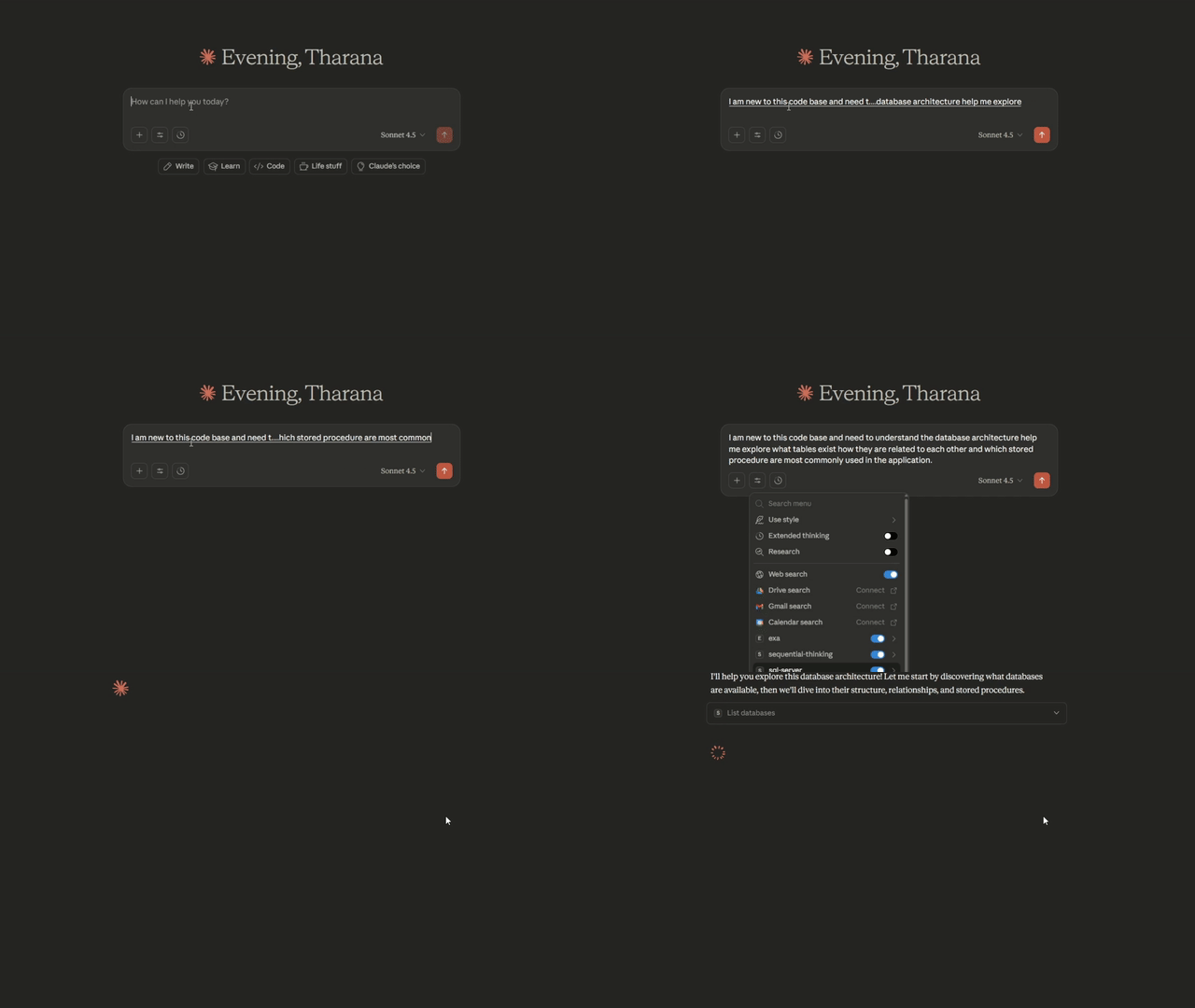
Note: Watch how natural language queries instantly explore database schemas, find relationships, and retrieve data - all without leaving your AI assistant!
🚀 Quick Start
This repository contains two platform-specific implementations:
Windows Version → sql-server-mcp/
- ✅ Windows Authentication (ODBC Driver 17)
- ✅ SQL Server Authentication
- ✅ Native
msnodesqlv8driver for optimal performance - 📖 Windows Setup Guide
macOS Version → sql-server-mcp-mac/
- ✅ SQL Server Authentication (Docker required)
- ✅ Pure JavaScript
mssqldriver (no native dependencies) - 📖 macOS Setup Guide
📦 Installation
🎉 Now Available on MCP Registry!
This server is officially published in the Model Context Protocol Registry:
- Windows:
io.github.TharanaBope/sql-server-mcp - macOS:
io.github.TharanaBope/sql-server-mcp-macos
🚀 Quick Start (Recommended)
No installation needed! Just add to your AI assistant's configuration:
Claude Desktop (Windows)
Config Location: %APPDATA%\Claude\claude_desktop_config.json
{
  "mcpServers": {
    "sql-server": {
      "command": "npx",
      "args": ["-y", "@tharanabopearachchi/sql-server-mcp@latest"],
      "env": {
        "SQL_SERVER": "localhost",
        "SQL_DATABASE": "master",
        "SQL_USE_WINDOWS_AUTH": "true"
      }
    }
  }
}
Claude Desktop (macOS)
Config Location: ~/Library/Application Support/Claude/claude_desktop_config.json
{
  "mcpServers": {
    "sql-server": {
      "command": "npx",
      "args": ["-y", "@tharanabopearachchi/sql-server-mcp-macos@latest"],
      "env": {
        "SQL_SERVER": "localhost",
        "SQL_DATABASE": "master",
        "SQL_USE_WINDOWS_AUTH": "false",
        "SQL_USERNAME": "sa",
        "SQL_PASSWORD": "your_password"
      }
    }
  }
}
Config Location: Varies by platform
- Windows:
%USERPROFILE%\.lmstudio\config.json - macOS:
~/.lmstudio/config.json
{
  "mcpServers": {
    "sql-server": {
      "command": "npx",
      "args": ["-y", "@tharanabopearachchi/sql-server-mcp@latest"],
      "env": {
        "SQL_SERVER": "localhost",
        "SQL_DATABASE": "master",
        "SQL_USE_WINDOWS_AUTH": "true",
        "SQL_USERNAME": "",
        "SQL_PASSWORD": ""
      }
    }
  }
}
Config Location: ~/.continue/config.json
{
  "experimental": {
    "modelContextProtocolServers": [
      {
        "transport": {
          "type": "stdio",
          "command": "npx",
          "args": ["-y", "@tharanabopearachchi/sql-server-mcp@latest"]
        },
        "env": {
          "SQL_SERVER": "localhost",
          "SQL_DATABASE": "master",
          "SQL_USE_WINDOWS_AUTH": "true"
        }
      }
    ]
  }
}
Config Location: Cursor Settings → Features → Model Context Protocol
{
  "mcpServers": {
    "sql-server": {
      "command": "npx",
      "args": ["-y", "@tharanabopearachchi/sql-server-mcp@latest"],
      "env": {
        "SQL_SERVER": "localhost",
        "SQL_DATABASE": "master",
        "SQL_USE_WINDOWS_AUTH": "true"
      }
    }
  }
}
Config Location: VS Code Settings → Cline → MCP Settings
{
  "mcpServers": {
    "sql-server": {
      "command": "npx",
      "args": ["-y", "@tharanabopearachchi/sql-server-mcp@latest"],
      "env": {
        "SQL_SERVER": "localhost",
        "SQL_DATABASE": "master",
        "SQL_USE_WINDOWS_AUTH": "true"
      }
    }
  }
}
Restart your AI assistant and you're ready to go!
🛠️ Development Setup
For development or local modifications:
Windows
cd sql-server-mcp
npm install
npm run build
👉 Complete Windows Setup Instructions
macOS
cd sql-server-mcp-mac
npm install
npm run build
👉 Complete macOS Setup Instructions
🛠️ Available MCP Tools
The server provides 12 powerful tools for database exploration:
Schema Exploration
list_databases- Discover all available databaseslist_tables- View tables with row countsdescribe_table- Get detailed schema (columns, types, constraints, indexes)list_views- List all viewslist_stored_procedures- List stored procedures with metadataget_procedure_definition- Get full SQL definitionget_database_overview- High-level statistics
Relationship Mapping
get_table_relationships- Get foreign key relationships (incoming & outgoing)get_related_tables- Find directly connected tables
Search & Discovery
search_schema- Search across tables, columns, views, proceduresfind_column_usage- Find all tables containing a specific column
Query Execution
execute_query- Execute read-only SELECT queries safely
💬 Example Usage
Once configured, you can ask your AI assistant:
"What databases are available on this server?"

"Show me all tables in the Sales database"

"What's the schema of the Orders table?"

"Find all tables that reference the Customers table"

"Search for any columns related to 'email'"

"Execute: SELECT TOP 10 * FROM Products ORDER BY Price DESC"
⚙️ Configuration
Both versions use environment variables for configuration:
SQL_SERVER=localhost
SQL_DATABASE=master
SQL_PORT=1433
SQL_USE_WINDOWS_AUTH=true          # Windows only
SQL_USERNAME=                       # For SQL Auth
SQL_PASSWORD=                       # For SQL Auth
QUERY_TIMEOUT=30
MAX_RESULT_ROWS=1000
ENABLE_SCHEMA_CACHE=true
CACHE_TTL_MINUTES=60
See platform-specific READMEs for detailed configuration instructions.
🔐 Security Features
- ✅ Read-only by default - Write operations disabled unless explicitly enabled
- ✅ Query validation - Only SELECT statements allowed by default
- ✅ Automatic timeouts - Prevents long-running queries
- ✅ Row limits - Prevents memory exhaustion
- ✅ SQL injection prevention - Query sanitization and validation
- ✅ Database whitelisting - Optional restriction to specific databases
🏗️ Architecture
MCP/
├── sql-server-mcp/              # Windows implementation
│   ├── src/
│   │   ├── index.ts             # MCP server entry point
│   │   ├── database/            # Connection, caching, queries
│   │   ├── tools/               # 12 MCP tools
│   │   └── types/               # TypeScript interfaces
│   ├── dist/                    # Compiled output
│   ├── package.json
│   └── README.md                # Windows documentation
│
├── sql-server-mcp-mac/          # macOS implementation
│   ├── src/                     # Same structure as Windows
│   └── README.md                # macOS documentation
│
├── LICENSE                      # MIT License
└── README.md                    # This file
🎯 Use Cases
Database Exploration
- "What tables exist in this database?"
- "Show me the structure of the Users table"
- "List all stored procedures"
Schema Research
- "Find all tables with an 'email' column"
- "Search for anything related to 'invoice'"
- "What views are available?"
Relationship Analysis
- "How are Orders and Customers related?"
- "Show me all tables that reference Products"
- "What are the foreign key relationships for this table?"
Data Queries
- "Get the top 10 most expensive products"
- "Show me recent orders"
- "What's the total count of records in each table?"
🤝 Contributing
Contributions are welcome! Please feel free to submit a Pull Request. For major changes, please open an issue first to discuss what you would like to change.
📄 License
This project is licensed under the MIT License - see the LICENSE file for details.
🙏 Acknowledgments
- Built on Model Context Protocol SDK
- Uses mssql and msnodesqlv8 drivers
- Inspired by the need for better AI-database integration
📚 Resources
- Windows Setup Guide:
sql-server-mcp/README.md - macOS Setup Guide:
sql-server-mcp-mac/README.md - Troubleshooting: Check platform-specific
TROUBLESHOOTING.mdfiles - MCP Documentation: https://github.com/modelcontextprotocol
- Report Issues: https://github.com/TharanaBope/SQL-MCP-Mac-Windows/issues
🌐 Platform-Specific Documentation
| Platform | Directory | Key Features |
|---|---|---|
| Windows | sql-server-mcp/ | Windows Auth, ODBC Driver, Native performance |
| macOS | sql-server-mcp-mac/ | Docker SQL Server, Pure JS, No native deps |
Made with ❤️ for the MCP community
⭐ Star this repo if you find it useful! 🐛 Report bugs via Issues 💬 Questions? Check the Discussions