Give your coding agent a map of the repo with Codebase Memory MCP
Codebase Memory MCP indexes a repository into a local graph so Claude, Cursor and other agents can search symbols, trace calls and check what a change touches. Setup and what I saw testing version 0.12.1.
Most coding agents learn a repository the slow way. They grep, open a file, open the next one, and spend a lot of the context window just finding where things live. Codebase Memory MCP takes a different route. It parses the repository once into a local knowledge graph of files, functions, routes, imports and calls, then gives the agent tools to query that graph instead of reading files one by one.
The project is open source under MIT, written in C, and run by DeusData. It is one of the fastest growing MCP repositories on GitHub this month, sitting at close to 49,000 stars when I checked today. The current release is 0.12.1 from October 16. I installed that version and ran it against a real repository before writing this.
What the agent gets
The server exposes 17 tools. The ones you will see an agent reach for most:
index_repository builds the graph for a folder. Large repos can index in the background with the async option.
search_graph finds functions, classes and other symbols by name, with structural and text ranking.
trace_path follows callers and callees, data flow, or calls across services.
get_architecture returns an overview of languages, packages, routes and hotspots.
get_code_snippet and get_file_outline read exactly the function or file outline the agent asked for.
detect_changes maps a git diff to the symbols it affects, which is handy before a review.
query_graph runs read only Cypher style queries if you want something the other tools do not cover.
There is no hosted service and no API key. Indexing and queries run on your machine, and the server does not call a model. Your agent stays the part that reasons; the graph just answers structural questions quickly.
Add it to Cursor
The npm package downloads the matching native binary on first run and checks it against the release checksums. Add this to your Cursor MCP settings:
The README also offers a Claude Code plugin and a native installer. The installer goes further than the npm route: it detects your clients and writes their MCP config, plus skills, agent profiles and hooks where a client supports them. Pick one route. Using both registers the same server twice under two names.
txsnippet
1# native installer for macOS and Linux, from the README2curl -fsSL https://raw.githubusercontent.com/DeusData/codebase-memory-mcp/main/install.sh | bash
Plain textUTF-8Ln 2, Col 97
Read the script before piping it into a shell. On Windows the README walks through downloading install.ps1, inspecting it and then running it.
What I saw when I tested it
I ran npx -y [email protected] on Linux with Node 24 and talked to it over stdio. It reported version 0.12.1 and listed all 17 tools. I pointed index_repository at a fresh clone of the Express repository. Indexing finished in a few seconds and produced 1,267 nodes and 2,172 edges across JavaScript, HTML, YAML and CSS files.
search_graph found createApplication in the express.js file under lib with its line range straight away, and get_architecture gave a sensible summary of packages, routes and edge types. Two things worth knowing from that run:
Every query tool needs the project name the server generated, which is based on the folder path, not the repo name. Call list_projects first. The error message tells the agent this too.
The index result is honest about gaps. It flagged three template files it could only partly parse. check_index_coverage and index_status give the full list.
An outbound trace on createApplication came back with no callees, because that function mostly assigns and mixes objects rather than calling named functions. Pair trace_path with search_code when a trace looks too empty.
Does it save tokens
The authors published a preprint covering 31 repositories that reports about ten times lower token use and about half the tool calls compared with exploring file by file. That is their measurement on their workloads. I did not run a token comparison myself, and the repo includes a measurement guide if you want to check it on your own code.
Things to keep in mind
The index lives on your machine and stays in sync while an MCP session is connected. A long first index on a big repo can outlast a client tool timeout, so use the async option there.
0.12.0 shipped broken npm, PyPI and Go installs. 0.12.1 fixed them, so pin 0.12.1 or newer.
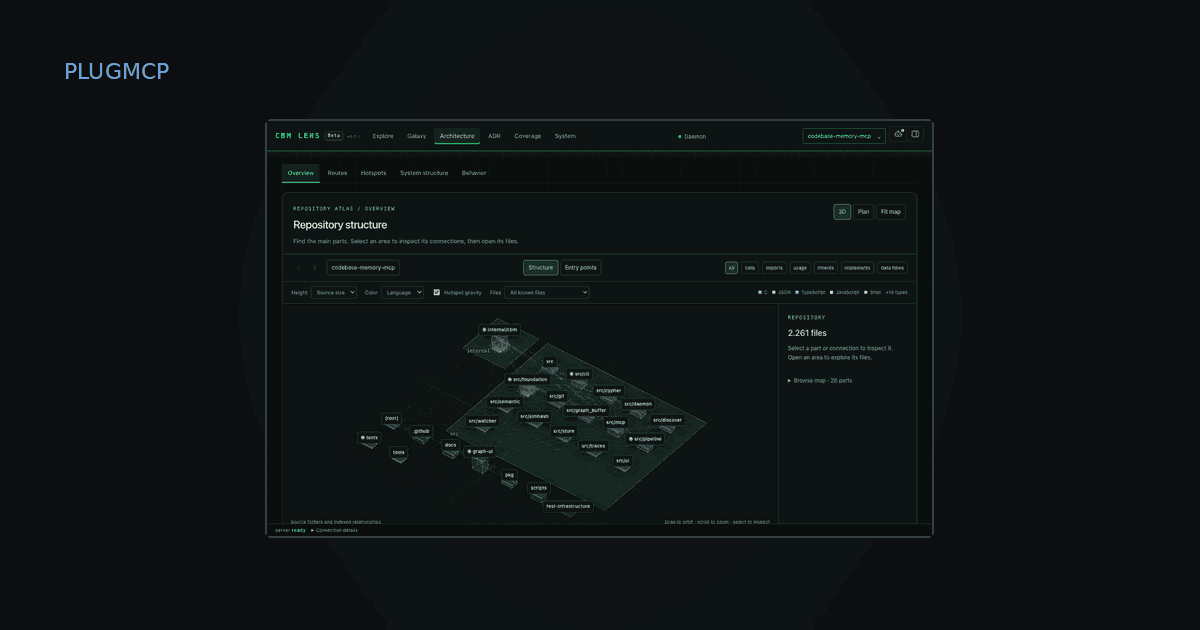
CBM Lens, the visual companion shown in the cover, is in open beta. The MCP server is the stable core.
Find it on PlugMCP
Codebase Memory MCP is listed on PlugMCP with the install config ready to copy. If you want your own agent to search the directory for servers like this one, the PlugMCP directory MCP needs no key.