
agent-personalizer
Every AI you use gets the same profile and the rules it can carry: Claude Code, Codex, Cursor, Gemini CLI and ChatGPT, rendered from one source and kept in sync.
The problem: Custom instructions live in each app separately, drift apart and fade over a long chat.
What you get: One profile and one rule source, rendered into the exact file each AI reads, with a check that fails when a generated copy drifts.
Quick start
npx agent-personalizer
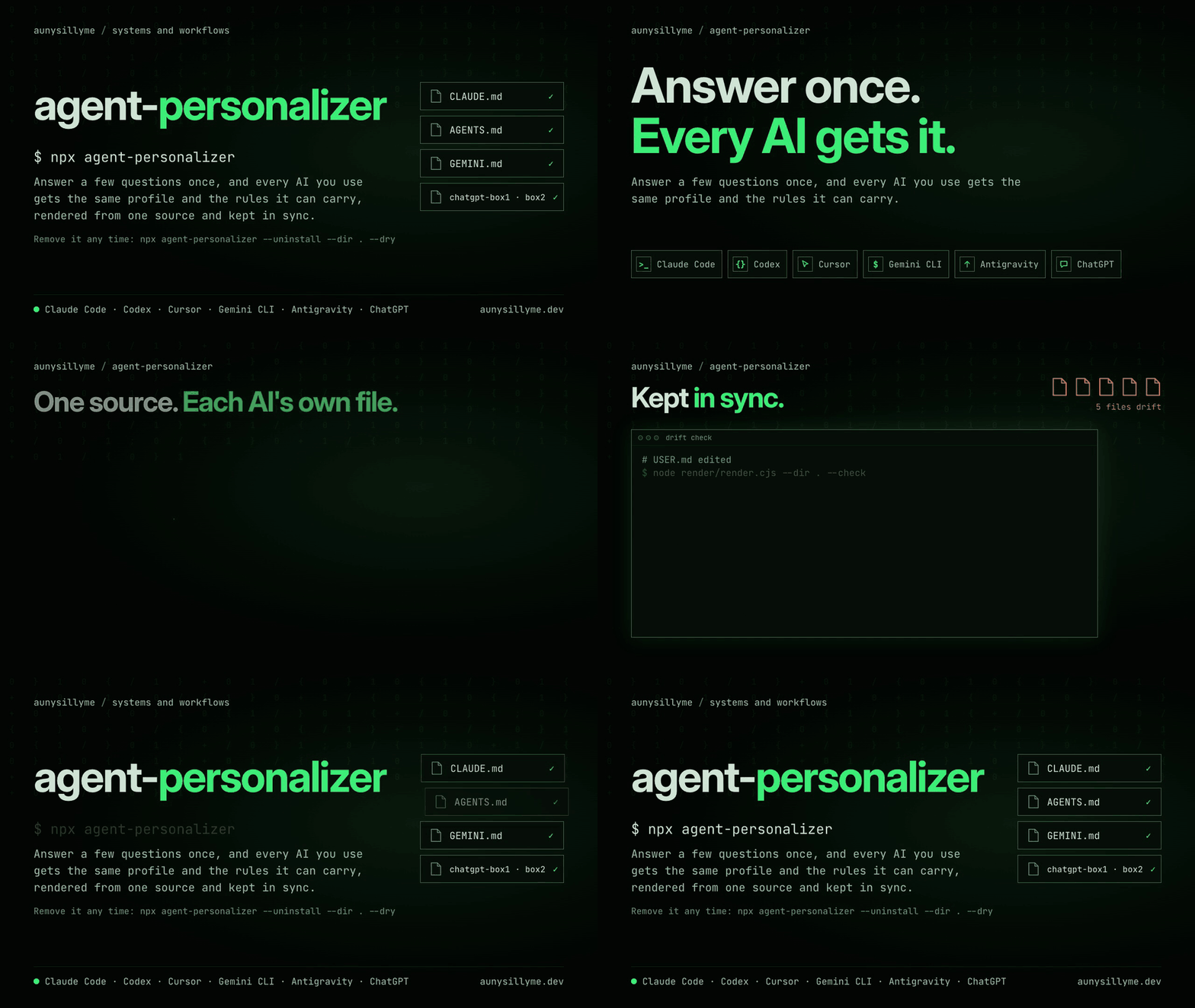
What it sets up
After you install
Start your AI in the installed project folder. Ask it which instruction file loaded and what your writing policy is. Confirm those answers against AGENT_ONBOARDING.md before the first write.
If you accepted session reading, Claude Code's /personalize, or the procedure in Codex and Gemini CLI's home files, asks up to five questions with a count and a short quote. Yes records a confirmed entry; no records a declined entry that is never asked again. Every approved entry reaches your selected personal AI files. As you work, a second correction of the same thing prompts one "Make it a rule?" question.
For ChatGPT, open Settings → Personalization and enable customization. Copy the exported profile (chatgpt-box1.txt) and response instructions (chatgpt-box2.txt) into the fields your current interface provides, checking its displayed limits. Re-paste after updates; the paste guide covers each app.
File generation, re-runs and uninstall run in CI on Linux, macOS and Windows; your client's context view confirms loading on your setup.
Part of a set
Choose your setup
The first install asks for a folder if --dir is missing, then which AIs you use and whether it may read your past sessions. The AI choices are pre-selected from installed Claude Code, Codex and Gemini CLI folders; Enter accepts them. Consent defaults to No. Level 1 is the default; --level selects another. There is no questionnaire. Working preferences keep safe defaults and remain editable through --answers or the saved config.
For a headless install with defaults:
npx agent-personalizer --dir . --ai claude,agents --level 1 --yes --defaults
Node 22 or 24 (active LTS) is recommended; 18 or later runs. Published on npm with provenance. Installation covers scripted answers, every flag, notes tools and manual copying.
The tool runs locally after npx fetches the package. The installer and renderer make no network calls and send no telemetry. Writes stay inside the folder you name, with edited files preserved and named.
Privacy
With your yes, learning reads up to 20 recent sessions kept by your selected Claude Code, Codex or Gemini CLI apps, plus Codex memory notes. It keeps typed messages, drops AI replies and tool output, and saves one local .agent-personalizer/digest.md ignored by git. The terminal lists files and counts, never message text. Your AI reads the digest, so its contents go to that provider again, like anything you paste in.
Reuse only history you are allowed to share. Past sessions can include other people's details; put their names or other private terms in check/forbidden.local.txt before accepting. Check your agreement for work or client accounts. npx agent-personalizer learn --forget deletes the digest, and uninstall removes it too; both leave your AI apps' history alone. agent-personalizer is not affiliated with Anthropic, OpenAI or Google, and their saved formats can change. See learning and privacy.
Keep it in sync
Re-run the installer to refresh an install. It asks nothing and keeps your saved AIs, level and answers. To change answers, supply a JSON file:
npx agent-personalizer --dir . --ai claude,agents --level 1 --yes --answers my-answers.json
Untouched installer files update to what a fresh install with those answers would create. Edited files stay yours. Home pointer lines that still match the previous template update or disappear when obsolete; edited lines stay byte for byte and are named for manual review. Changing the notes path keeps the old folder and names it next to the new one. Upgrading refreshes untouched tools and rule copies; edited copies are kept with a replacement step.
USER.md updates while it remains an untouched installer profile. An edited or pre-existing profile stays the source for every profile export, including ChatGPT. Changed onboarding answers are named so you can carry them into your profile by hand.
LEARNED.md is user-owned from its first install and never overwritten by a re-run. To gather newer evidence, run npx agent-personalizer learn --dir .; each read needs consent.
At level 3, edit USER.md, LEARNED.md or a source in rules/, then render and check:
node render/render.cjs --dir .
node render/render.cjs --dir . --check
--check exits 0 when current, 1 on drift and 2 on invalid input. Start a new client session to load changed files and re-paste exports into chat apps. Each rule's origin section explains the failure it prevents; keep that story when adding a rule. See updating an install.
Put the contract in context
At level 3, register the Claude Code hook to inject the onboarding restrictions and inject: true rules at session start. For another AI, generate a prompt to paste into its first message:
node render/render.cjs --dir . --contract > contract.txt
The instruction tiers explain where style, home files, contracts, rule owners and memory belong. The contract puts your instructions in context; your host and model apply them.
Check for private strings
At level 3, copy the example list, fill it with your identifiers and keep it in your project's .gitignore:
cp check/forbidden.example.txt check/forbidden.local.txt
node check/gate.cjs --dir .
The gate checks file text and paths against that list. A missing or malformed list is refused. Configure the gate for your project before sharing it.
Companion tools
Select your notes tool through saved onboarding answers or an answers file:
npx agent-personalizer --dir . --answers my-answers.json
Companion setup explains notes connectors and how to turn onboarding answers into tool permissions and approval steps.
Common questions
How do I share custom instructions across Claude Code, Codex, Cursor and ChatGPT?
Run npx agent-personalizer and select the AIs you use. One profile and rule source produce the instructions each target can carry; ChatGPT gets its profile and selected session rules as paste files.
Which instruction files does each AI use?
Choose targets with npx agent-personalizer --dir . --ai claude,agents,gemini,chatgpt --level 1 --yes --defaults. It creates CLAUDE.md, AGENTS.md, GEMINI.md and the ChatGPT exports shown in What it sets up; the paste guide explains loading and activation.
How do I update my AI profile or change an answer?
For answers, run npx agent-personalizer --dir . --answers my-answers.json. At level 3, edit USER.md, LEARNED.md or rules/, then run node render/render.cjs --dir .; re-paste changed chat exports.
How do I check generated instructions for drift?
At level 3, run node render/render.cjs --dir . --check. Exit 0 means the generated blocks and paste files match their sources; exit 1 identifies drift and exit 2 names invalid input.
How do I upgrade installed tools safely?
Re-run npx agent-personalizer --dir . --ai claude,agents --level 3 --yes --defaults with the newer package. Untouched tools refresh, edited copies stay and the log gives the replacement step.
How do I uninstall agent-personalizer and keep my notes?
Preview with npx agent-personalizer --uninstall --dir . --dry, then run npx agent-personalizer --uninstall --dir .. Edited files, user-written notes and a LEARNED.md with entries stay; the local digest is removed and untouched files return byte for byte.
Uninstall
Preview with --uninstall --dry. Removal compares recorded install hashes, keeps edited files, notes and a LEARNED.md with entries, removes the local digest, and lists any hook registration you must remove.
npx agent-personalizer --uninstall --dir . --dry
npx agent-personalizer --uninstall --dir .
The inventory covers every path recorded by any install run, including earlier notes folders and rules omitted by later answers. Existing home files keep their own text while an unchanged generated block is removed. Only install-created empty folders are removed; the configuration goes last and stays while tracked files are retained. See removal details.
Read next
Start at the documentation index:
- Install and uninstall: flags, scripted answers, re-runs, upgrades and removal.
- Learning and privacy: consent, session sources, evidence-backed questions, entries and forgetting the digest.
- Instruction tiers: where each kind of instruction belongs.
- Paste guide: how each AI loads its files and how to activate exports.
- Companions: notes connectors and enforcement tools.
- Guarantees: source ownership, drift checks, preflight and runtime safety.
- Changelog: release history.
- Support: question, bug, feature and private security routes.
For agents: read llms.txt for documentation links and AGENTS.md for contributor instructions. Headless setup: npx agent-personalizer --dir . --ai claude,agents --level 1 --yes --defaults.
Contributing
Contributions are welcome: a new AI target, a notes tool, an example user, or a failure you hit with steps to reproduce it. CONTRIBUTING.md covers the rule format and checks; MAINTAINERS.md names the owner and release responsibilities.
Pull requests are accepted under the contributor license agreement; the checkbox in the pull request template records your agreement.
The harness (test/run.sh: 98 checks) tests exact exit codes and adversarial fixtures. The real forbidden-list check stays local and prints a skip when the private list is absent.
License
MIT. Use, change, share and sell copies under its terms. Attribution is appreciated: Built with agent-personalizer (https://github.com/aunysillyme/agent-personalizer).
Security reports: SECURITY.md. Releases: RELEASING.md.
Built in public by @AunySillyMe.