agent-root
The command-line client for the . Resolve domains, search the public registry, install skills, MCP servers, and agents into Claude, Cursor, Codex, Gemini, or any AgentRoot-aware tool.
Power your agent
Install from the publisher. Not a PlugMCP endpoint.
Host a copy with our keys and logs.
No packaged release in the registry yet. Follow the repository README.
Remote URL or a command on your machine? How the two installs differ
Run on PlugMCP
A new server you create. It is not this listing's official endpoint. Use the publisher install when you want their URL and their credentials.
LaunchFrom the publisher
The command-line client for the . Resolve domains, search the public registry, install skills, MCP servers, and agents into Claude, Cursor, Codex, Gemini, or any AgentRoot-aware tool.
Command-line client for the AgentRoot protocol. Resolve domains via DNS, install skills + MCP servers into Claude/Cursor/Codex/Gemini.
AgentRoot is a discovery protocol for AI capabilities, modeled on DNS. Any domain owner can publish four kinds of records:
Publication happens entirely through DNS. A domain owner creates one TXT record:
_agentroot.example.com TXT "v=ar1 manifest=https://example.com/.well-known/agentroot.json"
That TXT record points to a JSON manifest listing the records the domain offers. No central authority, no API keys, no gatekeeping; anyone with a domain can publish, anyone with a DNS client can discover.
The protocol specification and public registry live at agentroot.io.
The package is published as @agent-root/cli on npm. The installed binary is named agent-root (and agentroot as an alias) regardless of how you install it.
# Install globally
npm install -g @agent-root/cli
agent-root help

# Or run a one-off without installing
npx -p @agent-root/cli agent-root help
Requires Node.js 18 or later. Works on macOS, Linux, and Windows.
Full help, available with agent-root help:
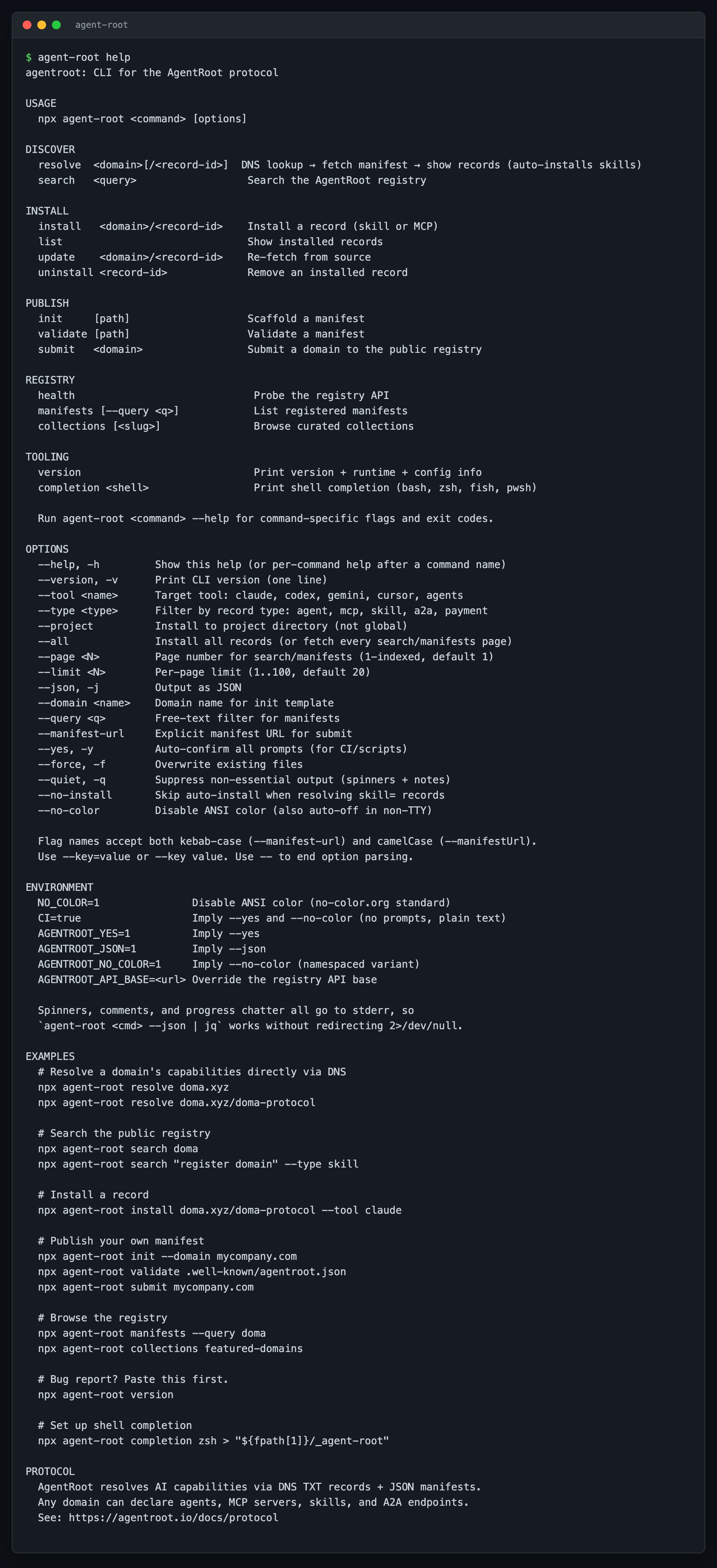
USAGE
  npx agent-root <command> [options]

DISCOVER
  resolve  <domain>[/<record-id>]  DNS lookup, fetch manifest, show records
  search   <query>                  Search the AgentRoot registry

INSTALL
  install   <domain>/<record-id>    Install a record (skill or MCP)
  list                              Show installed records
  update    <domain>/<record-id>    Re-fetch from source
  uninstall <record-id>             Remove an installed record

PUBLISH
  init     [path]                   Scaffold a manifest
  validate [path]                   Validate a manifest
  submit   <domain>                 Submit a domain to the public registry

REGISTRY
  health                            Probe the registry API
  manifests [--query <q>]           List registered manifests (paginated)
  collections [<slug>]              Browse curated collections

TOOLING
  version                           Print version + runtime + config info
  completion <shell>                Print shell completion (bash, zsh, fish, pwsh)

OPTIONS
  --help, -h         Show this help
  --version, -v      Print CLI version (one line)
  --tool <name>      Target tool: claude, codex, gemini, cursor, agents
  --type <type>      Filter by record type: agent, mcp, skill, a2a, payment
  --project          Install to project directory (not global)
  --all              Install all records (or fetch every search/manifests page)
  --page <N>         Page number for search/manifests (1-indexed, default 1)
  --limit <N>        Per-page limit (1..100, default 20)
  --json, -j         Output as JSON
  --domain <name>    Domain name for init template
  --query <q>        Free-text filter for manifests
  --manifest-url     Explicit manifest URL for submit
  --yes, -y          Auto-confirm all prompts (for CI/scripts)
  --force, -f        Overwrite existing files
  --quiet, -q        Suppress non-essential output (spinners + notes)
  --no-install       Skip auto-install when resolving skill= records
  --no-color         Disable ANSI color (also auto-off in non-TTY)
  --no-semantic      Disable the search semantic-search fallback (keyword-only)
Flag names accept kebab-case (--manifest-url) or camelCase (--manifestUrl); use --key=value or --key value. Pass -- to stop option parsing.
All spinners, progress notes, and chatter go to stderr. Data and JSON output go to stdout. That means agent-root <cmd> --json | jq . works without 2>/dev/null; pipes never carry color codes or progress lines.
Run agent-root <command> --help for per-command flags, examples, and exit codes.
If you typo a command, the CLI suggests the closest match:
$ agent-root reslove doma.xyz
error Unknown command: reslove
       Did you mean: agentroot resolve?
For bug reports, paste agent-root version:
agent-root 0.3.0
node v22.14.0
os   darwin/arm64
api  https://www.agentroot.io
config /Users/you/.agentroot/config.json
agent-root --version (or -v) prints just the version on one line, matching node --version / npm --version.
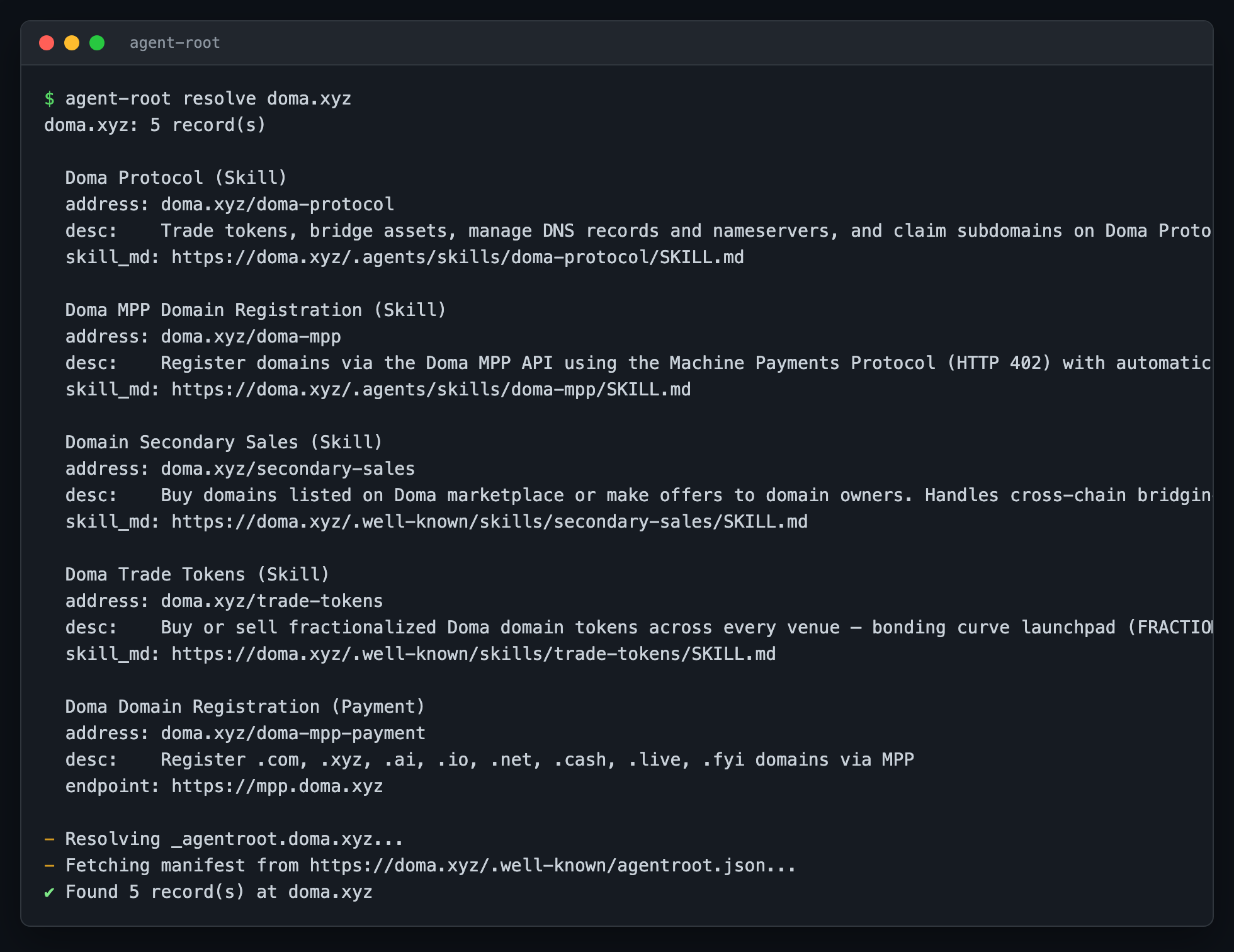
agent-root resolve doma.xyz
✔ Found 5 record(s) at doma.xyz

  Doma Protocol (Skill)
  address: doma.xyz/doma-protocol
  desc:    Trade tokens, bridge assets, manage DNS records and nameservers, ...
  skill_md: https://doma.xyz/.agents/skills/doma-protocol/SKILL.md

  Doma MPP Domain Registration (Skill)
  address: doma.xyz/doma-mpp
  desc:    Register domains via the Doma MPP API using the Machine Payments ...
  ...
Resolve a specific record by adding the record ID:
agent-root resolve doma.xyz/doma-protocol
Use --json for machine-readable output:
agent-root resolve doma.xyz --json | jq '.records[].address'
Search hits the public registry, which indexes domains submitted at agentroot.io/submit.
agent-root search doma
agent-root search "register domain" --type skill
agent-root search marketplace --type agent
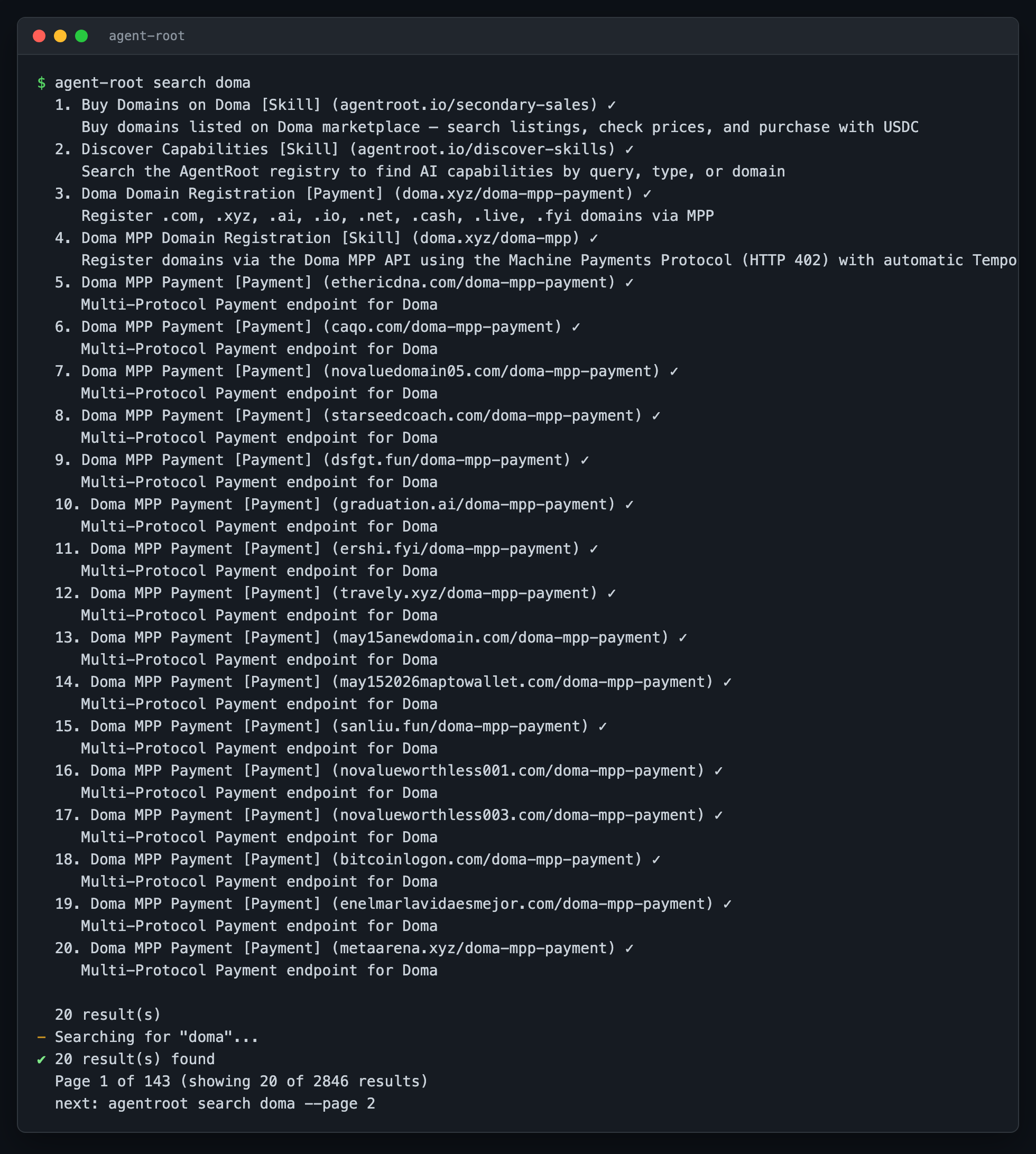
Results are paginated (20 per page). Use --all to fetch every page in one shot (capped at 1000 results):
agent-root search doma --page 2 --limit 50
agent-root search doma --all --type skill
When a keyword search finds nothing, the CLI automatically falls back to the registry's semantic search (hybrid keyword + vector) and shows the closest matches, each tagged {hybrid}, {vector}, or {keyword}. Pass --no-semantic to disable it and keep keyword-only behavior:
agent-root search "skill to pay in USDC"          # semantic match — no literal "usdc" needed
agent-root search "register domain" --no-semantic # keyword-only, no fallback
For scripting, --json returns the full envelope (results, total, page, pages, limit, approximate):
agent-root search doma --json | jq -r '.results[] | select(.type=="skill") | .address'
agent-root search doma --json | jq '.total, .pages'
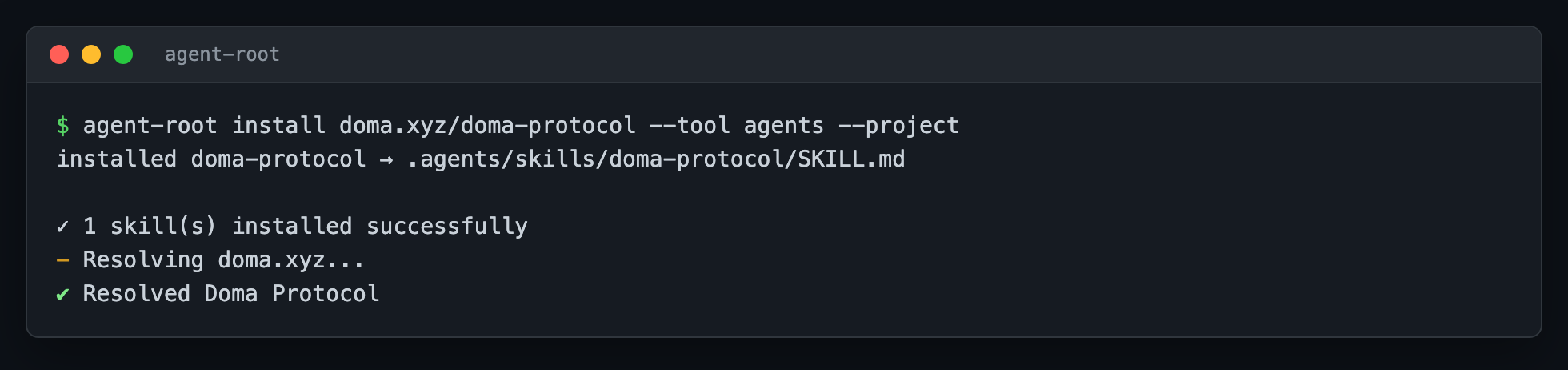
Point --tool at your AI assistant; the CLI fetches SKILL.md plus its supporting files into the directory your tool reads from.
cd your-project
agent-root install doma.xyz/doma-protocol --tool agents --project
--tool accepts:
agents (the default) is a single install any AgentRoot-aware tool will pick up; tool-specific values scope to one tool.
agent-root install doma.xyz --all --tool agents
# Step 1: search
agent-root search "domain registration" --type skill

# Step 2: install the one you want
agent-root install doma.xyz/doma-mpp --tool claude --project

# Step 3: confirm
agent-root list
agent-root search interactively (without --json and inside a TTY) also offers an "install this record?" prompt at the end.
agent-root list
agent-root list --json
list reads ~/.agentroot/installed.json and prints every installed record with its tool-specific paths:
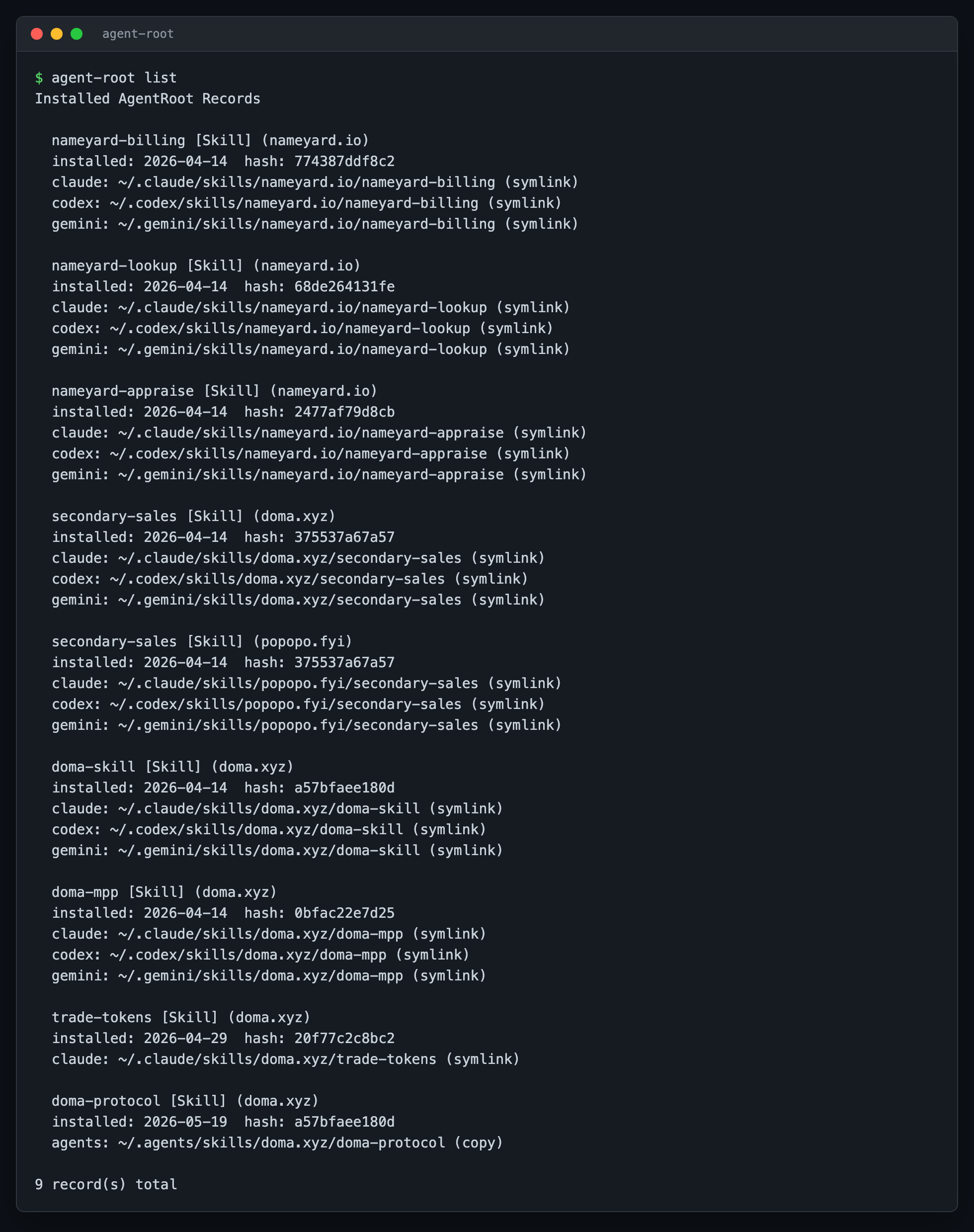
Pipe to less for long lists, or --json | jq to filter.
Re-fetch a record (when the publisher updated the SKILL.md):
agent-root update doma.xyz/doma-protocol
To remove a record:
agent-root uninstall doma.xyz/doma-protocol --yes
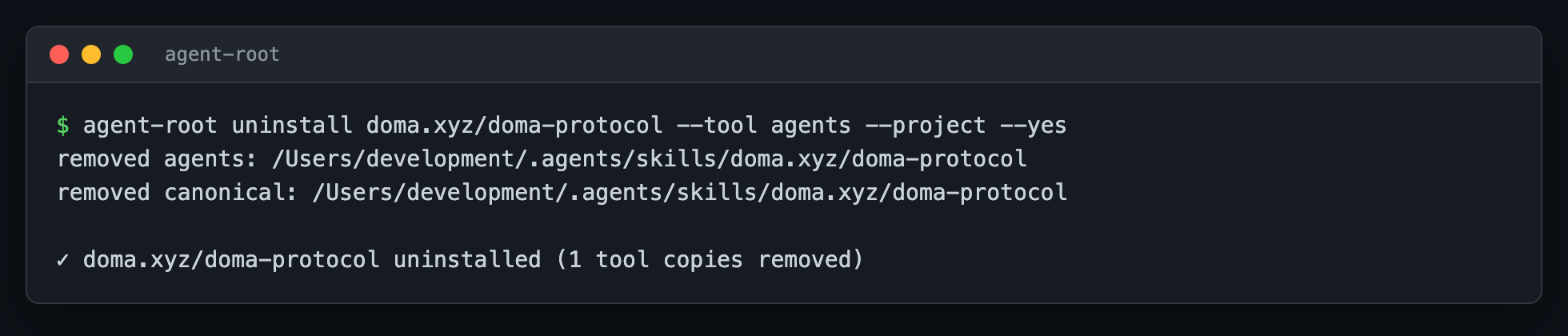
--yes skips the confirmation prompt.
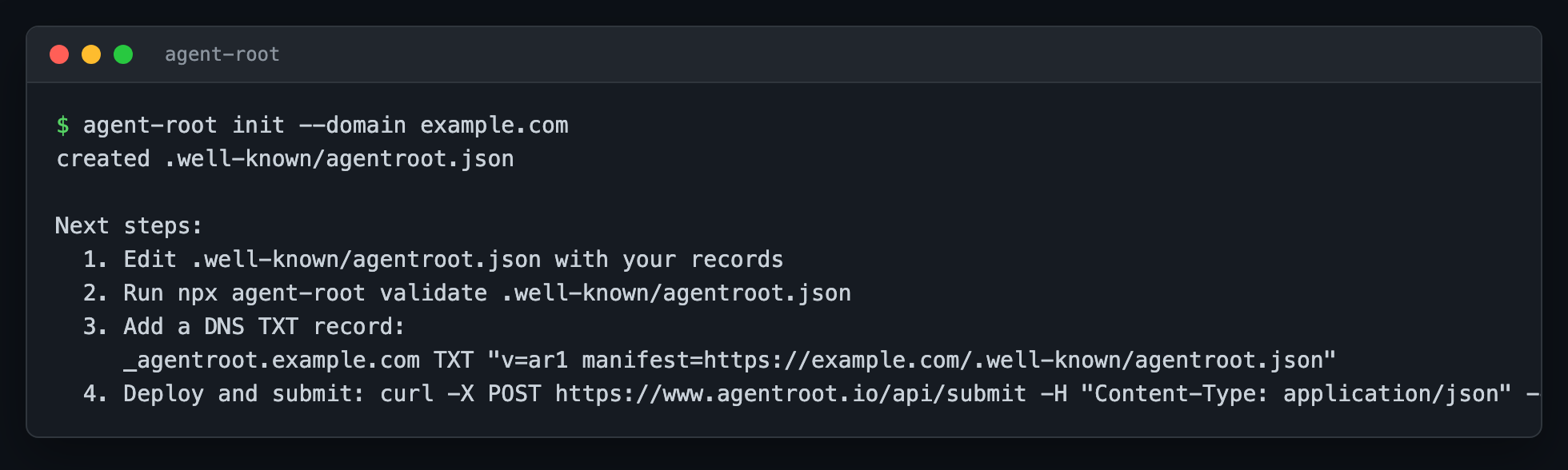
agent-root init --domain mycompany.com
Writes .well-known/agentroot.json with a starter record. Schema: agentroot.io/docs/protocol.
agent-root validate .well-known/agentroot.json
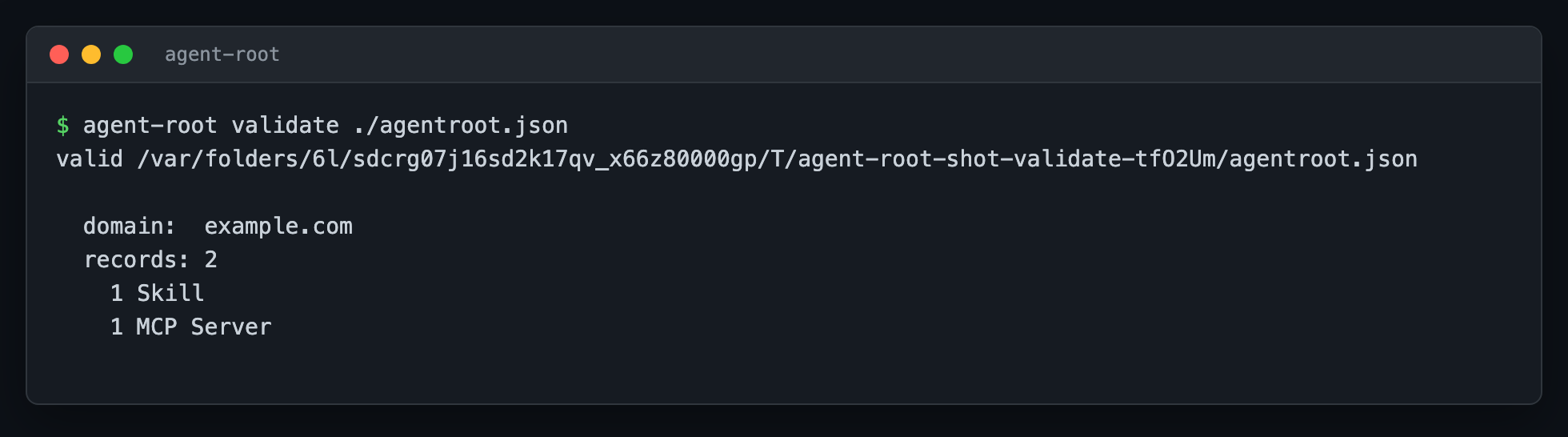
If validation fails, the error identifies the offending record and field:
invalid agentroot.json

  - records[1]: mcp record missing "transport"
On your DNS provider, create:
_agentroot.mycompany.com TXT "v=ar1 manifest=https://mycompany.com/.well-known/agentroot.json"
Serve the JSON at the URL above. Any AgentRoot client resolving mycompany.com will now discover your records.
Once DNS is live, register the domain so it shows up in agent-root search:
agent-root submit mycompany.com
The CLI does a local DNS probe, then posts to /api/submit. If the registry verifies the TXT record, it indexes the manifest and reports what it found:
✔ Found and indexed: _agentroot, _skill records for mycompany.com

  manifest: https://mycompany.com/.well-known/agentroot.json
  indexed:  5 record(s)
  found:    _agentroot, _skill
If DNS isn't set up, submit prints the exact TXT record to add and exits non-zero:
✖ No _agentroot TXT record found for mycompany.com

  Add this DNS TXT record, then re-submit:

    host:  _agentroot.mycompany.com
    type:  TXT
    value: v=ar1 manifest=https://mycompany.com/.well-known/agentroot.json
--manifest-url skips the DNS probe and submits a known URL directly. --json returns the structured response (validation errors, instructions block, indexed records).
agent-root health
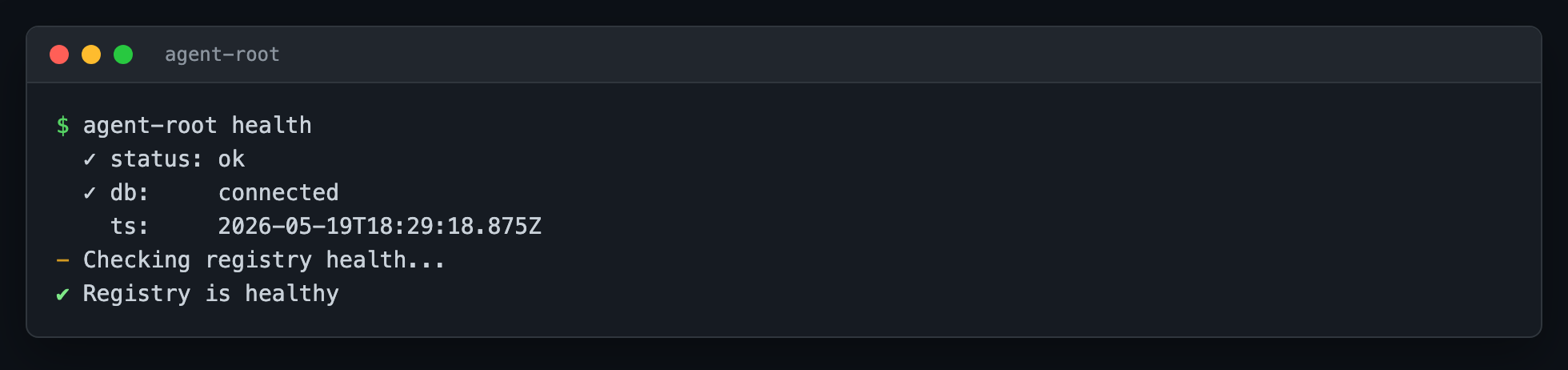
Exits non-zero if the registry is unreachable, so it works as a CI gate:
agent-root health && deploy
agent-root manifests walks /api/manifests with the same pagination flags as search:
agent-root manifests --query doma
agent-root manifests --page 2 --limit 50
agent-root manifests --all --type mcp
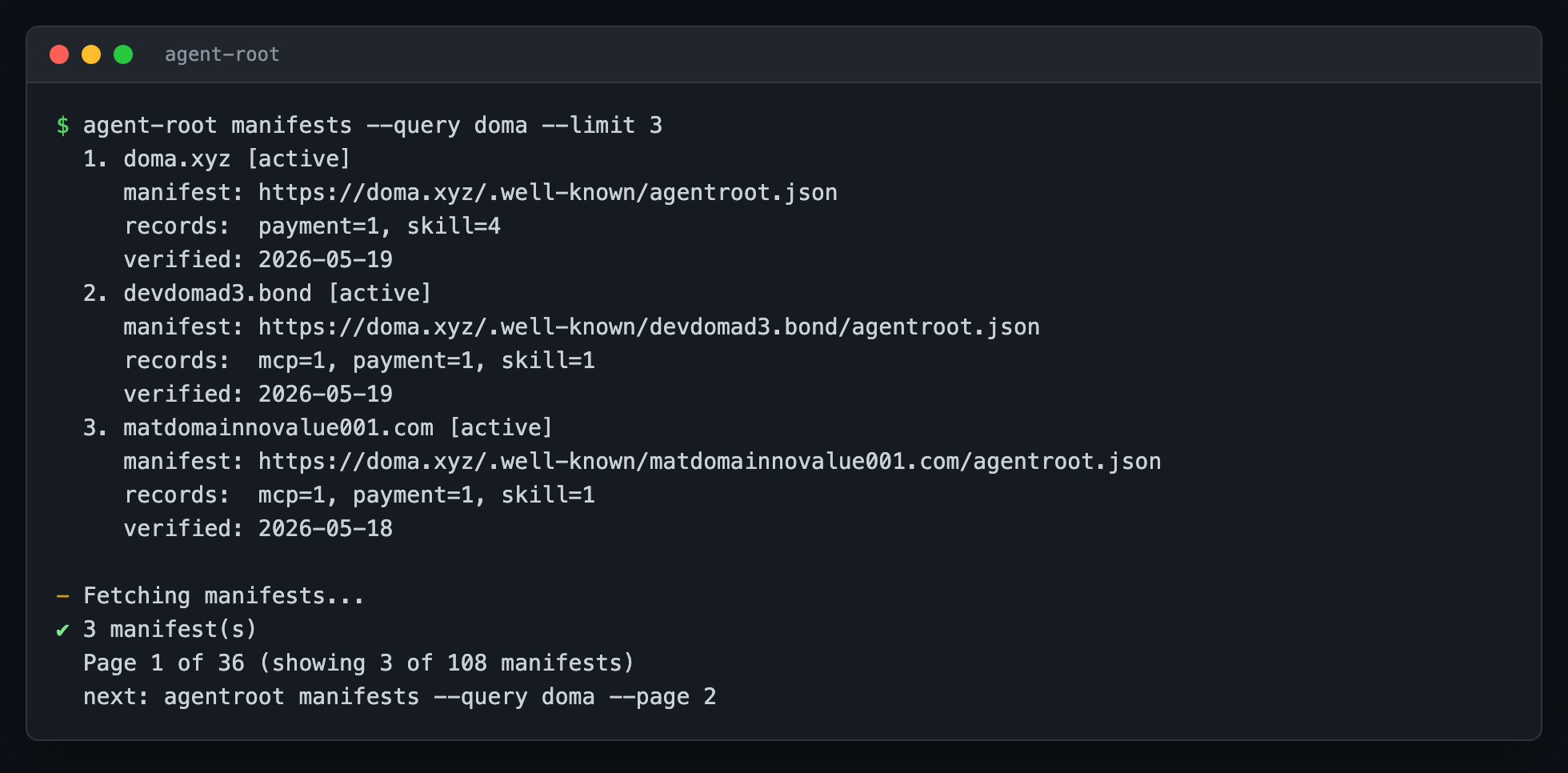
Each row: domain, verification status, manifest URL, records by type, last verified date.
  1. doma.xyz [active]
     manifest: https://doma.xyz/.well-known/agentroot.json
     records:  payment=1, skill=4
     verified: 2026-05-19

  Page 1 of 280 (showing 5 of 1399 manifests)
  next: agentroot manifests --query doma --page 2
The registry publishes editorial collections (e.g. featured-domains):
agent-root collections
agent-root collections featured-domains
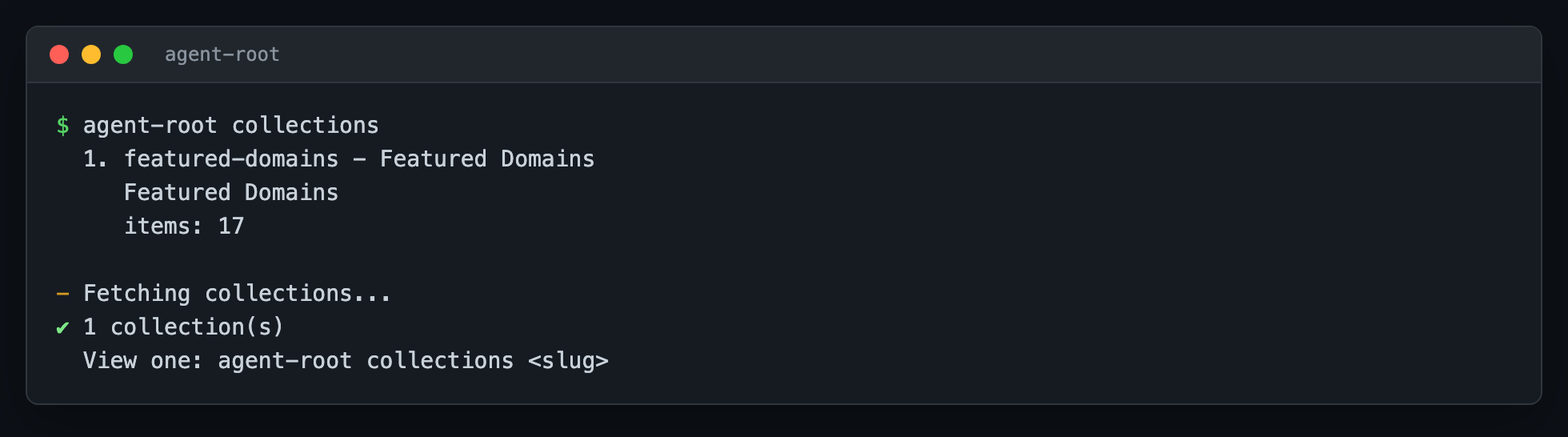
Both forms accept --json for scripting.
agent-root is DNS-first. It speaks the protocol directly, without depending on any central registry.
When you run agent-root resolve example.com:
_agentroot.example.commanifest=... URLWhen you run agent-root install example.com/some-skill:
SKILL.md and its supporting files (relative URLs resolved against the SKILL.md location)~/.agents/skills/<domain>/<record-id>/--tool, a symlink (or copy with --project) is created in that tool's expected locationWhen you run agent-root search query: the CLI hits /api/records with the query, type filter, page, and limit. If page 1 is empty it falls back to /api/find-skills (legacy, skill-only); if still nothing and the query is a bare keyword, it treats it as a domain by appending .io then .com.
The public registry at agentroot.io is a convenience for search, health, manifests, collections, and submit, not a dependency. resolve, install, update, and uninstall work even if the registry is offline because they go through DNS.
Sysexits-style exit codes so scripts can branch on failure mode. Source: man 3 sysexits.
Errors print one line to stderr (error <msg>) plus a one-line hint indented underneath. In --json mode the same data is emitted as a single envelope on stdout with the same exit code, so scripts can branch on jq '.error.code' and $? together (they always agree):
$ agent-root resolve nonexistent.test --json
{
  "error": {
    "code": "NOHOST",
    "message": "No _agentroot.nonexistent.test TXT record found",
    "hint": "Try: agentroot search nonexistent"
  }
}
$ echo $?
68
For per-command exit-code tables, run agent-root <command> --help.
Configuration lives at ~/.agentroot/config.json. Inspect or change it with:
agent-root config get
agent-root config set api-url https://www.agentroot.io
Or override the API base via AGENTROOT_API_BASE:
AGENTROOT_API_BASE=https://my-mirror.example.com agent-root search billing
The CLI reads the following environment variables (precedence: explicit flag > namespaced env > standard env > CI default):
Example: CI=true agent-root install foo --no-yes still prompts, because --no-yes was typed.
No API key is required. The endpoints the CLI calls are public-read (/api/records, /api/manifests, /api/manifests/{domain}, /api/find-skills, /api/health, /api/collections, /api/collections/{slug}) plus one public-write (/api/submit, which the registry verifies via DNS before indexing).
agent-root completion <shell> prints a completion script to stdout. Redirect to where your shell loads on startup:
# bash
agent-root completion bash > /usr/local/etc/bash_completion.d/agent-root
# or source it on every shell start:
echo 'source <(agent-root completion bash)' >> ~/.bashrc

# zsh
agent-root completion zsh > "${fpath[1]}/_agent-root"
# then reload with `compinit` (restarting the shell also works)

# fish
agent-root completion fish > ~/.config/fish/completions/agent-root.fish

# PowerShell
agent-root completion pwsh > $PROFILE.CurrentUserAllHosts/agent-root.ps1
Completes commands, flags, and --tool / --type value enums.
Source layout is in CLAUDE.md.
Bug reports, fixes, docs, new commands, flags, and tool integrations all welcome.
main. Full flow in .github/CONTRIBUTING.md.good first issue or help wanted.See GOVERNANCE.md for decision-making and how maintainers are added.
MIT © D3 Global, Inc. and AgentRoot contributors.
Command-line client for the AgentRoot protocol. Resolve domains via DNS, install skills + MCP servers into Claude/Cursor/Codex/Gemini.
Tools
No tool list yet. Remote servers get one after the first health check.
FAQ
Copy the stdio config for Cursor, Claude Desktop, Claude Code, or VS Code on this page. It uses the publisher's install, not a PlugMCP proxy.
No required environment variable is listed on this record.
Cli runs locally over stdio.
Last checked 2026-10-27. Command-line client for the AgentRoot protocol. Resolve domains via DNS, install skills + MCP servers into Claude/Cursor/Codex/Gemini.