Newsletter System
Version 2.3.1 — Changelog · Website & docs
A complete newsletter management system for Laravel, built with Filament. Manage subscribers, campaigns, HTML templates, scheduled sending, and full tracking — all from a modern admin panel. Includes a REST API, OpenAPI documentation, and an MCP server for AI integrations.
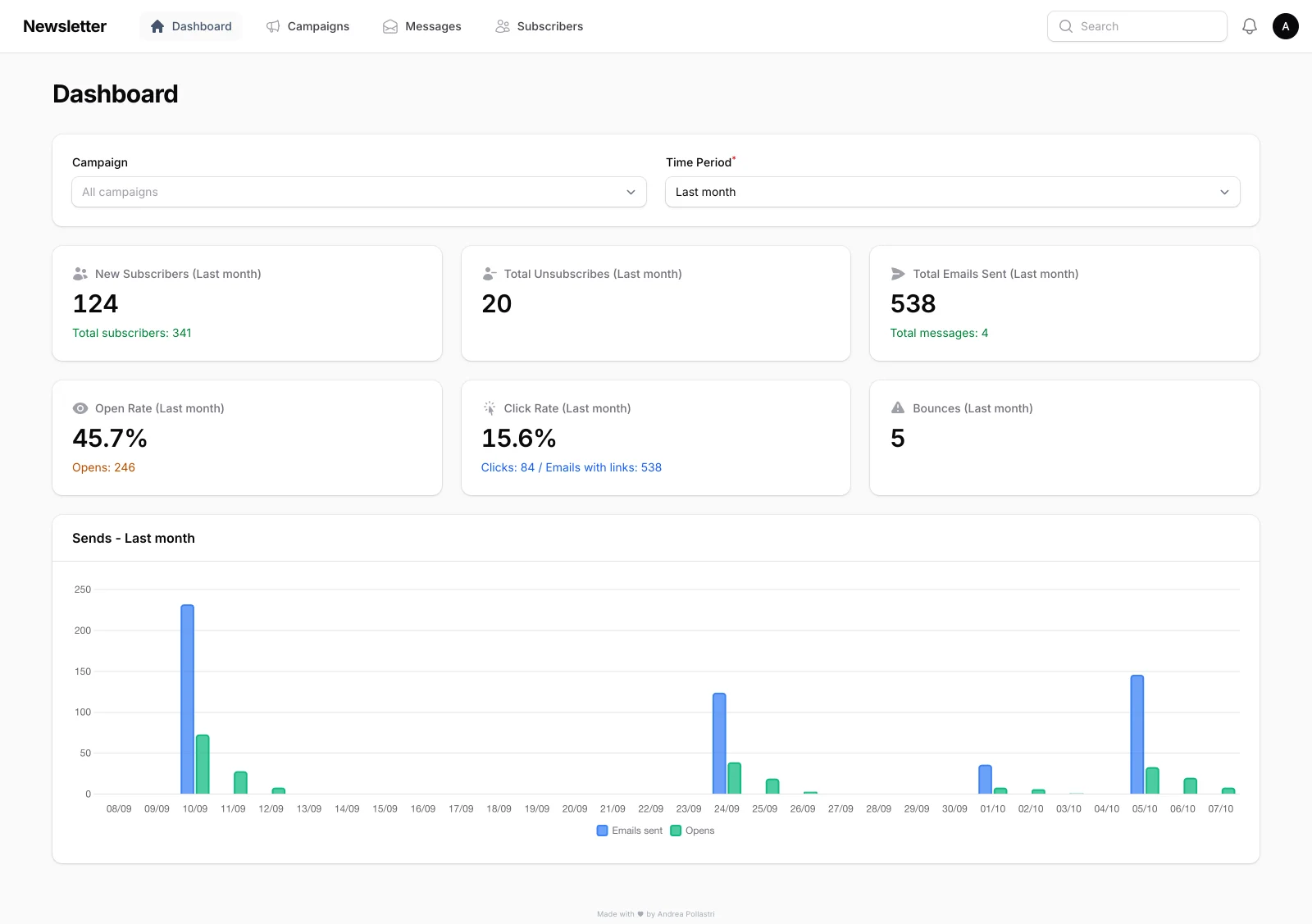
Screenshots in this README come from a real local install seeded with
php artisan newsletter:seed-data.
Table of Contents
- Features
- Screenshots
- User Management & Roles
- Requirements
- Installation
- Configuration
- Quick Start
- Sending Newsletters
- Monitoring & Analytics
- Rate Limiting
- REST API
- MCP Server (AI Integrations)
- Testing Tags
- Multilingual Support
- Public Routes
- Scheduled Tasks
- Artisan Commands
- Updates
- Troubleshooting
Features
Screenshots
| Messages and audiences | Include / exclude targeting |
|---|---|
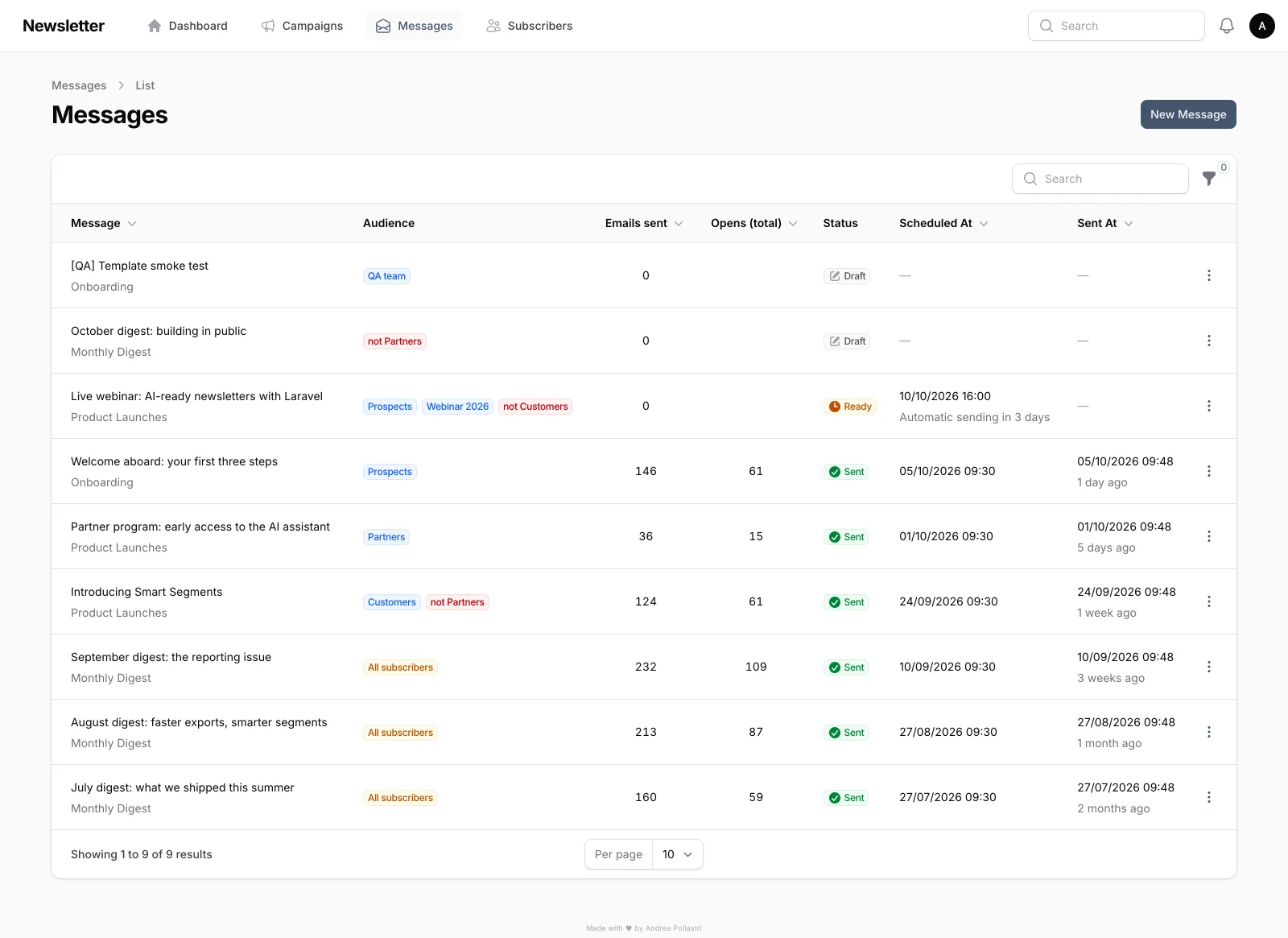 | 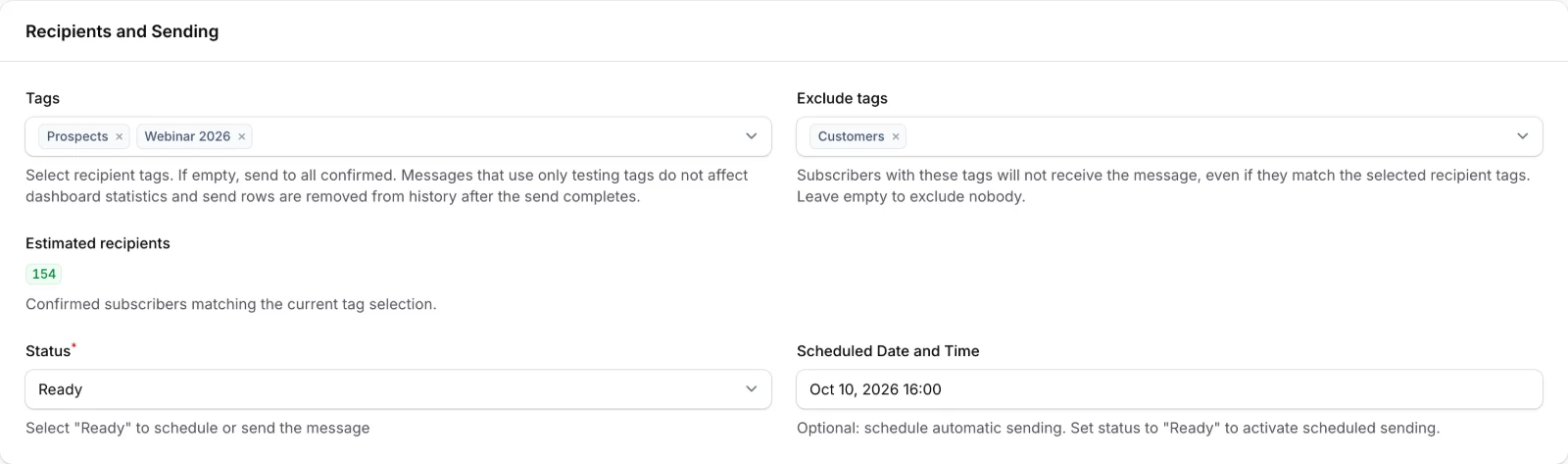 |
| Email preview | Per-message statistics |
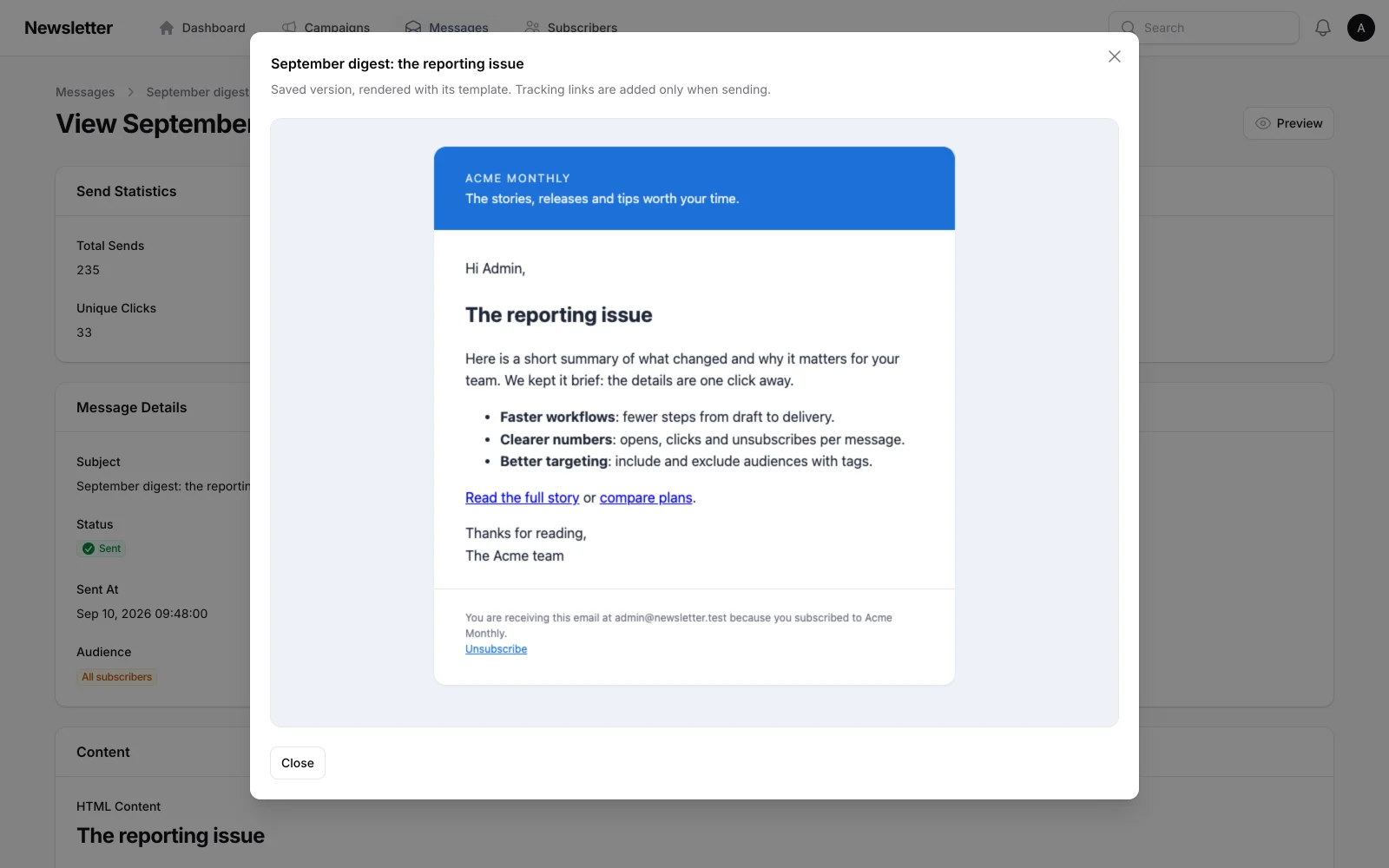 | 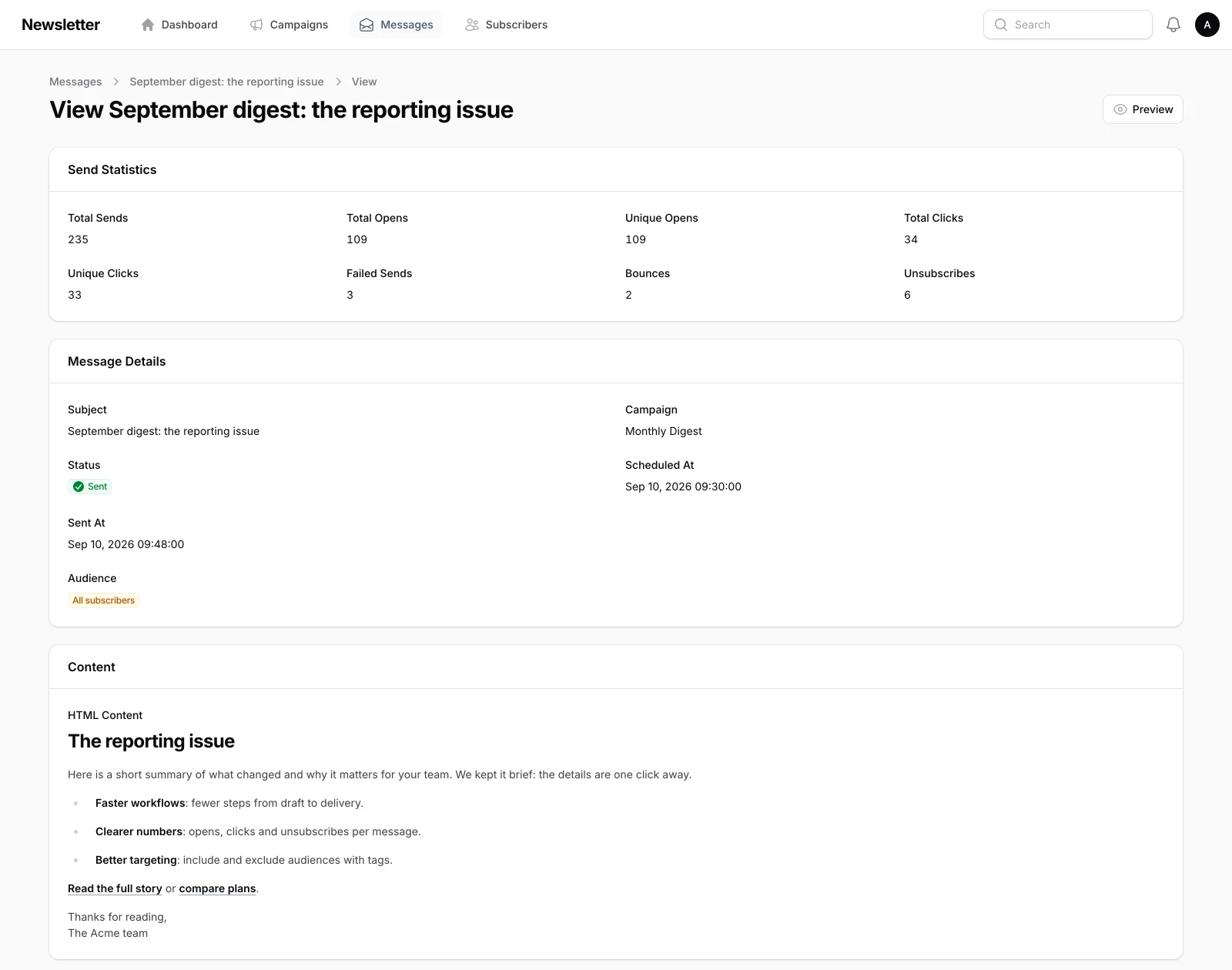 |
| Subscribers | API tokens & MCP |
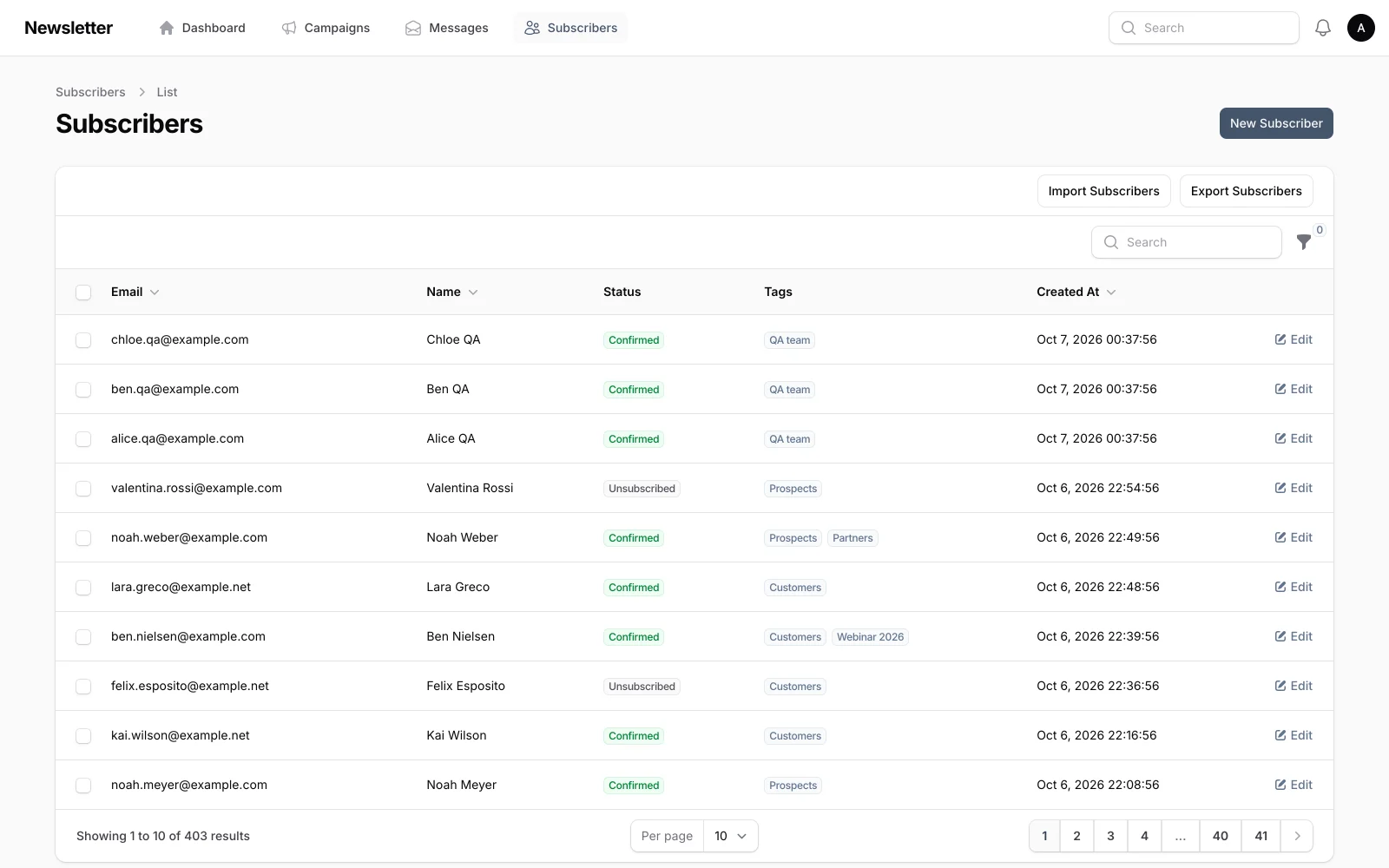 | 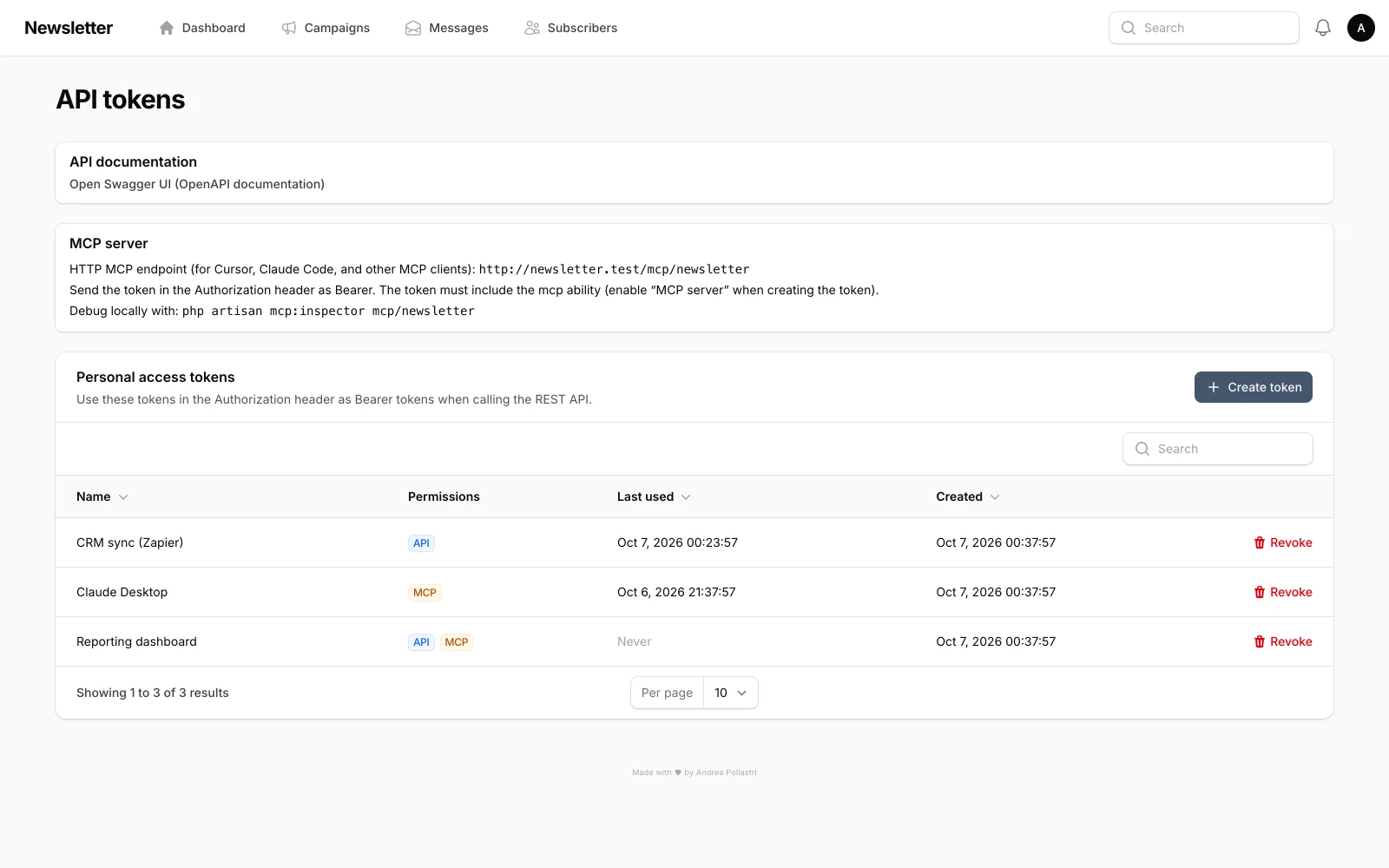 |
User Management & Roles
The application supports three user roles with progressively broader permissions. Every user is assigned exactly one role, stored in the role column of the users table.
Roles
Permission Matrix
Navigation
- Editor — lands on the Campaigns page after login; the dashboard is not shown in navigation.
- Manager / Administrator — lands on the Dashboard; all navigation items are visible according to the matrix above.
- User menu — the Users, API Tokens and Updates links appear only for Administrators.
Managing Users
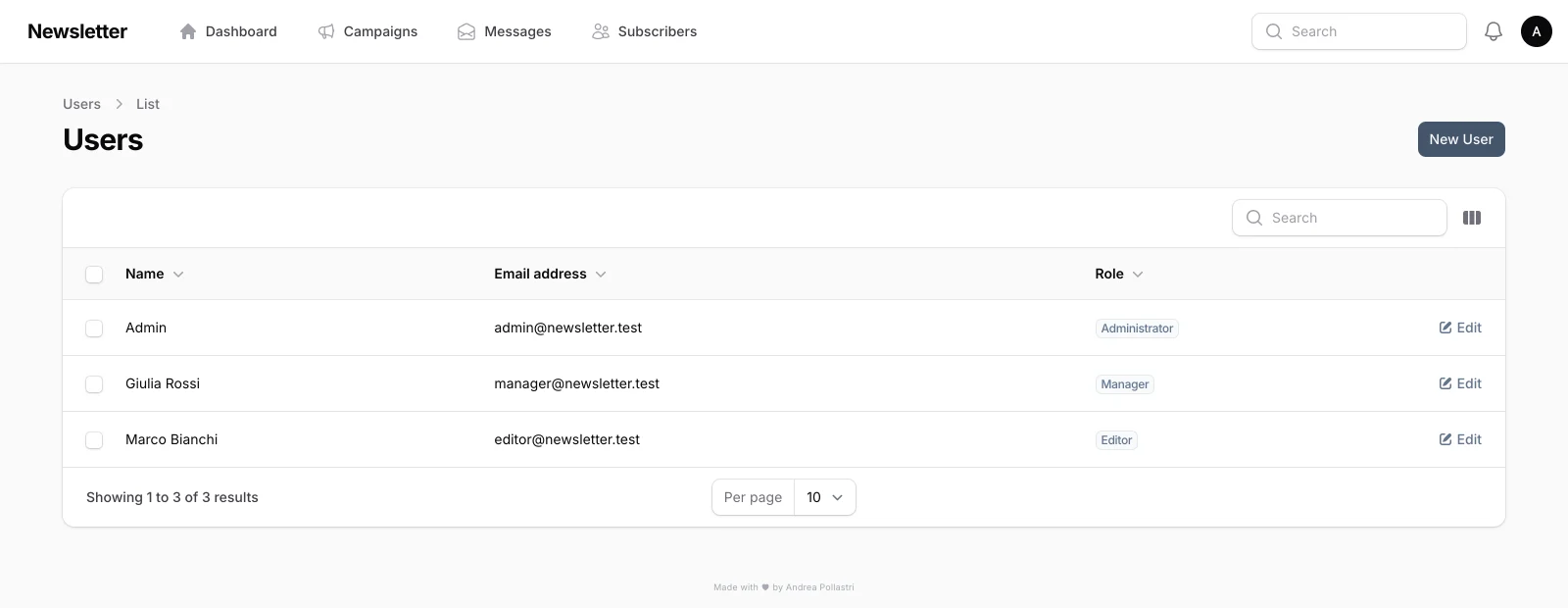
Administrators can create, edit, and delete users from the Users page in the admin panel. When creating or editing a user, the following fields are available:
- Name and Email (required)
- Password (required on create, optional on edit — leave blank to keep unchanged)
- Role — select Editor, Manager, or Administrator
- Locale — preferred language for the admin panel UI
An administrator cannot delete their own account.
Migrations
When upgrading from a version without roles, two migrations handle the transition:
add_role_to_users_table— adds therolecolumn (defaults toeditor).set_all_existing_users_to_legacy_administrator_role— promotes all pre-existing users toadministratorso they retain full access.
They run like any other migration: from 2.3.0 on, every update runs them by itself; an installation on 2.2.0 or earlier is updated by hand one last time (see Upgrading from 2.2.0 or earlier).
On a fresh install, the first account created without an explicit role (for example with php artisan make:filament-user) becomes an Administrator. Later accounts without a role default to Editor.
Requirements
- PHP 8.3+
- Laravel 13
- Filament 5
- Database (SQLite, MySQL, or PostgreSQL)
- Queue driver (database, Redis, etc.)
- Node.js 22+ (to build the frontend assets, also on the server: every update builds them)
- Git on the server, for updates
Installation
- Clone the repository and install dependencies:
git clone https://github.com/andreapollastri/newsletter.git newsletter
cd newsletter
composer install
- Configure the environment:
cp .env.example .env
php artisan key:generate
- Run migrations:
php artisan migrate
- Build frontend assets:
npm install
npm run build
- Create an admin user (if not using seed data). The first user becomes an Administrator:
php artisan make:filament-user
- Generate API documentation (optional):
php artisan l5-swagger:generate
- Add the scheduler to cron (see Scheduled Tasks): it sends scheduled messages and, from then on, keeps Newsletter up to date (see Updates).
Configuration
Configure your SMTP settings in .env:
MAIL_MAILER=smtp
MAIL_HOST=your-smtp-host.com
MAIL_PORT=587
MAIL_USERNAME=your-username
MAIL_PASSWORD=your-password
MAIL_FROM_ADDRESS="[email protected]"
MAIL_FROM_NAME="${APP_NAME}"
Newsletter
See Rate limiting for behaviour and tuning.
IMAP (Bounce Detection)
Bounce detection is optional and disabled by default. It requires an extra Composer package that is not shipped with the app:
composer require webklex/laravel-imap
Then enable and configure IMAP:
NEWSLETTER_IMAP_ENABLED=true
NEWSLETTER_IMAP_HOST=imap.yourdomain.com
NEWSLETTER_IMAP_PORT=993
NEWSLETTER_IMAP_USERNAME=your-username
NEWSLETTER_IMAP_PASSWORD=your-password
NEWSLETTER_IMAP_ENCRYPTION=ssl
NEWSLETTER_IMAP_FOLDER=INBOX
When disabled, missing credentials, or without webklex/laravel-imap, newsletter:process-bounces exits cleanly and does nothing.
How reports are interpreted:
- Delivery-status notifications (RFC 3464) — when the report carries
Final-Recipient/Action/Statusfields (Postfix, Exim, Gmail, Exchange…), only recipients withAction: failedbounce.5.x.xstatus codes are hard bounces,4.x.xare soft. - Delay warnings (
Action: delayed, "Delayed Mail (still being retried)", "Delivery Status Notification (Delay)") are ignored: the MTA is still retrying. - Other reports fall back to keyword detection; your own
MAIL_FROM_ADDRESSand IMAP username are never treated as bounced recipients. - The bounce is linked to the original send (tracking URL in the returned message, also when quoted-printable encoded) or to the subscriber's latest send, and any opens/clicks recorded for that send are discarded (mail clients load the tracking pixel of the returned copy).
API Documentation (Swagger)
To auto-generate the OpenAPI spec on every request in local development:
L5_SWAGGER_GENERATE_ALWAYS=true
For production, run php artisan l5-swagger:generate during deploy.
Quick Start
- Seed demo data (optional, recommended for a first look):
php artisan newsletter:seed-data
This creates a realistic, reproducible dataset: 400 subscribers (--subscribers= to change it) with mixed statuses and tags, three templates and campaigns, six sent messages with opens, clicks, bounces and unsubscribes, plus a scheduled message, drafts and a testing-tag message. All addresses use reserved example.* domains. Re-running it is safe, and it refuses to run in production unless you pass --force.
- Start the queue worker:
./start-worker.sh
Or manually:
php artisan queue:work --tries=3 --timeout=90
- Access the admin panel:
- URL:
https://newsletter.test(Laravel Herd) orhttp://localhost:8000 - Default credentials (after seeding):
[email protected]/password
Sending Newsletters
Immediate Sending
- Go to Newsletter > Messages
- Create a new message or select an existing one
- Set status to Ready
- Click Send Now
- Emails are queued and sent automatically via the queue worker
Scheduled Sending
- Create or edit a message
- Set the Scheduled Date field
- The system sends automatically at the scheduled time (requires cron — see Scheduled Tasks)
If a due message matches no confirmed subscriber, it is moved back to Draft and every user gets a notification. Sending is idempotent: a subscriber never gets two send rows for the same message, even if sending is triggered twice.
Audience
- Tags — subscribers with any of the selected tags receive the message. No tags = all confirmed subscribers.
- Exclude tags — subscribers with at least one of these tags are removed, even if they match an include tag (e.g. Customers, but not Partners). A tag cannot be both included and excluded.
- Estimated recipients — live count of confirmed subscribers matching the current selection (Managers and Administrators).
Preview and Test
- Preview (messages table, message view/edit pages, templates) renders the saved email inside its template in a sandboxed frame, personalised with your name.
- Send Test delivers the message to any address, without tracking, with a
[TEST]subject prefix.
Unsubscribe Headers
Every newsletter carries List-Unsubscribe and List-Unsubscribe-Post: List-Unsubscribe=One-Click (RFC 8058), so Gmail, Yahoo and Outlook can show their native unsubscribe button. Make sure your MTA DKIM-signs these headers.
Link Tracking
When tracking is enabled, links are rewritten to /track/click/{send} with UTM parameters and a signature that binds the destination to the send, so the endpoint cannot be used as an open redirect. Links sent by earlier versions (unsigned) keep working as long as their send row exists. mailto:, tel: and #anchor links are left untouched.
Monitoring & Analytics
- Dashboard: Main KPIs plus a daily chart of emails sent and opens, filterable by campaign and period
- Messages: Status, audience and send counts per message
- Message Details: Sends, opens, clicks, failures, bounces and unsubscribes, plus per-recipient tracking
Rate Limiting
Configure how many emails the queue may send using rolling windows (stored in the app cache). Set a variable to 0 to turn off that cap; the other caps still apply.
How sending works: for each queued send, SendNewsletterEmail checks daily, then hourly, then per-minute (App\Services\EmailRateLimiter). The send proceeds only if it fits under every enabled limit; otherwise the job is released with a delay and no quota is consumed for that attempt.
Throughput: in practice the tightest of your enabled limits dominates (e.g. high hourly but low per-minute still throttles bursts).
Estimated time: while a message is in Sending, the UI uses the same three env-driven values to approximate completion (Message::getEstimatedSendTime()).
Example (adjust to your SMTP limits):
NEWSLETTER_RATE_LIMIT_PER_MINUTE=0
NEWSLETTER_RATE_LIMIT_PER_HOUR=1000
NEWSLETTER_RATE_LIMIT_PER_DAY=10000
Keeping PER_MINUTE=0 and using only hourly/daily is a common choice for large campaigns to avoid many small queue delays.
Queue / worker: ensure the worker --timeout stays a few seconds below your database queue retry_after (see config/queue.php, DB_QUEUE_RETRY_AFTER) so jobs are not processed twice.
Check current counters:
php artisan newsletter:rate-limits
REST API
The application exposes a full REST API authenticated via Laravel Sanctum personal access tokens.
Authentication
- Go to the admin panel user menu > API tokens (or navigate to
/api-tokens) - Create a token with the API ability enabled
- Use the token in the
Authorizationheader:
Authorization: Bearer <your-token>
Endpoints
All endpoints are prefixed with /api and require a valid Bearer token with the api ability.
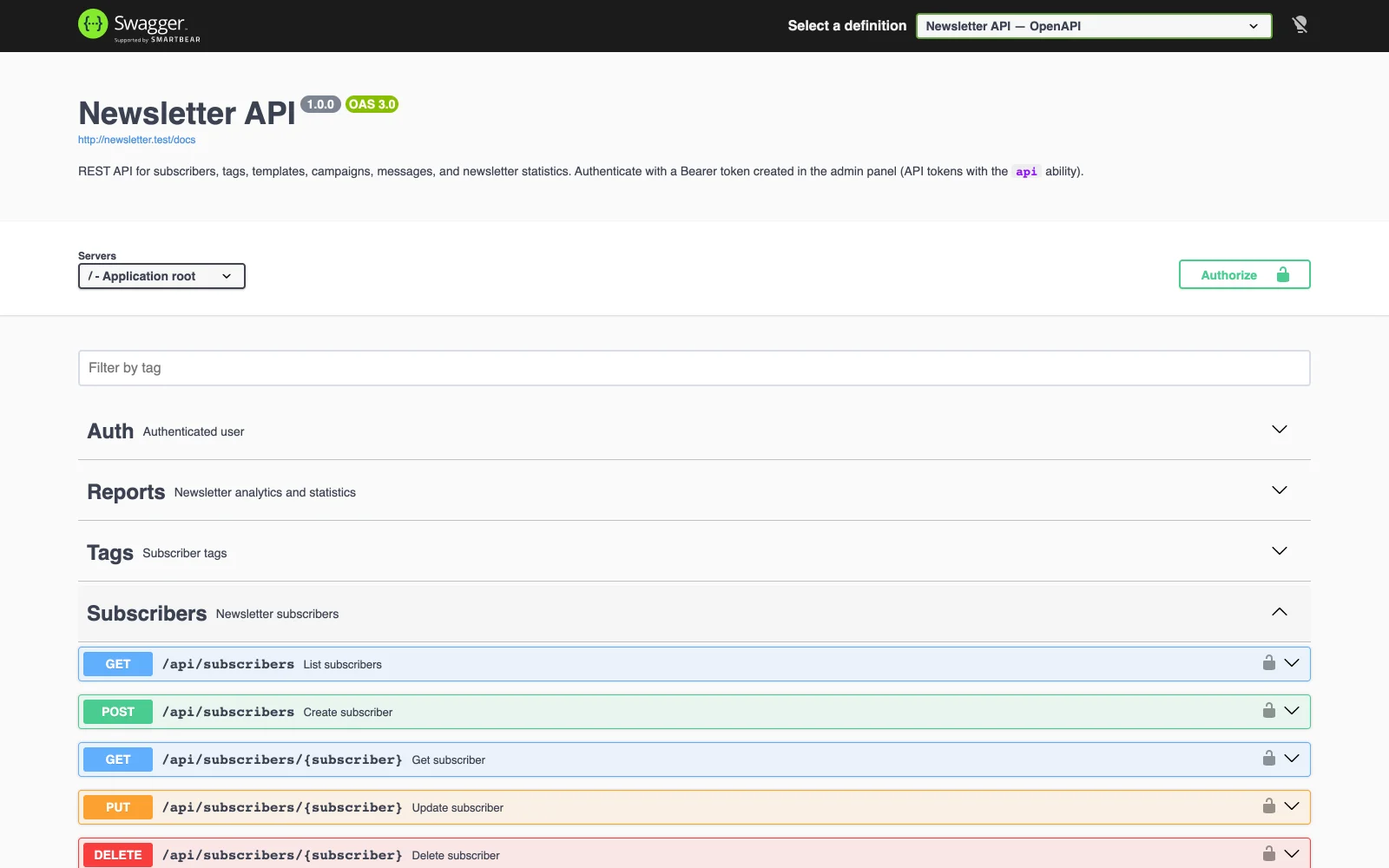
OpenAPI Documentation
Interactive Swagger UI is available at /api/documentation. Generate or update the spec with:
php artisan l5-swagger:generate
MCP Server (AI Integrations)
The application includes a Model Context Protocol (MCP) server that allows AI clients (Cursor, Claude Code, Windsurf, etc.) to interact with your newsletter data.
Endpoint
/mcp/newsletter
Authenticated with a Sanctum Bearer token that has the mcp ability.
Available Tools
Prompt
The server ships with a newsletter-assistant prompt — a reusable skill template that guides AI assistants through campaign planning, report interpretation, content drafting, and message creation.
Setup in Your AI Client
- Create a token in the admin panel with the MCP ability
- Configure your AI client to connect to the MCP endpoint with the token as Bearer auth
- Debug locally with:
php artisan mcp:inspector mcp/newsletter
VS Code / Cursor mcp.json example (HTTP)
Point the URL at your app’s origin plus /mcp/newsletter, and send the Sanctum token in the Authorization header:
{
    "mcpServers": {
        "newsletter": {
            "url": "https://your-domain.example/mcp/newsletter",
            "headers": {
                "Authorization": "Bearer YOUR_SANCTUM_TOKEN"
            }
        }
    }
}
Replace your-domain.example with your deployment host (for local development, something like http://127.0.0.1:8000/mcp/newsletter). Replace YOUR_SANCTUM_TOKEN with the plaintext token string from the admin panel (treat it like a password).
Example requests
You can phrase tasks in natural English; the assistant maps them to MCP tools. Examples:
- Campaigns: “List all newsletter campaigns.” / “What campaigns do we have?”
- Delivery stats: “Give me a newsletter delivery report from 2026-01-01 to 2026-01-31.” / “Show sends, opens, clicks, and bounces for the last 30 days.”
- Scoped report: “Report for the campaign with id … between 2026-01-01 and 2026-01-31.”
- Narrative summary: “Summarize send history and highlights for the last quarter.”
- Audience: “How many subscribers do we have by status? Which tags have the most subscribers?”
- HTML: “Generate a responsive HTML email template for a product launch: hero, short intro, three feature bullets, primary CTA button.”
- New message: “Create a draft message in the given campaign id, using the given template id, subject Weekly digest, HTML body …, and the listed tag ids.”
For send statistics and campaign listing, use a token belonging to a Manager or Administrator if your organization splits campaign ownership across users; those roles see all campaigns in reports (same idea as the admin panel).
Testing Tags
Tags can be marked as testing (is_testing flag) in the Filament admin panel. When a message targets recipients only through testing tags:
- Sends are excluded from dashboard statistics (emails sent, opens, clicks, bounces, charts)
- After the send completes, per-recipient send rows and related bounces are removed from the database
- Testing tags and normal tags cannot be mixed on the same message
This allows safe end-to-end testing of the sending pipeline without polluting production metrics.
Multilingual Support
The admin panel supports six languages: Italian, English, German, French, Spanish, and Portuguese.
- Logged-in users can choose their language from the Profile page
- Before login, the panel detects the browser
Accept-Languageheader and uses the closest supported language (defaults to English) - New users automatically inherit the browser language on account creation
Public Routes
The following routes are available for public use:
Scheduled Tasks
Add the Laravel scheduler to your crontab:
* * * * * cd /path-to-your-project && php artisan schedule:run >> /dev/null 2>&1
Artisan Commands
Updates
Newsletter keeps itself up to date. Administrators find Updates in the user menu: the installed release and build, the newest one, Check now, Update to … and Force update, the channel and the nightly update, and the log of the last run.
- Channels: Stable installs the release tags (
2.3.0;v2.3.0and2.3count too) and nothing in between; Beta follows the head ofmain, for a server you test on. - Never backwards: a build is installed only when it contains the installed one. Back on stable after beta, Newsletter keeps its main build until a release contains it. Force update installs the channel's newest build again (or one whose history differs), never an older one.
- Every night at
APP_UPDATE_TIME(04:00 by default) while automatic updates are on; an update asked for on the page starts within a minute. Both run from the scheduler, so the cron entry is required: the page warns when the scheduler has not run in the last few minutes. - Safe: each update backs up the database (
storage/app/updates/backups, the newest 5 are kept), installs the build, runscomposer install --no-dev, builds the assets (npm ciandnpm run build), migrates, rebuilds the caches, restarts the queue workers and checks that Newsletter boots. If a step fails, the previous code and the database come back. The log of the last run is on the page and instorage/app/updates/update.log.
Two kinds of installation update themselves:
The scheduler's user runs the update, so it needs git, composer and the database client (mysqldump/mysql, pg_dump/psql) on its PATH, and write access to the application. public/build is not committed, so every update builds the assets: npm (Node.js 22+) must be on that PATH too, or set APP_UPDATE_NPM (on Cipi, its own Node build script is used). From the command line:
php artisan app:update status          # what the last check and the last run said (JSON)
php artisan app:update check           # what the channel would install
php artisan app:update apply [--force] # update now
php artisan app:update channel stable  # or beta
php artisan app:update auto off        # or on
The installed release is in the VERSION file.
Upgrading from 2.2.0 or earlier
Those versions have no updater: update to 2.3.1 by hand one last time and make sure the cron entry is there. From then on, Newsletter updates itself. On a git checkout:
git fetch --tags
git checkout 2.3.1
composer install --no-dev
npm ci && npm run build
php artisan migrate --force
php artisan optimize
php artisan queue:restart
On Cipi or Deployer, deploy 2.3.0 the way you deployed until now.
Take it to production — cipi.sh
Once your app is ready, deploy it to any Ubuntu VPS with cipi.sh — an open-source CLI built exclusively for Laravel.
- Full app isolation — own Linux user, PHP-FPM pool & database per app
- Zero-downtime deploys with instant rollback via Deployer
- Let's Encrypt SSL, Fail2ban, UFW firewall — all automated
- Multi-PHP (7.4 → 8.5), queue workers, S3 backups
- AI Agent ready — any AI with SSH access can deploy & manage your server
wget -O - https://raw.githubusercontent.com/andreapollastri/cipi/refs/heads/latest/install.sh | bash
→ Learn more at cipi.sh
Troubleshooting
Emails not sending
- Ensure the queue worker is running:
./start-worker.shorphp artisan queue:work - Manually process pending:
php artisan newsletter:process-pending - Check the jobs table:
php artisan tinker --execute="DB::table('jobs')->count()"
Test email delivery
php artisan tinker --execute="Mail::raw('Test', fn(\$m) => \$m->to('[email protected]'))"
Verify rate limits
php artisan newsletter:rate-limits
Frontend changes not visible
Run npm run build or npm run dev to compile assets.
Updates not starting
- The Updates page warns when the scheduler has not run in the last few minutes: check the cron entry of the user that runs Newsletter
- Read the log of the last run on the page, or
storage/app/updates/update.log - A tool not found (
composer,npm,git): setAPP_UPDATE_COMPOSER,APP_UPDATE_NPMorAPP_UPDATE_GITto its path
API issues
- Verify the token is valid: check the API tokens page in the admin panel
- Ensure the token has the correct ability (
apifor REST endpoints,mcpfor the MCP server) - Check the OpenAPI docs at
/api/documentationfor request/response format
License
MIT
Credits
Created by Andrea Pollastri