📝 Mozisu MCP Server 📝
文字数をカウントして返す MCP サーバー
Power your agent
Install from the publisher. Not a PlugMCP endpoint.
Host a copy with our keys and logs.
No packaged release in the registry yet. Follow the repository README.
Remote URL or a command on your machine? How the two installs differ
Run on PlugMCP
A new server you create. It is not this listing's official endpoint. Use the publisher install when you want their URL and their credentials.
Launch# リポジトリのクローン
git clone https://github.com/Atotti/mozisu-mcp-server.git
cd mozisu-mcp-server
# 依存関係のインストール
go mod download
# ビルド
task build
claude_desktop_config.json に以下の設定を追加します:
{
  "mcpServers": {
    "mozisu-mcp-server": {
      "command": "/path_to_repo/mozisu-mcp-server/bin/mozisu-mcp-server", // ビルド済みファイル
      "args": []
    }
  }
}
# 直接実行
go run cmd/mcpserver/main.go

# または、ビルド済みのバイナリを使用
./bin/mozisu-mcp-server
これにより、LLMがcount_charactersツールを使用して文字数カウント機能を利用できます。
# ビルド済みのバイナリを使用
./bin/charcount "カウントしたいテキスト"

# または直接実行
go run cmd/charcount/main.go "カウントしたいテキスト"
対話モードで使用:
./bin/charcount -i
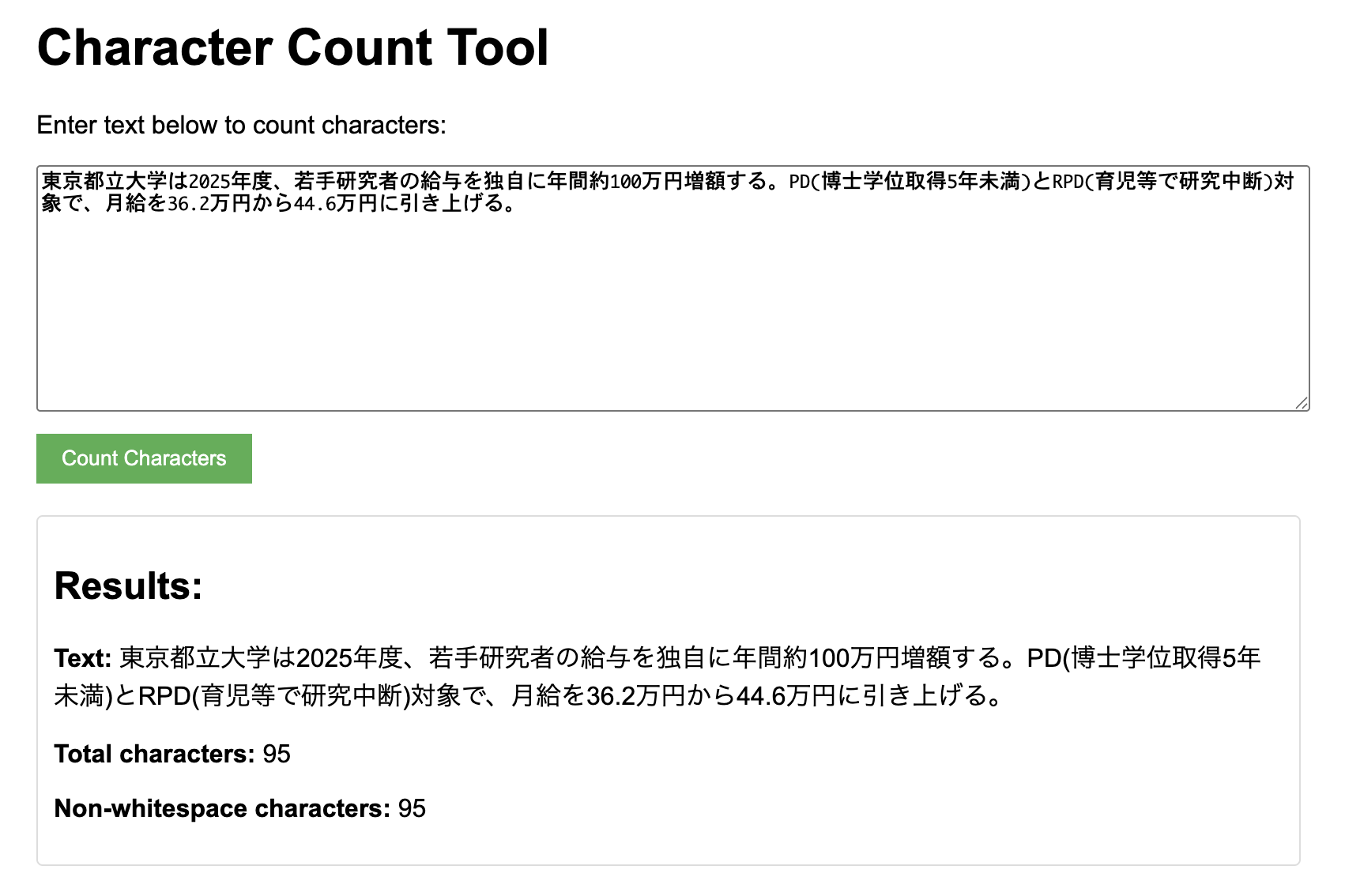
人間用のプロトコルもGUIで用意されています。
# ビルド済みのバイナリを使用
./bin/webserver

# または直接実行
go run cmd/webserver/main.go
その後、ブラウザで http://localhost:8080 にアクセスします。
git checkout -b feature/amazing-feature)git commit -m 'Add some amazing feature')git push origin feature/amazing-feature)バグ報告や機能リクエストは、Issueを作成してください。
このプロジェクトは MIT License の下で公開されています。
Tools
No tool list yet. Remote servers get one after the first health check.
FAQ
Copy the stdio config for Cursor, Claude Desktop, Claude Code, or VS Code on this page. It uses the publisher's install, not a PlugMCP proxy.
No required environment variable is listed on this record.
Mozisu runs locally over stdio.
Last checked 2026-10-28. 指定した文字数でLLMに文章を書かせるためのMCPサーバー
