OMCP - Ollama Model Context Protocol Client
A powerful CLI client that connects Ollama language models to Model Context Protocol (MCP) servers, enabling LLMs to access external tools and data sources locally.
Power your agent
Install from the publisher. Not a PlugMCP endpoint.
Host a copy with our keys and logs.
No packaged release in the registry yet. Follow the repository README.
Remote URL or a command on your machine? How the two installs differ
Run on PlugMCP
A new server you create. It is not this listing's official endpoint. Use the publisher install when you want their URL and their credentials.
LaunchFrom the publisher
A powerful CLI client that connects Ollama language models to Model Context Protocol (MCP) servers, enabling LLMs to access external tools and data sources locally.
Ollama CLI client to connect LLM to MCP Servers locally
OMCP is available in the AUR as omcp-git. You can install it using an AUR helper like yay:
yay -S omcp-git
git clone https://github.com/Av32000/omcp.git
cd omcp
cargo build --release
cargo install --path .
The compiled binary will be available at target/release/omcp and installed into your PATH.
Start OMCP with default settings:
omcp
omcp [OPTIONS]

Options:
  -s, --stdio-server <PATH>           Path to a Python or JavaScript file for a stdio MCP server (require node or python)
  -S, --sse-server <URL>              URL for an SSE (Server-Sent Events) MCP server
  -H, --streamable-http-server <URL>  URL for a streamable HTTP MCP server
  -j, --json-mcp-config <PATH>        Path to a JSON configuration file containing MCP server definitions
  -m, --model <MODEL>                 Specify the default Ollama model to use
  -c, --config <PATH>                 Path to a custom JSON configuration file
  -o, --ollama-host <URL>             Specify the Ollama host URL (e.g., http://localhost:11434)
  -p, --prompt <TEXT>                 Execute a prompt immediately and return the result
  -h, --help                          Print help
  -V, --version                       Print version
omcp -s ~/mcp-servers/filesystem.py
omcp -s ~/servers/filesystem.py -s ~/servers/database.py -S http://localhost:8080/mcp
omcp -m llama3.1:8b -c ~/my-omcp-config.json
omcp -p "List the files in the current directory" -s ~/mcp-servers/filesystem.py
OMCP uses JSON configuration files stored in your system's config directory (~/.config/omcp/ on Linux/macOS).
settings.json){
"model_name": "qwen2.5:7b",
"show_thinking": true,
"model_seed": 0,
"model_temperature": 0.8,
"model_system_prompt": "",
"verbose_tool_calls": true,
"tool_confirmation": true,
"auto_save_config": true,
"config_file_path": "~/.config/omcp/settings.json"
}
mcp_servers.json){
"mcpServers": {
"time": {
"command": "uvx",
"args": ["mcp-server-time"],
"disabled": false
},
"web-search": {
"type": "sse",
"url": "http://localhost:8080/mcp",
"headers": {
"Authorization": "Bearer your-token"
},
"disabled": false
},
"database": {
"type": "streamable_http",
"url": "http://localhost:9000/mcp",
"disabled": false
}
}
}
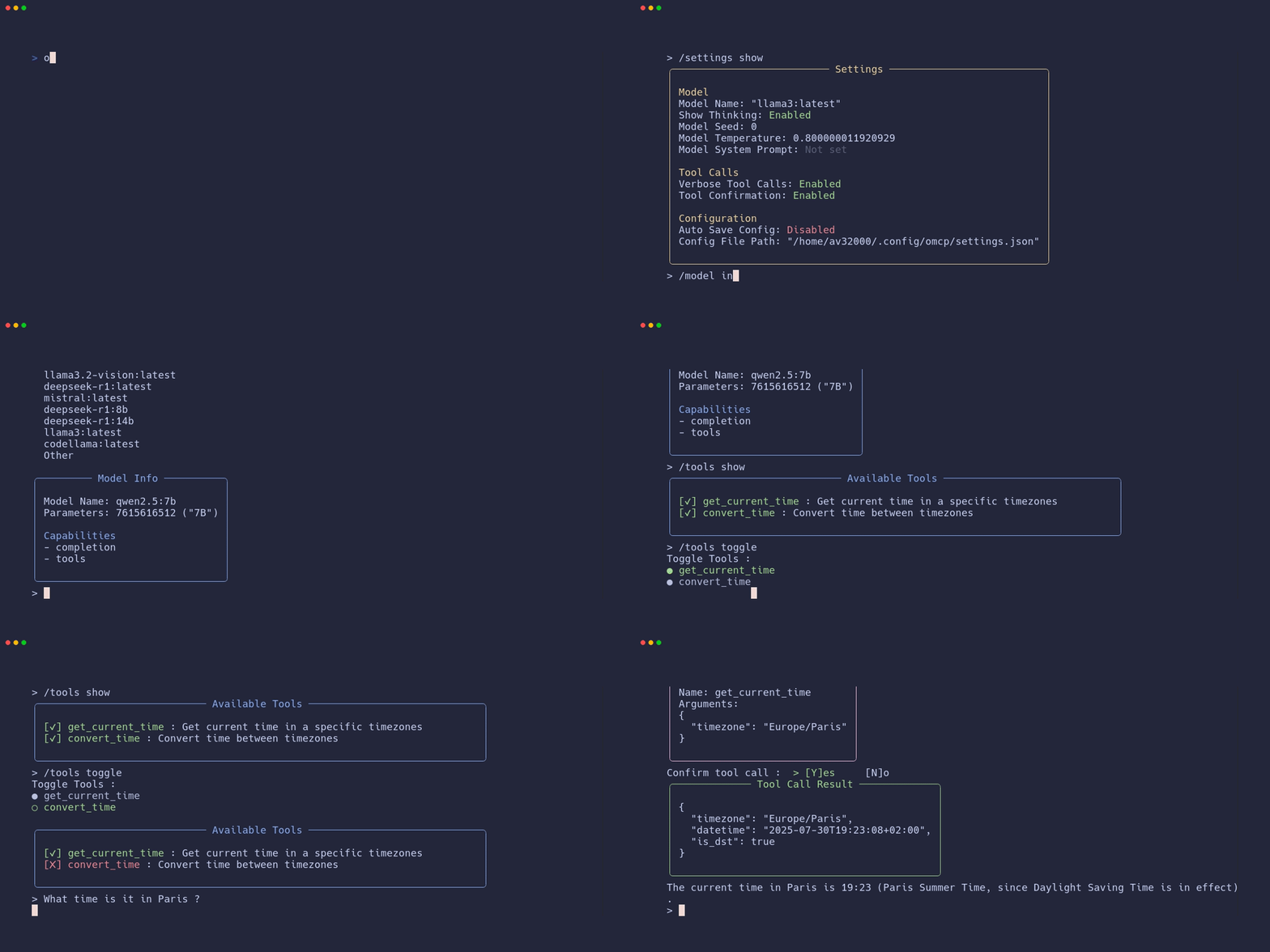
While in interactive mode, you can use the following commands:
/quit - Exit the application/clear - Clear the chat context/history - Show chat history/tools show - List all available tools/tools toggle - Enable/disable specific tools/settings show - Display current settings/settings edit - Edit configuration interactively/model info - Show current model information/model select - Choose a different model/model load - Load the current model into memory/model pull - Download/update the current model/help - Show all available commandsOMCP supports three types of MCP server connections:
src/
├── args.rs          # Command line argument parsing
├── chat.rs          # Ollama chat integration and streaming
├── main.rs          # Application entry point
├── model.rs         # Model selection and management
├── settings.rs      # Configuration management
├── tools/
│   ├── mod.rs       # Tool manager and MCP server loading
│   ├── server.rs    # MCP server connection
│   └── tool.rs      # Tool definitions and conversion
└── ui/
    ├── input.rs     # User input handling
    ├── mod.rs       # Main UI logic and command parsing
    ├── tools.rs     # Tool-related UI rendering
    └── utils.rs     # UI utilities and styling
# Development build
cargo build

# Release build
cargo build --release
Contributions are welcome! Please feel free to submit a Pull Request. For major changes, please open an issue first to discuss what you would like to change.
git checkout -b feature/amazing-feature)git commit -m 'Add some amazing feature')git push origin feature/amazing-feature)This project is licensed under the MIT License - see the LICENSE file for details.
If you encounter any issues or have questions:
Note: This project is in active development. Features may change between versions.
Ollama CLI client to connect LLM to MCP Servers locally
Tools
No tool list yet. Remote servers get one after the first health check.
FAQ
Copy the stdio config for Cursor, Claude Desktop, Claude Code, or VS Code on this page. It uses the publisher's install, not a PlugMCP proxy.
No required environment variable is listed on this record.
OMCP runs locally over stdio.
Last checked 2026-10-28. Ollama CLI client to connect LLM to MCP Servers locally
