wuch-ai
English | 中文
Say what you want — the UI grows on the canvas.
No drag-and-drop builder, no hand-written frontend. One message in the chat pane; the left canvas streams and renders as it goes. Sliders, checkboxes, and options update in place—no extra model round-trip. Sessions, memory, and knowledge stay on your side.
Try it → https://wuch-ai.net · Demo replay (no model key required) · Intro
Why wuch-ai
What it looks like
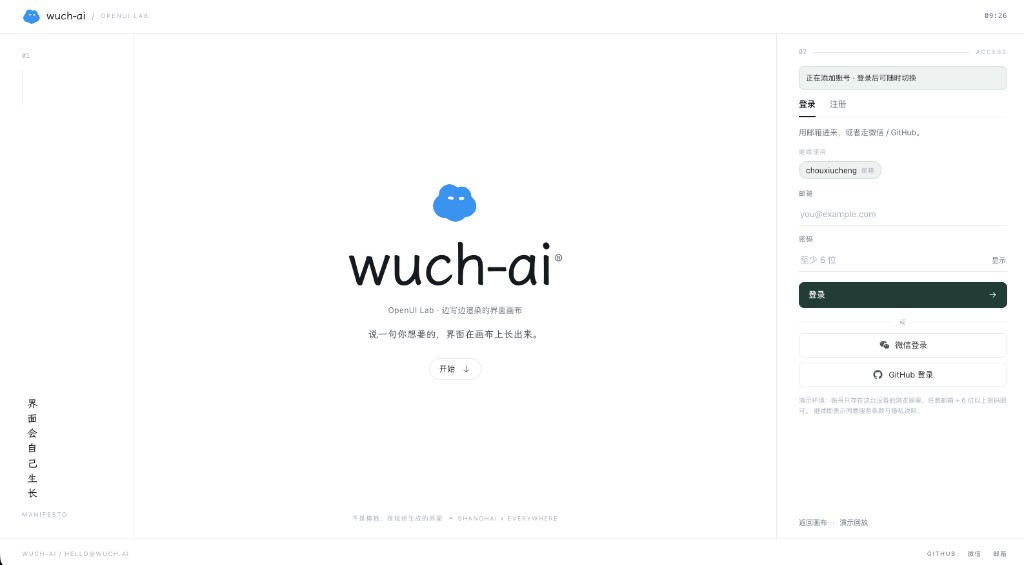
Login. Dedicated auth page; register or sign in before the canvas. Keep several accounts and switch anytime.
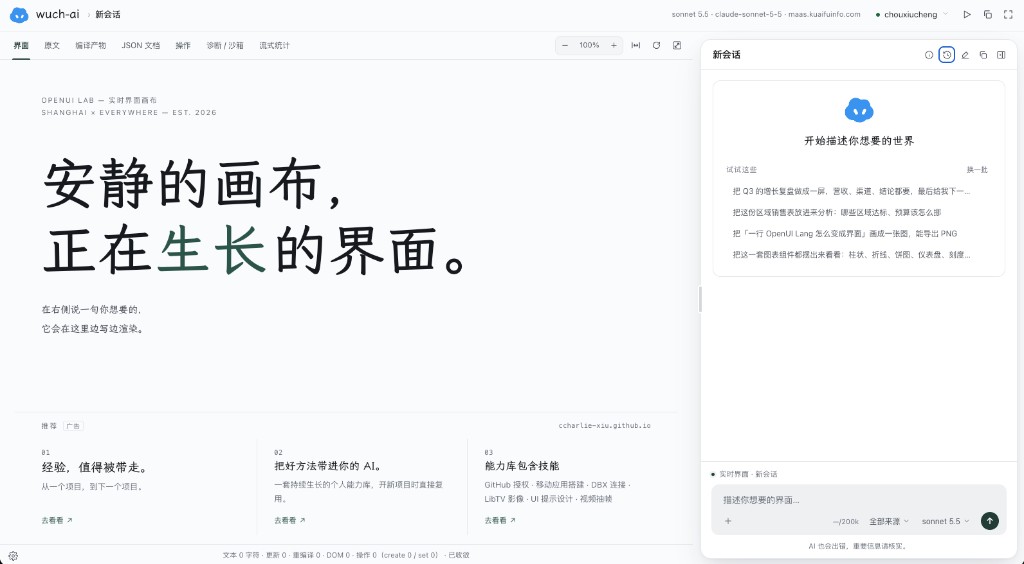
Main UI. Canvas on the left, chat on the right. One sentence on the right; the left streams as it renders. The top bar shows source, compile output, and diagnostics.
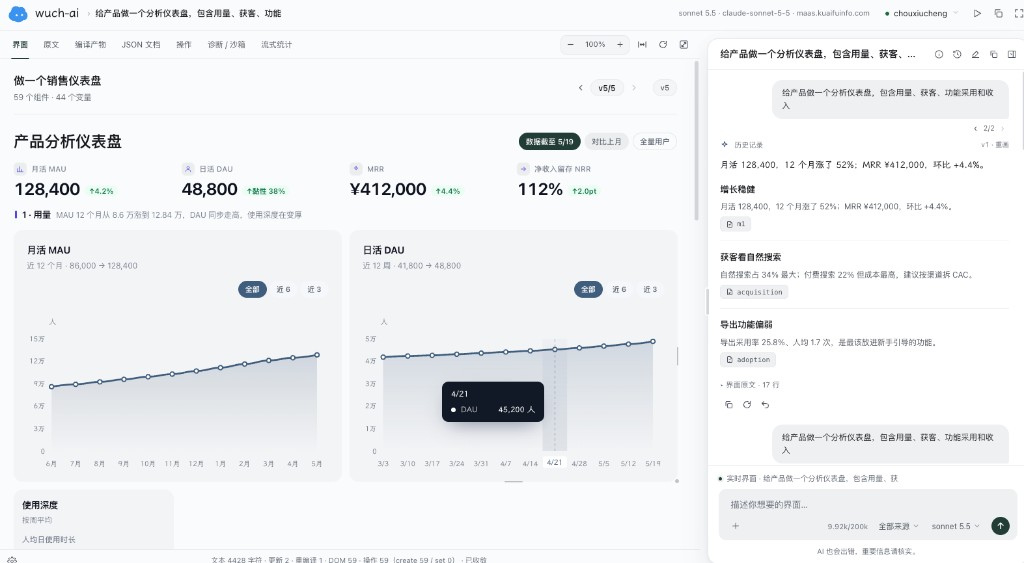
Product analytics dashboard. Ask for a product dashboard and get metrics, trend charts, and insight cards—then refine in chat.
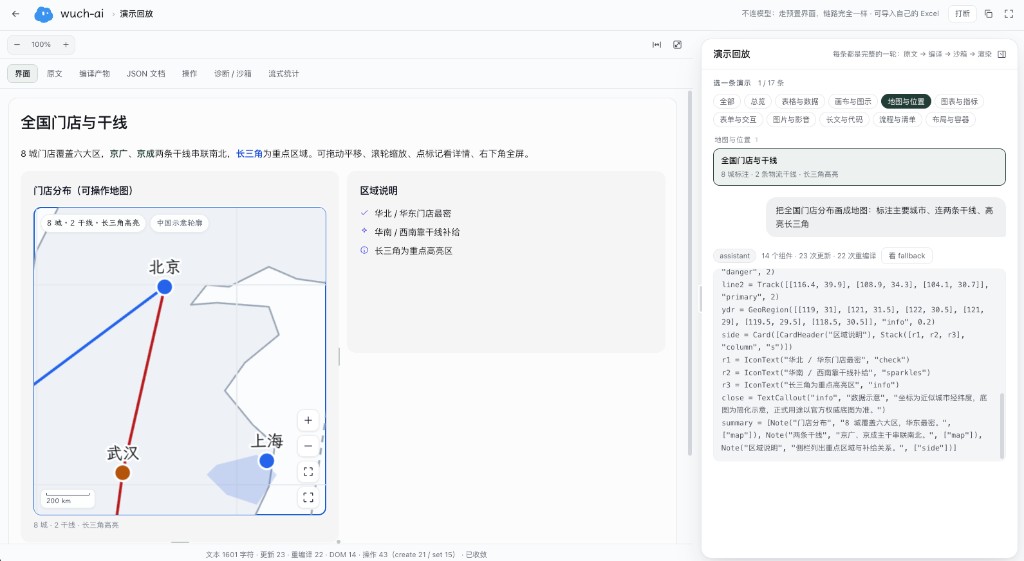
Maps & routes. Demo replay works without a model: store pins, trunk lines, region highlights—same pipeline as live chat.
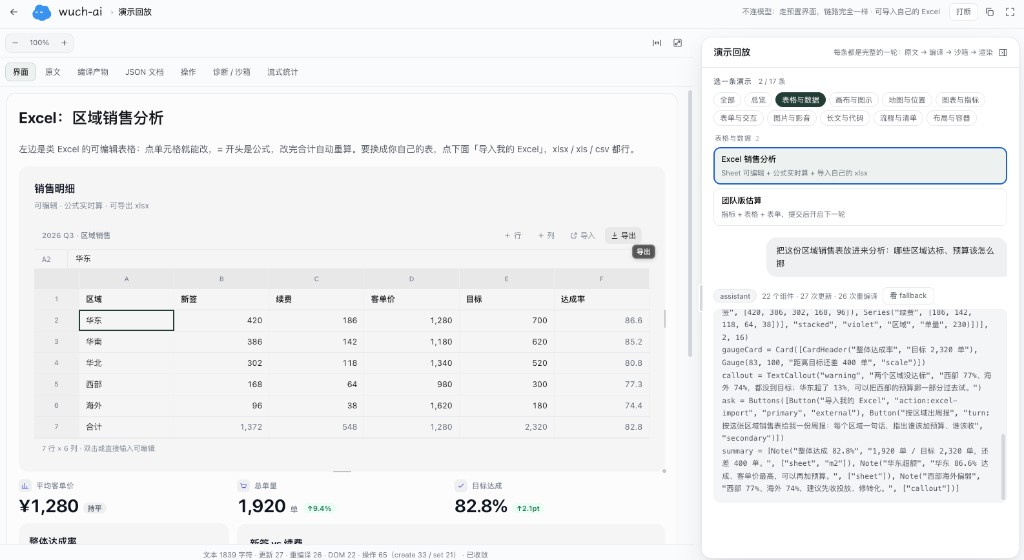
Tables & Excel. Editable sales grids; import your own sheet, then ask the chat about targets and budget.
What you’ll use
Say something simple (e.g. “make a Q3 sales page”); the left pane streams and renders. Controls are clickable on the canvas; send another message when you need a new turn.
Run locally
bun install
bun run dev          # http://127.0.0.1:8788
bun run mock         # optional fake upstream when you have no key: http://127.0.0.1:8789/v1
- Open http://127.0.0.1:8788/login and register an account
- In the main UI, open Settings and fill an OpenAI-compatible base URL and API key
- Official APIs often hit CORS: enable local proxy in Settings, or set the base URL to
http://127.0.0.1:8788/proxy?url=https://api.openai.com/v1 - No key: run
bun run mock, then usehttp://127.0.0.1:8789/v1 - Want a preview first: open
/demos.htmland try map or table demos
Hosted app: https://wuch-ai.net. Cloudflare deploy notes: apps/cloudflare/README.md.
Also available
- Multiple models and endpoints; switch from the corner of the composer
- Images, sheets, and docs attached to the conversation
- Knowledge distilled into entries during chat, retrieved by index later
- Tool budgets; context can be compacted when near the limit while keeping the current UI source
- Top-bar inspector for updates, diagnostics, and ops
Deeper design notes live in DESIGN.md, DESIGN-KB.md, and docs/—you don’t need them to start.
Links
- Product: https://wuch-ai.net
- Intro: https://wuch-ai.net/intro
- Demos: https://wuch-ai.net/demos.html
- Repo: https://github.com/CCharlie-xiu/wuch-ai
- Contributing: CONTRIBUTING.md
- Security: SECURITY.md
- Sponsor / contact: [email protected]
- License: MIT