
Switchboard
A source-available MCP gateway that connects any MCP client to your tools behind one endpoint. Run it locally with a built-in web UI, or use Switchboard Hosted for a private-data tunnel and other team features.
Switchboard sits under Cursor, Claude Code, Codex, and any other MCP client. Your agent searches for a capability and executes it. Compaction strips unused fields before responses reach the model, typically cutting token usage by about 90%.
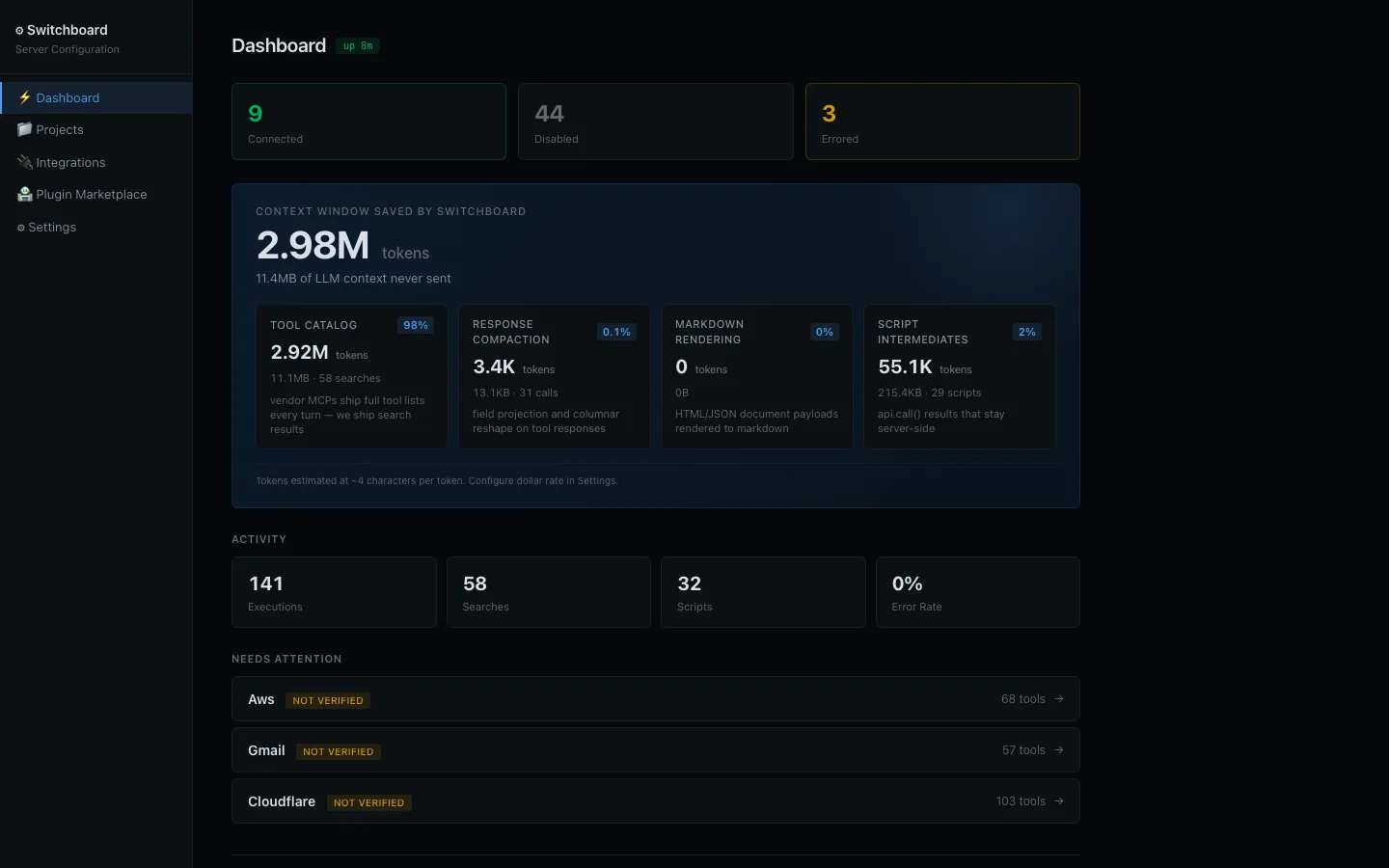
The local dashboard tracks connected tools and how much LLM context Switchboard kept off the wire.
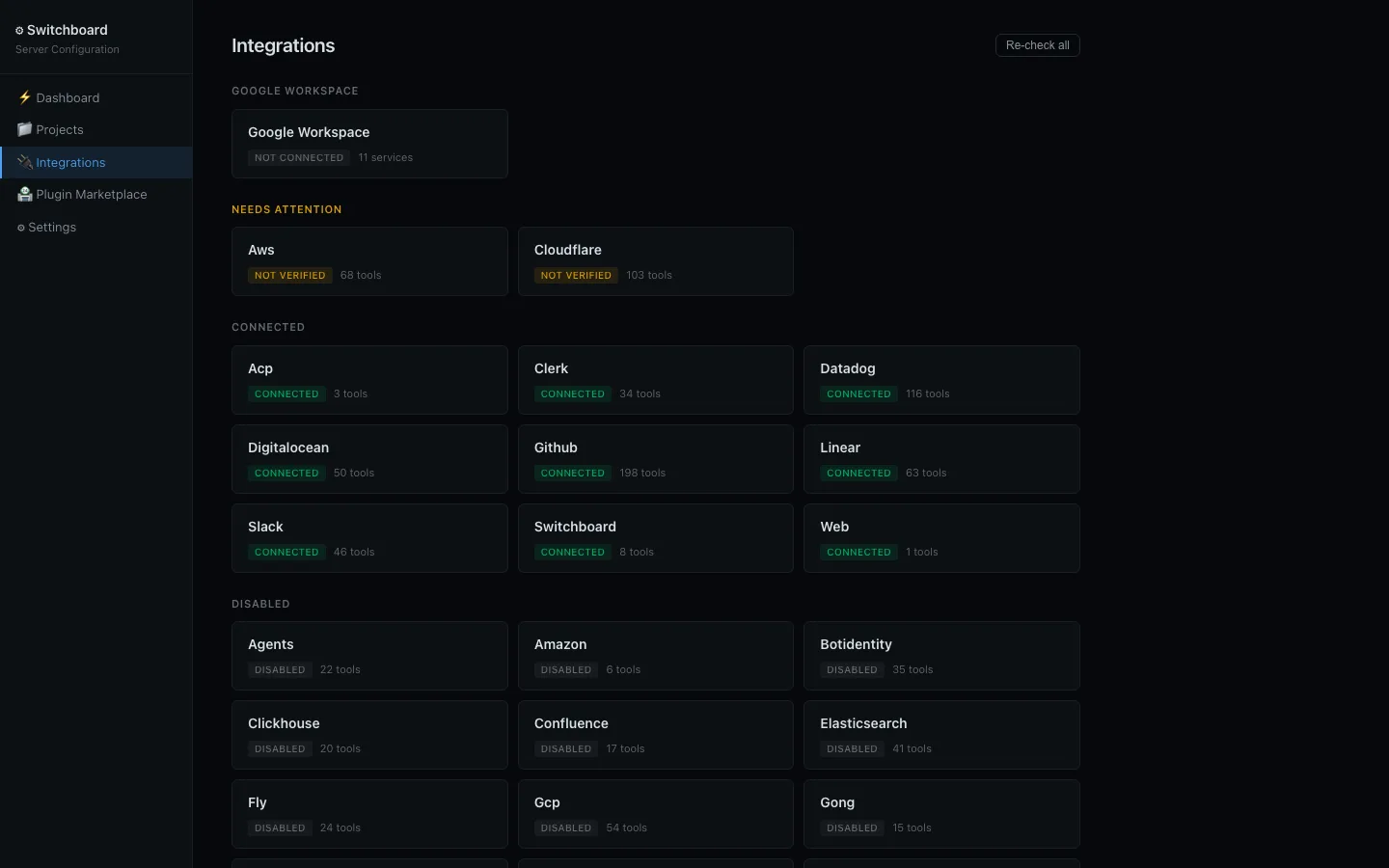
Connect GitHub, Datadog, Linear, Slack, Google Workspace, and more from the local UI.
Switchboard Hosted
Need agents to reach Postgres or Kubernetes behind a firewall? Switchboard Hosted adds a private-data tunnel, plus organizations, SSO, policies, audit logs, and dedicated runtimes. Same MCP clients and integrations as this repo.
- Try Switchboard Hosted free — no credit card required
- Product and pricing
Features
- One MCP endpoint for GitHub, Datadog, Linear, Slack, Google Workspace, AWS, and more
- Local web UI to connect integrations, check health, and watch token savings
- Search + execute so agents discover tools instead of loading every schema
- ~90% fewer tokens via compaction, columnar reshape, and markdown rendering
- Any MCP client, any model — Cursor, Claude Code, Codex, Windsurf, and others
- Bring your own integrations with the Go
mcp.Integrationinterface or Wasm plugins
Installation
Homebrew (macOS / Linux)
brew install daltoniam/tap/switchboard
Scoop (Windows)
scoop bucket add daltoniam https://github.com/daltoniam/scoop-bucket
scoop install switchboard
Debian / Ubuntu (.deb)
# Download the latest .deb from GitHub releases
curl -LO "https://github.com/daltoniam/switchboard/releases/latest/download/switchboard_$(curl -s https://api.github.com/repos/daltoniam/switchboard/releases/latest | grep tag_name | cut -d '"' -f4 | tr -d v)_linux_amd64.deb"
sudo dpkg -i switchboard_*.deb
Fedora / RHEL (.rpm)
# Download the latest .rpm from GitHub releases
curl -LO "https://github.com/daltoniam/switchboard/releases/latest/download/switchboard_$(curl -s https://api.github.com/repos/daltoniam/switchboard/releases/latest | grep tag_name | cut -d '"' -f4 | tr -d v)_linux_amd64.rpm"
sudo rpm -i switchboard_*.rpm
Arch Linux (AUR)
yay -S switchboard-bin
Alpine Linux (.apk)
# Download the latest .apk from GitHub releases
curl -LO "https://github.com/daltoniam/switchboard/releases/latest/download/switchboard_$(curl -s https://api.github.com/repos/daltoniam/switchboard/releases/latest | grep tag_name | cut -d '"' -f4 | tr -d v)_linux_amd64.apk"
sudo apk add --allow-untrusted switchboard_*.apk
Go Install
go install github.com/daltoniam/switchboard/cmd/server@latest
Download Binary
Pre-built binaries for macOS, Linux, and Windows (amd64/arm64) are available on the GitHub Releases page.
Context Optimization
API responses are large. A single GitHub issue carries ~100 fields (nested users, permissions, node IDs, avatar URLs) when an LLM needs ~10 to decide what to do next. Multiply by 30 issues per page and a list call can consume 150KB of context for information the model will never use.
Switchboard solves this automatically. Integrations declare compaction specs that describe which fields matter for each tool. The server strips everything else after every execute call, before responses reach the LLM.
List and search responses are compact by default. When the LLM identifies a specific item and calls a single-item get tool, it gets the full response back for drill-down.
Quick Start
Project Catalog tools (project.*) and project:// resources are on the main
/mcp endpoint by default. See docs/project-catalog.md.
Compiled tools can use the strongly typed AWM gRPC API
over loopback h2c (default 127.0.0.1:3847) or an optional Unix-domain socket.
Its generated services mirror the Project Catalog and AWM MCP operations
without generic JSON arguments or results. The typed surface includes
Projects, Resources, ResourceBindings, WorkProfiles, AgentProfiles, and
WorkSessions. A Rust client crate lives in rust/switchboard-awm.
# Run (default — HTTP/MCP + native AWM gRPC on 127.0.0.1:3847)
switchboard

# Custom port, still loopback
switchboard --port 8080

# Opt in to a non-loopback TCP bind (also exposes HTTP/MCP)
switchboard --listen-host 0.0.0.0 --port 3847

# Native AWM gRPC only on a Unix socket (HTTP/MCP stay on TCP)
switchboard --grpc-socket /tmp/switchboard-awm.sock

# Stdio mode (for Cursor/Claude Desktop)
switchboard --stdio

# Check version
switchboard --version

# Debug logging (search/execute requests, compaction savings)
switchboard --verbose

# Open config UI
open http://localhost:3847
Architecture
┌─────────────┐     stdio / SSE      ┌──────────────────────┐
│  AI Client   │ ◄──────────────────► │  Unified MCP Server   │
│ (Cursor, etc)│                      │                       │
└─────────────┘                      │  ┌─────────────────┐  │
                                     │  │  Tool Router     │  │
       ┌──────────────────┐          │  └────────┬────────┘  │
       │  Web UI (3847)   │◄─ HTTP ─►│           │           │
       │  config/creds    │          │  ┌────────▼────────┐  │
       └──────────────────┘          │  │  Adapters        │  │
                                     │  │  ├─ GitHub       │  │
                                     │  │  ├─ Datadog      │  │
                                     │  │  ├─ Linear       │  │
                                     │  │  ├─ Slack        │  │
                                     │  │  └─ more         │  │
                                     │  └─────────────────┘  │
                                     └──────────────────────┘
Configuration
Config lives at ~/.config/switchboard/config.json. The web UI is a
convenience layer over this file — you can also edit it by hand.
{
  "integrations": {
    "github": {
      "enabled": true,
      "credentials": {
        "token": "ghp_..."
      }
    },
    "datadog": {
      "enabled": true,
      "credentials": {
        "api_key": "...",
        "app_key": "..."
      }
    }
  }
}
Forgejo (forgejo)
Connect a Forgejo instance with a personal access token (PAT). Both base_url and
token are required. Use the instance URL, including any deployment subpath
(for example https://git.example.com/forgejo), not the /api/v1 endpoint.
{
  "integrations": {
    "forgejo": {
      "enabled": true,
      "credentials": {
        "base_url": "https://git.example.com/forgejo",
        "token": "your-personal-access-token"
      }
    }
  }
}
Forgejo is disabled by default; enable it explicitly in config or the web UI.
You can supply credentials via FORGEJO_BASE_URL and FORGEJO_TOKEN instead.
Tools cover repositories, the authenticated user and organizations, issues and
comments, pull requests (including diffs, files, reviews, and merge), branches,
commits, content, releases, and labels.
Slack official hosted MCP (slackmcp)
Separate from the native slack session-token adapter. Proxies Slack's hosted MCP at https://mcp.slack.com (optional credentials.base_url override; Switchboard appends /mcp).
Each named identity needs a user OAuth access token (access_token, typically xoxp-...). An app/bot may host the agent, but xoxb- bot tokens cannot authenticate Slack's hosted MCP endpoint.
{
  "integrations": {
    "slackmcp": {
      "enabled": true,
      "credentials": {
        "base_url": ""
      },
      "identities": {
        "work": {
          "credentials": { "access_token": "xoxp-..." },
          "metadata": { "label": "Work", "team": "T0123WORK" }
        },
        "personal": {
          "credentials": { "access_token": "xoxp-..." },
          "metadata": { "label": "Personal", "team": "T0456HOME" }
        }
      }
    }
  }
}
- Start with
slackmcp_list_available_identites(spelling is intentional) — returns identity IDs, metadata, and non-secret tool capability info (never tokens). - Every other
slackmcp_*tool requiresidentity_idselecting which configured identity to use. - Upstream tools named
slack_*are exposed once asslackmcp_*(notslackmcp_slack_*).
LikeC4 Excalidraw (likec4excalidraw)
Proxies the project-aware Streamable HTTP MCP server exposed by likec4-excalidraw. Start the editor for the architecture directory first, then configure its printed base URL without /mcp. The token is optional and only applies when the editor server was embedded with mcpToken enabled.
{
  "integrations": {
    "likec4excalidraw": {
      "enabled": true,
      "credentials": {
        "base_url": "http://127.0.0.1:4242",
        "mcp_token": ""
      }
    }
  }
}
Keep tokenless servers bound to localhost. The integration exposes architecture and scene inspection, diagnostics, DSL validation, PNG canvas screenshots, and element, relationship, and view mutations.
Figma and FigJam (figma)
Proxies Figma's official hosted MCP server and exposes the focused FigJam planning workflow: figma_get_figjam, figma_use_figma, figma_generate_diagram, figma_create_new_file, figma_upload_assets, figma_get_screenshot, and figma_whoami. The adapter automatically supplies the figma-use-figjam skill when calling figma_use_figma, so created sections, stickies, connectors, shapes, tables, and code blocks remain native and editable.
Use the web UI at http://localhost:3847/integrations/figma/setup to authorize with Figma OAuth. Figma currently limits its hosted MCP server to approved MCP clients and eligible paid-plan seats. Figma rejects dynamic registration under Switchboard's own client name, so this beta compatibility path registers with Figma's approved Codex client profile while the MCP session still identifies itself as Switchboard. This may stop working as Figma changes enforcement; catalog approval for Switchboard is the durable solution.
Notion MCP (notion-mcp)
Connects to Notion's official hosted Streamable HTTP endpoint at https://mcp.notion.com/mcp through the shared remotemcp adapter. This is independent of the existing notion integration: its tools, credentials, and setup remain unchanged, and both integrations can be enabled together.
Open /integrations/notion-mcp/setup in the web UI and select Sign in with Notion. OAuth uses dynamic client registration, PKCE, the default scope, and resource binding to the MCP endpoint. Successful authorization saves credentials only under notion-mcp, enables that integration, and refreshes tool discovery without restarting Switchboard.
Tools are discovered from Notion after authorization and namespaced as notion-mcp_<upstream-tool-name>. Start with search filtered to integration: "notion-mcp"; use the returned names with execute rather than the existing notion_* tools. The catalog and content permissions depend on the authorized workspace. Re-authorize in setup if the token expires or is revoked; the shared remote OAuth flow currently stores access tokens only and does not refresh them automatically.
Environment Variables
Switchboard automatically reads environment variables from your shell (fish, zsh, bash, etc.) and overlays them on top of the JSON config. If an env var is set, it takes precedence over the corresponding value in config.json. Env-sourced values are never written back to disk.
Environment variables override credential values but do not change the durable enabled state. Enable the integration explicitly in config or the web UI; transient startup failures never rewrite that choice.
OAuth Setup
Some integrations support OAuth flows through the web UI at http://localhost:3847. This is the easiest way to get tokens for integrations that don't use simple API keys.
Adding to Cursor / Claude Desktop
Add to your MCP client config:
{
  "mcpServers": {
    "switchboard": {
      "command": "switchboard",
      "args": []
    }
  }
}
Building from Source
git clone https://github.com/daltoniam/switchboard.git
cd switchboard
go build -o switchboard ./cmd/server
Development
Install air for live-reload during development:
go install github.com/air-verse/air@latest
Install the Playwright Chromium driver (optional — enables browser-based integrations):
go run github.com/playwright-community/playwright-go/cmd/playwright install chromium
Then run with live-reload:
air
Host air / make build remain the non-Docker path. For a worktree-isolated
Docker Compose DEV stack (ephemeral loopback publish + optional Stacklane
FQDNs, no provider tokens required) see docs/dev-compose.md:
make compose-up
make compose-status
make compose-down
License
Switchboard is source-available under the Elastic License 2.0.
In plain English: you can freely use, modify, redistribute, and self-host Switchboard — including for commercial and internal-business use. The only restriction is that you cannot offer Switchboard to third parties as a hosted or managed service that exposes a substantial portion of its functionality. That is the business reserved for the official hosted Switchboard service.
If you have questions about licensing or want to discuss other arrangements, open an issue or get in touch.