
WhatsApp MCP Extended
An extended Model Context Protocol (MCP) server for WhatsApp with a toolset-gated, agent-facing surface for messaging, search, media, group management, webhooks, presence, and more.
Built on AdamRussak/whatsapp-mcp (webhooks, containers) which forked lharries/whatsapp-mcp (original). Extended with reactions, message editing, polls, group management, presence, newsletters, and more.
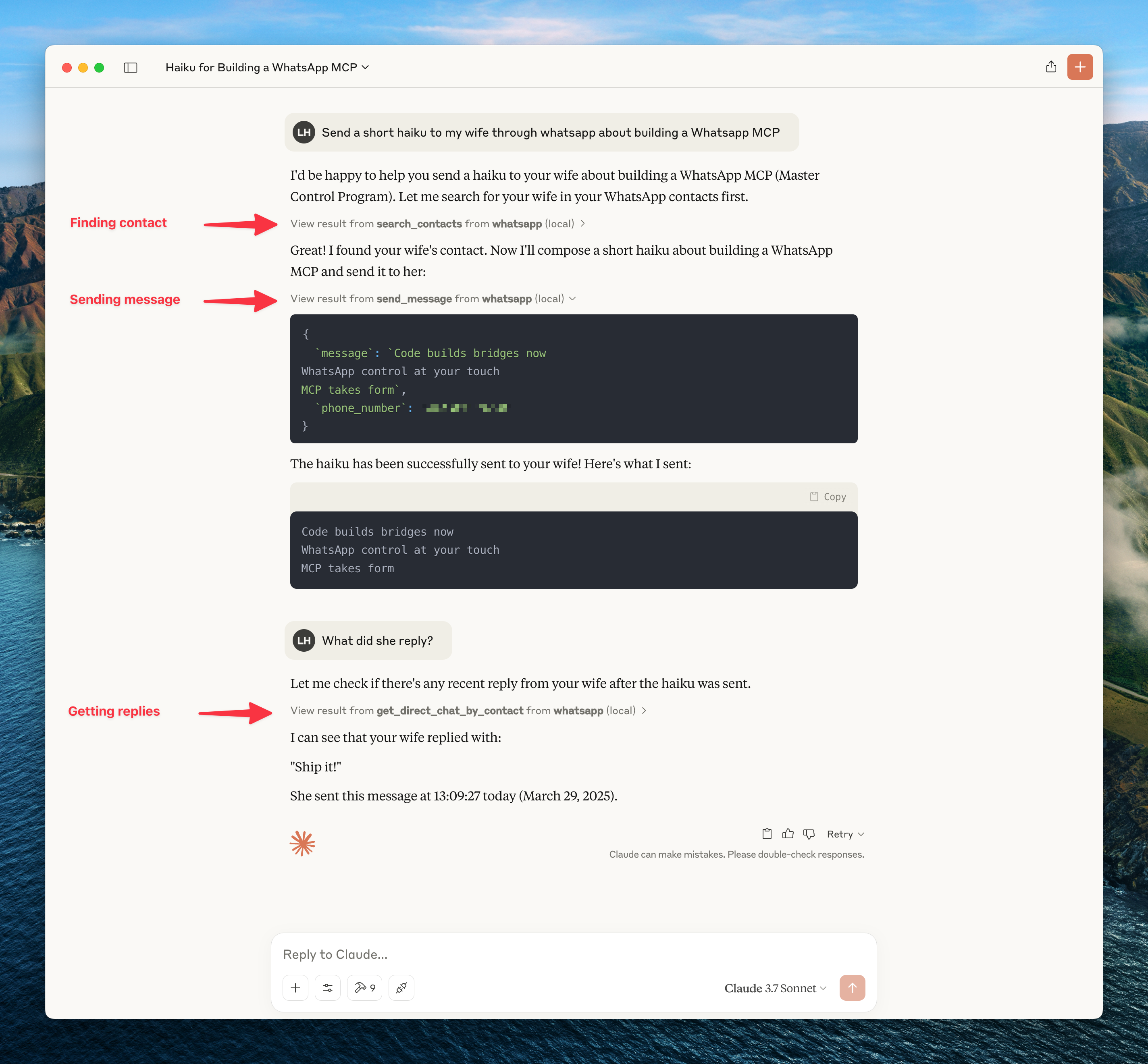
What's New (vs Original)
Architecture
┌─────────────────────┐     ┌─────────────────────┐     ┌─────────────────────┐
│   whatsapp-bridge   │     │   whatsapp-mcp      │     │   whatsapp-web-ui   │
│   (Go + whatsmeow)  │◄────│   (Python + MCP)    │     │   (HTML/JS SPA)     │
│   Port: 8080        │     │   Port: 8081        │     │   Port: 8090        │
└─────────────────────┘     └─────────────────────┘     └─────────────────────┘
         │                           │
         ▼                           ▼
    ┌─────────────────────────────────────┐
    │           SQLite (store/)           │
    │  messages.db │ whatsapp.db          │
    └─────────────────────────────────────┘
Quick Start
Docker (Recommended)
git clone https://github.com/felixisaac/whatsapp-mcp-extended
cd whatsapp-mcp-extended

docker network create n8n_n8n_traefik_network
docker-compose up -d

# Scan QR code to authenticate
docker-compose logs -f whatsapp-bridge
Claude Desktop / Cursor Integration
Add to your MCP config (claude_desktop_config.json or Cursor settings):
{
  "mcpServers": {
    "whatsapp": {
      "command": "uv",
      "args": ["run", "--directory", "/path/to/whatsapp-mcp-extended/whatsapp-mcp-server", "python", "main.py"]
    }
  }
}
Security & Safety Gate (Allowlist)
To restrict outgoing message delivery to a specified set of allowed contacts or groups (useful for dev environments or enterprise privacy gates), set WHATSAPP_ALLOWLIST_JIDS:
# Allow sending only to specific phone numbers or group JIDs (comma-separated)
WHATSAPP_ALLOWLIST_JIDS=1234567890,[email protected],[email protected]
MCP Tools
Version 0.4.0 exposes the full curated MCP surface by default for compatibility. Users who want a leaner agent context can opt into smaller toolsets.
Default toolsets:
WHATSAPP_MCP_TOOLSETS=all
Lean recommended toolsets:
WHATSAPP_MCP_TOOLSETS=core,send,media
Toolsets:
You can also expose individual tools with WHATSAPP_MCP_TOOLS=manage_group,delete_message.
Breaking change in 0.2.0: older narrow tools are no longer exposed to the agent. Use the merged replacements below.
Migration:
Messaging
Chats & Messages
Contacts
Groups
Presence & Profile
Newsletters (Channels)
Design Philosophy: Lean Transport Primitives
whatsapp-mcp-extended is engineered according to the Unix Philosophy:
- Do One Thing Well: Be a rock-solid, production-grade transport layer to WhatsApp (socket lifecycle, messaging CRUD, media downloads, reactions, group administration, webhooks, and safety allowlists).
- Composable Primitives: High-level AI features (voice-to-text transcription, vector database semantic recall, LLM summarizers) are kept modular.
whatsapp-mcp-extendedreturns clean, raw media file paths (download_media) and message arrays (list_messages) so AI agents (Claude Code, Cursor, OpenCode, Codex) can chain them with specialized sidecars or plugins.
🔌 Plugins & Extensions
Reference plugins and recipes are available in the plugins/ directory:
plugins/transcribe_voice_notes.py: Local voice note transcription usingmlx-whisperor Whisper.plugins/semantic_recall.py: Multilingual semantic search over message history usingsentence-transformers.- All-in-One Fork: Users looking for a pre-packaged ML bundle can check out @simonseifert's fork.
Response data prioritizes complete context with minimal interpretation. See METADATA_PHILOSOPHY.md for:
- Why we include raw data instead of pre-computed signals
- How we reduce token waste for consuming LLMs
- Response structure examples (Messages, Chats, Contacts)
- Design rules: raw facts, countable metrics, exclude nulls
TL;DR: Get all contact info in one response instead of repeated queries. LLM infers tone, urgency, relationships from raw data + metrics.
Webhook System
Real-time HTTP webhooks for incoming messages with:
- Triggers: all, chat_jid, sender, keyword, media_type
- Matching: exact, contains, regex
- Security: HMAC-SHA256 signatures
- Retry: Exponential backoff
Access the web UI at http://localhost:8090
Development
Manual Setup
# Bridge (Go 1.25+)
cd whatsapp-bridge && go run main.go

# MCP Server (Python 3.11+)
cd whatsapp-mcp-server && uv sync && uv run python main.py

# Web UI
cd whatsapp-web-ui && npm install && npm run dev
Pre-build Checks
cd whatsapp-mcp-server
uv run python check.py  # Catches errors before docker build
Updating whatsmeow
When you see Client outdated (405) errors:
cd whatsapp-bridge
go get -u go.mau.fi/whatsmeow@latest
go mod tidy
docker-compose build whatsapp-bridge
docker-compose up -d whatsapp-bridge
Ports
Configuration
Environment variables for the bridge (set in .env or docker-compose.yaml):
Quick Commands
After running setup.ps1 once, use the Makefile for day-to-day operations:
make status          # check connection state (connected, needs_pairing, jid)
make pair PHONE=+60123456789   # pair via 8-digit phone code — no QR scan needed
make pairing-status  # check pairing code progress
make pair-reset      # reset pairing state if previous attempt timed out
make reconnect       # force reconnect (no re-pairing)
make logs            # tail bridge logs
make sync-venv       # re-sync Python venv (fix missing module errors)
make open-ui         # open web UI in browser (QR scan, webhooks, contacts)
Session Reliability
Session lifetime rules (WhatsApp-enforced, cannot be changed):
- Primary phone must connect to WhatsApp at least every 14 days
- The bridge companion device must be active at least every 30 days
- WebSocket idle disconnects after ~30 min (auto-reconnects, no re-pairing needed)
What causes permanent logout (requires re-scanning QR):
- Phone offline >14 days
- Manual unlink from phone (Settings → Linked Devices)
- WhatsApp detects suspicious activity / protocol fingerprinting
- WhatsApp app update that forces re-authentication
Account risk: This is a third-party bridge using an unofficial API. Use a dedicated non-personal number. WhatsApp has been aggressively detecting and banning automation tools since 2025. For business-critical use, the WhatsApp Business API is the only compliant path.
If the bridge goes unhealthy (needs re-pairing):
make status          # check: needs_pairing=true means re-pair required
make pair PHONE=+60123456789   # preferred: 8-digit code, no QR scan
# or: open http://127.0.0.1:8090 and scan QR
You can also configure a webhook to receive logged_out events so you're alerted immediately when the session is revoked.
Troubleshooting
Bridge needs re-pairing after restart
The bridge stores credentials in store/whatsapp.db. If that file exists but the bridge still shows QR, WhatsApp revoked the session server-side (check your phone → Settings → Linked Devices). Re-pair using make pair PHONE=+60... or open http://127.0.0.1:8090.
Messages Not Delivering
If API returns success but messages show single checkmark:
docker-compose restart whatsapp-bridge
docker-compose logs --tail=10 whatsapp-bridge
# Should see: "✓ Connected to WhatsApp!"
QR Code Issues
# Option 1: phone number code (no QR scan needed)
make pair PHONE=+60123456789

# Option 2: scan QR via web UI
open http://127.0.0.1:8090

# Option 3: terminal QR
docker-compose logs -f whatsapp-bridge
MCP server fails to start (missing module)
make sync-venv # re-runs uv sync in whatsapp-mcp-server/
Check bridge health
curl http://127.0.0.1:8180/api/health
# connected: true/false
# needs_pairing: true means QR/code scan required (not just a reconnect)
# disconnected_for: how long it's been offline
Credits
Fork chain:
- lharries/whatsapp-mcp - Original MCP server (12 tools)
- AdamRussak/whatsapp-mcp - Added webhooks, container split, webhook UI
- This repo - Added reactions, edit/delete, groups, polls, presence, newsletters, and a curated MCP tool surface
Libraries:
Community Acknowledgements
Several forks independently solved real problems and their ideas have been incorporated into this repo. Credit where it's due:
If you've forked this repo and built something useful, open a PR or issue — good ideas deserve to flow upstream.
License
MIT License - see LICENSE file.