MCP Browser
Claude, Cursor and other MCP clients cannot open Reddit, X, LinkedIn or Facebook. Those sites block AI fetchers, so you end up reading the threads yourself and pasting them in. MCP Browser is a Mac app that lets your AI read those sites through your own Chrome login, so it sees exactly what you see and answers with links. It also reads your Search Console, Google Analytics and Microsoft Clarity data. No API keys, no OAuth setup.
Website: webmatrices.com/mcpbrowser
| Before | After |
|---|---|
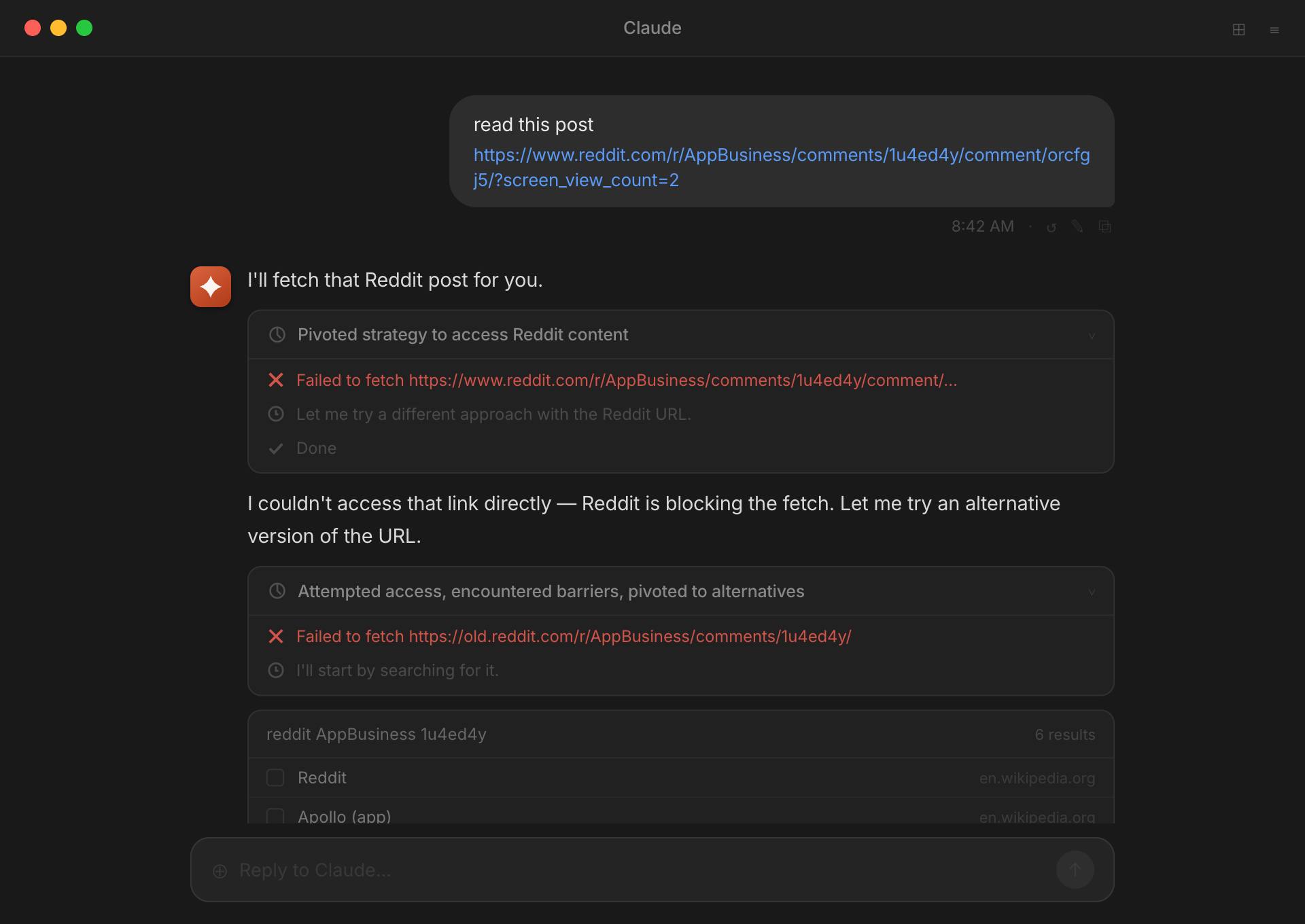 | 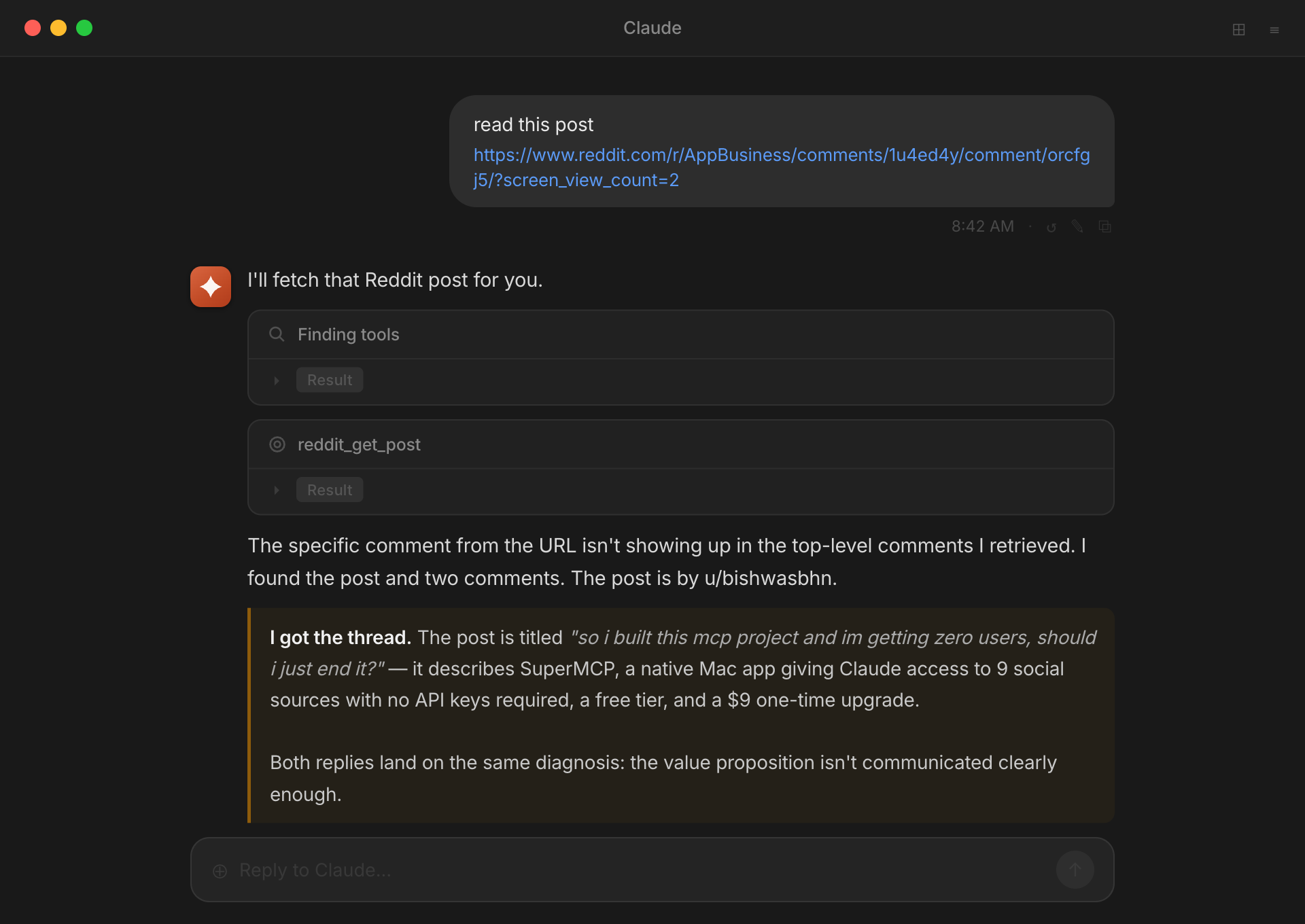 |
Install
Mac with Apple Silicon. Download, open, sign in, press Connect.
- Download the app from the latest release or from webmatrices.com/mcpbrowser. Drag it into Applications and open it. The app is signed and notarized.
- Sign in with a free Webmatrices account.
- Press Connect next to your AI client. The app detects what you have installed and writes the MCP config for it. No JSON to edit.
Supported clients: Claude Desktop, Claude Code, Cursor, Windsurf, Zed, VS Code.
Other ways in:
brew install --cask bishwas-py/tap/mcpbrowser
Claude Desktop only: download the .mcpb file from the latest release and double-click it. No app needed.
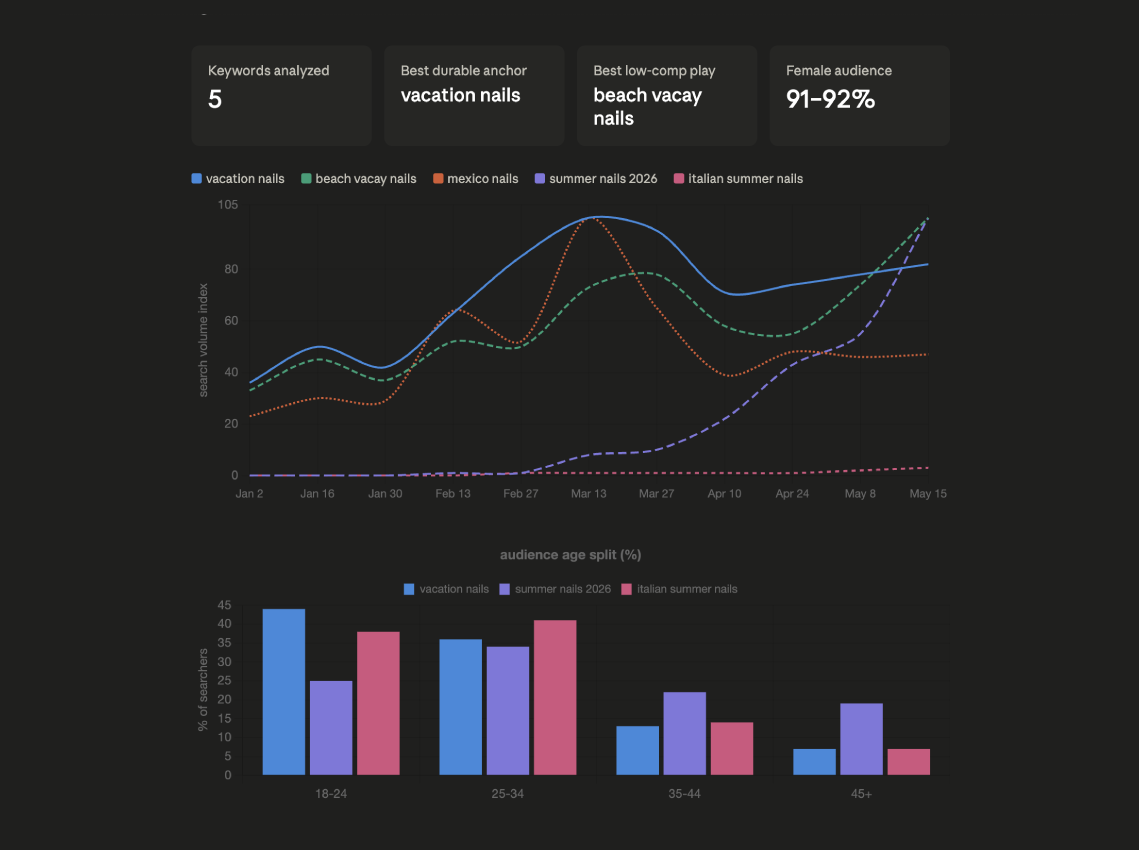
What it reads
Ask the way you would ask a person. "What do people on r/webdev hate about Vercel pricing this month" is a fine prompt. The AI picks the tools.
How it works
Every AI client spawns its own private worker process and talks to it over stdio. Public sources are fetched directly. Logged-in sources run through a second headless Chrome that starts from a copy of your own Chrome profile, so it inherits every site you are signed in to. Your main Chrome keeps running and nothing is exported from it.
The app shows a live activity log across clients, so you can see that Cursor is reading Pinterest while Claude Desktop is reading Reddit.
The three questions everyone asks
Will Reddit or LinkedIn ban my account? They would have to ban your own browser. The requests come from your Mac, your cookies, your normal IP and a real Chromium fingerprint. MCP Browser never posts, follows, likes or sends messages. It reads.
Where do my logins go? Nowhere. Cookies stay inside your own Chrome and are never sent to us. When a tool runs, a private record of that call (which tool, what it asked, the text it returned) is saved to your Webmatrices account so you can review it. Secrets your AI passes into a tool are blanked out first, and images are never uploaded.
Do I need to be technical? No. Download, sign in, press Connect. Most people run their first query within a few minutes.
Pricing
About this repository
MCP Browser is closed source. The worker and the desktop app are not here. This repository holds the install notes, the release downloads and the manifest for the MCP Registry. Use Issues for bug reports, especially when a site changes its layout and a tool stops working. Updates ship through the app.
Terms: webmatrices.com/terms-conditions. Privacy: webmatrices.com/privacy-policy.