DeepSFetch Developer Kit
⭐ If these n8n workflows, SDKs, or MCP tools save you time, please give this repository a Star on GitHub! It helps other automation builders discover the toolkit.
Complete manual: 33 step-by-step guides — API, MCP, SDKs, CLI, collections, monitors, files, integrations and billing.
Collect web content for AI agents and automation with explicit credit limits.
Open-source JavaScript and Python clients, a CLI, and n8n integration code for the hosted DeepSFetch API. Start with one public HTML page, inspect the result, and build from there.
This repository contains client-side tools. The collection engine and hosted service are not included. Running the examples requires a DeepSFetch account and API key; collection consumes workspace credits. See current plans.
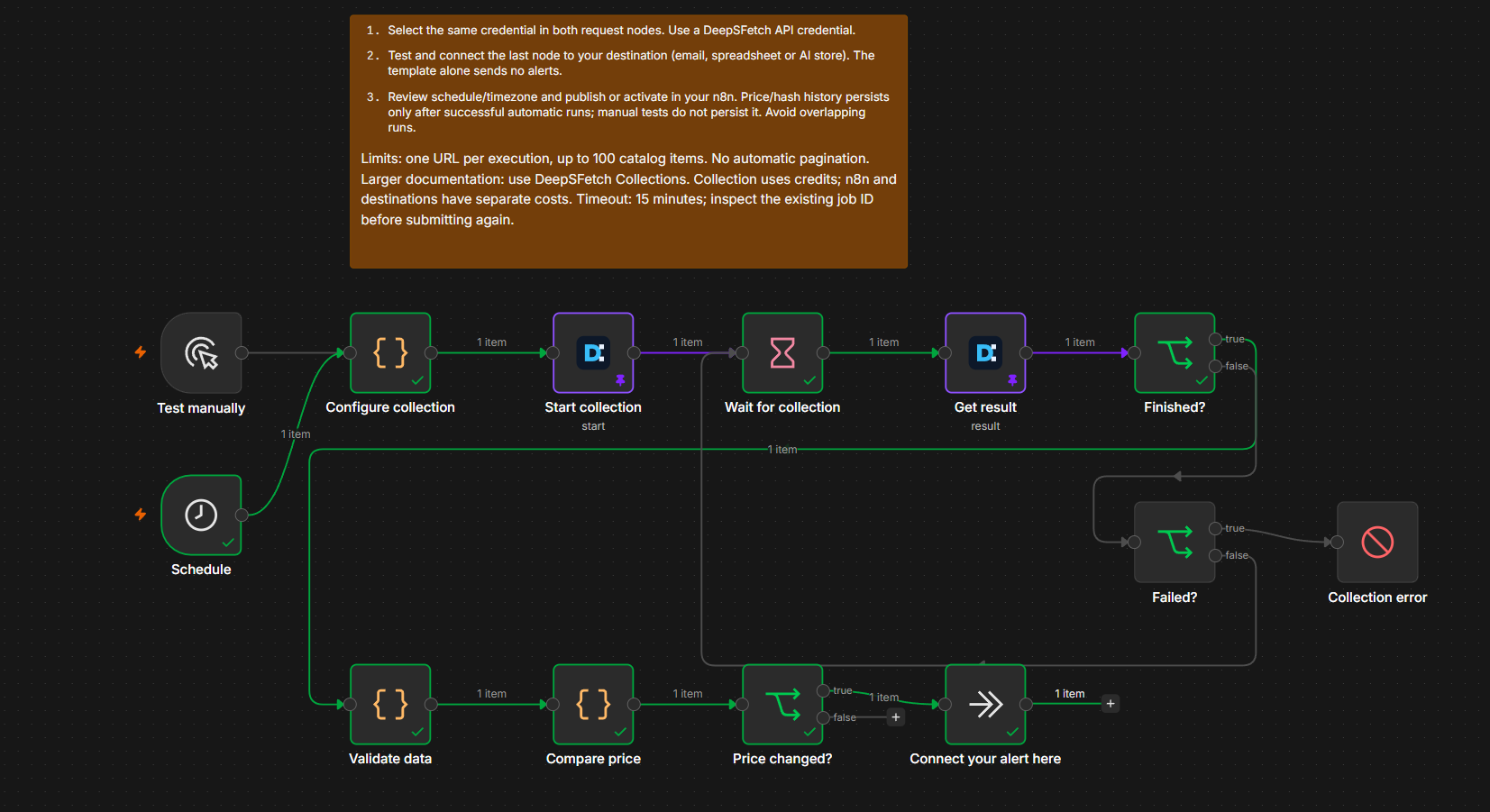
Ready-to-use n8n Workflows & Community Node
Automate structured HTML extraction in n8n with explicit credit caps, idempotency keys, and field validation before sending data to your alerts, spreadsheets, or AI/RAG pipelines.
Install the n8n Community Node (n8n-nodes-deepsfetch)
For self-hosted n8n, install via the UI (Settings → Community Nodes → Install → n8n-nodes-deepsfetch) or manually in your community nodes folder:
npm install n8n-nodes-deepsfetch
(Using n8n Cloud? You can download the standard HTTP Request workflow templates directly from Guided Setup without installing a community node.)
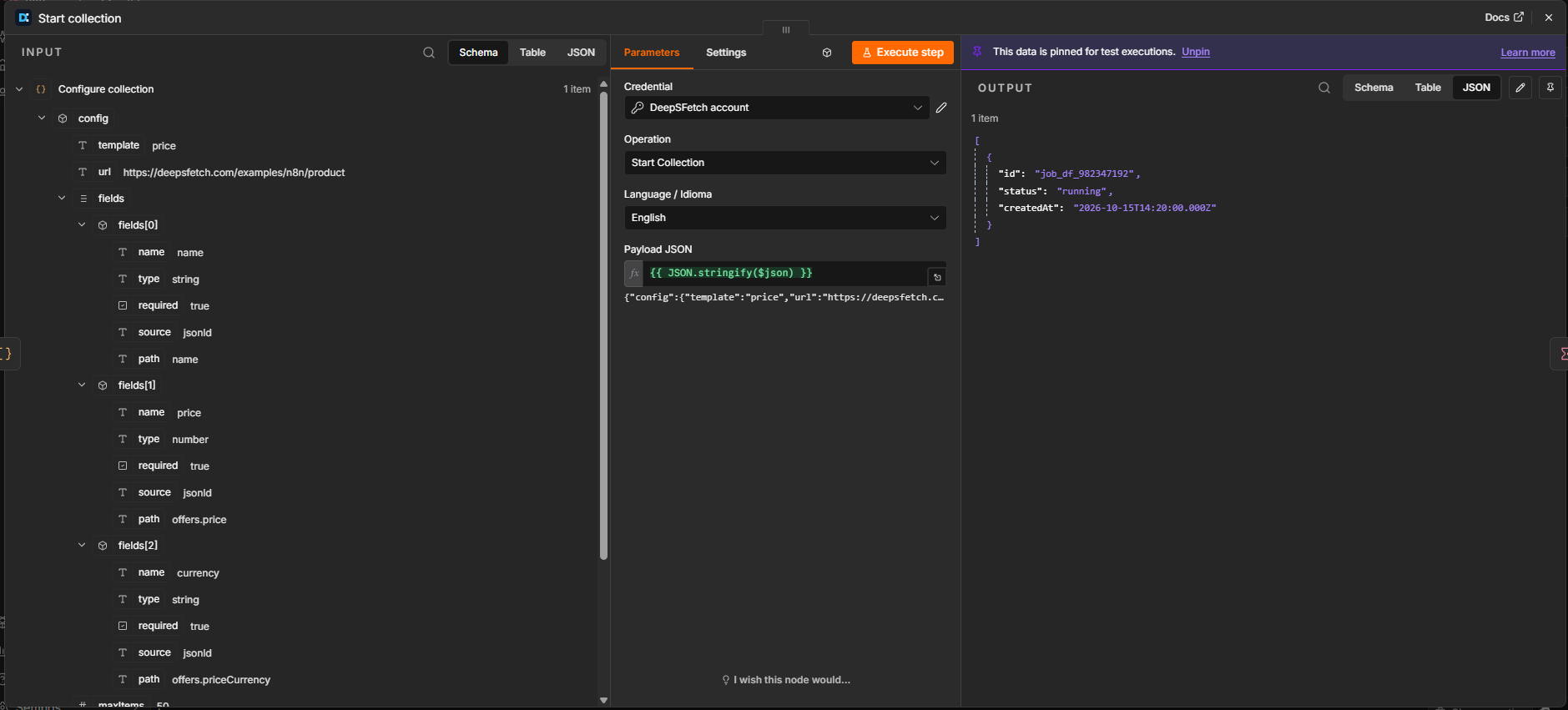
1. Starting a Collection (Start Collection operation with payload & language selection):
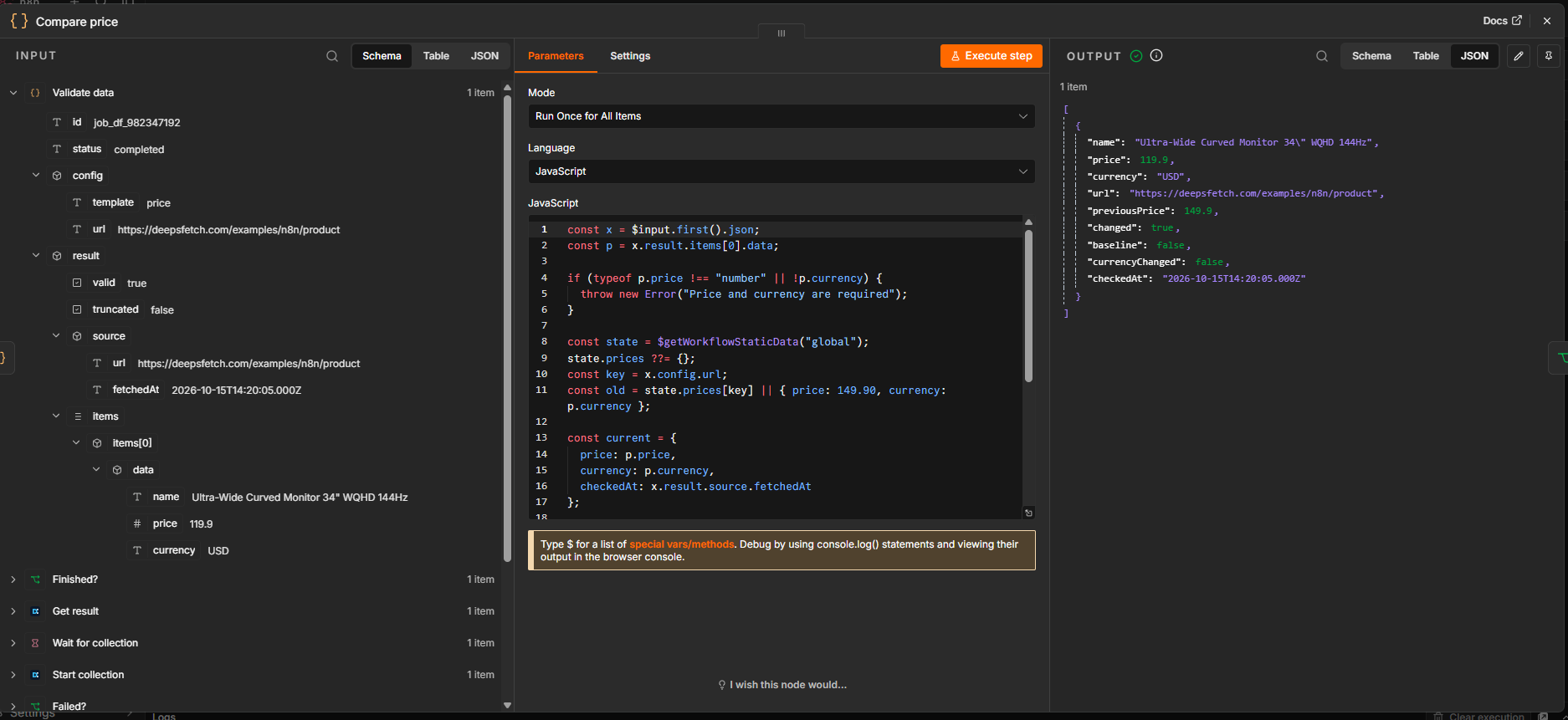
2. Validated Output & Price Comparison (Compare price step with structured JSON result):
Get your first result
Requires Node.js 22+. Create a key in API keys. From the repository root, set it for the current terminal session and run the dependency-free example:
PowerShell:
$env:DEEPSFETCH_API_KEY = 'YOUR_DEEPSFETCH_API_KEY'
node examples/scrape.mjs https://example.com
macOS / Linux:
export DEEPSFETCH_API_KEY='YOUR_DEEPSFETCH_API_KEY'
node examples/scrape.mjs https://example.com
The example submits one HTTP-only collection with a maximum of 3 DeepSFetch credits and browser fallback disabled, then polls the same job. It prints the completed job as JSON. This cap is not a promise of a free or successful collection. JavaScript-dependent pages need another configuration. See getting started for failure handling and resuming a job.
Choose your integration
The remote MCP server implementation is not included here. The n8n node is not verified by n8n. The remote MCP is listed in the official registry. Native partnerships and a self-hosted collection engine are not claimed by this repository.
CLI quickstart
After installing the CLI and setting the environment variable above:
deepsfetch scrape --file examples/scrape-request.json --wait
The CLI writes its idempotency key to stderr. If a submission's outcome is unknown, retry the same request with --idempotency-key THE_SAME_KEY. Once you have a job ID, use deepsfetch job JOB_ID --wait instead of submitting another collection.
Open tools and hosted service
Develop locally
npm install --ignore-scripts
npm test
npm run check
Run Python tests from the repository root:
python -m pip install ./packages/deepsfetch-sdk-python
python -m unittest discover -s packages/deepsfetch-sdk-python/tests
Tests use fixtures and a local HTTP server; they do not submit paid collections. See contributing, security, and the roadmap.
Resources
MIT license applies to the tools in this repository. Using the hosted service is subject to its own terms and credit limits.
Try it and share feedback
Read the first-collection tutorial, run the operational smoke test, and share your first-run experience.
The authenticated Firecrawl comparison includes results, limitations and reproducible code. The published DEV tutorial walks through signup, first collection and MCP. Also see the Smithery listing, with instructions and limits in the MCP guide.