
CGM Get Agent
An MCP (Model Context Protocol) server that connects LLMs (Claude, ChatGPT) to a Dexcom G7 continuous glucose monitor. Ask Claude or ChatGPT about your glucose in natural language and get personalized health guidance on meals and exercise.
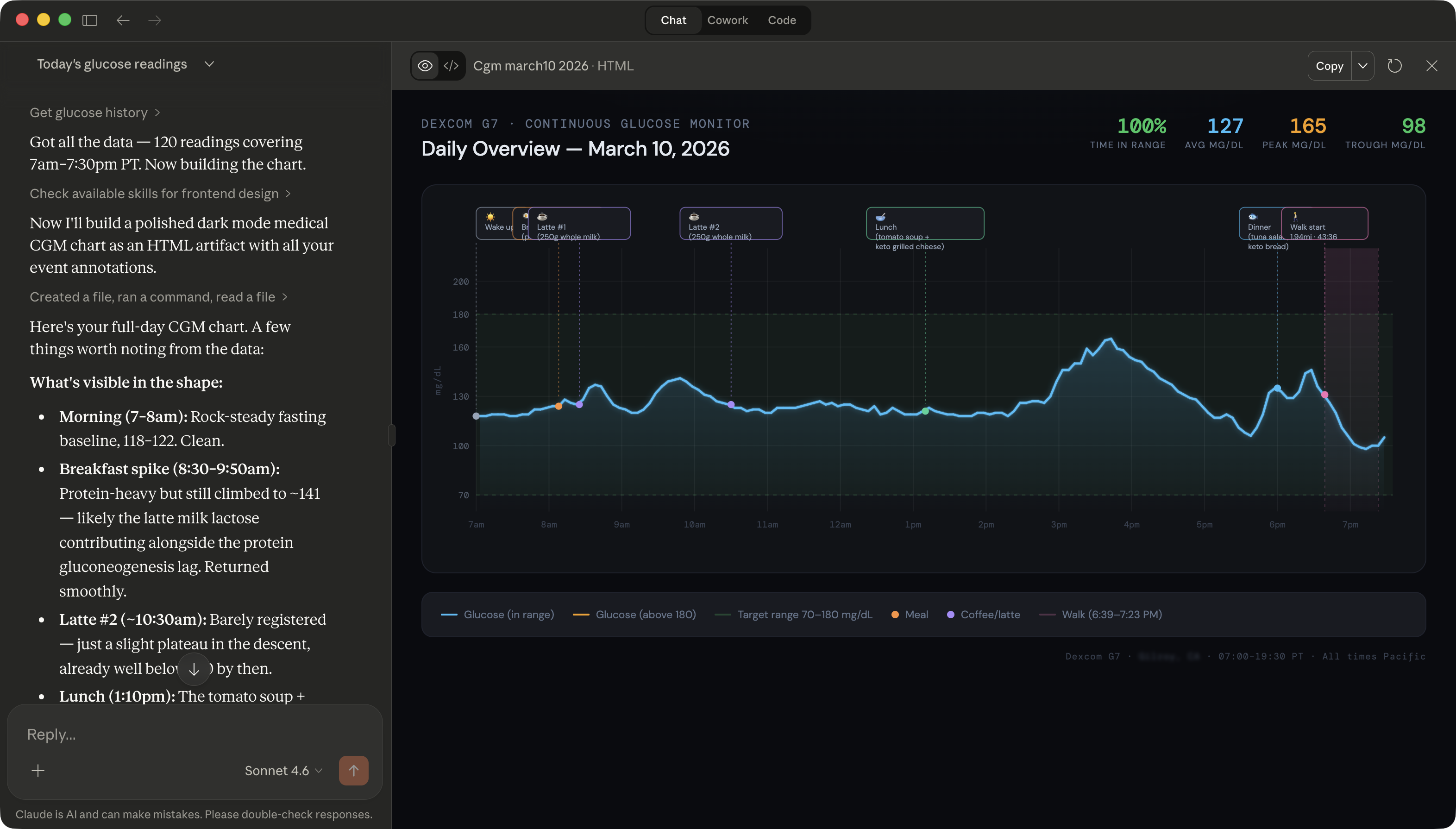
What It Does
- 11 MCP tools — eight Dexcom API v3 read endpoints plus local meal logging, exercise logging, and meal impact analysis
- Logs meals and exercise locally with LLM-estimated macros
- Correlates meals against post-meal glucose response curves and rates impact 1–10
- Works with Claude (via MCP/SSE or stdio) and ChatGPT (via REST shim)
- Degrades gracefully when Dexcom is unavailable using a local glucose cache
Stack
- Go 1.24 — single binary, CGO for SQLite
- MCP — primary protocol (
github.com/modelcontextprotocol/go-sdk/mcp), SSE + stdio transports - REST shim — OpenAI function-calling compatibility at
/v1/tools/invoke - Dexcom API v3 — OAuth2, EGV/event data from Dexcom G7
- SQLite — local storage for meals, exercise, and glucose cache (
mattn/go-sqlite3) - AES-256-GCM — OAuth tokens encrypted at rest
- Docker + Colima — arm64-native, runs on macOS/Apple Silicon
Prerequisites
- macOS (Apple Silicon recommended)
- Colima + Docker CLI (
brew install colima docker docker-compose) - A Dexcom Developer account — create an app to get
client_idandclient_secret - Go 1.24+ (for local development only; not needed for Docker builds)
Dexcom Developer Account
This project requires your own Dexcom Developer Account. You must register your own application and obtain your own Client ID and Client Secret.
- Go to developer.dexcom.com and create an account or sign in
- Register a new application
- Set your Redirect URI to
http://localhost:8090/callback(or your chosen port) - Copy your Client ID and Client Secret — you will need these during
make install
Sandbox vs. Production access:
- A new Dexcom Developer Account starts at the Registered Developer tier, which only grants sandbox access (simulated data, not real CGM readings).
- To access your real glucose data, you must apply for an Individual Access upgrade within your app profile on the Dexcom developer portal. Individual Access grants access to your own production Dexcom data.
- After upgrading, each Dexcom account holder must authorize the app via OAuth — data access is opt-in and can be revoked at any time from your Dexcom account settings.
DO NOT use anyone else's credentials. DO NOT share your credentials. Each user must register their own Dexcom developer application.
Quick Start
1. Clone and configure
git clone https://github.com/johnmartinez/cgm-get-agent
cd cgm-get-agent

cp .env.example .env
Edit .env with your Dexcom credentials and a generated encryption key:
# Generate a 32-byte AES encryption key
openssl rand -hex 32
# Paste the output into .env as GA_ENCRYPTION_KEY
2. Start with Docker Compose
colima start --arch aarch64 --vm-type vz  # start Colima (first time)
docker compose up --build
The server starts on http://localhost:8090.
3. Authorize Dexcom (one-time)
Open in your browser:
http://localhost:8090/oauth/start
You'll be redirected to Dexcom to log in and grant HIPAA consent. After completing the flow, tokens are encrypted and stored locally. You will not need to repeat this unless tokens are revoked.
Verify auth status:
curl http://localhost:8090/health
# {"status":"ok","dexcom_auth":"valid","db_accessible":true,"uptime_seconds":14}
4. Connect to Claude
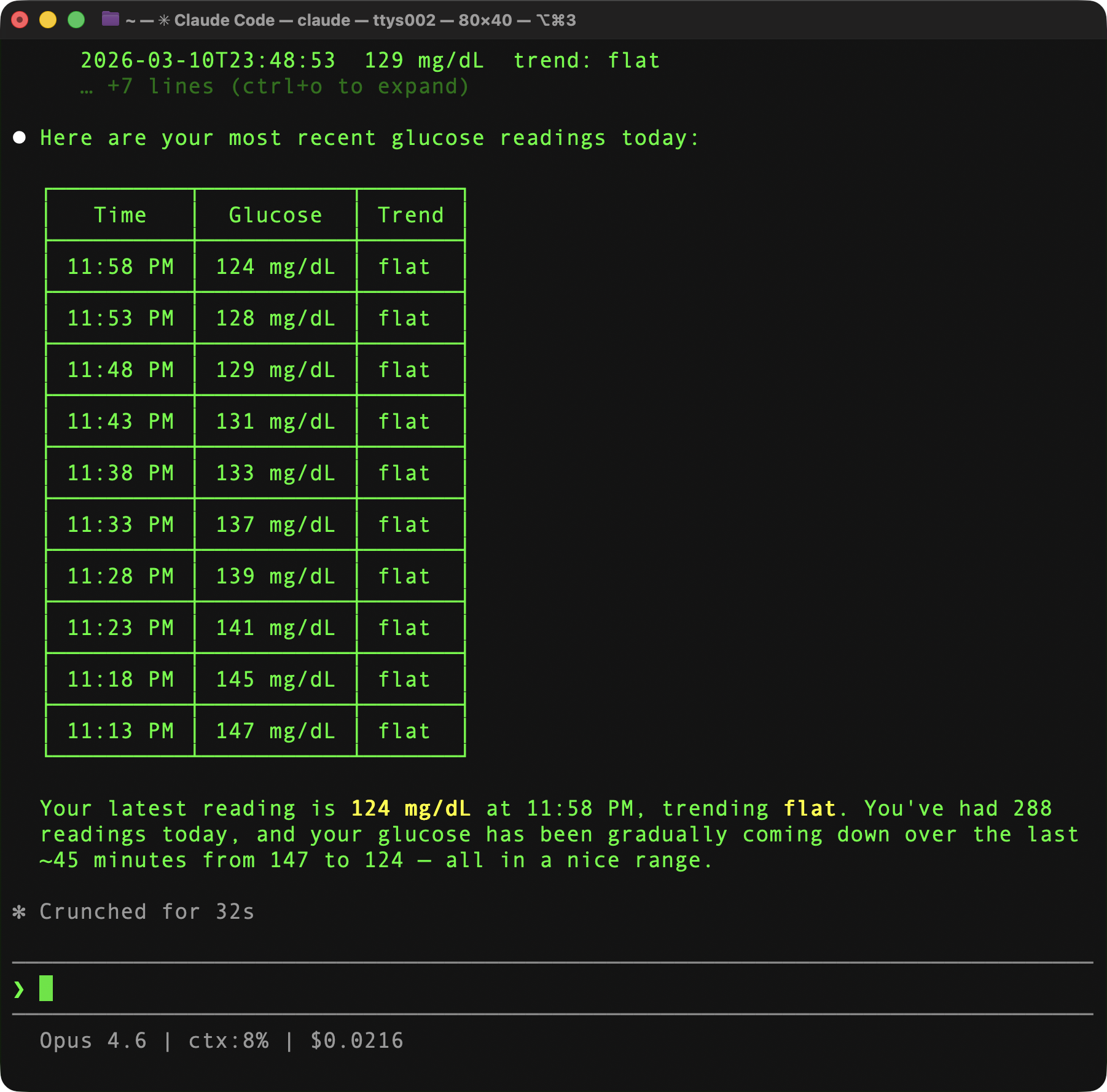
Option A — Claude Code CLI (SSE, recommended):
claude mcp add --transport sse cgm-get-agent http://localhost:8090/sse
Option B — Claude Desktop (requires mcp-remote bridge):
Claude Desktop only supports stdio transport in its local config. Use mcp-remote (via npx) as a stdio-to-SSE bridge.
Prerequisite: Node.js must be installed (brew install node).
Add to your Claude Desktop MCP config (~/Library/Application Support/Claude/claude_desktop_config.json):
{
  "mcpServers": {
    "cgm-get-agent": {
      "command": "npx",
      "args": [
        "mcp-remote",
        "http://localhost:8090/sse",
        "--transport",
        "sse-only"
      ]
    }
  }
}
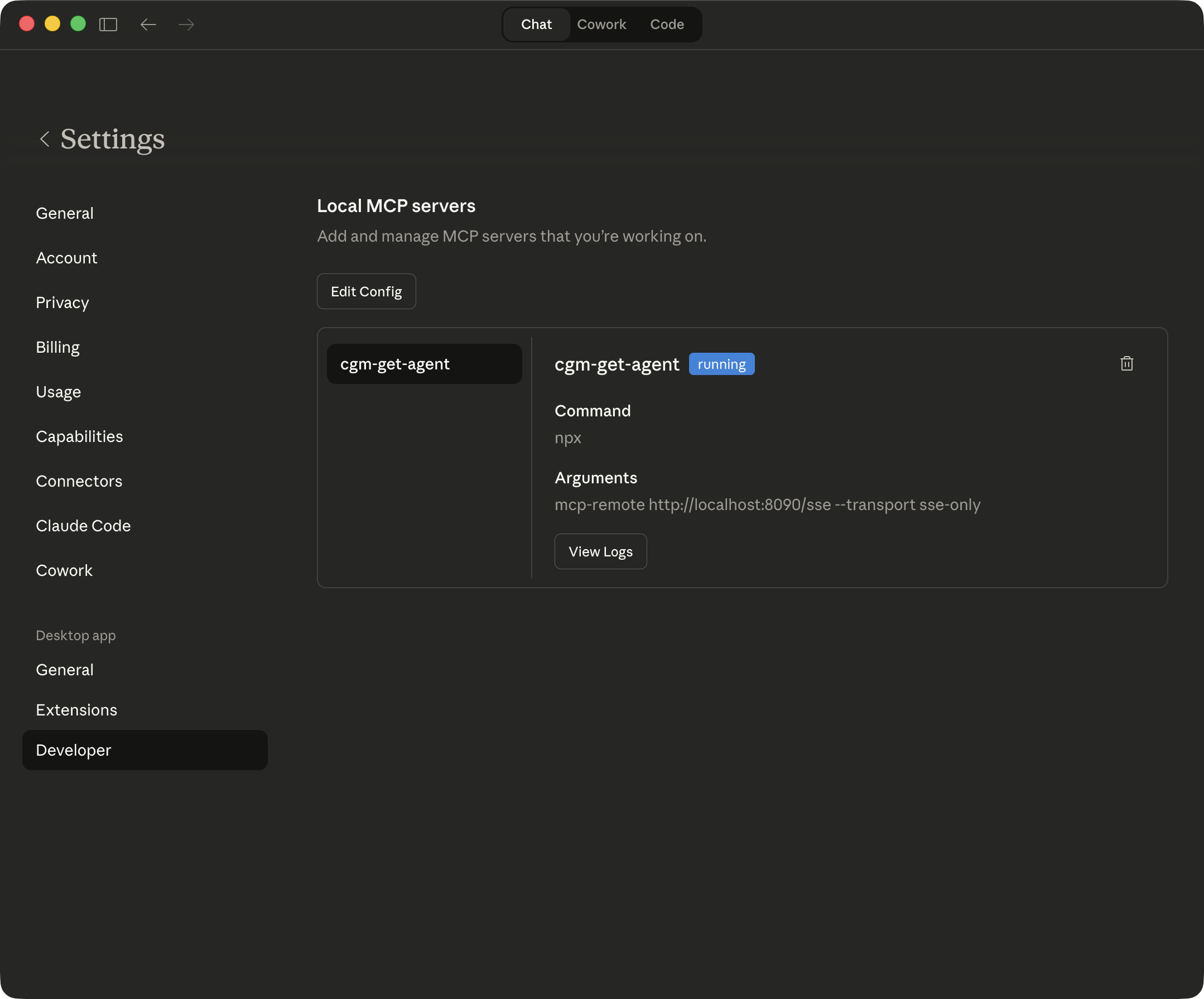
Once connected, you should see cgm-get-agent in Developer Settings with a green "running" badge:
Option C — stdio (experimental — not yet validated with Claude Desktop):
claude mcp add cgm-get-agent -- docker exec -i cgm-get-agent cgm-get-agent serve --transport stdio
5. Connect to ChatGPT Desktop
ChatGPT Desktop supports MCP via SSE. To add the server:
- Open ChatGPT Desktop → Settings → Connectors (or MCP Servers).
- Add a new server with URL:
http://localhost:8090/sse - Name it
cgm-get-agent. - Save and restart ChatGPT Desktop.
If your version of ChatGPT Desktop uses a config file, create or edit:
~/Library/Application Support/ChatGPT/mcp.json{ "servers": [ { "name": "cgm-get-agent", "transport": "sse", "url": "http://localhost:8090/sse" } ] }
Now ask Claude or ChatGPT: "What's my glucose right now?"
Environment Variables
Logging: Default log level is 2 (INFO). Set
GA_LOG_LEVEL=1for quiet mode orGA_LOG_LEVEL=3for full diagnostic output when troubleshooting.
Port conflict? If port 8090 is already in use, set both
GA_SERVER_PORTandGA_DEXCOM_REDIRECT_URItogether in.envand update your Dexcom developer app's Redirect URI to match:GA_SERVER_PORT=8090 GA_DEXCOM_REDIRECT_URI=http://localhost:8090/callback
See .env.example for a template.
Available MCP Tools
Dexcom Read Tools (live data from Dexcom API v3 — read-only)
Local Tools (SQLite-backed, work offline)
Dexcom Sandbox (No CGM Required)
For development, use GA_DEXCOM_ENV=sandbox (default). The Dexcom sandbox provides simulated G7 data. Sandbox login does not require a real Dexcom account password.
Production Switch
# In .env:
GA_DEXCOM_ENV=production

docker compose up --build
open http://localhost:8090/oauth/start   # re-authorize with real credentials
Data & Privacy
- All health data stays on your local machine.
- OAuth tokens are AES-256-GCM encrypted in
~/.cgm-get-agent/tokens.enc. - The host volume
~/.cgm-get-agentshould bechmod 700. - No data is transmitted to any third party other than the Dexcom API.
- Never expose port 8090 directly to the internet. Use Tailscale or WireGuard for remote access.
- After a fresh install, rebuild, or re-authorization, recent readings (last 1-2 hours) may be temporarily unavailable while the Dexcom API syncs with your new OAuth tokens. Historical data backfills within an hour.
Development
# Run tests
go test ./...

# Run locally (no Docker)
GA_DEXCOM_ENV=sandbox \
GA_ENCRYPTION_KEY=$(openssl rand -hex 32) \
GA_MCP_TRANSPORT=sse \
go run ./cmd/server

# Build binary
CGO_ENABLED=1 go build -o cgm-get-agent ./cmd/server
Architecture
See docs/architecture.mermaid and docs/workflow.mermaid for system and sequence diagrams.
Full specification: SPEC.md
Implementation instructions: CLAUDE.md
Project Status
Active development — spec-driven build. See CLAUDE.md for the phased implementation plan and progress.
Contributing
Issues and PRs welcome. This project uses conventional commits and branch-per-fix workflow.
Disclaimer
This project is not affiliated with, endorsed by, or sponsored by Dexcom, Inc. Dexcom and G7 are trademarks of Dexcom, Inc. This software is provided as-is for personal use. It is not a medical device and should not be used for clinical decision-making. Always consult your healthcare provider for medical decisions.
License
BSD 3-Clause License. See LICENSE for details.