
LiteDB
A modern, fast, and user-friendly database viewer/editor built with React and Tauri (Rust). Now supporting both SQLite and PostgreSQL with seamless database management and advanced vector search capabilities.
Measured, not asserted
LiteDB's Text-to-SQL agent ships with a public benchmark in evals/
— 109 cases scored by execution accuracy, with a held-out split that was
written after the prompt work and never tuned against.
qwen2.5-coder:7b running locally on a 6 GB laptop GPU, SQLite:
On a second, unseen schema — different naming conventions, integer cents, nullable dates — the same agent scores 91.7%, so the gains are not an artifact of one database.
npm run eval:selftest   # verify the harness itself (no API calls)
npm run eval -- --provider ollama
Six experiments are documented in evals/README.md,
including the two that were rejected and the case-design defects a stronger
model exposed. Every number is reproducible with one command.
That score is also the argument for the write-safety layer: 85.6% is good for a 7B model on read-only queries, and read-only queries are the easy case. Generated SQL is classified before it runs, and never executes unattended — even on a connection you have set to unrestricted.
Features
- Schema Visualization: Visualize your database structure, relationships, and foreign keys in an interactive diagram.
- Auto-Layout: Automatically arranges tables to minimize crossing lines.
- Export: Save your schema diagram as PNG or SVG for documentation.
- Edit Support: View and edit database records directly
- Advanced Search: Filter and search through your data
- Real-time Updates: Changes reflect immediately
- Data Sorting: Sort any column with a click
- Responsive Design: Works great on any screen size
- Batch Operations: Execute multiple SQL statements with transaction support
- SQL Script Management: Save and reuse your SQL scripts
- Dual Database Support: Works with SQLite and PostgreSQL
- AI Agent (Text-to-SQL): Turn natural language into SQL queries.
- Settings → AI: OpenAI, OpenAI-compatible (LM Studio, vLLM, GitHub Models, Azure, …), or Ollama. Default is Ollama.
- Same prompt the eval harness measures: schema + sample values (toggle), retrieved few-shot (K=3), one compile-repair pass.
- MCP: Settings → Agents, or the status-bar MCP chip. Claude Desktop / Claude Code / Cursor / OpenCode / VS Code follow the open connection — Connect an agent.
- Write Safety: Generated SQL is classified before it runs.
- Read-only / guarded / unrestricted / YOLO modes, remembered per connection.
- Unqualified
DELETE/UPDATE,DROPandTRUNCATEintercepted. - Approval shows the exact affected-row count, not just a warning.
- Generated SQL is compiled before you see it, so the model fixes its own unknown columns and syntax errors — writes included.
- Append-only audit log of every statement that ran, and who authorised it.
- Autosave & Export: Automatically save changes and export query results to CSV, Excel, or JSON.
- Vector Search & Semantic Search: Perform semantic similarity searches on your data using pgvector and local embedding models.
Compared honestly
LiteDB is a SQLite/Postgres desktop client with an agent and a write-safety layer. It is not a replacement for a general DBA workbench.
The losses that matter in practice: two dialects, no SSH, and TablePlus still feels faster for “just run this SQL.” Use those tools for that. Use this one when a model is allowed near the database, or when pgvector is the point.
Schema Visualization
LiteDB now includes a powerful Entity Relationship Diagram (ERD) generator:
- Interactive Graph: Drag and drop tables, zoom in/out, and explore relationships.
- Visual Foreign Keys: Lines connect Foreign Keys (Source) to Primary Keys (Target) automatically.
- Key Indicators: Visual icons for Primary Keys (🔑), Foreign Keys (🔗), and Unique constraints (#).
- Export Ready: One-click export to high-quality images for your technical documentation.
Vector Search & Semantic Search
LiteDB integrates advanced vector search capabilities powered by pgvector and local embedding models:
- Semantic Search: Find similar rows based on vector embeddings.
- Search by Row ID: Find rows that are semantically similar to a specific record.
- Search by Text: Enter natural language queries to find relevant records using local embedding models.
- Local Embedding Models: Run embedding models locally in your browser/app using Transformers.js.
- Supported models:
all-MiniLM-L6-v2,bge-base-en-v1.5,bge-large-en-v1.5. - Privacy-first: No data is sent to external APIs for embedding generation.
- Supported models:
- Distance Metrics: Support for multiple distance metrics to suit your data:
- Cosine Distance (
<=>): Best for normalized vectors. - L2 Distance (
<->): Euclidean distance. - Inner Product (
<#>): Dot product (negative).
- Cosine Distance (
- Visual Feedback: Color-coded similarity bars to quickly identify the most relevant results.
AI Architecture (Text-to-SQL)
Unlike standard API wrappers, LiteDB implements a Context-Aware RAG Pipeline to ensure high-accuracy SQL generation. Settings → AI is the live matrix: OpenAI, OpenAI compatible, Ollama (local). GitHub Models / Azure used to be separate rows; they are OpenAI-compatible endpoints now.
- Schema Extraction: On connection, the app introspects tables, foreign keys, and types.
- Dynamic Context Injection: That metadata goes into the system prompt, dialect-specific (Postgres vs SQLite).
- Sample values (on by default, toggle in Settings): a few distinct values from short enum-like columns so
"Germany"can match stored'DE'. Emails, keys, and PII-looking columns are skipped. - Retrieved few-shot (K=3): worked examples from an unrelated employees schema. Same default as
npm run eval. - Compile-repair: if generated SQL does not compile, the engine error goes back to the model once. Writes included — it uses
EXPLAIN, not a dry run.
Measured accuracy
Accuracy claims about the Text-to-SQL agent are backed by a public, runnable
benchmark in evals/ rather than asserted. It scores execution
accuracy — the generated query and a reference query are both executed
against a seeded fixture database and their result sets compared — so any
correct formulation counts, not just one that matches a string.
npm run eval:selftest              # verify the harness itself (no API calls)
npm run eval:verify                # verify the golden set (no API calls)
npm run eval -- --provider ollama  # score a local model
109 cases across five slices (single-table, joins, aggregation,
window-functions, ambiguous-schema), over two fixture schemas, runnable against SQLite or PostgreSQL
and OpenAI, any OpenAI-compatible endpoint, or Ollama. Failures are typed — a query that
answers the wrong question is reported separately from one that fails to parse,
and provider outages are excluded from the score entirely.
The harness executes model-generated SQL, so it treats that SQL as hostile:
a static read-only guard, plus an engine that physically cannot write
(read-only SQLite connection; BEGIN READ ONLY in Postgres).
See evals/README.md for the methodology, the comparison
rules and their tradeoffs, and how to add cases.
Write safety
The benchmark above measures how often the model is right. This layer decides what happens when it isn't.
Every statement — typed or generated — passes through one gate before it reaches the database, and read-only mode is enforced in the services rather than in the query box, so it covers the table editor's inline edits too.
Statements are classified by what they do
Not by their leading keyword:
Three cases drive most of the implementation, because all three fail open — each makes a dangerous statement look safe:
EXPLAIN ANALYZE DELETE FROM tdeletes. In Postgres,ANALYZEexecutes the statement it claims to be explaining. Treating everyEXPLAINas a read is a data-loss bug.WITH x AS (DELETE FROM t RETURNING *) SELECT * FROM xdeletes, while leading with a harmless-lookingWITH.UPDATE t SET x = (SELECT y FROM z WHERE q)has noWHEREof its own. The onlyWHEREbelongs to the subquery, so it rewrites every row. A substring search forwherecalls this bounded; it is not.
Each is covered by an assertion in npm run eval:selftest, alongside a
tokenizer that knows the difference between a ; and a ; inside a string
literal, and between the keyword DELETE and a column named "delete".
Three modes, remembered per connection
The unrestricted row is the interesting one. It is a promise you make about
your own typing, and it does not extend to SQL a model wrote — that is floored
at guarded whatever the connection is set to. A DELETE you typed and a
DELETE a model inferred from a sentence are the same SQL and not the same
event, and the benchmark above is the reason: 85.6% is a good score for a 7B
model on read-only queries, which is the easy case.
YOLO is the deliberate escape hatch, and the only mode that waives that floor. In it the model executes its own SQL the moment it writes it — no editor, no Execute click, no row count, nothing refused. It exists because the alternative to an escape hatch is people working around the tool, and because on a scratch database the prompts are pure friction. It is opt-in per connection behind a one-time confirmation, shown in red for as long as it is on, and it is the one mode where the audit log stops being a convenience and becomes the only record that anything happened — which is why, in YOLO, the log records your reads too.
Provenance is sticky. Editing generated SQL does not make you its author —
someone who tweaks one clause has not read the rest — and ai only ever
tightens the gate. Clearing the editor resets it.
Deviation from the original plan, stated plainly: this was specified as "read-only by default". Read-only by default would make the table editor — the app's primary function — appear broken on first launch, and a safety default users switch off within a minute protects nobody.
guardedkeeps reads instant, makes every mutation an explicit act, and leaves read-only as a real mode one click away in the status bar for the case it is meant for: pointing the app at production.
Approval shows impact, not a shrug
"Are you sure?" is a question nobody can answer well. The dialog answers a better one — how many rows, out of how many:
- Bounded writes get an exact count. The predicate that limits the write is
the same predicate that counts what it will hit, so
DELETE FROM t WHERE pis previewed withSELECT COUNT(*) FROM t WHERE p. That is a measurement, not an estimate, and the self-test checks it against a real database. - The total it is measured against is probed, not counted.
12 of 200+ rowsmeans the table holds at least 200 — the probe stops there, because a plainCOUNT(*)on a large table is a full scan and the dialog would sit waiting on it. A capped total is never promoted to an exact one: an unboundedDELETEreports "affects every row", not a number the probe never reached. - Everything else gets the planner's estimate, via
EXPLAIN— neverEXPLAIN ANALYZE, for the reason above. - Typed confirmation is rationed to statements that destroy data with no predicate bounding them. Requiring it for every write would train the habit of typing the word without reading the sentence above it.
The model checks its own SQL before you see it
A generated statement is compiled against the live database before it reaches the editor. If it does not compile, the engine's own error goes back to the model, which gets one attempt to fix it.
The important word is compiled, not executed. EXPLAIN <statement> parses
and resolves names without performing the statement, so this checks writes as
well as reads:
An earlier version dry-ran the query instead, which meant the read-only guard
had to refuse anything but a SELECT — so the failure people actually hit went
uncaught: the model writes an UPDATE, it looks plausible in the box, and the
missing column only surfaces after you press Execute.
The rule that keeps this safe is that the checker never emits EXPLAIN ANALYZE, which would execute the statement it claims to be checking. The
self-test asserts it, and demonstrates the property directly: on a physically
read-only connection, EXPLAIN DROP TABLE orders compiles cleanly and the
table is still there afterwards.
Audit log
Every generated statement and every hand-made change is appended to
<app data>/audit/sql-audit.jsonl, one JSON object per line, readable in the
editor's Audit tab. Entries record the SQL, the natural-language prompt it
came from, the model that wrote it, the policy in force, whether it was
allowed, approved, blocked or declined, and what actually happened.
Two limits, stated because a safety feature that overclaims is worse than none: append-only is a property of the API, not of the file — the file is yours and you can edit it; and entries hold SQL verbatim, including literal values, which is why it never leaves the machine and is never attached to a diagnostics bundle.
MCP server
The same write-safety layer, exposed over the Model Context Protocol, so an
agent can drive a local database through the guardrails instead of around them.
That is the reason to point it at litedb-mcp rather than at
a raw Postgres MCP server.
If LiteDB is running, the server follows whatever you have open. No paths in
the config, no restart when you switch database. Quitting the app clears that
handoff — including a stored Postgres password — so an agent cannot keep using
the last connection. Fastest path: Settings →
Agents, or the status-bar MCP chip. Host-by-host:
Connect an agent. Requires Node.js 22.5+ with
npx on the PATH that Claude, Cursor, or VS Code uses (node:sqlite). LiteDB
does not install Node.
Windows (what the app copies):
{
  "mcpServers": {
    "litedb": {
      "command": "cmd",
      "args": ["/c", "npx", "-y", "litedb-mcp"]
    }
  }
}
macOS / Linux: "command": "npx", "args": ["-y", "litedb-mcp"].
claude mcp add litedb --scope user -- npx -y litedb-mcp
The status-bar policy is the agent's policy. Set the connection read-only in the UI and the next tool call is read-only. YOLO is the one exception: it maps down to guarded, because YOLO means a human is watching this window, which is exactly what isn't true over MCP.
Without the app — CI, a box that has never launched LiteDB — set
LITEDB_SQLITE_PATH or LITEDB_DATABASE_URL. Env wins when both are present.
Seven tools — list_tables, describe_table, query, execute_approved,
list_vector_columns, semantic_search, audit_log — plus a litedb://schema
resource.
A write never runs on the first query. That call classifies, measures
impact, and returns a preview plus a single-use token. Running it is a second
tool, execute_approved. Provenance over MCP is a model by definition, so even
unrestricted previews; LITEDB_POLICY=yolo is refused at startup. LiteDB
cannot make the host ask you — Cursor with auto-run will chain both tools
without a click. The preview is still the record; see
mcp/README.md.
Underneath the classifier, the engine enforces the same boundary independently —
SQLite opened read-only, Postgres reads inside BEGIN READ ONLY that is always
rolled back — so a statement that beats the parser still meets
cannot execute UPDATE in a read-only transaction.
Semantic search embeds your query text with MiniLM or BGE in the server process, so searching a pgvector column by meaning sends nothing to an embedding API. And it writes to the same audit log the desktop app reads: run something over MCP, open LiteDB, and it is there in the Audit tab next to your own statements.
Tech Stack
- React
- TypeScript
- Vite
- Tailwind CSS
- Tauri (Rust)
- PostgreSQL
- SQLite
Getting Started
Prerequisites
- Node.js 22.5+ (MCP uses
node:sqlite; evals want 24+) - Rust (latest stable)
- PostgreSQL (if using PostgreSQL features)
Installation
- Clone the repository:
git clone https://github.com/createdbyadham/LiteDB
- Install dependencies:
npm install
- Start the development server:
npm run tauri dev
Building for Production
npm run tauri build
Usage
Connecting to Databases:
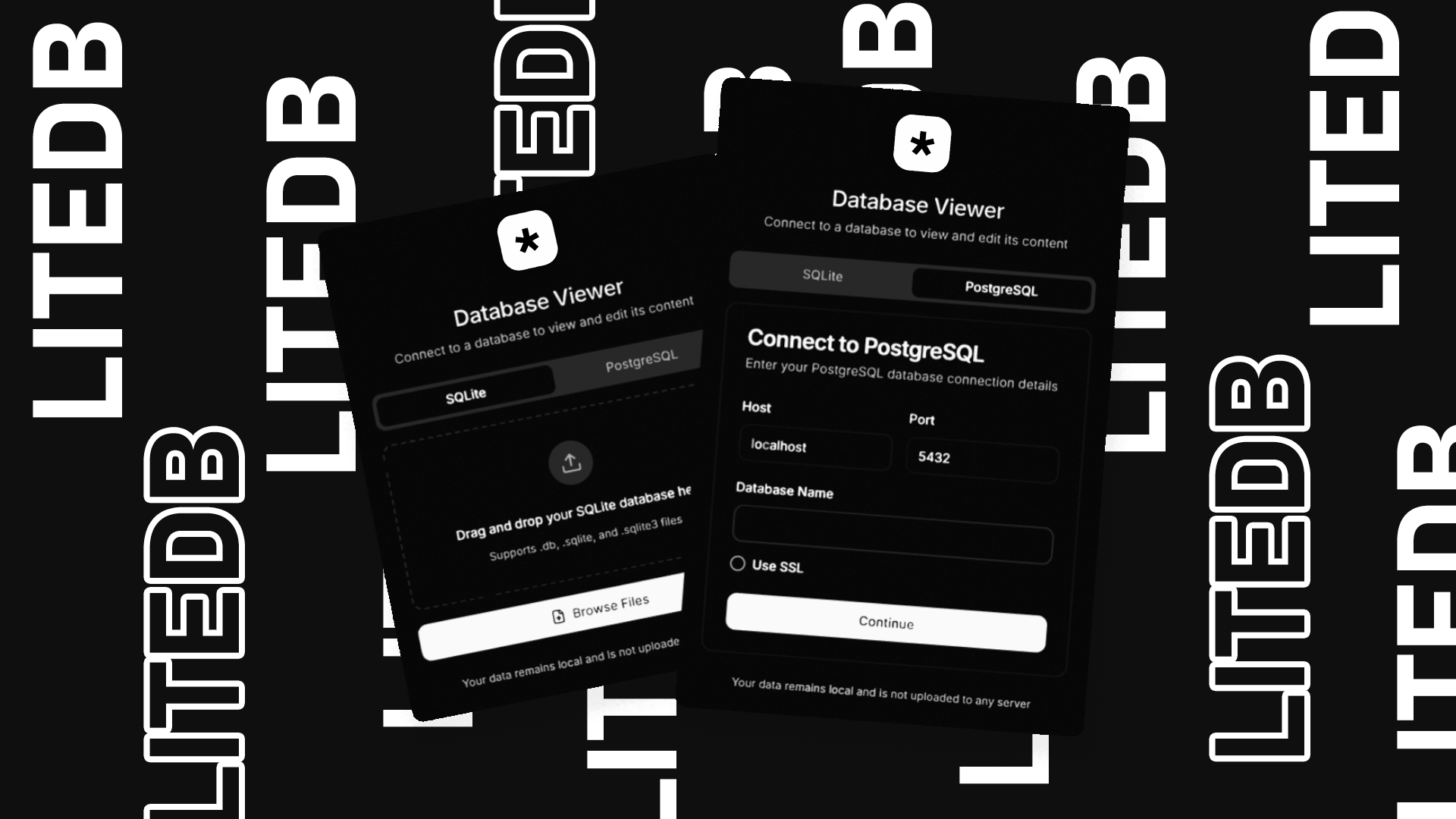
- SQLite: Click "Upload Database" or drag & drop your SQLite file
- PostgreSQL: Open the Connection Manager, enter your credentials, and connect
- Switch Databases: Use the database switcher to toggle between SQLite & PostgreSQL
- Browse tables using the table selector
- Use the search bar to filter data
- Double-click any row to edit
- Check multiple rows at once then click "Delete" to remove them
- Click "Save Changes" to persist modifications
PostgreSQL-Specific Features:
- Run SQL queries with real-time feedback
- View table structures directly in the UI
- Batch execute multiple statements in transaction mode
- Securely connect using SSL
Batch Operations & SQL Scripting
The batch operations feature allows you to execute multiple SQL statements at once, which is perfect for complex database operations.
Using Batch Operations
- After loading a database, click on the "Batch Operations" tab
- Enter your SQL statements in the editor, separating them with semicolons (
;) - Use the "Use Transaction" toggle to enable/disable transaction mode:
- When enabled (default): All statements succeed or none do (atomic operations)
- When disabled: Each statement is executed independently
- Click "Execute Script" to run your SQL commands
- Reads run immediately. Anything that changes the database opens an approval dialog first, showing how many rows each statement will affect — see Write safety. Switch the connection to Unrestricted in the status bar to skip the prompt for statements you typed yourself.
- View the results including execution time, affected tables, and any errors
- The Audit tab records every statement that ran, and who authorised it
Saving and Reusing Scripts
- Write your SQL script in the editor
- Enter a name for your script in the input field
- Click "Save Script" to store it for future use
- Access your saved scripts by clicking on the "Saved Scripts" tab
- Use the "Load" button to load a script back into the editor
- Delete unwanted scripts with the delete button
Example Scripts
Here are some example SQL scripts you can try:
Create new table and insert data:
CREATE TABLE users (
  id INTEGER PRIMARY KEY,
  name TEXT NOT NULL,
  email TEXT,
  age INTEGER
);

INSERT INTO users (id, name, email, age) VALUES (1, 'name-example1', '[email protected]', 32);
INSERT INTO users (id, name, email, age) VALUES (2, 'name-example2', '[email protected]', 28);
Update and delete records:
UPDATE users SET age = 33 WHERE name = 'John Doe';
DELETE FROM users WHERE name = 'Jane Smith';
Schema modifications:
ALTER TABLE users ADD COLUMN created_at TEXT;
UPDATE users SET created_at = datetime('now');
CREATE INDEX idx_users_name ON users (name);
Complex operations with transaction:
BEGIN TRANSACTION;
CREATE TABLE temp_users AS SELECT * FROM users;
UPDATE users SET age = age + 1;
INSERT INTO users SELECT * FROM temp_users WHERE age > 30;
DROP TABLE temp_users;
COMMIT;
Development
Project Structure
src/
  ├── components/     # React components
  ├── hooks/         # Custom React hooks
  ├── lib/           # Utilities and services
  ├── styles/        # Global styles
  └── types/         # TypeScript type definitions
The Text-to-SQL and write-safety modules are deliberately free of browser,
Tauri and network imports, so the eval harness in evals/ exercises
the code the app actually ships rather than a copy of it:
src/lib/
  ├── promptBuilder.ts   # the prompt, including retrieved few-shot exemplars
  ├── fewShot.ts         # exemplar bank and lexical retrieval
  ├── schemaSamples.ts   # sample values for enumerated columns, with guards
  ├── sqlTokenizer.ts    # strings, comments, identifiers, paren depth
  ├── sqlClassifier.ts   # read / write / destructive / ddl / session / unknown
  ├── sqlPolicy.ts       # policy + provenance -> allow / confirm / block
  ├── sqlGuard.ts        # read-only guard, shared with the harness
  ├── sqlValidator.ts    # compiles generated SQL without running it
  ├── impactPreview.ts   # exact row counts and EXPLAIN
  ├── auditLog.ts        # append-only JSONL
  ├── queryGate.ts       # per-connection policy, the audit write path
  ├── mcpHandoff.ts      # file the MCP server reads when you connect in the app
  ├── mcpAgentConfig.ts  # copy-paste snippets (Claude Code, Cursor, OpenCode, VS Code)
  └── claudeDesktopMcp.ts # Settings → Agents “Add to Claude Desktop”
Contributing
- Fork the repository
- Create your feature branch (
git checkout -b feature/amazing-feature) - Commit your changes (
git commit -m 'Add some amazing feature') - Push to the branch (
git push origin feature/amazing-feature) - Open a Pull Request
License
This project is licensed under the MIT License - see the LICENSE file for details.