
FileMaker MCP Server
Production MCP bridge that lets AI tools inspect and operate FileMaker databases through the FileMaker Data API.
What This Proves
- Practical AI tooling integration: Claude Desktop or any MCP client can discover FileMaker layouts, scripts, schema, record counts, and records through typed tool contracts.
- Legacy system bridge: a Node.js/TypeScript MCP server wraps FileMaker Data API sessions, find/create/update/delete calls, script execution, metadata, bulk operations, and defensive error messages.
- Operator-ready packaging: local
npx, Docker, Docker Compose, TypeScript build, Jest smoke gate, and environment-only auth with no secrets committed.
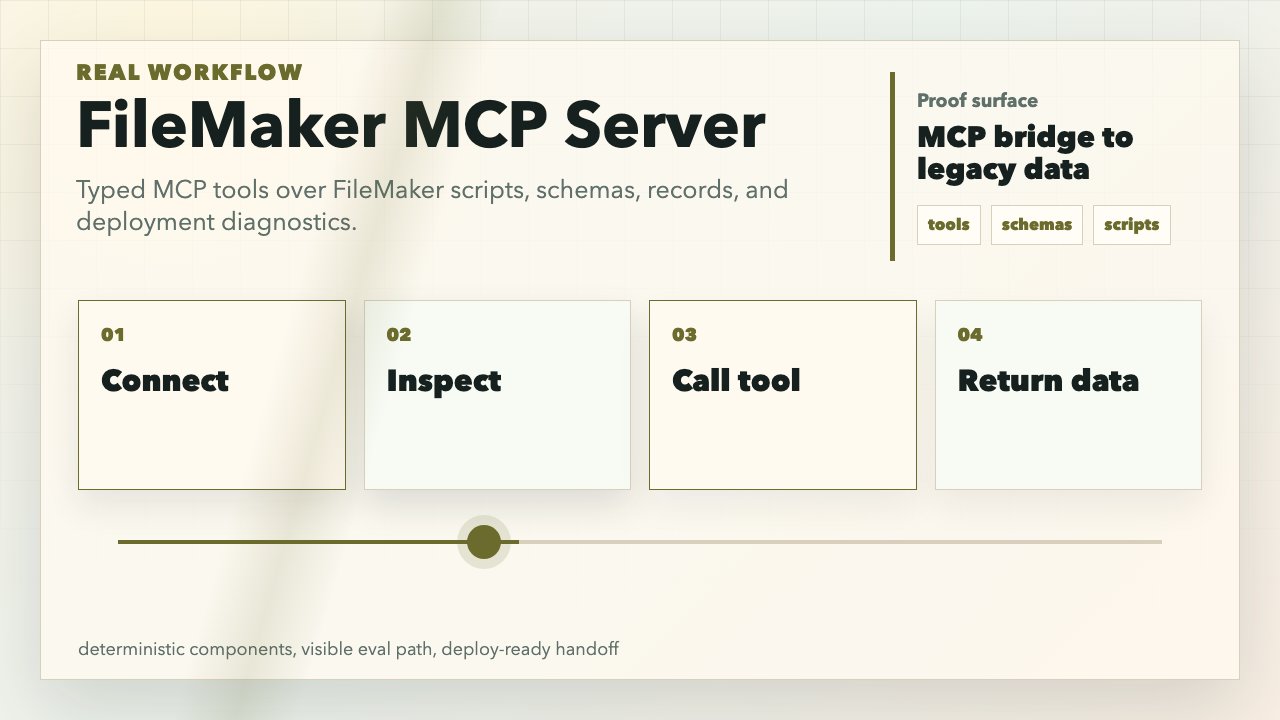
Watch the 8-second workflow video
Fast Run
npm install
npm run build

FILEMAKER_HOST="https://filemaker.example.com" \
FILEMAKER_DATABASE="ExampleCRM" \
FILEMAKER_USERNAME="api-reader" \
FILEMAKER_PASSWORD="use-a-secret-manager" \
npm start
The server runs over stdio for MCP clients. It does not expose your FileMaker credentials to the model as prompts; credentials stay in the process environment or MCP client config.
Demo
Install directly in Claude Desktop, Cursor, or another MCP client:
{
  "mcpServers": {
    "filemaker": {
      "command": "npx",
      "args": ["-y", "@maxpetrusenko/filemaker-mcp-server@latest"],
      "env": {
        "FILEMAKER_HOST": "https://filemaker.example.com",
        "FILEMAKER_DATABASE": "ExampleCRM",
        "FILEMAKER_USERNAME": "api-reader",
        "FILEMAKER_PASSWORD": "stored-outside-git"
      }
    }
  }
}
High-signal prompts to run from the MCP client:
List FileMaker layouts, then get field metadata and record counts for the Customer and Invoice layouts.

Find active customer records in the Customer layout where Status is Active. Return only Company, Email, and UpdatedAt.

List scripts, discover hidden scripts, then explain which scripts look safe to execute for read-only reporting.
Expected tool path:
fm_list_layouts
fm_get_field_metadata {"layout":"Customer"}
fm_get_record_count {"layout":"Customer"}
fm_list_scripts
fm_discover_hidden_scripts
fm_find_records {"layout":"Customer","query":{"Status":"Active"},"limit":10}
More reproducible demo notes: docs/demo.md.
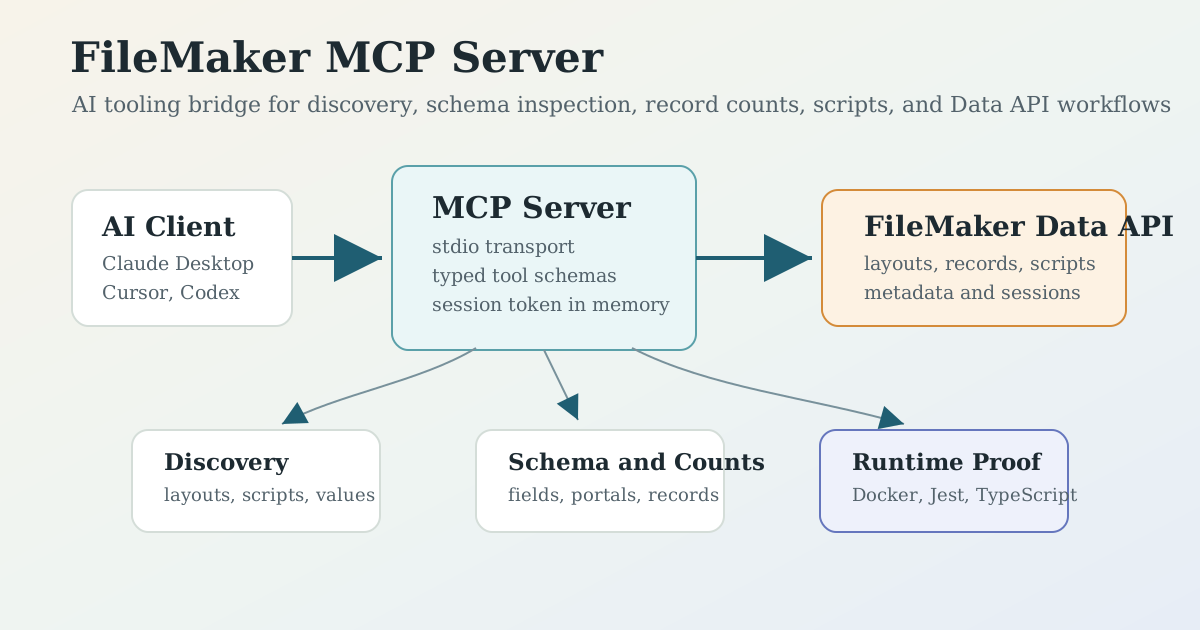
Architecture
flowchart LR
  Client["AI client\nClaude Desktop, Cursor, Codex"] --> MCP["FileMaker MCP Server\nstdio transport"]
  MCP --> Auth["Session auth\n/fmi/data/v1/databases/:db/sessions"]
  MCP --> Tools["MCP tools\nCRUD, discovery, scripts, metadata"]
  Tools --> API["FileMaker Data API"]
  API --> DB["FileMaker Server\nlayouts, records, scripts"]
  Tools --> OptionalGit["Optional Git export\nlayout/script snapshots"]
  MCP --> Runtime["Runtime gates\nTypeScript, Jest, Docker"]
Request lifecycle:
- MCP client starts the server with FileMaker host, database, username, and password in environment variables.
- The model requests available tools through MCP
tools/list. - The user asks for a database task, for example schema discovery or record count analysis.
- The server authenticates against the FileMaker Data API and stores the session token in memory.
- The chosen tool calls the FileMaker Data API endpoint for layouts, scripts, metadata, records, or script execution.
- The server returns structured JSON/text back through MCP.
- Optional Git tools can export FileMaker components into a repo for diff and version review.
Core Workflows
Safe Auth Setup
Use a FileMaker account scoped for the job. For exploration demos, prefer a read-only privilege set that can access only the layouts and scripts needed.
Required variables:
Do not put real passwords in README examples, screenshots, prompts, or committed config files.
Docker
docker build -t filemaker-mcp-server .

docker run -it --rm \
  -e FILEMAKER_HOST="https://filemaker.example.com" \
  -e FILEMAKER_DATABASE="ExampleCRM" \
  -e FILEMAKER_USERNAME="api-reader" \
  -e FILEMAKER_PASSWORD="use-a-secret-manager" \
  filemaker-mcp-server
Docker Compose reads the same environment variables:
FILEMAKER_HOST="https://filemaker.example.com" \
FILEMAKER_DATABASE="ExampleCRM" \
FILEMAKER_USERNAME="api-reader" \
FILEMAKER_PASSWORD="use-a-secret-manager" \
docker compose up --build
Development
npm install
npm run build
npm test
Package scripts:
Evidence
- Demo script: docs/demo.md
- Workflow poster: docs/assets/filemaker-mcp-server-workflow-poster.png
- Workflow video: docs/assets/filemaker-mcp-server-workflow.mp4
- Runtime entrypoint:
src/index.ts - Main MCP implementation:
src/filemaker-mcp.ts - Docker package:
Dockerfile,docker-compose.yml - TypeScript/Jest setup:
package.json,tsconfig.json,jest.config.js
Tradeoffs
- The MCP server is stdio-first, which fits desktop AI tools. The Dockerfile exposes port
3000for future web transport work, but current MCP operation does not require an HTTP server. - The best first demo is read-only discovery. Write tools exist, but operators should use least-privilege FileMaker accounts and explicit approval before create/update/delete or script execution.
- Jest currently provides a smoke gate through
--passWithNoTests; production hardening should add regression tests around tool schemas, auth failures, and Data API request builders.
License
MIT