
NuShelf.
Your packages. Your registry.
A self-hosted NuGet package registry built in Rust. PostgreSQL search, flexible storage, a familiar web gallery, and MCP tools for your AI workflow.
Features · Screenshots · Quick start · MCP · Documentation
NuShelf brings package discovery, publishing, and credential management into one workspace. Use the NuGet clients you already know, keep package files in your own storage, and let MCP clients inspect your registry through read-only tools.
Inspired by BaGet's straightforward deployment model and the search-first experience of nuget.org.
Project status: working first release, v0.1.0. Docker integration, real .NET client, and browser flows have been exercised locally. See current scope for implemented features and limitations.
Features
Root-registry discovery and downloads are public. Named feeds can be private and require membership plus package:read. Private upstream caches additionally require a source grant. Publishing and credential administration use profile or administrator keys; MCP requires mcp:read and respects private read permissions.
Screenshots
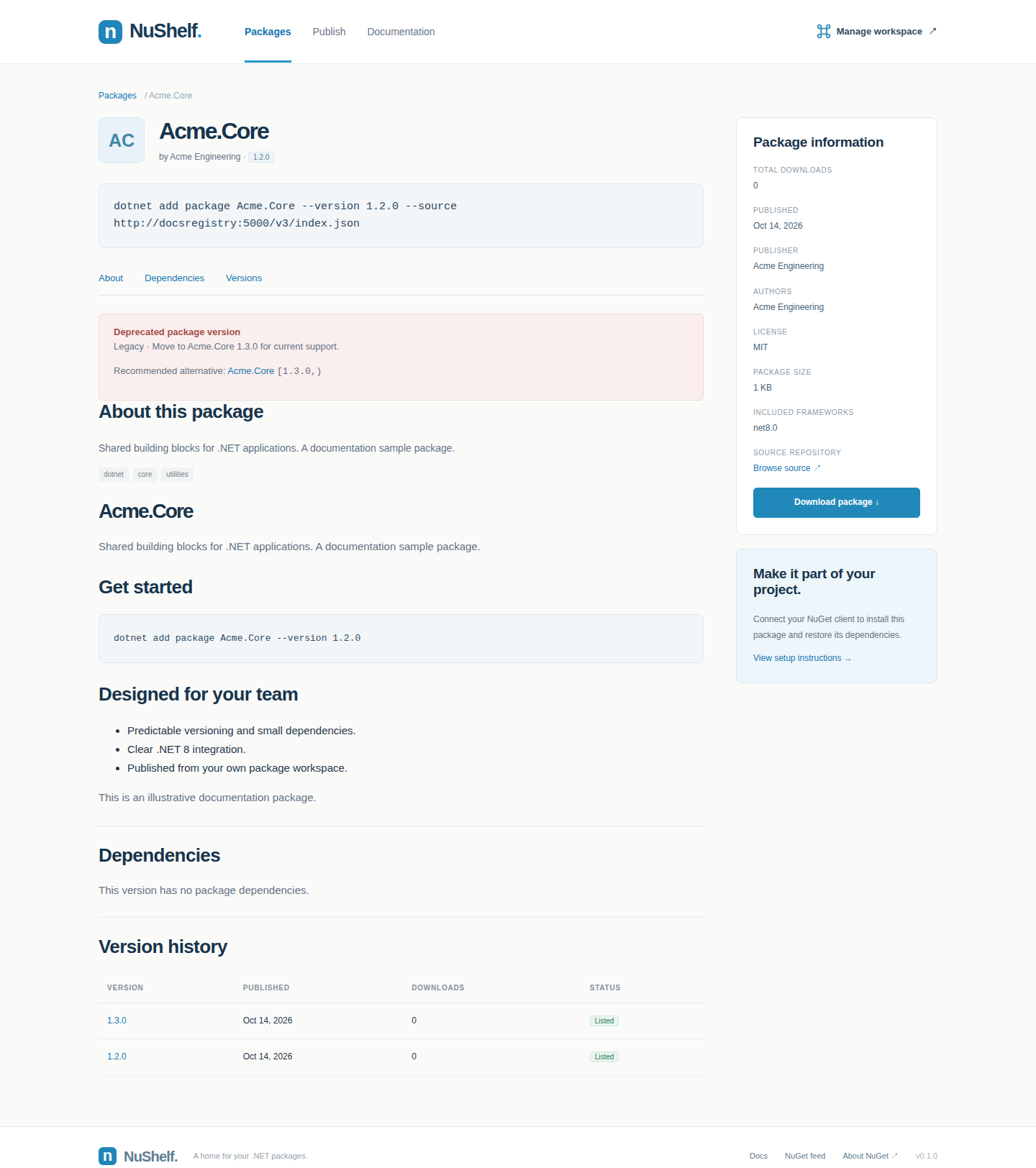
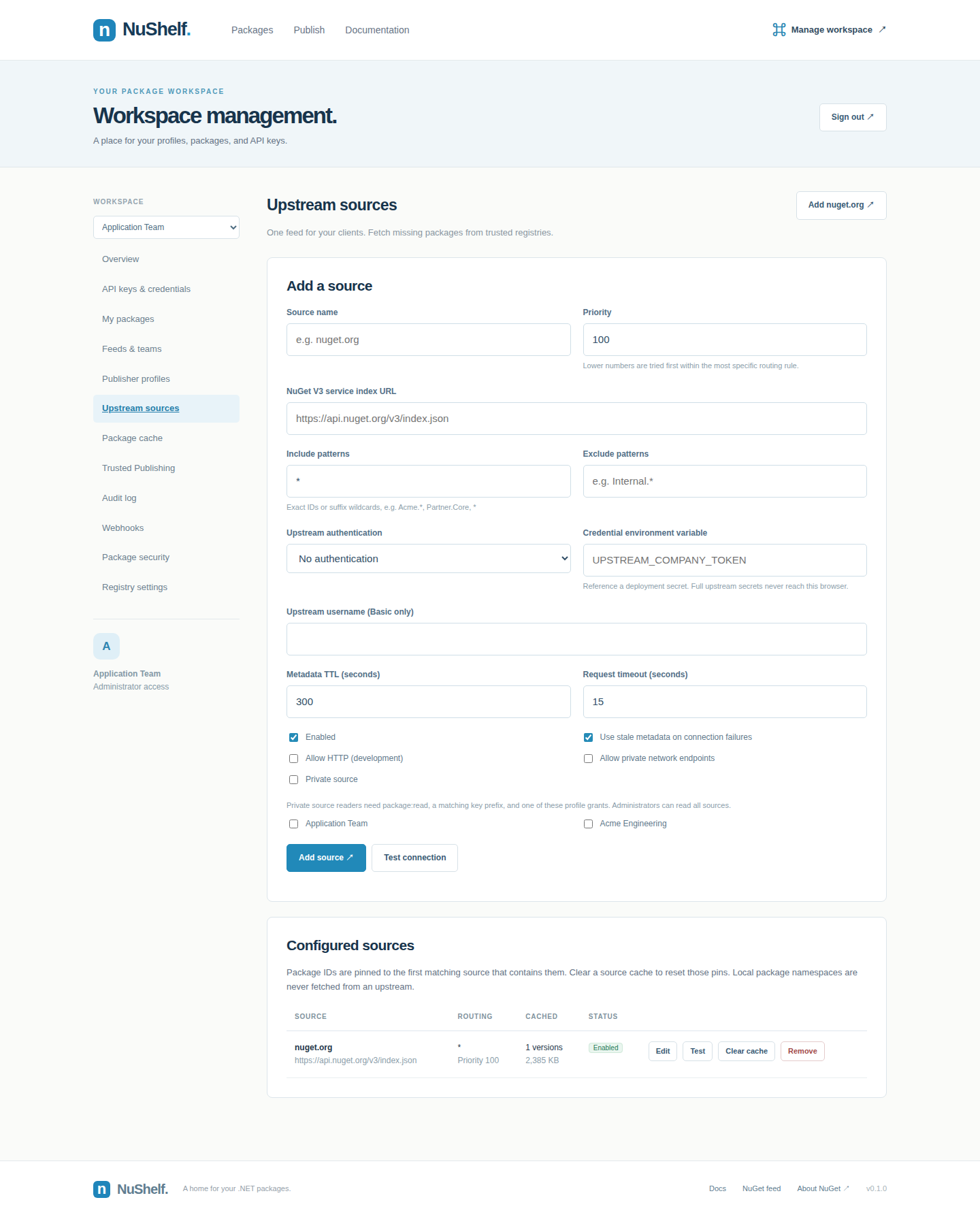
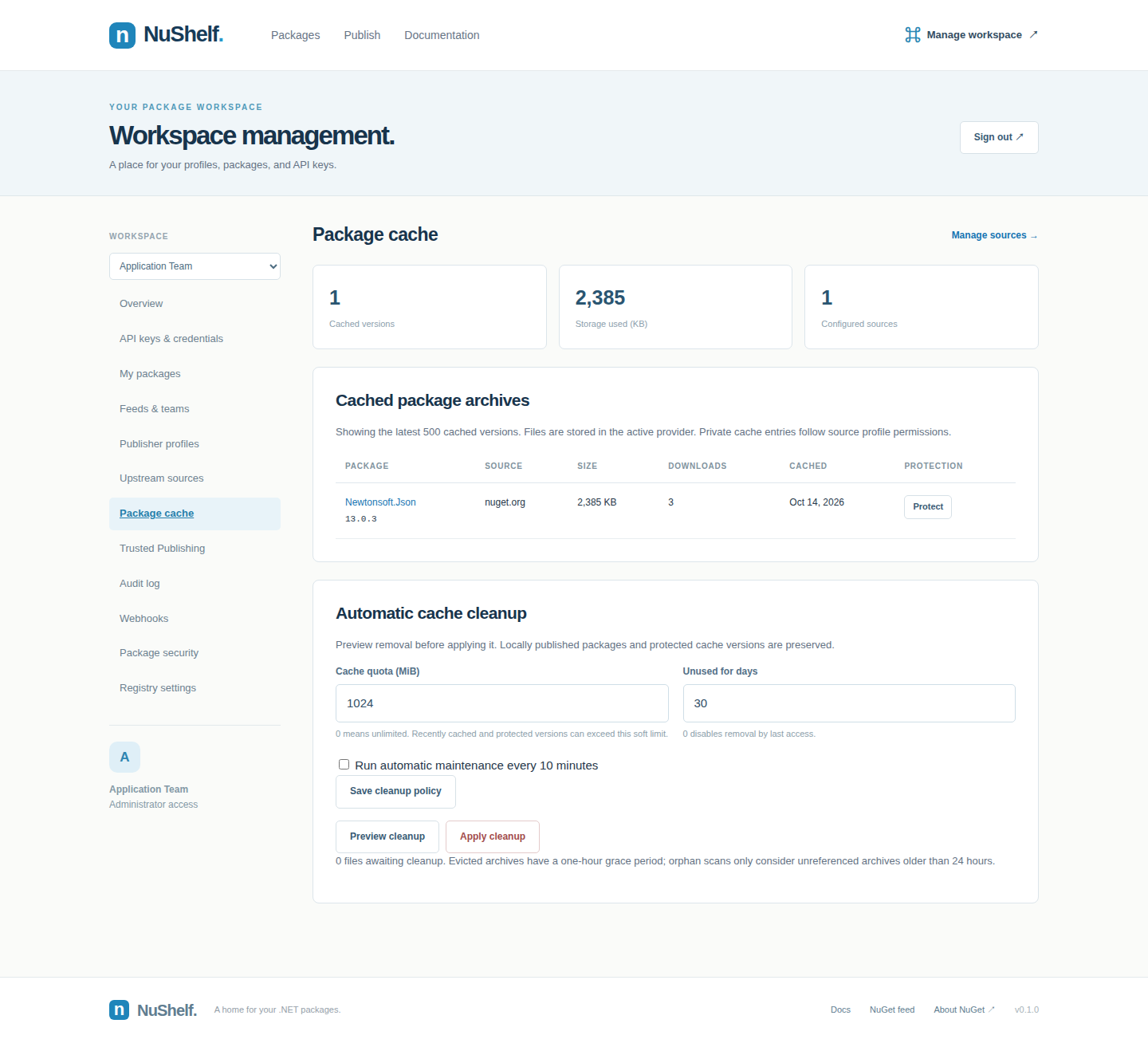
These are real application captures from the isolated Docker environment. The Acme.* packages and publisher profile are illustrative documentation fixtures. Screenshots show credential hints, never full API keys.
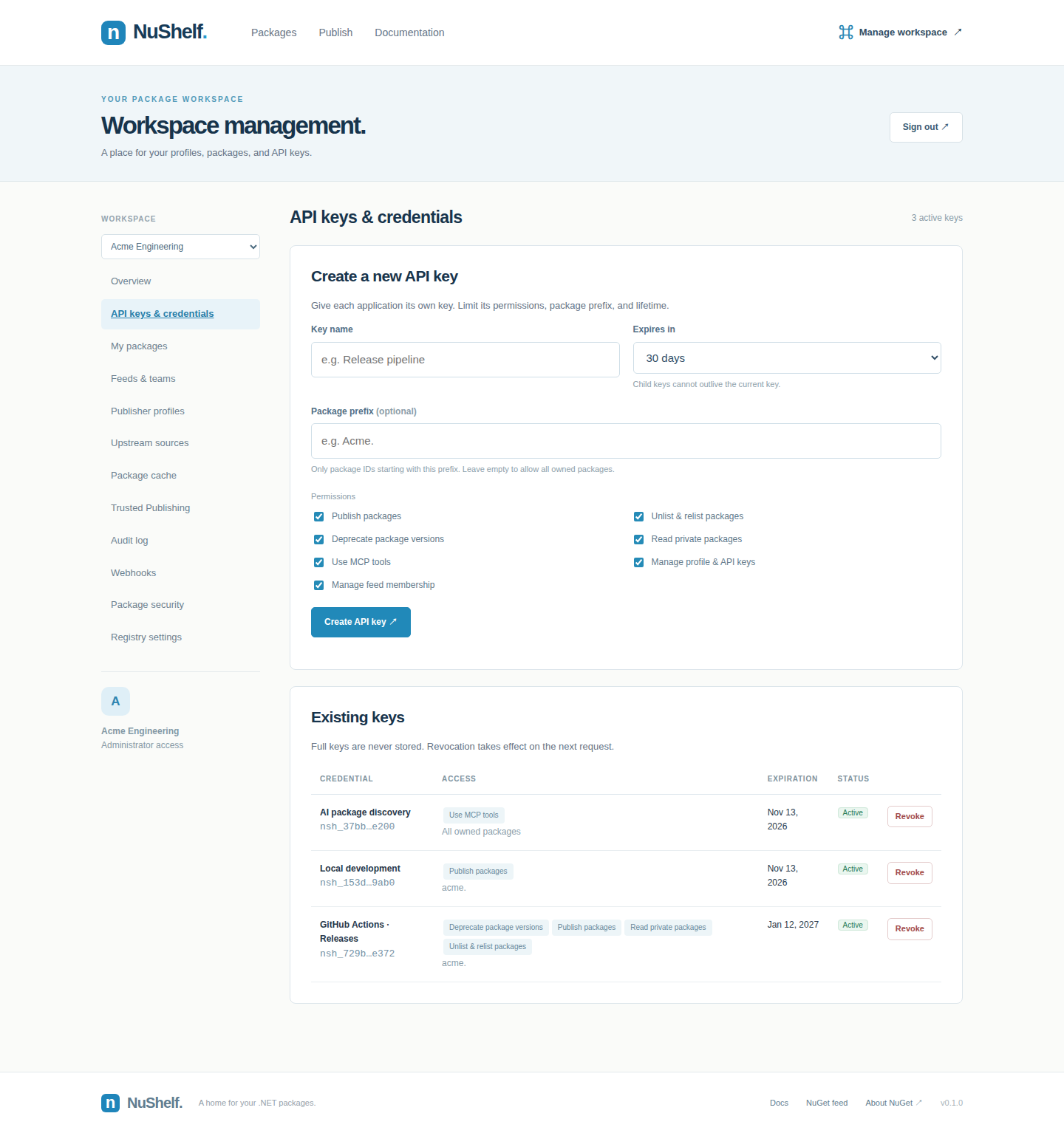
Credentials and profiles
Create separate credentials for CI publishing, local development, and AI package discovery. Each key has its own scopes, package prefix, lifetime, and revocation status.
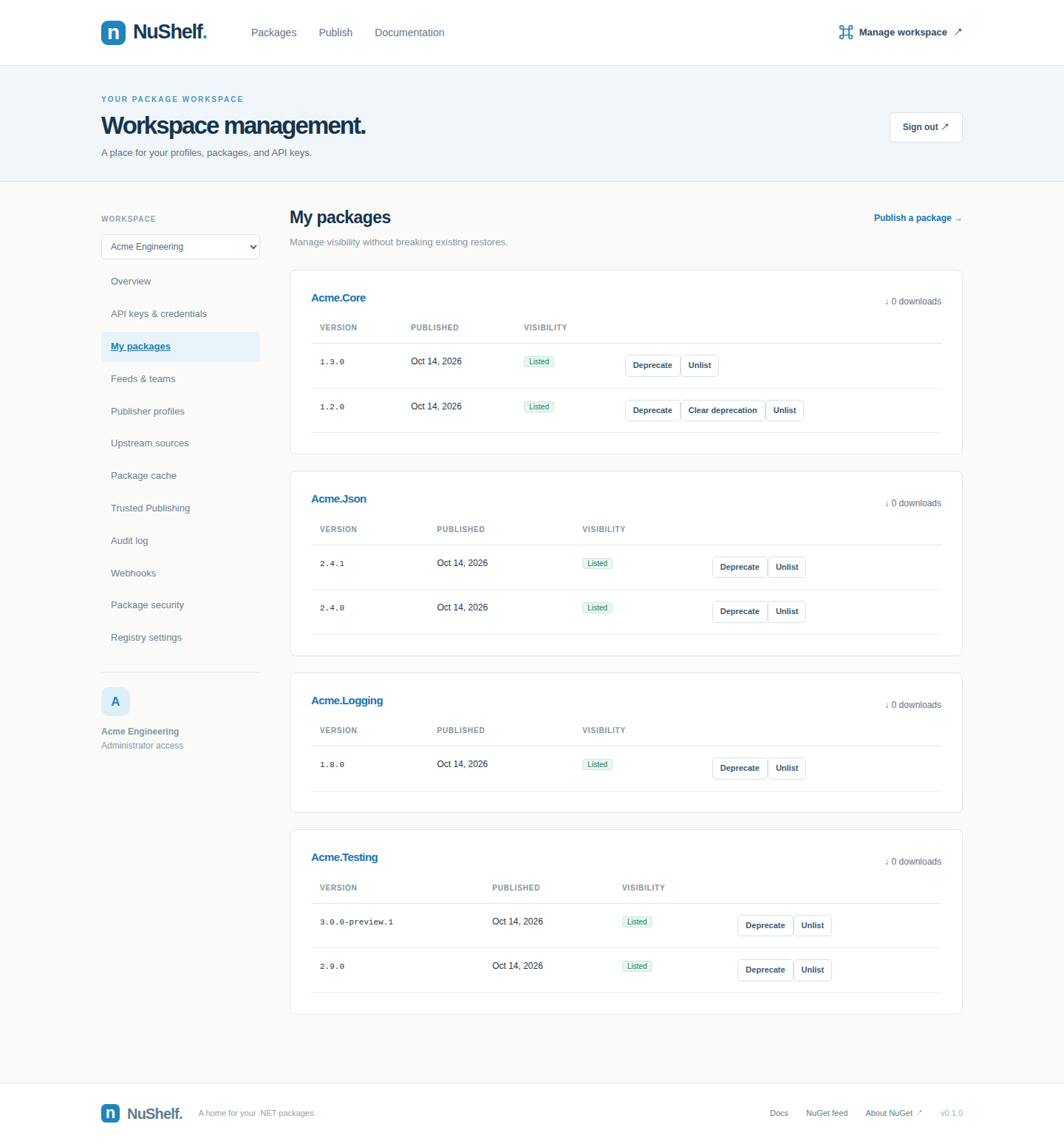
Owned packages: manage visibility for individual versions while keeping previously published content available for restore.
Responsive gallery: search and package browsing adapt to a narrow screen.
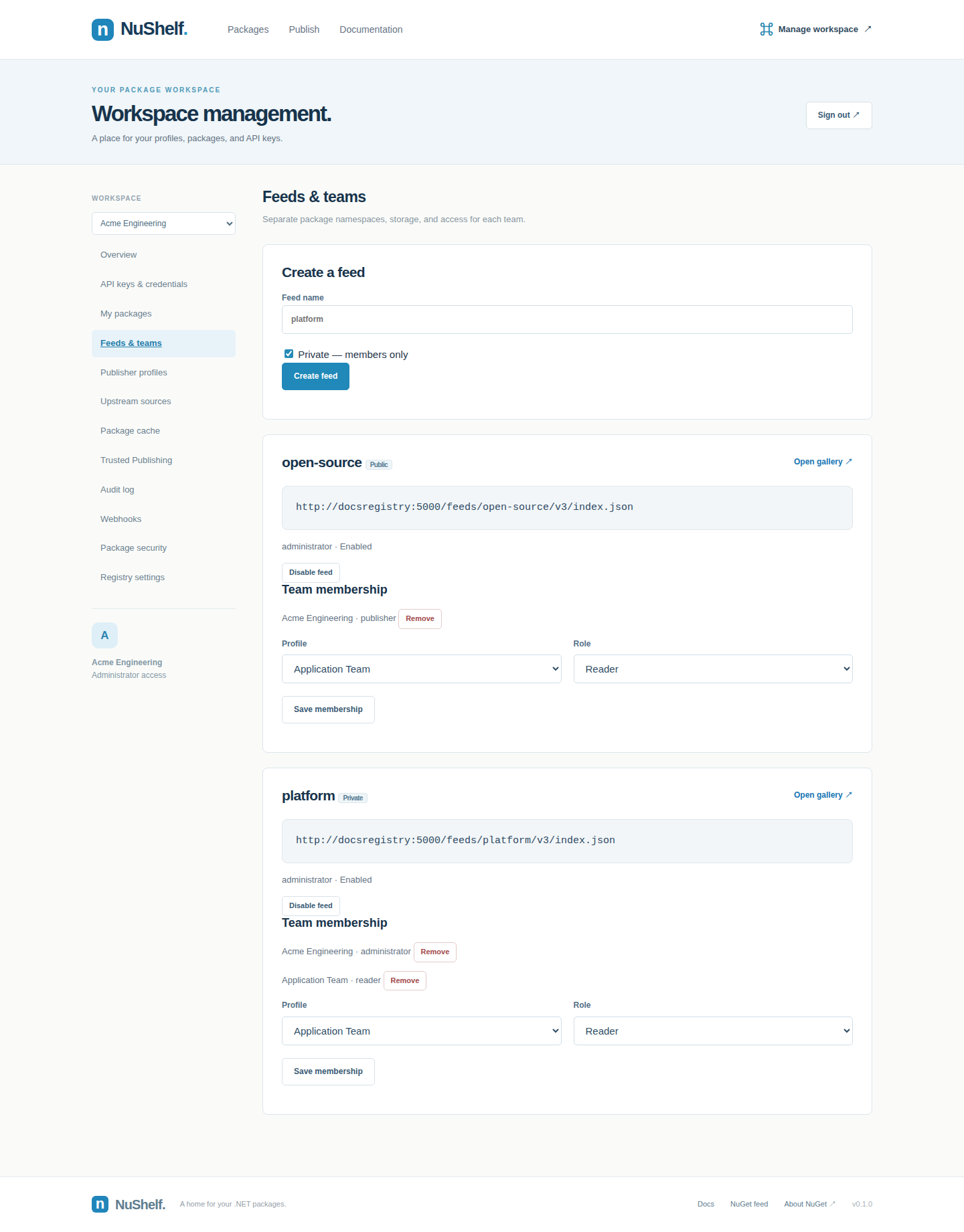
Teams, security and automation
Private team feeds: separate package namespaces and explicit reader, publisher and administrator membership.
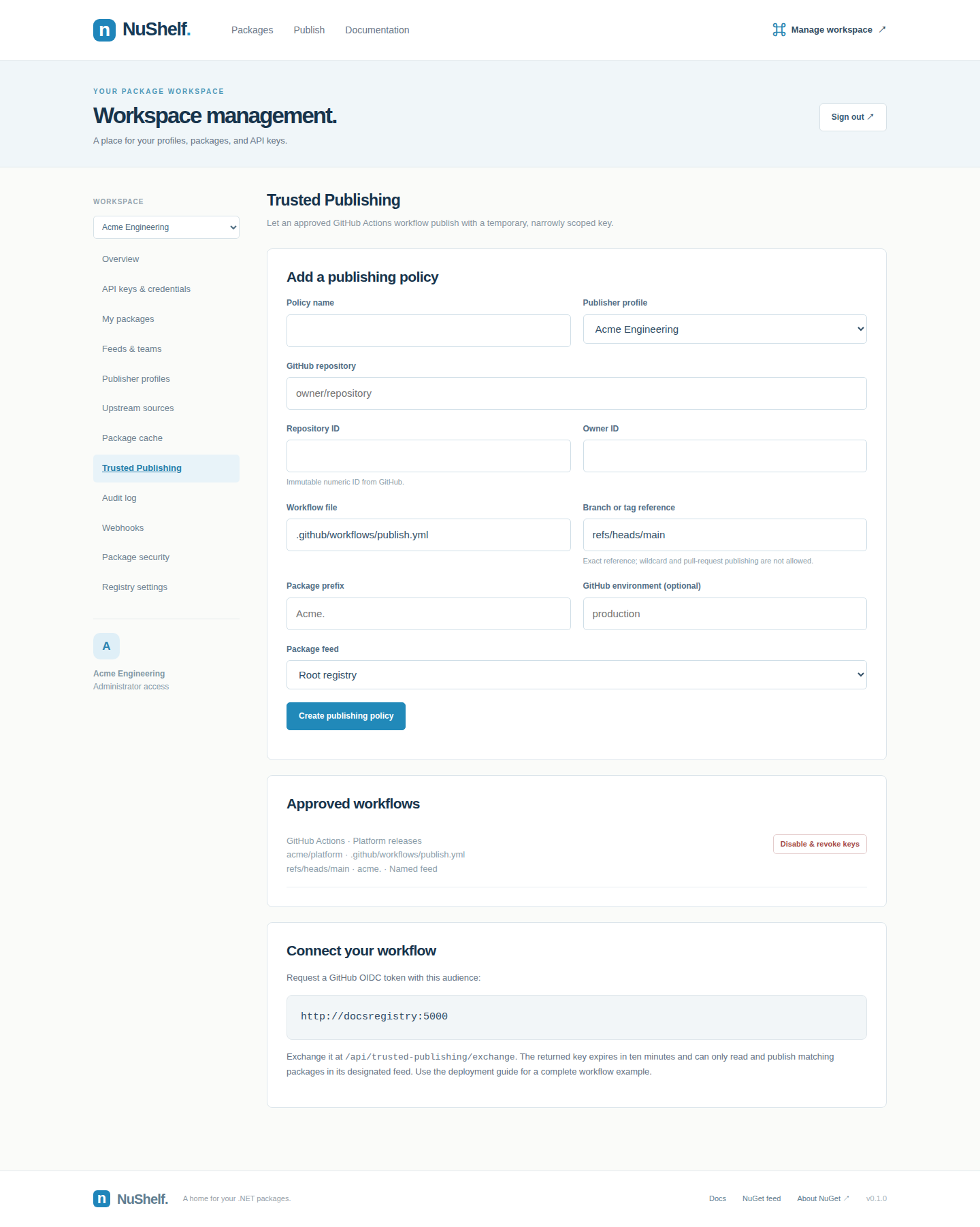
Trusted Publishing: approve a GitHub Actions workflow and exchange OIDC tokens for temporary credentials.
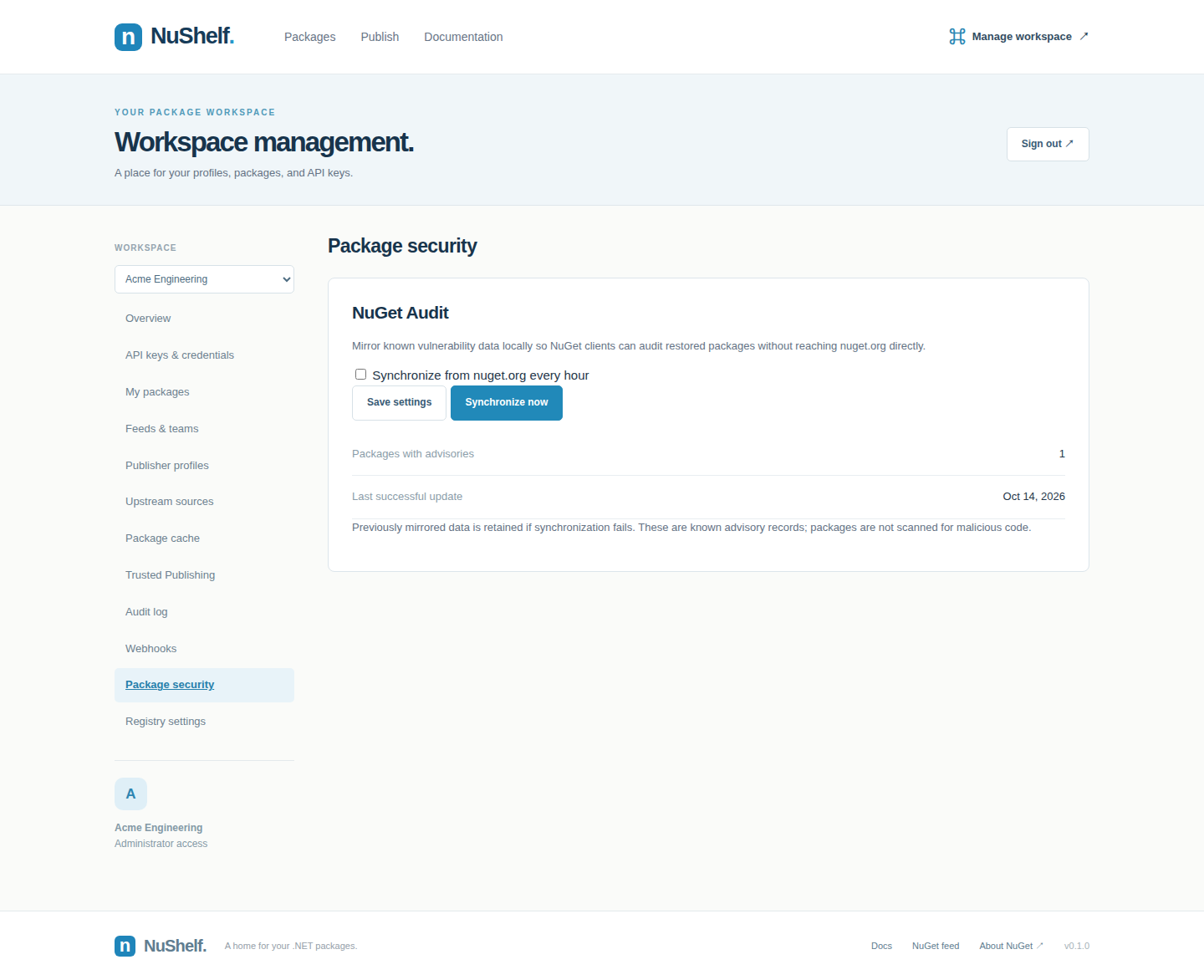
Package security: mirror vulnerability data for NuGet Audit, including clients without direct internet access.
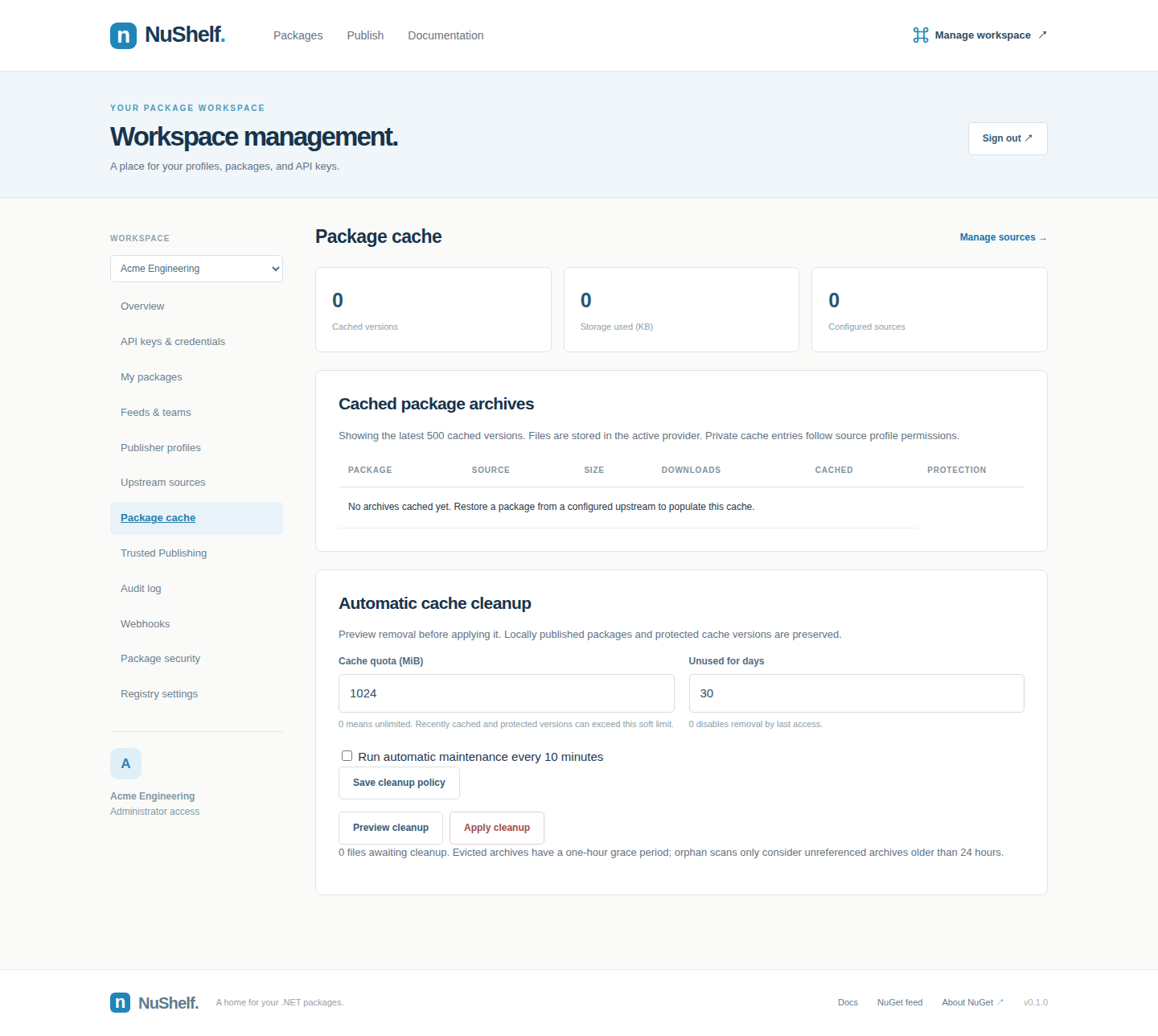
Cache policies: preview quota and last-access cleanup while protecting required versions.
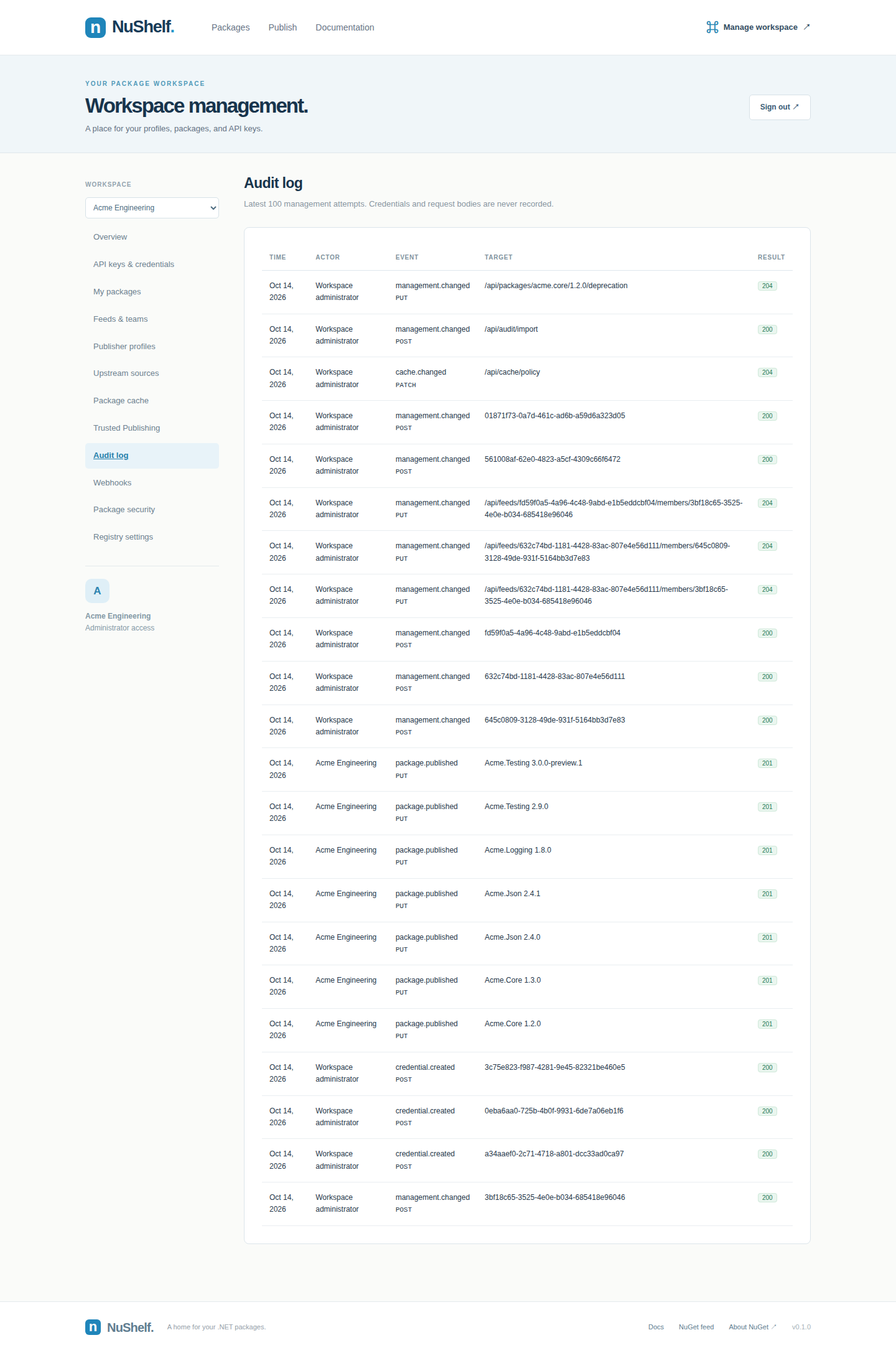
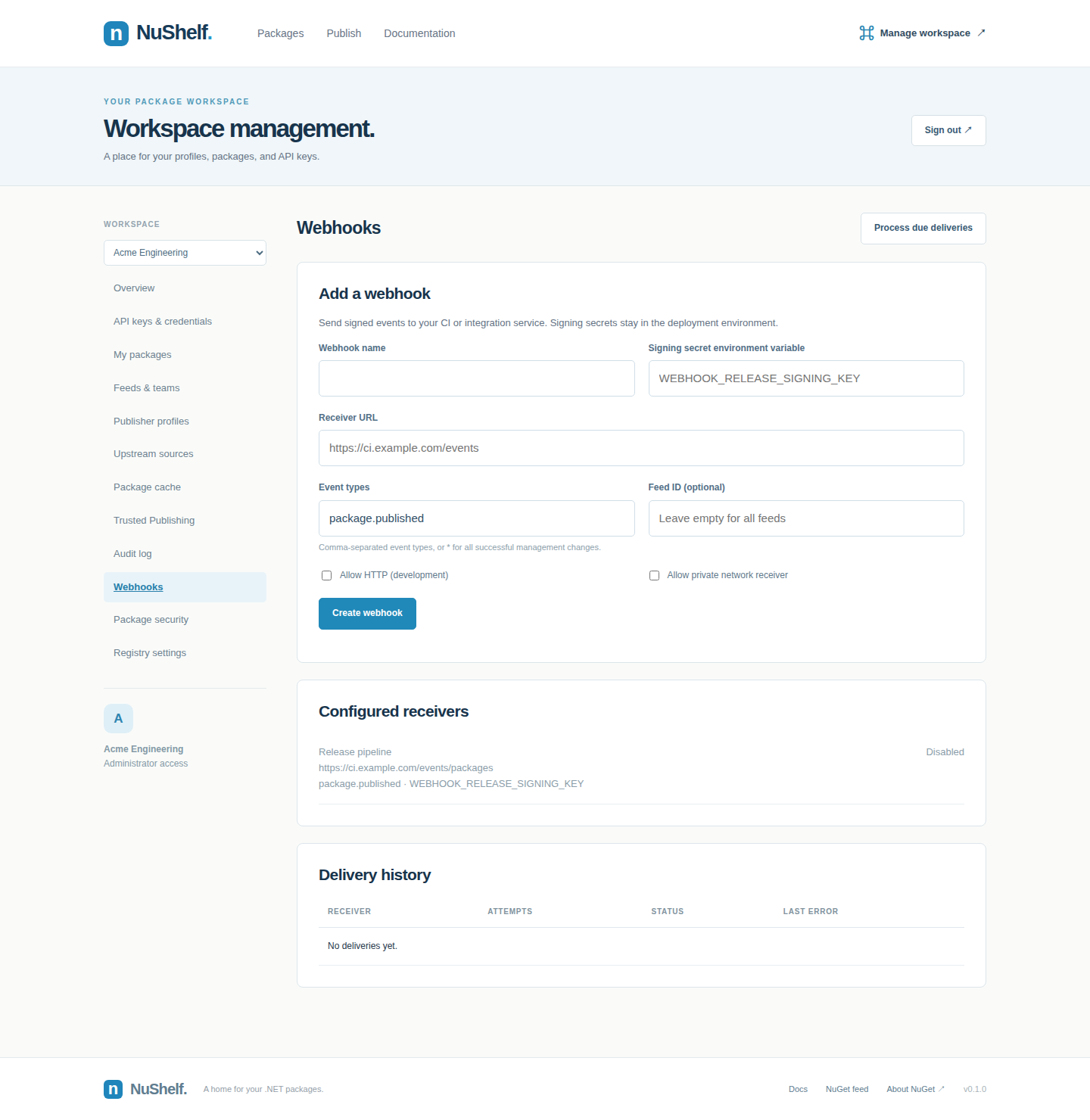
Audit history and webhooks: inspect management activity and configure signed event receivers.
Deprecation: guide consumers to a supported replacement while preserving existing restores.
Quick start
Requirements: Docker with Compose support and Linux containers enabled. No host Rust or PostgreSQL installation is required.
1. Configure the deployment
For a fresh checkout, copy the example environment file. Preserve an existing .env if you already have one.
cp .env.example .env
On PowerShell, use Copy-Item .env.example .env.
Set two independent random secrets in .env:
ADMIN_API_KEY=<random-secret-at-least-32-characters>
POSTGRES_PASSWORD=<independent-random-URL-safe-password>
PUBLIC_URL=http://localhost:5000
STORAGE_PROVIDER=local
A 32-byte random value encoded as hex works for either secret. .env is excluded from Git.
2. Start NuShelf
docker compose up --build -d
Migrations run automatically on startup. PostgreSQL and local package files use separate persistent Docker volumes. Set PUBLIC_URL to the externally reachable origin when deploying behind a proxy.
3. Create a publisher profile
- Open Manage workspace and sign in with
ADMIN_API_KEY. - Create a profile under Publisher profiles.
- Open API keys & credentials and select the required scopes, prefix, and expiration.
- Save the generated key; its full value is shown only once.
Use the profile key to publish packages. The administrator key manages profiles and credentials and cannot be used as a package push key.
Publish and restore
Set PROFILE_API_KEY in your shell or CI secrets to a key with package:push permission, then use your existing .NET workflow:
# Connect your client.
dotnet nuget add source http://localhost:5000/v3/index.json --name NuShelf

# Build and publish a package.
dotnet pack --configuration Release
dotnet nuget push ./bin/Release/Your.Package.1.0.0.nupkg \
  --source http://localhost:5000/v3/index.json \
  --api-key "$PROFILE_API_KEY"

# Install from the registry.
dotnet add package Your.Package --version 1.0.0 \
  --source http://localhost:5000/v3/index.json
dotnet restore
You can also upload a .nupkg through the Publish page. Unlist or relist versions through My packages. Unlisted versions disappear from discovery but remain downloadable, so existing projects can still restore.
Recent NuGet clients may require explicit permission for a local HTTP source. The deployment guide includes a NuGet.Config example; use an HTTPS origin for a hosted installation.
Profiles and permissions
A prefix such as Acme. restricts package writes, while profile ownership still protects existing package IDs. A keys:manage key can issue child keys, but cannot grant additional scopes, broaden its prefix, or extend its own lifetime. Keys remain independent: revoking an issuer does not automatically revoke its children.
The browser keeps the login key in tab memory rather than persistent browser storage. Reloading or signing out clears that login. Storage service credentials are configured through deployment secrets and are not returned by the management API.
Storage providers
For a local S3 environment, configure the MinIO values in .env, including a separate AWS_SECRET_ACCESS_KEY, then run:
docker compose --profile s3 up --build -d
The development MinIO fixture is built from pinned upstream source releases, and minio-init creates its bucket. Switching providers does not move existing package files automatically. See storage configuration for AWS, MinIO, Azure, GCS, and migration considerations.
Upstream sources and package cache
Use NuShelf as a single source for local packages and upstream registries such as nuget.org. An uncached package is resolved from the most specific matching source rule, verified, and stored in your active provider. Subsequent downloads use the local cache; cached archives remain available during temporary origin outages.
In Manage workspace → Upstream sources, add the NuGet V3 index URL, priority, include/exclude rules, authentication secret reference, and metadata TTL. Use Package cache to inspect downloaded versions and clear a source cache. Sources are configured explicitly; the Add nuget.org preset supplies its public URL.
Local namespaces never fall back. Each resolved upstream package ID is pinned to one source, avoiding silent origin changes. Private sources require explicit profile read grants; upstream credentials stay in deployment environment variables. Search includes downloaded cache entries, with an exact-ID upstream lookup for uncached packages.
See the upstream guide for routing, credentials, offline behavior, cache headers, limits, and tests.
MCP integration
NuShelf exposes three authenticated, read-only tools:
Create a profile key with mcp:read, then configure a client that supports remote HTTP MCP connections. Client configuration formats vary; this illustrates the endpoint and authorization header:
{
  "mcpServers": {
    "nushelf": {
      "url": "http://localhost:5000/mcp",
      "headers": {
        "Authorization": "Bearer <PROFILE_API_KEY>"
      }
    }
  }
}
The transport is stateless Streamable HTTP, using MCP protocol 2025-06-18. It returns JSON responses and accepts notifications; it does not expose mutation tools or a standalone SSE stream. Header and transport details are in the MCP guide.
Search performance
Search keeps at most four current documents per package ID for stable/prerelease and SemVer2 visibility. PostgreSQL GIN full-text indexes and ID prefix indexes serve primary matching; trigram search runs when primary matching finds no results. Metadata and search documents commit together.
Local Docker measurements with 50,000 synthetic packages and 200,000 search documents:
Measurements include database count, pagination, and version lists using a development build, one caller, and warm caches. They exclude external HTTP latency and are not a production SLA. See the benchmark method and query plan to reproduce the run.
A separate HTTP performance regression suite tests 11 scenarios with 1, 8, and 32 concurrent clients against 50,000 packages. It checks every response for correctness, measures p50/p95/p99 and throughput, enforces configurable latency/throughput budgets with zero allowed errors, and checks the full-text query plan. Results are saved as JSON and Markdown; CI runs a smaller 10,000-package profile and uploads its reports.
docker compose -f compose.test.yml --profile performance run --rm --build performance
This suite uses a release build and includes HTTP routing, PostgreSQL work, response transfer, JSON decoding, and result validation. Its budgets are regression guardrails for the synthetic workload, not a deployment SLA. Configuration and methodology.
Architecture
flowchart LR
    Clients[NuGet clients] --> Server[Rust / Axum]
    Gallery[Gallery and management UI] --> Server
    Agents[MCP clients] --> Server
    Server --> Auth[Profiles and scoped API keys]
    Server --> Database[(PostgreSQL)]
    Auth --> Database
    Server --> Storage[ObjectStore interface]
    Storage --> Local[Local filesystem]
    Storage --> S3[S3 / compatible]
    Storage --> Azure[Azure Blob]
    Storage --> GCS[Google Cloud Storage]
The runtime embeds the gallery assets into a Rust binary and runs as a non-root Docker user. PostgreSQL stores profiles, hashed credentials, ownership, version metadata, nuspec manifests, and search documents. The selected storage provider holds package archives. See the architecture guide for transaction boundaries, concurrency, and backup considerations.
Testing
All application verification runs inside Docker:
# Unit and PostgreSQL/filesystem/S3 integration tests.
docker compose -f compose.test.yml build test
docker compose -f compose.test.yml run --rm test

# Real .NET pack → push → install → restore → build → unlist → restore.
docker compose -f compose.test.yml --profile e2e up --build \
  --abort-on-container-exit --exit-code-from e2e e2e

# Browser publishing, profiles, credential management, and responsive layout.
# Run after the .NET test, which produces its package fixture.
docker compose -f compose.test.yml --profile ui run --rm --build ui

# Authenticated private-feed restore, NuGet Audit and deprecation metadata.
docker compose -f compose.test.yml --profile e2e run --rm \
  --entrypoint bash e2e /tests/audit-client.sh

# Stop the isolated test stack.
docker compose -f compose.test.yml --profile e2e --profile ui down
Tests exercise NuGet version ordering, malformed ZIP/XML handling, ownership, key scopes/revocation, feed isolation, concurrent publication/cache fills, search, downloads, MCP, advisory snapshots, cache protection/cleanup, signed webhook retries, safe README rendering, deprecation and RSA-verified OIDC issuance/replay prevention. Seven Chromium scenarios cover gallery and management flows. The CI workflow defines Docker formatting, Clippy, integration, real .NET, browser and performance checks.
Operational notes
An interrupted upload can leave an unreferenced blob after storage succeeds but before the database commits; orphan cleanup runs when cache maintenance is enabled. Readiness checks PostgreSQL and that the package store can be listed and written. The deployment guide covers backup and restore, abuse protection and other operational boundaries.
Documentation
References
BaGet · NuGet Server API · MCP transport specification · PostgreSQL full-text indexes · pg_trgm