
Gypsum
A self-hosted personal wiki built for LLM-driven knowledge management. Pages are Markdown files in a git repo, and a built-in MCP server gives AI assistants full read/write access — so your LLM can build and maintain the wiki, not just read it.
Why
The most useful thing you can do with an LLM isn't generating text — it's building up a personal knowledge base over time. Point it at source material and it will produce a structured, interlinked wiki. Ask it questions and it will research across that wiki and write up the answers. File those answers back into the wiki and it gets smarter. Gypsum is the storage layer for that loop: plain Markdown files, full MCP tooling, and a skills system so the LLM knows your conventions without being told repeatedly.
LLM Integration
MCP Server
Gypsum has a built-in MCP endpoint (Streamable HTTP). AI assistants like Claude can create pages, edit them, search across the wiki, follow backlinks, and traverse the link graph — no separate binary or plugin needed.
The endpoint is dual-era: it serves the current stateless 2026-07-28 revision and the older handshake-based revisions (2025-11-25 back to 2024-11-05) side by side, picking the era from how each client connects. Nothing to configure.
Both /mcp and /mcp/external require OAuth 2.0 (PKCE) when OAuth is configured — if OAuth is not configured, the endpoints are not exposed. For Claude Desktop or CI use, the mcp-proxy binary bridges stdio to the HTTP endpoint; run mcp-proxy auth <url> to obtain a token non-interactively.
Available tools: list_pages, get_page, create_page, edit_page, delete_page, search_pages, suggest_page_location, page_links, link_graph, page_history, get_page_revision, list_images, list_files, get_file, delete_image, and more. Editing tools support search-and-replace, section-scoped edits, and append mode for token-efficient updates. See MCP Server for setup.
Skills
Skills are procedural knowledge pages that teach LLMs how to do things — build steps, testing conventions, deployment patterns, coding standards. They live in a dedicated skills/ directory with their own tag-boosted search.
The key idea: add a line to your project's CLAUDE.md (or any LLM's system prompt) telling it to search for relevant skills before starting a task. When you say "write tests for this Go package", the LLM calls search_skills("go testing"), finds your conventions, and follows them automatically. Corrections you make get saved as skills so the LLM doesn't repeat mistakes.
Skills tools: list_skills, search_skills, get_skill, create_skill, edit_skill, delete_skill. See Skills.
Semantic Search
Optional search by meaning, next to full-text search: "how do I change the encryption password" finds a page about passphrase rotation, and a Swedish question finds an English page. Pages and skills are embedded through any OpenAI-compatible embeddings API (Ollama, OpenAI, llama.cpp, ...) and the vectors live in gypsum.db, never in git. The Helm chart can deploy a CPU-only embeddings server for you with --set embed.server.enabled=true. See Configuration and Helm.
Suggested models for the chart's embeddings server (embed.server.model):
RAM is measured with the chart's settings (two 2,048-token slots). Speed is per 1,500-character chunk with 2 threads on an Apple M5 under Docker; a typical server CPU may be slower. Only indexing pays this cost, once at first start and then for edited pages. A search query takes milliseconds.
All three handle many languages, and a query in one language finds pages in another. In a small test with Swedish and English pages (13 queries, most across languages), all three put the right page first every time. The Qwen3 models do slightly better when the query carries an instruction prefix, which gypsum does not send yet (12 of 13 without it).
Avoid, or use only with care:
nomic-ai/nomic-embed-text-v1.5-GGUF:Q8_0— English only. It found the right page first for just 4 of the 13 test queries.nomic-ai/nomic-embed-text-v2-moe-GGUF:Q8_0— multilingual and accurate, but it reads only 512 tokens per input, so the end of long chunks is ignored.gpustack/bge-m3-GGUF:Q8_0— multilingual and accurate, but the slowest of the medium-sized models (~1 s/chunk).
Prometheus Metrics
MCP tool usage is tracked via Prometheus — call counts, errors, and characters sent/received per tool. Useful for understanding how your LLM interacts with the wiki. Default endpoint: :9090/metrics.
Wiki Features
- Markdown with GFM tables, syntax highlighting,
[[wiki links]], interactive task-list checkboxes, and Mermaid diagrams (flowcharts, sequence/class/state/ER diagrams, Gantt charts, and more), rendered client-side and theme-aware - Click an image or a diagram to open it full screen (lightbox); click or press Escape to close
- Full-text search with FTS5 indexing, BM25 ranking, and highlighted snippets
- Optional semantic search that also finds pages by meaning and across languages, via any OpenAI-compatible embeddings API or a CPU embeddings server deployed by the Helm chart
- Quick Notes — a whiteboard-style board of always-editable sticky notes with autosave, title-hashed colors, and archive; stored as plain markdown in git
- Secrets vault — a searchable list of credentials with click-to-reveal (60s) and copy-without-showing; tiles use the linked site's own picture or a title-hashed two-letter mnemonic. Encrypted in the browser, stored as markdown in git, never exposed over MCP. Secrets can have tags; tag chips filter the list (all selected tags must match). Compact two-column card layout.
- Interactive link graph
- Page history with revision diffs and one-click restore of any older revision; MCP edits are committed under the calling client's name (e.g.
claude-code (MCP)) - Image uploads (paste, drag-and-drop, or picker) with size hints
- File uploads — PDF, text, CSV, JSON and Office documents are stored in
files/, linked from pages, and searchable (text of PDFs and text files is indexed, no OCR). Photos are scaled and stripped of EXIF/GPS data on upload - Photo scan to page — with
ANTHROPIC_API_KEYset, take a photo of a page or note and Claude turns it into Markdown with the figures cut out and embedded, as a new page or appended to an existing one - Scan preview — a scan is shown as it would be saved and only reaches the git repo when you tap Save; a discarded retake leaves nothing behind
- Page straightening in scans — a fast model finds the page corners in an angled photo; the page is cut out and its perspective corrected before reading, and each figure is stored as black and white, 4 gray levels, a small color palette or a photo
- Upload from a phone: one-time upload links that Claude hands out through MCP (
create_upload_link) - Inline encrypted fields (
{{secure:secret}}) with AES-256-GCM and PBKDF2 key derivation, encrypted and decrypted entirely in the browser — the server never sees plaintext or the key - Visual table editor
- MediaWiki import
- Public page sharing via secret links — shared pages are HTML-sanitized for anonymous viewers
- Git-backed storage with optional remote sync and a top-bar status indicator (green/amber/red) that surfaces fetch/push failures; git runs non-interactively with bounded timeouts and process-group cleanup (see Git Execution)
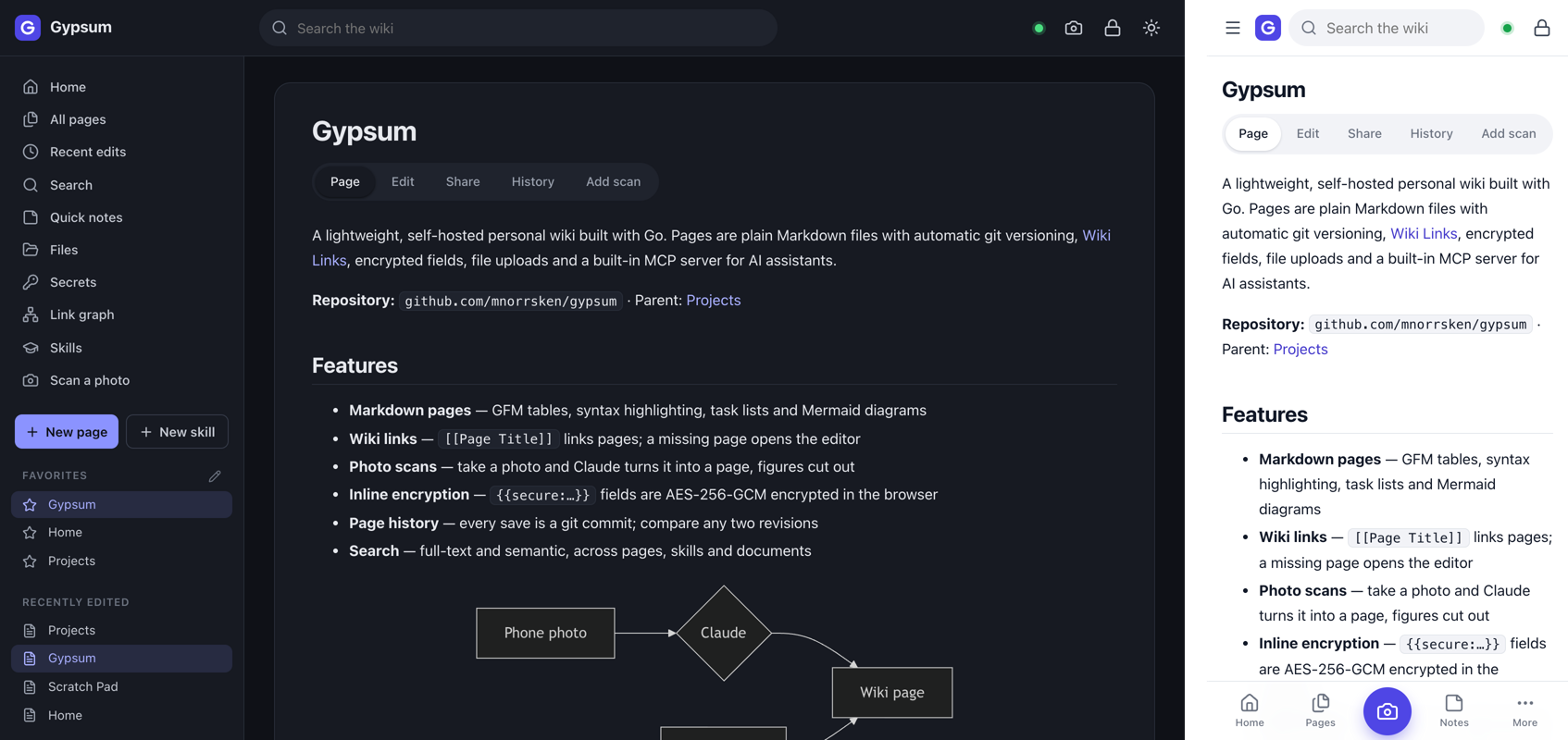
- App-like UI — top bar and icon sidebar on desktop; on phones a slide-in drawer, bottom tab bar and bottom-sheet dialogs. Installable as an app ("Add to Home Screen")
- Dark/light theme that follows the system until you choose, print-friendly pages
Quick Start
git clone https://github.com/mnorrsken/gypsum.git
cd gypsum
make build
make run
Open http://localhost:8080. See Docker or Helm for container deployment. Prebuilt gypsum and mcp-proxy binaries are attached to each GitHub release.
Configuration
OAuth, auth, and Docker-specific variables are documented in Configuration.
Documentation
- Usage — layout, pages, secure fields, images and files, photo scans, search, favorites
- Configuration — all environment variables
- Authentication — header auth and Authelia setup
- MCP Server — connecting AI assistants to your wiki
- Skills — procedural knowledge for LLMs
- Quick Notes — the sticky-note board
- Secrets — the credential vault
- Docker — container build, run, and compose
- Helm Chart — Kubernetes deployment
Data Directory
data/
├── gypsum.db           # SQLite database (shares, OAuth tokens, FTS search index, embeddings)
└── repo/               # git working directory
    ├── pages/           # markdown files
    ├── skills/          # procedural knowledge for LLMs
    ├── notes/           # quick notes
    ├── secrets/         # encrypted secrets vault
    ├── images/          # uploaded images
    └── files/           # uploaded documents
Development
make help       # show all targets
make fmt        # format Go source
make test       # run unit tests
make ui-test    # browser tests in headless Chrome (needs Chrome)
make build      # build binary
make run        # run on :8080
License
Apache License 2.0 — see LICENSE.