
Tolato
English · 简体中文
Manage your server fleet from the AI agent you already use. Deploy Tolato, put a small agent on each server, paste one prompt into Claude Code or Codex — and from then on "which box is running out of disk?" is something your agent just answers. Every command it runs is audited, and the dangerous ones wait for your OK.
There is no LLM to configure on the server: the model is whatever already runs your coding agent.
How it works
- Deploy the server — one line, see Deploy.
- Add your nodes — log in, click Add node, run the install command it gives you on each server.
- Install Tolato into your AI agent — the home page hands you a prompt. Paste it into Claude Code, Codex, or any coding agent and it will:
- fetch the skill from your own server (
/skill.md) into its skills directory, - install the
tolatoCLI from your server's release mirror (works where github.com doesn't), - run
tolato auth login, which opens a consent screen in your browser — you pick read-only or read-and-run, and you click approve yourself.
- fetch the skill from your own server (
That's it. Ask in plain language:
Which of my servers are low on disk?
nginx on web-01 is returning 502s — take a look.
Push this nginx.conf to web-01, test it, and reload.
Under the hood the agent drives the CLI — tolato nodes list, tolato exec web-01 -- …, tolato cp ./nginx.conf web-01:/etc/nginx/ — and the skill teaches it when to stop and ask you.
Guardrails
- You choose the reach. Each CLI login is its own key, read-only or read-and-run, chosen by you on the consent screen. Keys are listed and revocable in the web UI;
tolato auth logoutrevokes from the terminal. - Dangerous commands wait.
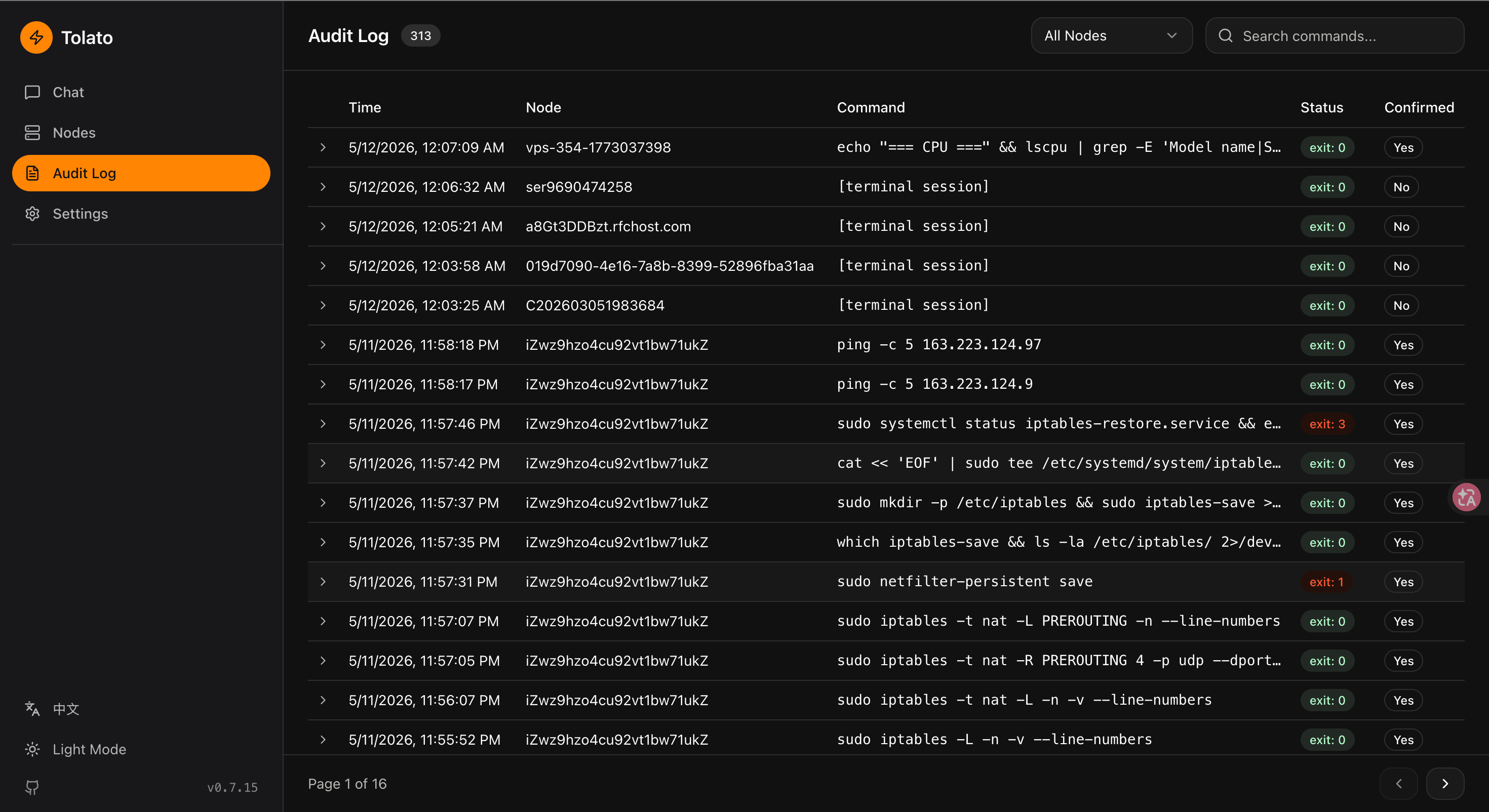
rm -rf,reboot,mkfsand friends are refused unless confirmed, and the skill tells the agent to ask you before it confirms. A blacklist is refused outright. Both lists are editable in Settings. - Everything is audited. Every command, from any client, lands in the audit log with who ran it and from where.
- Team access. Users, groups and per-node-group grants decide who can see and who can operate which machines; SSO via OIDC with group sync.
- Several fleets. The CLI keeps one profile per server, so a work fleet and a personal one live side by side — and the skill makes the agent name the profile on every command once there's more than one.
Screenshots
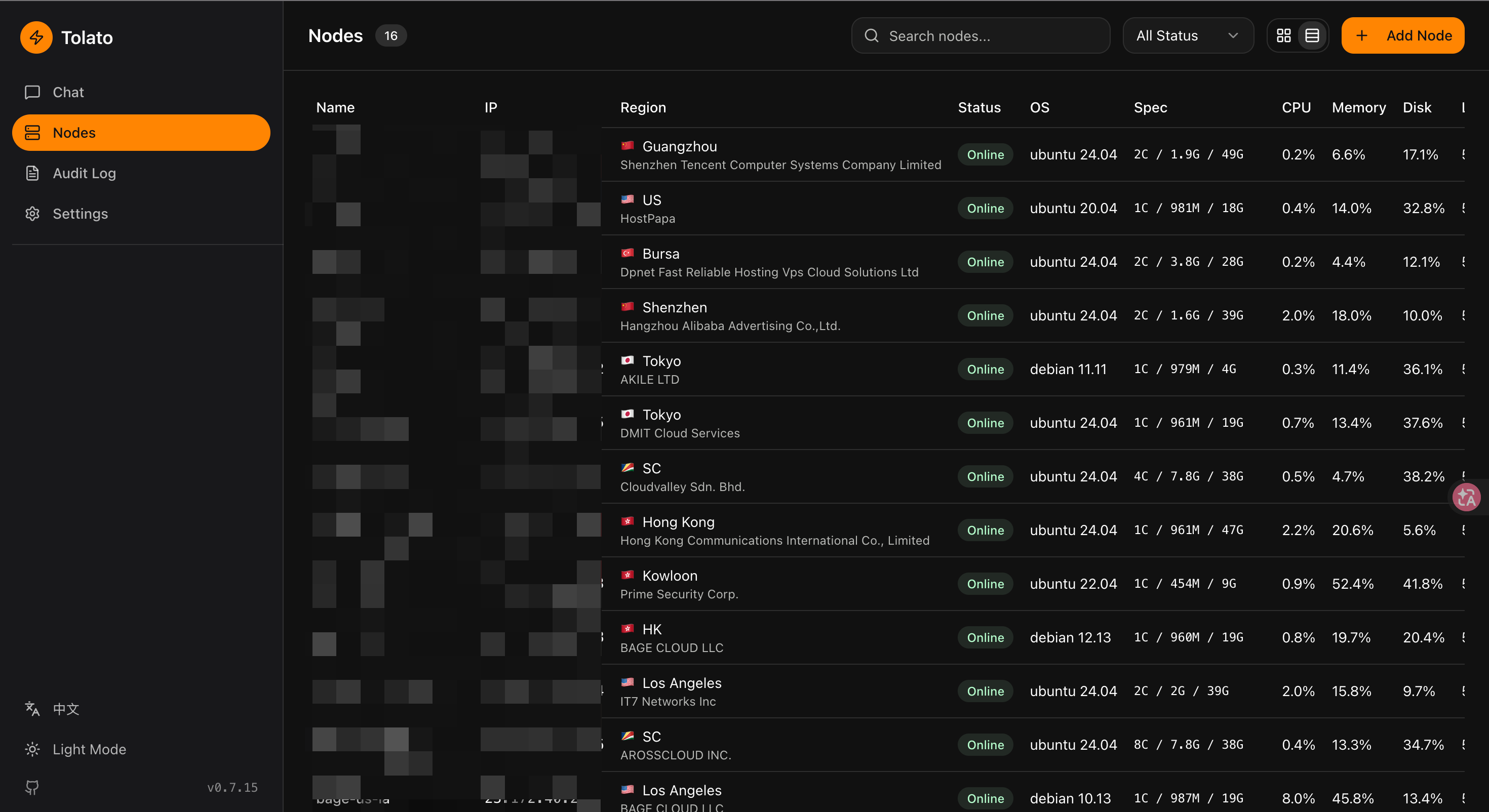
| Nodes inventory | Audit log |
|---|---|
 |  |
Architecture
  Claude Code / Codex / …
    └─ tolato CLI (+ skill) ── HTTPS /api/v1 ──┐
                                               ▼
┌──────────┐     /api, /ws      ┌──────────┐    /ws/agent    ┌──────────┐
│   web    │ ◄────────────────► │  server  │ ◄─────────────► │  agent   │
│ (Vue 3)  │                    │   (Go)   │                 │   (Go)   │
└──────────┘                    └────┬─────┘                 └──────────┘
                                     │                           nodes
                                     ▼
                                ┌─────────┐
                                │Postgres │
                                └─────────┘
- server/ — Gin HTTP + WebSocket, GORM/Postgres, external API (
/api/v1) for the CLI, permissions and audit, probe/alert engine, notifications, JWT + API-key auth. Also serves/skill.mdand mirrors release assets under/releases/. - agent/ — Binary running on managed nodes. Command executor, file transfer, system metrics collector, ICMP/TCP/bandwidth probes. Registers via one-time token; persistent identity in
~/.tolato. - cli/ — The
tolatocommand your AI agent drives:nodes,exec,cp,auth,profile. - skills/ — The skill that teaches a coding agent how to use the CLI safely.
- web/ — Vue 3 + Vite + shadcn-vue. Onboarding, nodes, web terminal, audit log, users and permissions, settings, optional web chat.
- docs/ — Design, loop architecture, frontend architecture, nodeprobe, implementation plan.
Deploy (docker-compose)
The included docker-compose.yaml runs the server image from GHCR plus a Postgres container. The web UI is embedded in the server binary, so there's nothing else to run.
Requirements: Docker with Compose v2.
One-line install
curl -fsSL https://raw.githubusercontent.com/momaek/tolato/main/scripts/install-server.sh | bash
Downloads docker-compose.yaml + config.example.yaml into ./tolato/, generates random encrypt_key / jwt_secret / admin password, and runs docker compose up -d. Prints the login credentials at the end — save them, they aren't shown again.
Flags: --dir <path> target directory, --port <port> host port (default 8080), --admin-user <name> (default admin). Env: TOLATO_VERSION=v0.1.0 pins the image tag.
Manual
# 1. Create the runtime config from the sample.
cp config.example.yaml config.yaml

# 2. Edit config.yaml — change every `CHANGE ME` marker:
#      security.encrypt_key   (32 bytes, encrypts secrets at rest)
#      security.jwt_secret    (signs session tokens)
#      auth.username / auth.password  (web UI login)
#    and set:
#      server.public_address  (your public URL, e.g. https://tolato.example.com)
#      server.allowed_origins (same URL, for CORS + WS origin check)

# 3. Start.
docker compose up -d
Open http://localhost:8080 and log in with the auth credentials. The home page walks you through adding a node and installing Tolato into your AI agent.
Version pinning. The compose file uses ${TOLATO_VERSION:-latest}. For reproducible deploys pin to a release tag:
TOLATO_VERSION=v0.1.0 docker compose up -d
Upgrade.
docker compose pull server && docker compose up -d
Schema migrations run automatically on startup.
Behind a reverse proxy (Caddy / Nginx / Traefik): terminate TLS upstream, forward / to the server container on port 8080, and make sure WebSocket upgrades are preserved. Set server.public_address to the proxied URL so the agent install command and WebSocket URL are generated correctly.
Postgres credentials. The defaults in compose and config.example.yaml match (tolato/tolato/tolato). If you change POSTGRES_PASSWORD in the compose file, update database.dsn in config.yaml to match — the YAML config does not interpolate env vars.
Agent install. From the Nodes page in the web UI, click Add Node to generate a one-time token and the curl | sudo bash install command — point it at server.public_address.
Quick start (local dev)
Prerequisites
- Go 1.23+
- Node.js 20+ and pnpm
- Docker (for Postgres) or an existing Postgres instance
1. Database
docker compose up -d postgres
2. Server
cd server
cp config.yaml config.local.yaml   # edit secrets before anything real
go run ./cmd/server -config config.local.yaml
Listens on :8080 by default. See server/config.yaml for all options.
Before deploying: replace security.encrypt_key, security.jwt_secret, and auth.password. Set server.allowed_origins for your frontend host.
3. Web
cd web
pnpm install
pnpm dev
Dev server at http://localhost:5173, proxying API/WS to :8080.
4. Agent
Generate a registration token from the Nodes page in the web UI, then on the target node:
./agent --server ws://your-server:8080/ws/agent --token <one-time-token>
The agent saves its identity to ~/.tolato/ and reconnects using that on subsequent runs — no token needed.
For bandwidth probing, run a file server on the target node:
./agent serve-testfile --port 9090 --size 10
Configuration
Server (server/config.yaml)
Everything else — sensitive-command rules, offline notifications, SSO, and the optional web-chat LLM — lives in the database and is edited on the Settings page.
Other ways to connect
The skill + CLI route above is the recommended one. These cover the cases it doesn't.
Over SSH, without a browser
tolato auth login needs a browser on the same machine. On a remote box, create a key in Settings → API Keys and export it instead:
export TOLATO_URL=https://tolato.example.com
export TOLATO_API_KEY=tlat_...
Scripts, via the HTTP API
The CLI is a thin client over the external API under /api/v1 (list/get nodes, run a command, file operations). Scripts can call it directly with the same kind of key, sent as Authorization: Bearer tlat_...; the key's permission tier applies just as it does for the CLI.
curl -s https://tolato.example.com/api/v1/nodes \
  -H "Authorization: Bearer tlat_xxxxxxxxxxxxxxxx" | jq
Web chat (optional)
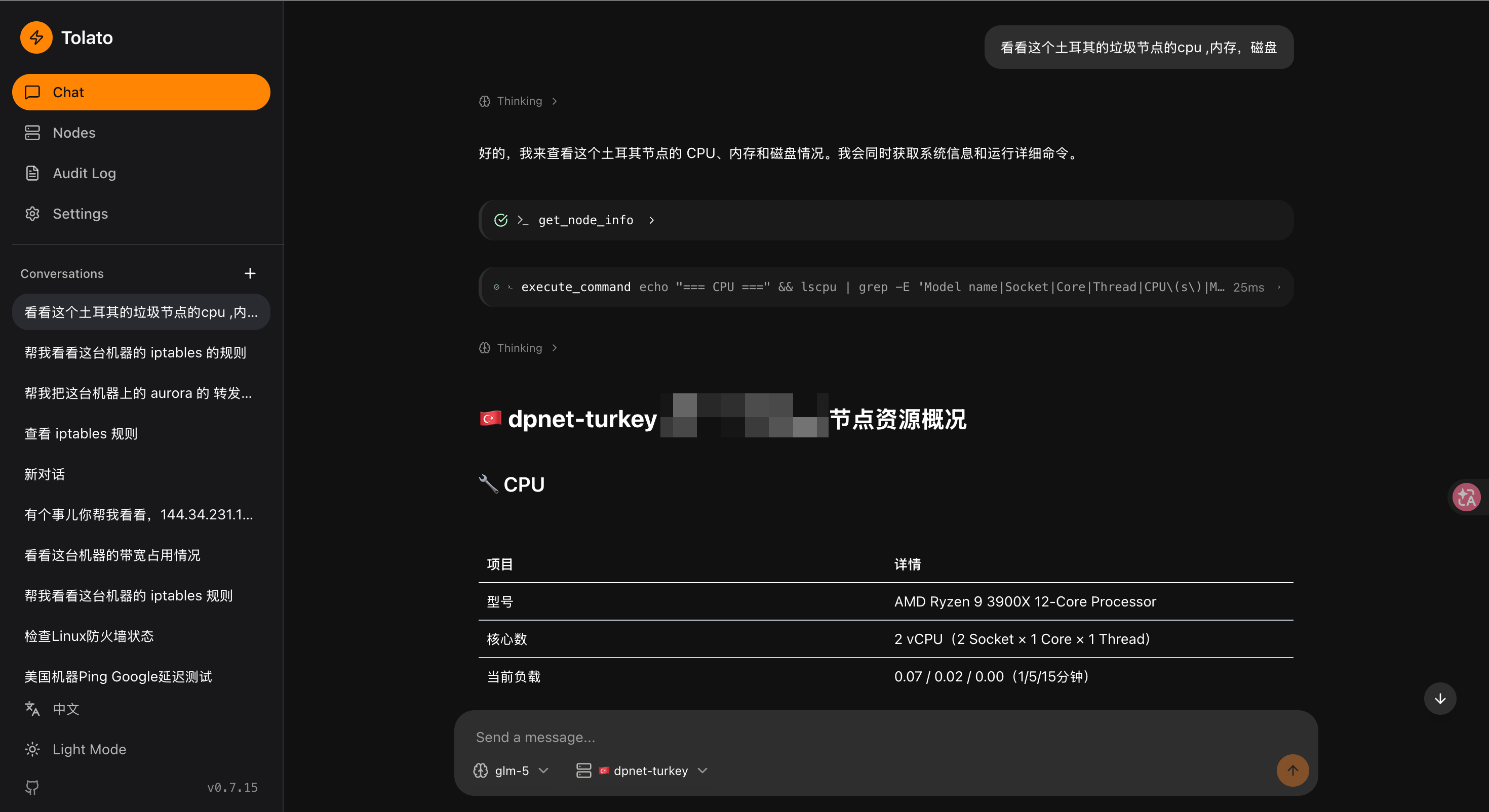
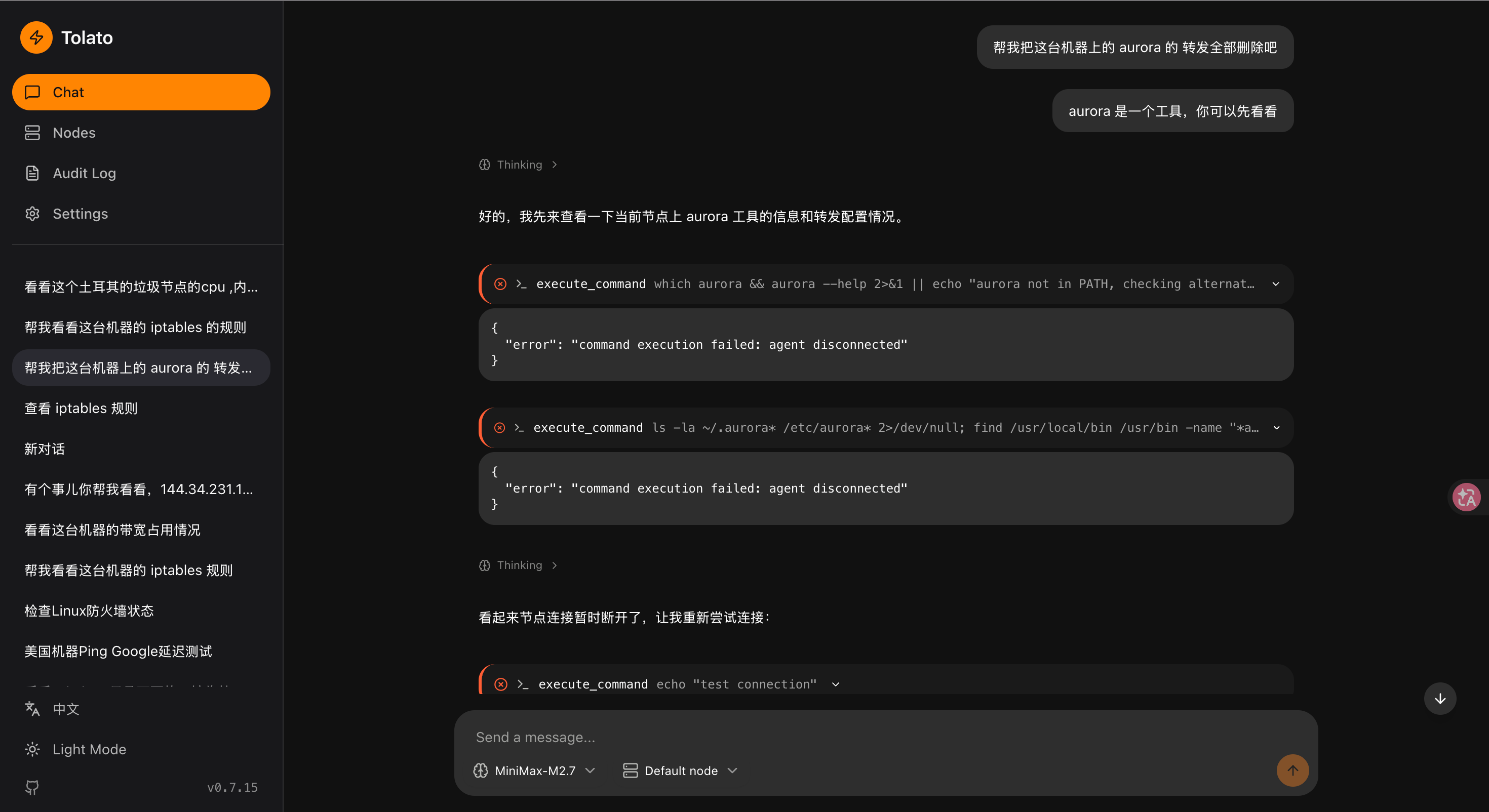
The web UI also has a built-in chat that drives the same nodes, for when you're away from your coding agent. It's the one feature that needs an LLM on the server: an admin adds an OpenAI-compatible endpoint and key under Settings → LLM Config. Until then the chat page says so and points back to the AI agent setup.
| Ask about a node | Tool calls in action |
|---|---|
 |  |
Development
- Server build:
cd server && go build ./cmd/server - Agent build:
cd agent && go build ./cmd/agent - CLI build:
go build -C cli -o ~/bin/tolato . - Web build:
cd web && pnpm build - Branch layout:
mainis the release branch.
Docs
- Design overview
- Loop architecture — web chat loop goroutine + channel model
- Frontend architecture
- NodeProbe — link monitoring design
- Implementation plan — phase-by-phase status