
🗣️ Qwen3-TTS Docker — All-in-One
Production-ready Docker deployment for Qwen3-TTS with a modern Web UI and full REST API. All models baked into a single Docker image — no downloads at runtime.
📸 Screenshots
| Custom Voice | Voice Design | Voice Clone |
|---|---|---|
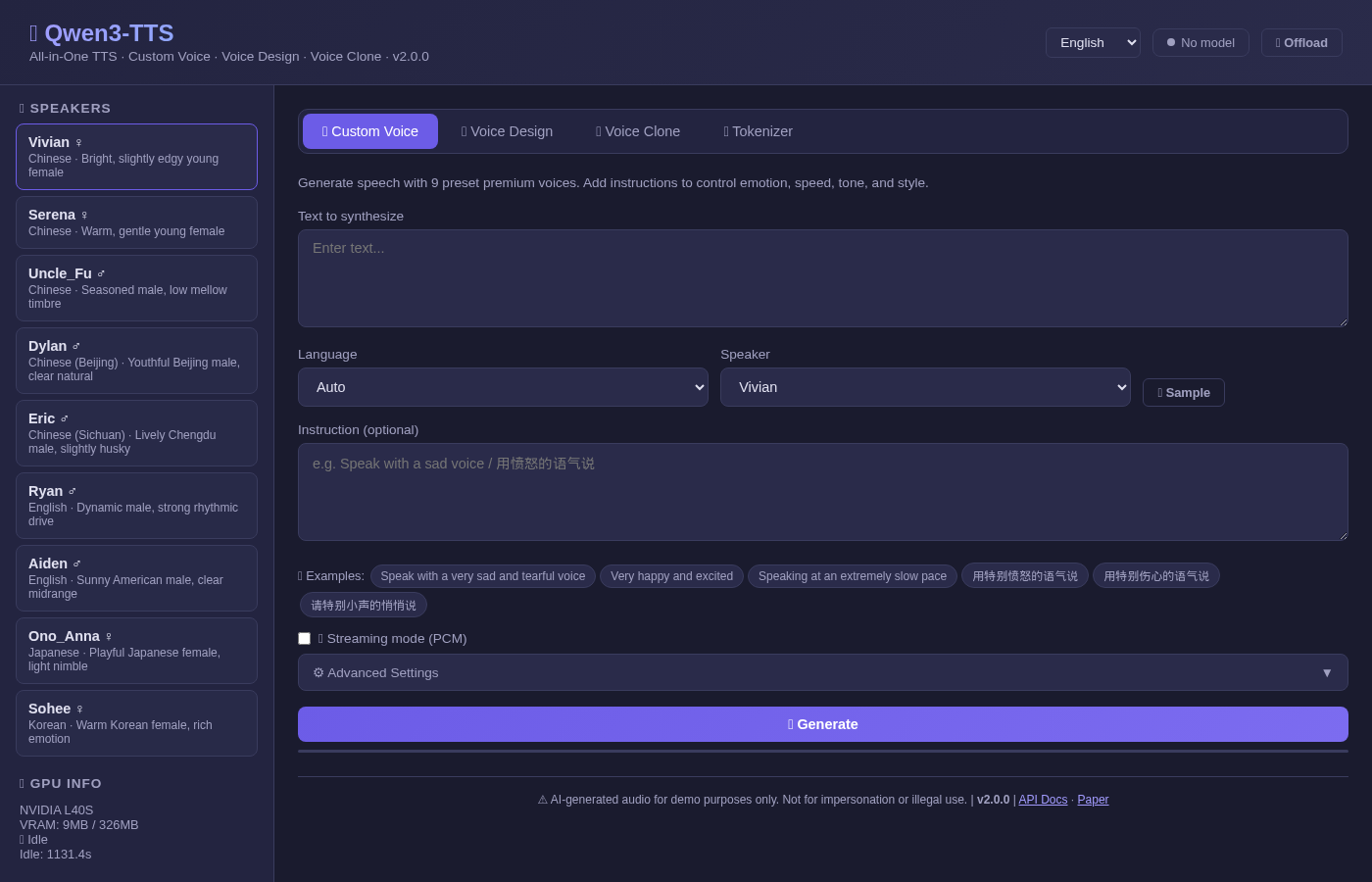 | 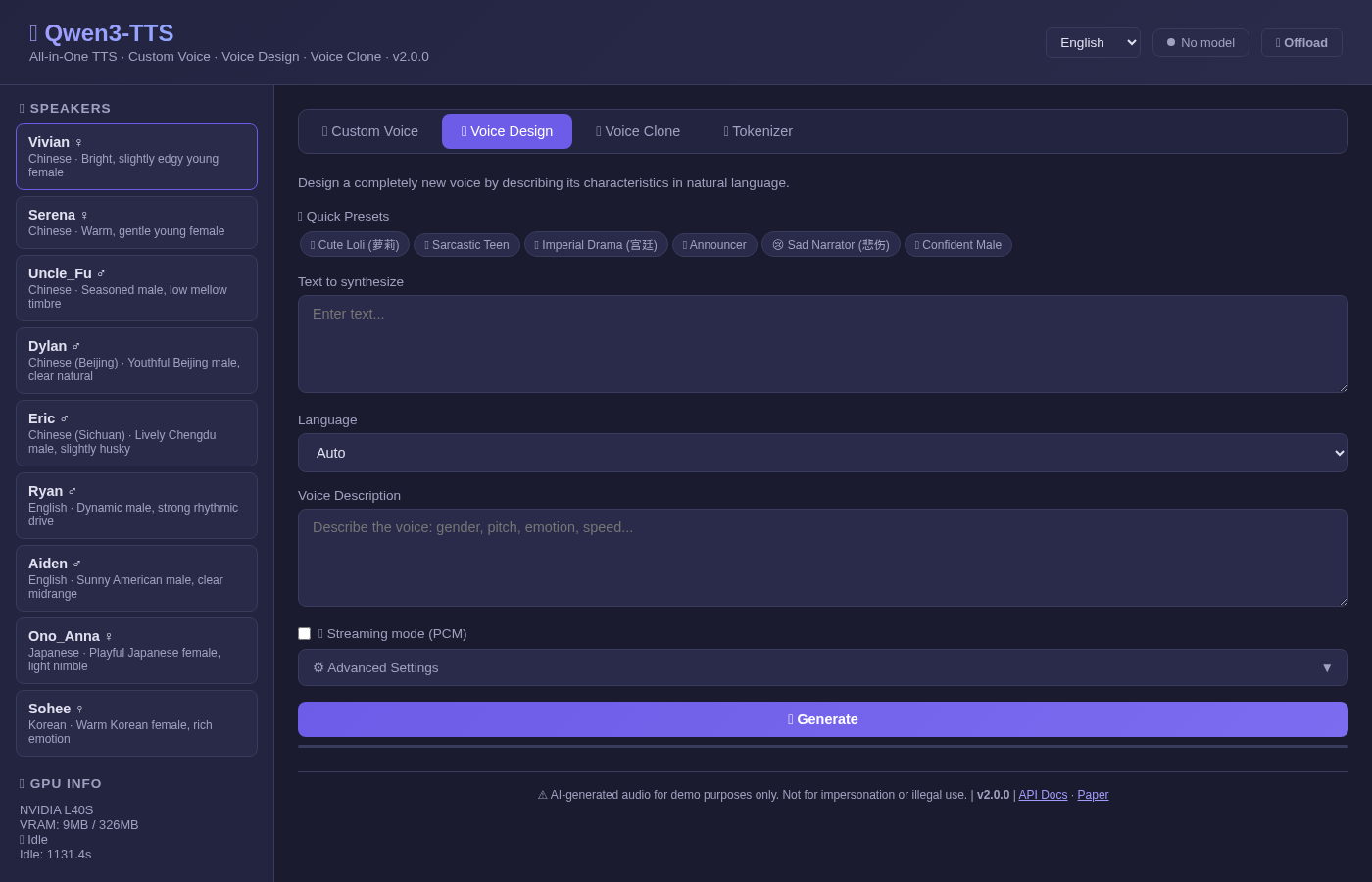 | 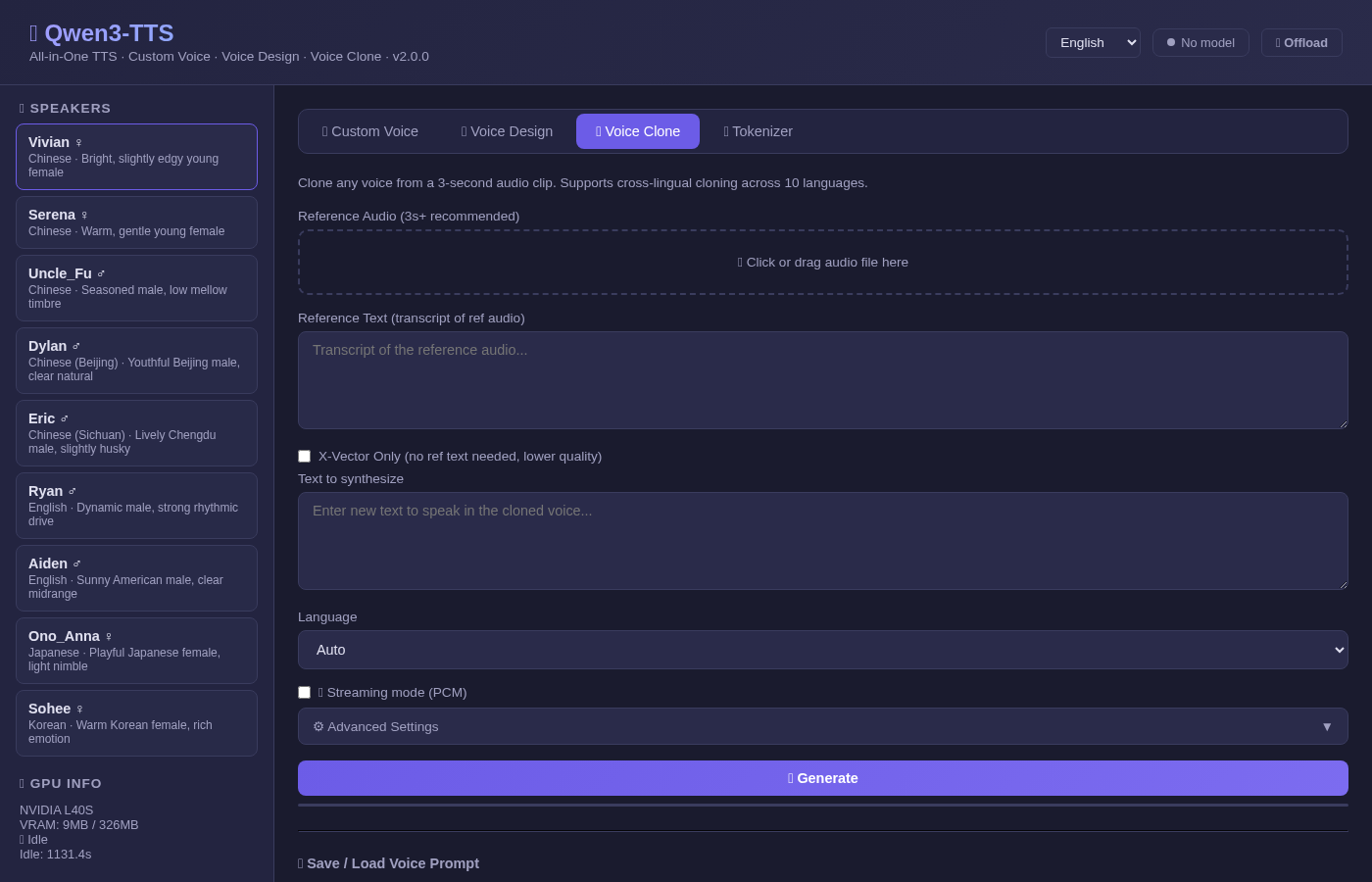 |
✨ Features
- All-in-One Docker Image — 4 models (~14GB) embedded, zero runtime downloads
- Modern Web UI — Dark theme, responsive, pure HTML/JS (no Gradio)
- Full REST API — FastAPI with Swagger docs at
/docs - 3 TTS Modes — Custom Voice (9 speakers), Voice Design, Voice Clone
- 10 Languages — Chinese, English, Japanese, Korean, German, French, Russian, Portuguese, Spanish, Italian
- Voice Prompt Save/Load — Save cloned voice as
.ptfile, reuse across sessions - Tokenizer API — Encode/decode audio to speech tokens
- Performance Metrics — Model load time, generation time, RTF displayed in UI
- Multi-language UI — English / 简体中文 / 繁體中文 / 日本語
- GPU Management — Auto-offload after idle timeout, manual offload button
- FlashAttention 2 — Pre-compiled wheel, no 40-minute build
🚀 Quick Start
Option 1: Docker Hub (Recommended)
# Pull the all-in-one image (~30GB with models)
docker pull neosun/qwen3-tts:2.0.0

# Run with GPU
docker run -d --name qwen3-tts \
  --gpus '"device=0"' \
  -p 8766:8766 \
  neosun/qwen3-tts:2.0.0
Option 2: Docker Compose
git clone https://github.com/neosun100/Qwen3-TTS.git
cd Qwen3-TTS

# Edit .env to set your GPU
echo "NVIDIA_VISIBLE_DEVICES=0" > .env

docker compose up -d
Option 3: One-Click Start
git clone https://github.com/neosun100/Qwen3-TTS.git
cd Qwen3-TTS
bash start.sh
Then open: http://localhost:8766
📡 API Reference
Custom Voice TTS
curl -X POST http://localhost:8766/api/tts/custom-voice \
  -H "Content-Type: application/json" \
  -d '{
    "text": "Hello, this is a test.",
    "language": "English",
    "speaker": "Ryan",
    "instruct": "Speak with excitement"
  }' -o output.wav
Voice Design TTS
curl -X POST http://localhost:8766/api/tts/voice-design \
  -H "Content-Type: application/json" \
  -d '{
    "text": "Hello world!",
    "language": "English",
    "instruct": "Young female voice, cheerful and bright"
  }' -o output.wav
Voice Clone TTS
curl -X POST http://localhost:8766/api/tts/voice-clone \
  -F "text=Hello from a cloned voice" \
  -F "language=English" \
  -F "ref_text=This is the reference transcript" \
  -F "[email protected]" \
  -o output.wav
All Endpoints
Response Headers
TTS endpoints return timing headers for performance monitoring:
🎤 Speakers
⚡ About Streaming
Important: Qwen3-TTS does not support true incremental audio streaming at the model level. The official Qwen team confirmed this in Issue #10:
"Streaming inference is supported at the model architecture level. Currently, our qwen-tts package primarily focuses on enabling quick demos... For streaming capabilities, ongoing development will be mainly driven by the vLLM-Omni community."
The /stream endpoints in this project generate the full audio first, then deliver it as chunked PCM data. This enables progressive playback via Web Audio API but does not reduce time-to-first-byte (TTFB).
For true streaming, monitor:
- vLLM-Omni — Official path for streaming, pending RFC #938
- dffdeeq/Qwen3-TTS-streaming — Community experimental streaming fork
🔧 Configuration
Environment Variables
GPU Requirements
- Minimum: 6GB VRAM (one model loaded at a time)
- Recommended: 8GB+ VRAM
- Models auto-switch: loading a different model type offloads the previous one
🏗️ Build from Source
If you want to build the Docker image yourself:
git clone https://github.com/neosun100/Qwen3-TTS.git
cd Qwen3-TTS

# Download models first (~14GB total)
pip install -U "huggingface_hub[cli]"
mkdir -p models
huggingface-cli download Qwen/Qwen3-TTS-Tokenizer-12Hz --local-dir ./models/Qwen3-TTS-Tokenizer-12Hz
huggingface-cli download Qwen/Qwen3-TTS-12Hz-1.7B-CustomVoice --local-dir ./models/Qwen3-TTS-12Hz-1.7B-CustomVoice
huggingface-cli download Qwen/Qwen3-TTS-12Hz-1.7B-VoiceDesign --local-dir ./models/Qwen3-TTS-12Hz-1.7B-VoiceDesign
huggingface-cli download Qwen/Qwen3-TTS-12Hz-1.7B-Base --local-dir ./models/Qwen3-TTS-12Hz-1.7B-Base

# Build (uses pre-compiled flash-attn wheel — fast!)
docker build -t neosun/qwen3-tts:2.0.0 .
Why Pre-compiled flash-attn?
Building flash-attn from source requires CUDA development headers and takes 40+ minutes even with ninja. This Dockerfile downloads a pre-compiled wheel matching Python 3.12 + CUDA 12 + PyTorch 2.9, reducing install time to seconds.
The wheel is from the official flash-attention releases.
📦 Embedded Models
📄 License
This project is licensed under the Apache 2.0 License. The Qwen3-TTS models are subject to the Qwen License.
🙏 Credits
- Qwen3-TTS by Alibaba Qwen Team
- FlashAttention by Tri Dao