
Vectree
Package your knowledge base as a Docker image. Vectree ingests documentation from websites, GitHub repos, and local markdown files, chunks them, generates embeddings, and serves everything through an MCP server — all self-contained in a single portable image.
Sources ──▶ Ingest ──▶ Chunk ──▶ Embed ──▶ SQLite DB ──▶ MCP Server
Share your image. Anyone can pull it and query your docs with natural language.
Embedding Visualizer
An interactive 3D visualization of your ingested embeddings using PCA dimensionality reduction. Type a natural language prompt to project it into the embedding space and see the nearest matching documents.
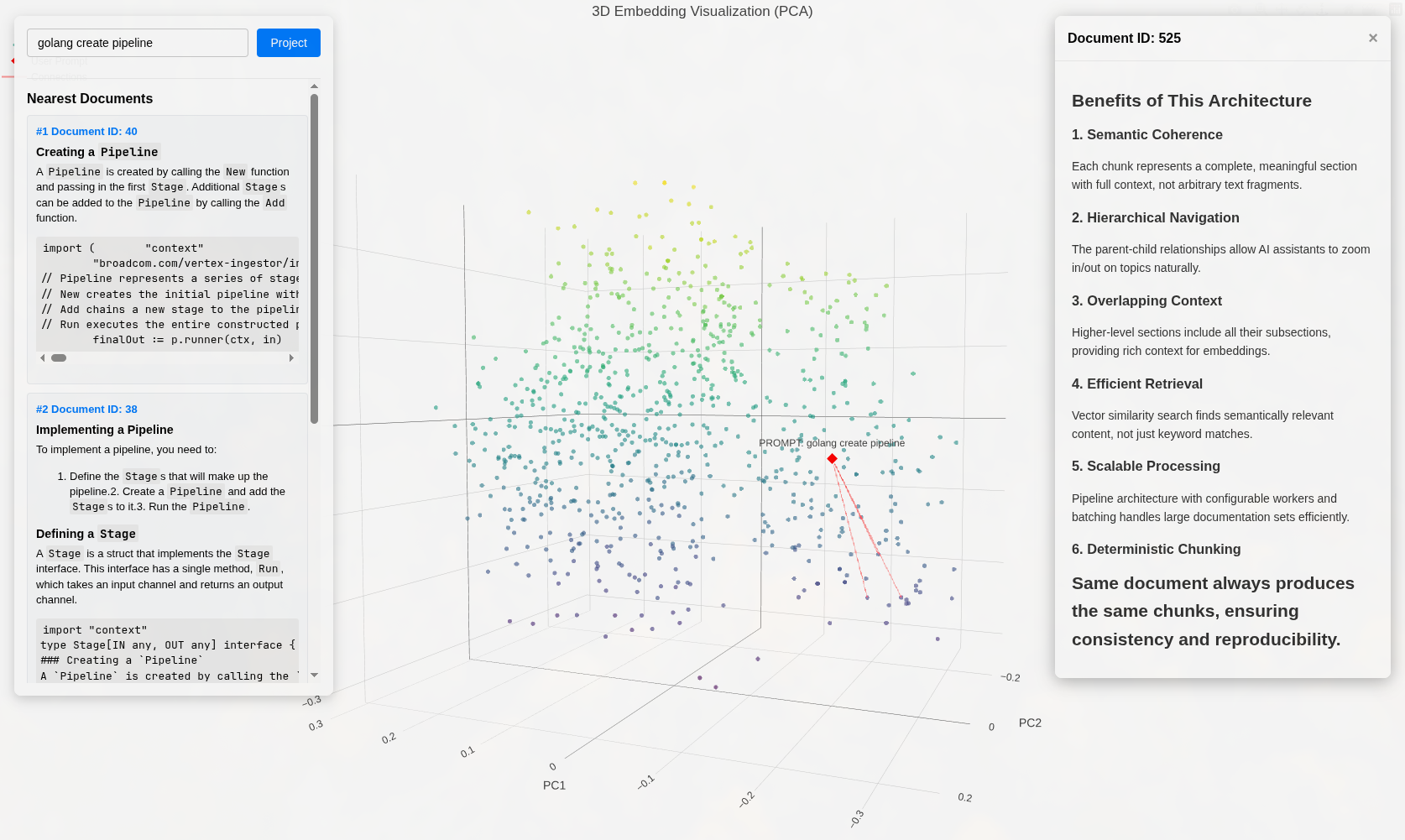
vectree visualize --port 8090 --limit 1000
Sources
Sources define what knowledge goes into your container. Every source is a named config block.
HTTP
Crawl a website for documentation. Configure crawl depth and a CSS selector to extract content.
[sources.gemini-docs]
type = "http"
url = "https://ai.google.dev/gemini-api/docs"
max_depth = 3
selector = ".devsite-article-body"
GitHub
Clone a repository to ingest markdown docs, wikis, or inline documentation.
[sources.vectree-docs]
type = "github"
repo = "https://github.com/niedch/vectree"
branch = "main"             # optional, defaults to default branch
token = "ghp_..."           # optional, falls back to GITHUB_TOKEN env
subdir = "docs"             # optional, limit to a subdirectory
Markdown
Load local .md files from a directory — perfect for Obsidian vaults or local notes.
[sources.obsidian-vault]
type = "markdown"
location = "/vault/personal/"
MCP Server
Once running, the server exposes these tools:
Built-in Prompts
Prompts in the configured [prompts] directory are registered as MCP prompts. The default set includes:
Configuration
Everything lives in config.toml. Here's a fully annotated example:
# --- Sources ---
# One or more named sources. Each has a type and type-specific fields.
[sources.vectree-docs]
type = "github"
repo = "https://github.com/niedch/vectree"

[sources.gemini-docs]
type = "http"
url = "https://ai.google.dev/gemini-api/docs"
max_depth = 3
selector = ".devsite-article-body"

[sources.obsidian-vault]
type = "markdown"
location = "../obsidian-vault/"

# --- AI Provider ---
# Which API to use for generating embeddings.
[ai]
provider = "gemini"              # gemini | openai | ollama
embedding_model = "gemini-embedding-001"
# api_key = "..."                # or set GEMINI_API_KEY / OPENAI_API_KEY env var
# vertex_size = 3072             # vector dimension for the vec0 table
# url = "..."                    # custom endpoint for openai / ollama

# --- Chunking ---
# How to split documents before embedding.
[chunking]
strategy = "mdast"               # mdast | header | line

# --- Pipeline ---
# Parallelism and batch sizes for the ingestion pipeline.
[pipeline]
embedder_batch_size = 64
embedder_workers = 8
store_batch_size = 64
crawler_workers = 8

# --- Database ---
# SQLite connection string.
[database]
connection_string = "kownledgebase.db?cache=shared&mode=rw"

# --- Retrieval ---
# How many results to return from a search query.
[retrieval]
similarity_results = 3

# --- Prompts ---
# Directory containing .prompt files (dotprompt format) for MCP prompts.
[prompts]
path = "./prompts"
Environment Variables
Any config key can also be overridden with an env var (e.g. AI_PROVIDER=ollama).
Quickstart
- Create a
config.tomlwith your sources:
[sources.my-docs]
type = "markdown"
location = "./docs/"
- Build the image (ingestion runs at build time):
docker build -t my-knowledge-base .
- Run the MCP server:
docker run -i --init my-knowledge-base
- Connect any MCP client (Claude Desktop, Zed, etc.) to the stdio server.