
AgentGate
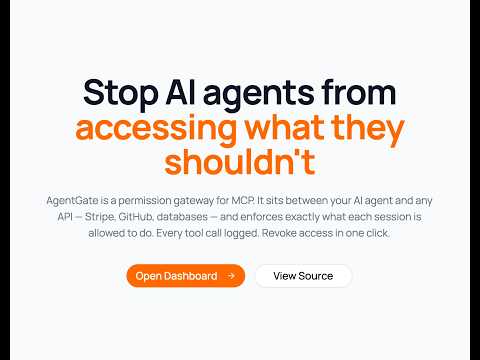
Permission control for AI agents over MCP.
AgentGate is a hosted gateway that sits between AI agents and MCP servers (GitHub, Stripe, Slack, etc.). It enforces per-tool permissions, scans responses for security issues, logs every decision, and lets you revoke access instantly.
The agent never gets the real API key. It only gets a gateway URL.
📖 Architecture & Roadmap:
- 📄 Master Architecture & MVP Build Specification (v2): Zero-config guardrail compiler (
@agentgate/compiler) and stateful runtime ledger (@agentgate/runtime) for multi-turn transactional safety.- 🚀 Production Deployment Guide: 1-click deployments on Render (
render.yaml), Railway, and Docker Compose.- 📊 Executive Summary & Strategic Thesis: Product evolution, market positioning, and autonomy readiness scoring.
The Problem
When you give an AI agent a token to GitHub, Stripe, or any service — it gets access to everything that token allows. There's no way to say "read repos but never delete them" or "create refunds but never delete customers."
Real-world incidents:
- An AI agent deleted a production database after finding a long-lived API token (Railway, April 2026)
- 53% of organizations report agents exceeding intended permissions
- 29 million hardcoded secrets found in GitHub commits in 2025 — AI-assisted commits leaking at double the base rate
How AgentGate Works
AI Agent → POST /mcp/:token → AgentGate → checks permissions → Remote MCP Server
                                    │                                     │
                                    │ denied? return error               │
                                    │ allowed? forward request ──────────┘
                                    │                                     │
                                    │◀──────────── response ──────────────┘
                                    │
                                    │ scan response for secrets/injection
                                    │ log decision
                                    │
                                    └──→ return to agent
Step 1 — Add your MCP server
Pick from the catalog (GitHub, Stripe, Slack, Cloudflare) or paste any remote MCP URL. AgentGate calls tools/list and discovers all available tools automatically.
Step 2 — Create a session with permissions
Each session is time-bounded and has its own permission set:
- Default: all tools allowed (same as connecting directly)
- You deny what's dangerous:
delete_customer,fork_repository,push_files - Add path patterns: allow
get_file_contentsbut deny when path matches**/.env*
Step 3 — Give the agent the gateway URL
{
  "mcpServers": {
    "github": {
      "url": "https://your-gateway.com/mcp/SESSION_TOKEN"
    }
  }
}
The agent connects to your gateway, not to GitHub directly. Your gateway forwards allowed calls, blocks denied ones, and logs everything.
Step 4 — Response security scanning (optional)
When enabled, responses from MCP servers are scanned before reaching the agent:
- Leaked secrets: AWS keys, Stripe keys, GitHub tokens, private keys, database URLs
- Prompt injection: hidden instructions in API responses designed to hijack the agent
- PII leakage: bulk emails, SSNs, credit card numbers
- Oversized responses: prevents context window flooding
Step 5 — Monitor and revoke
Watch every decision in the audit log. Revoke a session with one click — agent loses access instantly.
Architecture
┌──────────────────────────────────────────────────────────────┐
│  Dashboard (Next.js)  :3000                                   │
│  - Create agents, add MCP services                            │
│  - Create sessions with per-session permissions               │
│  - Real-time audit log                                        │
│  - Revoke sessions instantly                                  │
└────────────────────────────┬─────────────────────────────────┘
                             │ REST API
┌────────────────────────────▼─────────────────────────────────┐
│  Proxy Service (Express)  :3001                               │
│  - Agents, services, sessions CRUD                            │
│  - Tool permissions storage                                   │
│  - Session JWT management                                     │
│  - Audit log                                                  │
└────────────────────────────┬─────────────────────────────────┘
                             │
┌────────────────────────────▼─────────────────────────────────┐
│  MCP Gateway (Express)  :3003                                 │
│  - Streamable HTTP transport (POST only, stateless)           │
│  - Permission engine (in-process, per-request)                │
│  - Response security scanner                                  │
│  - Tool discovery via tools/list                              │
│  - Forwards to any remote MCP server                          │
└────────────────────────────┬─────────────────────────────────┘
                             │ HTTP forward
┌────────────────────────────▼─────────────────────────────────┐
│  Remote MCP Servers                                           │
│  - GitHub (api.githubcopilot.com/mcp)                         │
│  - Stripe (mcp.stripe.com)                                    │
│  - Slack (mcp.slack.com/mcp)                                  │
│  - Cloudflare (mcp.cloudflare.com)                            │
│  - Any MCP server with a URL                                  │
└──────────────────────────────────────────────────────────────┘
Key Design Decisions
Supported MCP Servers
Any MCP server that supports Streamable HTTP (JSON-RPC over POST):
Getting Started
Prerequisites
- Node.js 20+
- PostgreSQL (or Docker)
- pnpm
Setup
git clone https://github.com/YOUR_USERNAME/agentgate.git
cd agentgate
pnpm install

# Start Postgres
docker run --name agentgate-pg \
  -e POSTGRES_PASSWORD=postgres \
  -e POSTGRES_DB=saas \
  -p 5432:5432 -d postgres:16

# Copy and configure env
cp .env.example .env
# Set POSTGRES_URL and PROXY_SECRET in .env

# Run migrations and seed
pnpm db:migrate
pnpm proxy:migrate
pnpm db:seed  # creates [email protected] / admin123

# Start services
pnpm proxy:dev     # Terminal 1 — :3001
pnpm gateway:dev   # Terminal 2 — :3003
pnpm dev           # Terminal 3 — :3000
Test the flow
- Sign in at
http://localhost:3000/sign-in→[email protected]/admin123 - Create an agent at
/agents - Add a service at
/agents/services(pick GitHub from catalog, enter your PAT) - Create a session at
/agents/sessions— set permissions, get gateway URL - Test with curl:
TOKEN="your_session_token"

# DENIED — tool you blocked
curl -s -X POST "http://localhost:3003/mcp/$TOKEN" \
  -H "Content-Type: application/json" \
  -d '{"jsonrpc":"2.0","id":1,"method":"tools/call","params":{"name":"fork_repository","arguments":{"owner":"facebook","repo":"react"}}}'

# ALLOWED — tool you kept open
curl -s -X POST "http://localhost:3003/mcp/$TOKEN" \
  -H "Content-Type: application/json" \
  -d '{"jsonrpc":"2.0","id":2,"method":"tools/call","params":{"name":"get_file_contents","arguments":{"owner":"octocat","repo":"Hello-World","path":"README"}}}'
- Check audit log at
/agents/audit - Revoke session at
/agents/sessions— retry curl → 401
Security Features
Request-side (outgoing tool calls)
- Per-tool allow/deny per session
- Glob path patterns (deny
**/.env*,**/secrets/**) - Unknown tools allowed by default (configurable)
- Every decision logged with matched rule
Response-side (incoming data) — optional per session
- Secret detection: AWS, Stripe, GitHub tokens, private keys, DB URLs
- Prompt injection detection: role overrides, jailbreak patterns
- PII detection: bulk emails, SSNs, credit cards
- Size limiting: blocks responses over 100KB
- Blocked responses logged in audit
Database Schema
agents              → registered agent identities (scoped to user)
services            → MCP server configs (URL + discovered tools)
sessions            → time-bounded tokens with per-session permissions + response check flag
tool_permissions    → allow/deny rules per tool per session (with optional path patterns)
audit_log           → immutable log of every decision
Phase 2 — Production & Scale
Tech Stack
- Frontend: Next.js 15, React 19, Tailwind CSS v4, shadcn/ui
- Backend: Express (proxy + gateway), Drizzle ORM, PostgreSQL
- Auth: JWT sessions (jose), bcrypt
- Transport: Streamable HTTP (JSON-RPC 2.0 over POST)
- Security: micromatch for glob patterns, regex-based response scanner
- Package manager: pnpm workspaces
License
MIT