
Renderbin
English | 中文
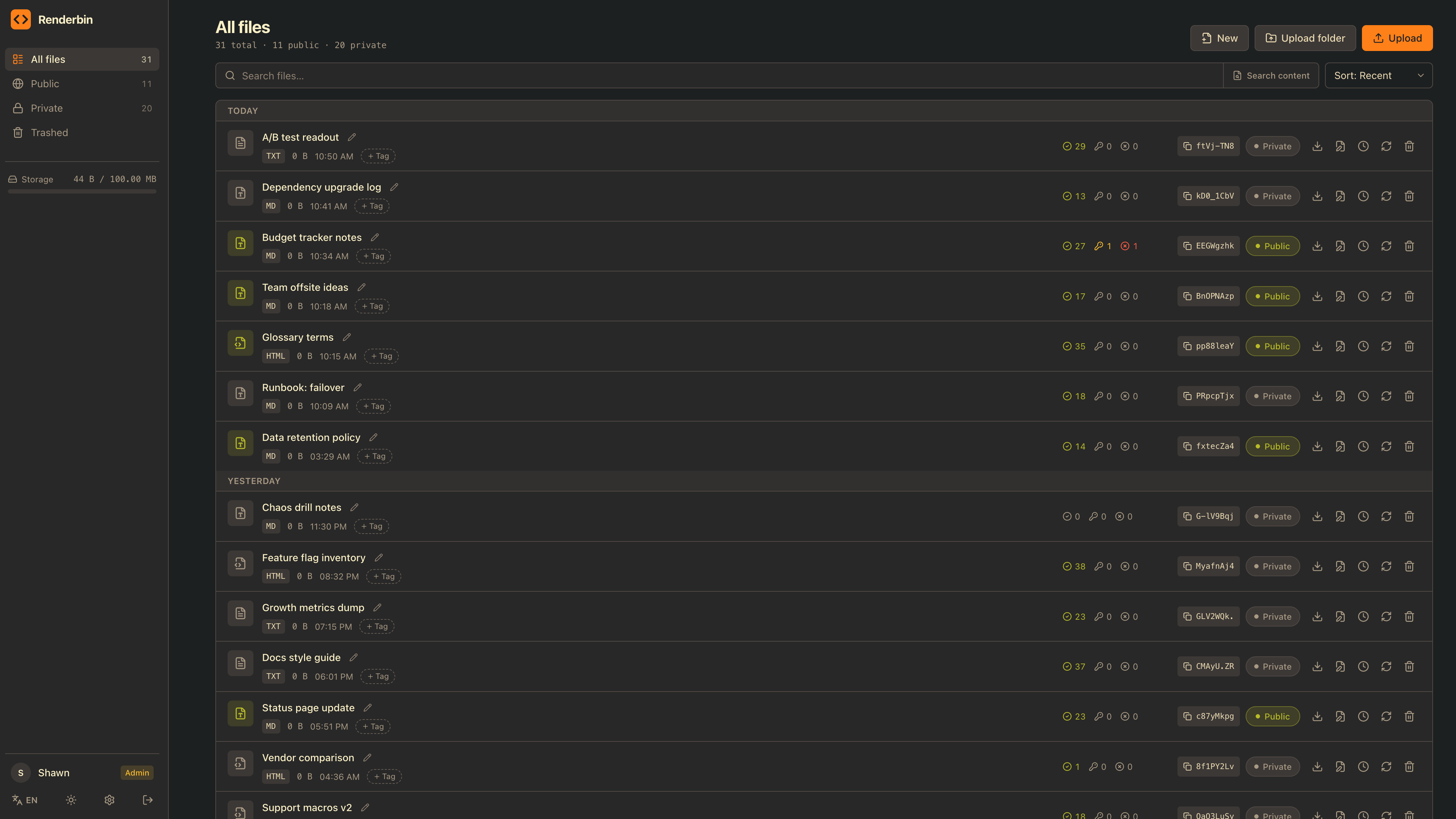
A self-hosted file-sharing service: upload an HTML, Markdown or text file — or a whole folder with an index.html — and get a link that opens as a rendered page. Built for the self-contained report pages AI agents produce; with the built-in MCP server, an agent can upload the file itself and hand you the link.
Ships as one binary (or container) with all state in one directory: a SQLite database, and the files' content beside it.
Features
- Formats: HTML (served as-is), Markdown (rendered), plain text, and multi-page sites (a folder or
.zip) - Sharing: files are private or public; public links carry a random access code and can expire after a time or a number of views
- Management: tags, search, trash, per-account storage quota, one-click backup and restore
- Accounts: multi-user; the first account is the super admin, and open registration is a toggle
- For agents: an MCP server, plus a REST API using the same per-user API key
- UI: English and Chinese, light and dark themes
Quick start
curl -O https://raw.githubusercontent.com/shawn-bluce/renderbin/master/docker-compose.yml
docker compose up -d
Open http://127.0.0.1:8080 and create the first account on the welcome page; it becomes the super admin. The container listens on 127.0.0.1 only — put Nginx or Caddy in front and forward X-Forwarded-Proto (plus X-Forwarded-Host if the proxy rewrites the host).
Upgrade with docker compose pull && docker compose up -d. All data lives in the db-data volume (docker compose down -v deletes it). To see what an upgrade will do first, run docker compose pull && docker compose run --rm app migrate --check before up -d: it reports, without changing anything, whether the new version has to move data, how much (which is how long the server will be down), and whether the disk has room.
Back up from Settings → Backup, or from the command line, which suits large instances better than a browser download:
docker compose exec app ./server backup --out=/data/backup.tar   # then copy it off the host
docker compose exec app ./server restore --in=/data/backup.tar --yes
docker compose exec app ./server fsck                            # check every file's content is intact
Copying app.db alone is not a backup: it names the files' content but does not hold it.
Without Docker, download the static Linux binary (amd64 or arm64) from the latest release:
curl -LO https://github.com/shawn-bluce/renderbin/releases/latest/download/renderbin_linux_amd64.tar.gz
tar xzf renderbin_linux_amd64.tar.gz && ./renderbin
There are three environment variables; everything else is set in the app's Settings page.
MCP and API
Turn on MCP in Settings → AI capability to get your API key, then add the server to your client:
claude mcp add --transport http renderbin https://your-host/mcp \
  --header "Authorization: Bearer rb_..."
The tools only touch the key owner's own files: upload, list, search, update, publish (optionally with a time or view limit), unpublish and delete (moves to the trash), plus upload_site / update_site for multi-page sites. New uploads start private.
The same key works as a Bearer token for the REST API, e.g. uploading a site from a shell:
cd my-site && zip -r ../site.zip . && cd ..
curl --data-binary @site.zip -H "Content-Type: application/zip" \
  -H "Authorization: Bearer rb_..." "https://your-host/api/sites?name=My%20Site"
The key stops working when MCP is turned off or the account is suspended, and it cannot reach admin features such as backup or account management.
Multi-page sites
Upload a folder with index.html at its top, plus the pages, CSS, JS and data it uses. Use Upload folder, drag a folder or .zip onto the dashboard, or pick a .zip with Upload. Relative links between files work unchanged.
- Limits: 5 MB uncompressed, 200 files, 8 MB zip upload.
- A view limit counts HTML page views only, not CSS, JS or data files.
- Root-absolute paths like
/style.cssdon't work; use relative ones. Paths are case-sensitive. - To change a site, replace the whole folder, or patch single files with the MCP
update_sitetool.
Security
- Uploaded HTML runs unmodified, scripts included, inside a CSP sandbox: it cannot read visitors' cookies or call the API as them. For stronger isolation, serve
/resfrom a separate domain. - Each account sees only its own files. The super admin manages settings, accounts and backups, but cannot open other users' files.
- Each file is capped at 5 MB, and each account has a storage quota (100 MB by default, adjustable by the super admin).
- There is no email password reset. The super admin resets other accounts in Settings; if the super admin is locked out, run
docker compose exec app ./server reset-password --user=NAME. - To report a vulnerability, open an issue describing the impact and leave out exploit details until a fix ships.
Development
Go backend and SvelteKit frontend; the built frontend is embedded in the Go binary.
make dev-api   # Go server on :8080
make dev-web   # Vite dev server on :5173, proxies to the Go server
Other targets: make build, make test, make check, make sqlc (see the Makefile). Before opening a PR, make sure make check and make test pass. Architecture notes are in CLAUDE.md.