
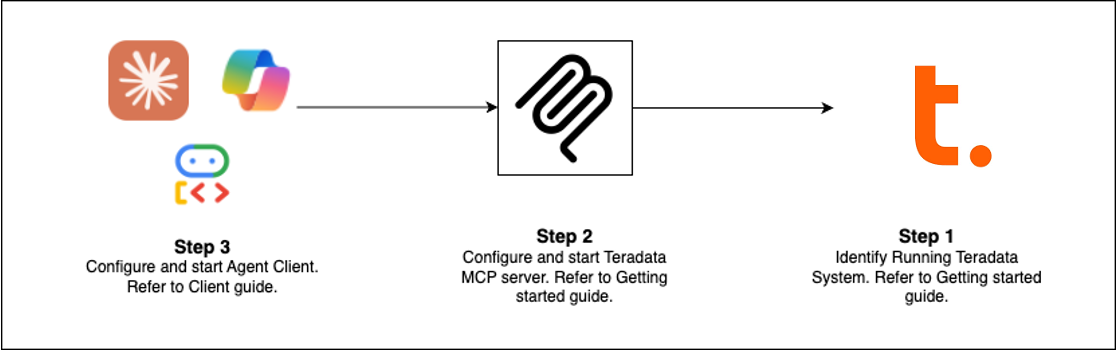
Quick Start (Choose Your Path)
Pre-requisites: Teradata database (or free sandbox) + uv
Claude Desktop Setup (No Installation)
Add this to claude_desktop_config.json (Settings > Developer > Edit Config):
{
  "mcpServers": {
    "teradata": {
      "command": "uvx",
      "args": ["teradata-mcp-server"],
      "env": {
        "DATABASE_URI": "teradata://<USERNAME>:<PASSWORD>@<HOST_URL>:1025/<USERNAME>"
      }
    }
  }
}
What You Can Do
What's New (Latest Release)
- FastMCP v4 — Sessionless protocol, background tasks for long-running analytics, argument completion
- Response Caching — 5-minute TTL signals reduce redundant database queries in multi-turn conversations
- Guard Mode — Multi-step confirmation flows for destructive operations (bar_, sec_)
- Background Tasks —
tdml_*analytic functions return task IDs for polling instead of blocking - Argument Completion — Auto-suggest table and column names from schema as users type
- Hooks Capability — Intercept tool calls for custom monitoring, audit, or rate-limiting
- Row Limit Protection — Configurable caps (
DEFAULT_ROW_LIMIT,MAX_ROW_LIMIT) prevent LLM token overflow - Enhanced Security — VX views for fine-grained row-level access control
Extend & Deploy
Add Custom Logic
Use hooks to intercept tool calls for monitoring, audit trails, or validation → Hooks Guide
Define Semantic Layers
Create domain-specific tools, prompts, and cubes in YAML → Customization Guide
Deploy Everywhere
Run as CLI (uv), HTTP server, Docker container, or cloud service → Installation Guide
See It In Action
- Voice Agent — Real-time bidirectional audio with Amazon Nova Sonic
- Web Agent — Interactive chat UI with Google ADK framework
- Flowise Builder — Visual drag-and-drop workflows
- Custom Middleware — Performance monitoring patterns
Learn More
- Full Documentation — Installation, configuration, architecture, security
- Video Tutorials — Step-by-step walkthroughs
- Developer Guide — Extend and contribute
- Architecture — How components work together
Contributing
We welcome contributions! See our Contributing Guide and Developer Guide to get started.