GatherThread
Work together. Continue anywhere. Try your Agents as a team.
GatherThread puts your team's discussion, AI-assisted work, and file review in one shared conversation. Collaborate live, use your own Agent, and continue from a computer, phone, or tablet. Less copying between chats. More progress everyone can follow.
Open GatherThread · Try the example · Illustrated guide · 简体中文
Open source · Self-hostable · Current version identifier 0.1.0-beta.5 · Apache 2.0
Public-registration Beta: verify your email and choose a password to create an account. Available cloud models and allowances are shown in the workspace. Project invitations join a team; they are not account registration codes. Release history · Developer test environment
People. Devices. Agent teams.
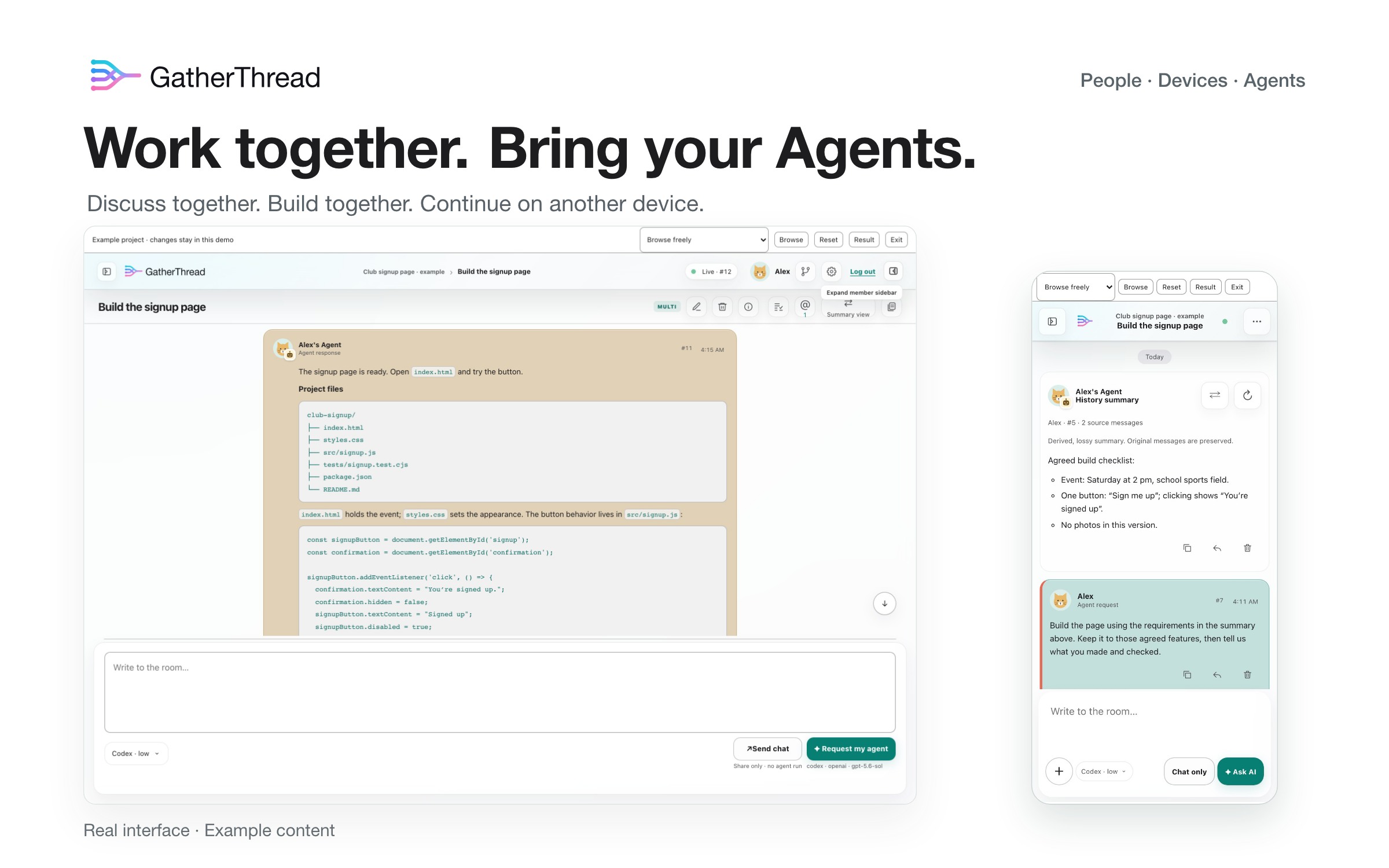
Work together in the same conversation. Agree on a goal, ask your Agent to work, and let teammates follow the result. Quote a particular message or mention someone instead of explaining the same thing twice. Discussion and development stay together.
Keep going beyond your desk. The same account can be signed in on computers, phones, and tablets at once. On your phone, continue the discussion, review progress, or ask your connected computer Agent to keep working. Move to another computer by downloading the file version you saved.
Multi-Agent teams (Beta 5 preview). Configure several connected Agents as a team, test the setup, then let them divide a task and communicate directly within the limits you choose. Cross-member collaboration requires each owner's explicit permission. Calls run one at a time; broader autonomous collaboration remains in development.
For today's projects, connect Codex, DeepSeek Harness or Claude Code, or use the cloud trial Agent for a small task without local setup. Choose from that Agent's supported models and options; cloud usage allowances are shown in the workspace.
Developing with Claude Code? Start with the native plugin and Launcher guide. Claude Code connects independently; it is not yet a Team module.
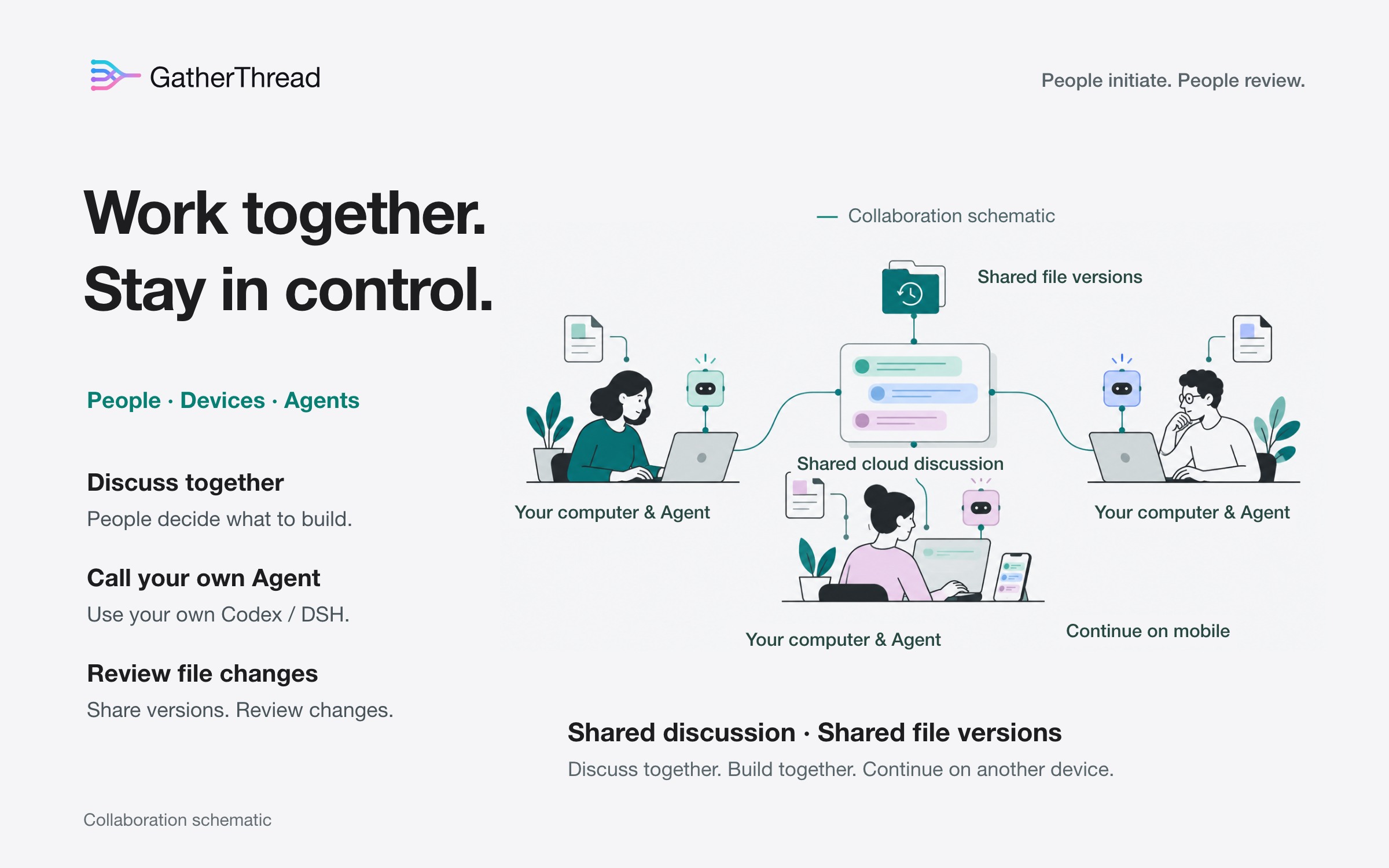
A phone or tablet can request your computer Agent from another network. Keep that computer and its connector online, and use a GatherThread server the mobile device can reach. You do not install a local Agent on the phone.
One project, from discussion to delivery
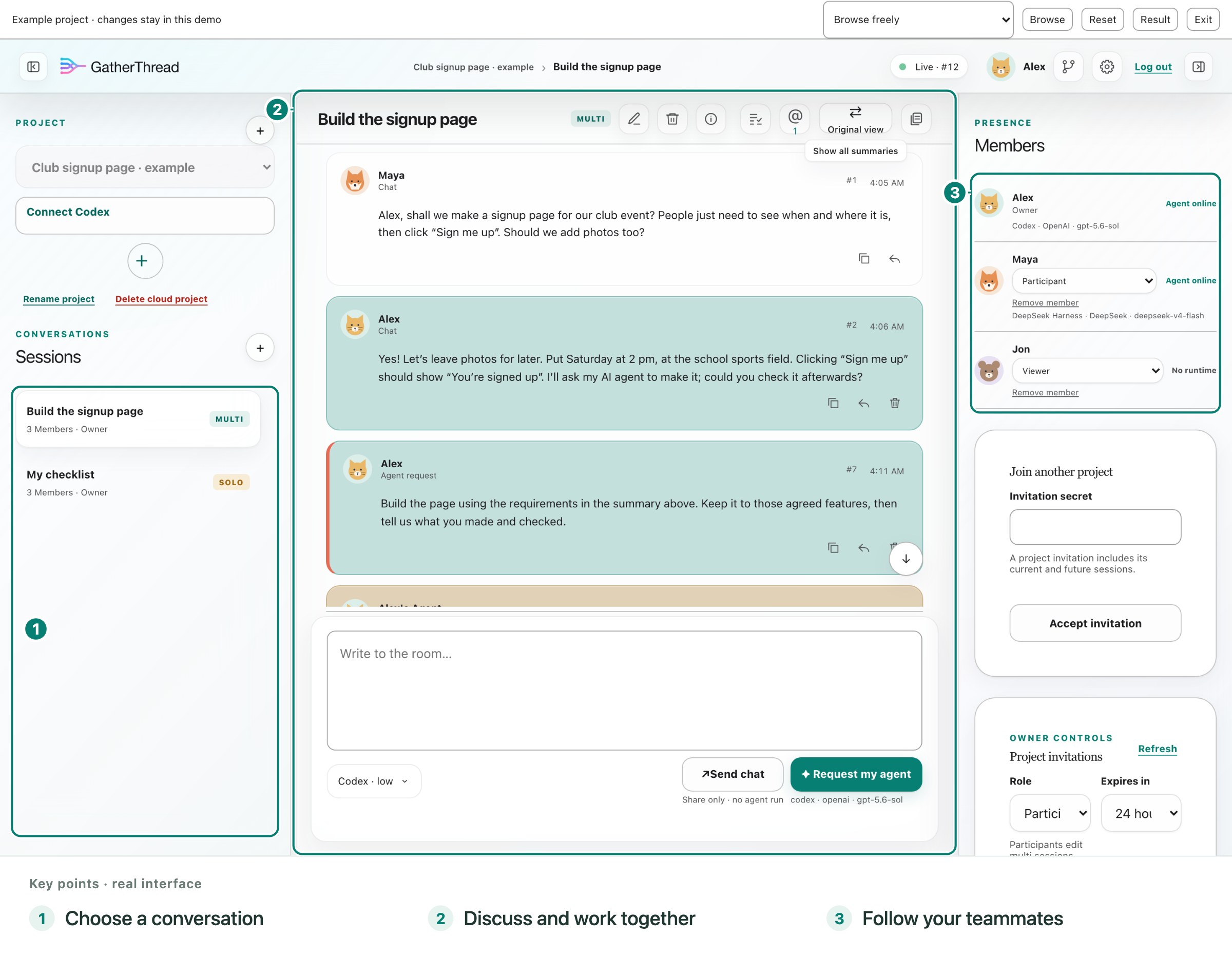
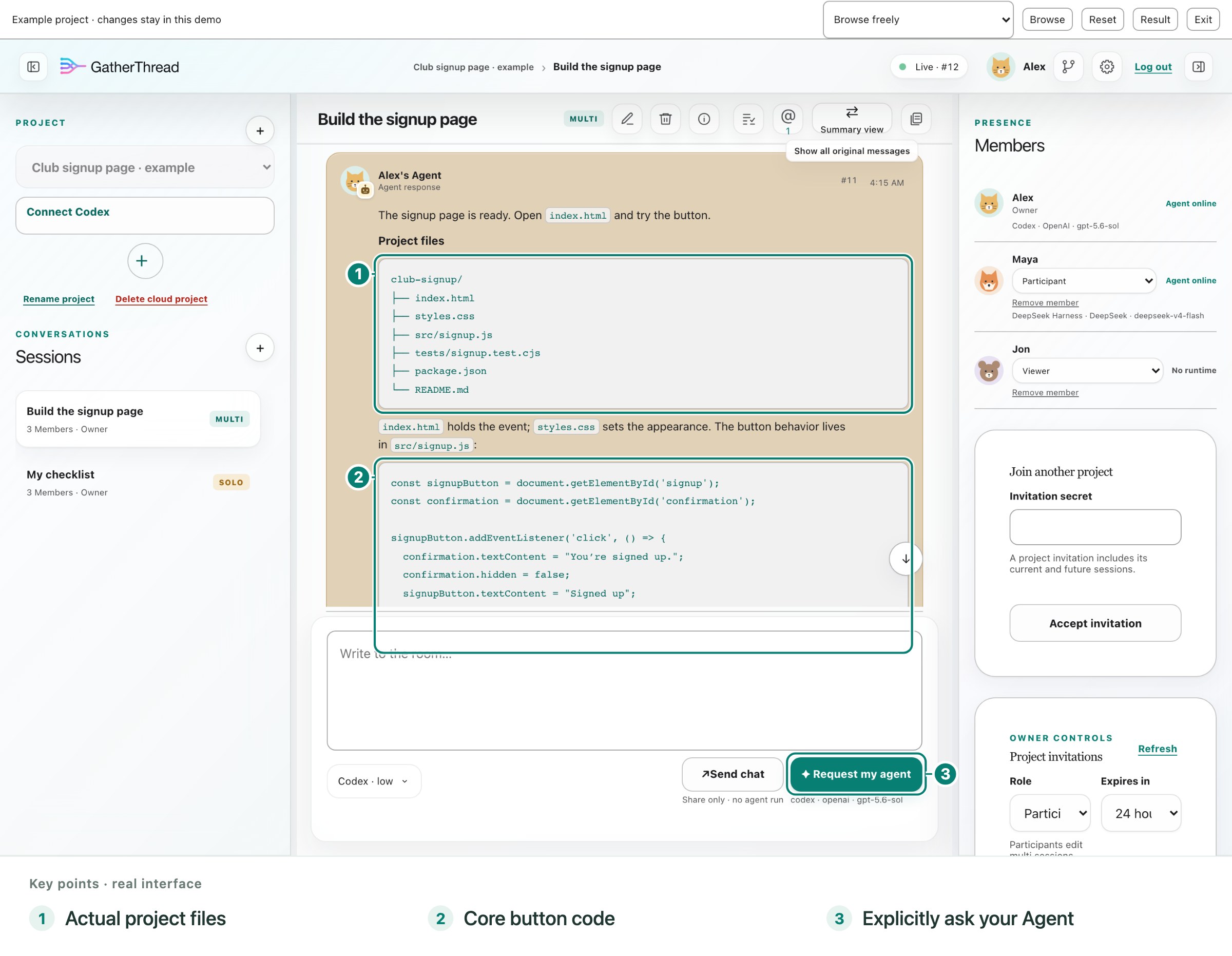
These are full application screenshots with key controls annotated, from the disposable example. People, messages, and Agent replies are demonstration content.
1. Agree on what to make
Maya wants a club signup page. Alex confirms the time, place, and button behavior. Both see the same discussion. Sending Chat talks to people; it does not start an Agent.
2. Turn decisions into work
Choose or connect your Agent, then explicitly ask it to build. The example shows a work plan, actual index.html and src/signup.js files, and behavior checks. Open Files on the right to inspect the code, or Result to try the signup page. If discussion is long, summarize selected requirements with your local or cloud Agent; undeleted originals remain available.
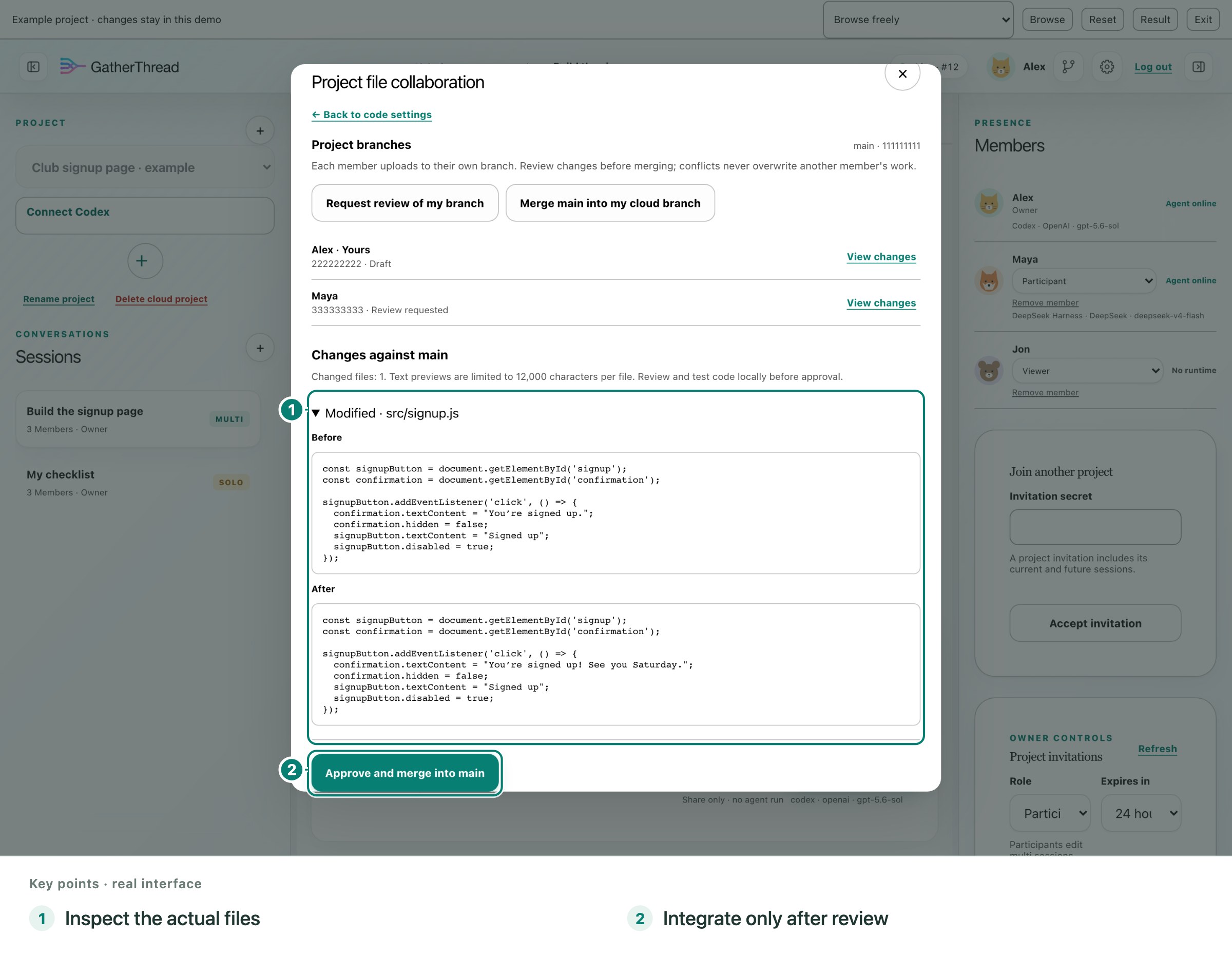
3. Check the changes before combining them
Each member uploads to their own branch. In the GT Cloud example, Maya submits a friendlier confirmation message for Alex to review. On GitHub, use the repository's pull-request review. Automatic upload does not mean automatic merge.
4. Continue on another device
Open the same conversation on your phone or tablet. Catch up, discuss the next step, or request your own online computer Agent without returning to your desk.
Follow the complete story, including the working signup page, in the illustrated product guide.
Project files: GitHub for real development
Choose GitHub for ongoing development. Each member authorizes their local connection and uploads to a personal branch. For this local sync path, files go directly from the computer to GitHub and do not count against GatherThread cloud file quotas. Automatic upload waits for Agent work to stop and files to settle; manual upload, download, and recovery are also available. Review and integrate through GitHub.
Choose GT Cloud for a lightweight trial. Try a small project with GatherThread's file service: 128 MiB of current file versions per user, without first setting up GitHub. Inspect member versions, submit changes for review, let the project owner integrate them, and recover uploaded files.
The destinations are independent: connecting one does not move the other's files. File sharing needs separate authorization, and its upload switch is separate from conversation uploads. Neither path automatically downloads or merges. Use separate local folders for people or tools editing at the same time; personal branches do not isolate a shared local folder.
GitHub's permissions, platform rules, and local transfer safeguards still apply. Leaving a GatherThread project does not revoke GitHub access. These features save project source files, not a complete backup of your computer. See file setup, limits, and recovery.
Get started
- Sign in with a verified email address and password. New here? Verify your email, choose a password, then create a project and a Multi conversation. Invite your teammates, or accept an existing project's invitation.
- Choose your Agent. Try the cloud Agent without installing anything, or connect your computer with the Codex launcher or DeepSeek Harness plugin. A phone can use the cloud Agent directly, or that same account's connected computer Agent while the computer and connector stay online.
- Talk, then ask for work. Use Chat for discussion and the separate Agent request button for AI work. Select an available Agent and its supported model options before requesting it.
- Share files when you need to. Prefer GitHub for development; choose GT Cloud for a small trial. Authorize file access separately.
Want to practice first? Open the free example or the visual guides in Settings. Example changes are disposable, use no model quota, and do not affect real projects.
More ways to work together
Summaries may omit details and use your Agent's quota. Later Agent requests default to the summarized history; Settings can select original history instead. Reading-view toggles are separate. Pause/Resume controls a GatherThread request, not an identical freeze and restart of a native Agent's internal reasoning.
Choose what you share. Shared discussion goes to GatherThread; files you authorize go to the selected file service. Sharing a conversation does not give teammates your local tool approvals or model credentials. Check files for secrets before uploading. Cloud deletion does not delete local Agent conversations or files. See privacy and security.
After message deletion, all future Agent history prepared by GatherThread will exclude the erased content and invalidated results. Deletion does not roll back file changes, erase other members' independent messages or manual reposts, or recall copies already held locally or by model providers. The live conversation retains a placeholder with its order, author and time; privacy explains retention.
Try your Agents as a team
Multi-Agent teams are a bounded preview in Beta 5. Open Agent teams, add connected Agents as modules, test the exact setup, then enable it to start a task. Own Codex/DSH connections, explicitly shared native connections and eligible cloud models keep their existing permissions. Set call/time limits and use the Team's Pause/Stop controls. Claude Code modules and broader autonomous collaboration are not included in this preview. Scope and release notes
Explore, contribute, or self-host
Product guide · All documentation · Codex setup · DSH setup · File collaboration · Self-hosting · Release notes
Developers: start with AGENTS.md and CONTRIBUTING.md, then the architecture and interface contracts. Use Node.js 24 or newer; see the hosting guide for local setup. The project lead reviews version updates before release.
Report a bug or suggest an improvement. Report security issues privately to [email protected]; never post credentials or private transcripts.
Licensed under Apache 2.0. Copyright 2026 Yuhan He and contributors.