gda — Godot Automation for AI Agents
Read this in: 简体中文 · Español · 日本語
Build and verify Godot projects with AI coding agents, shell scripts, and CI.
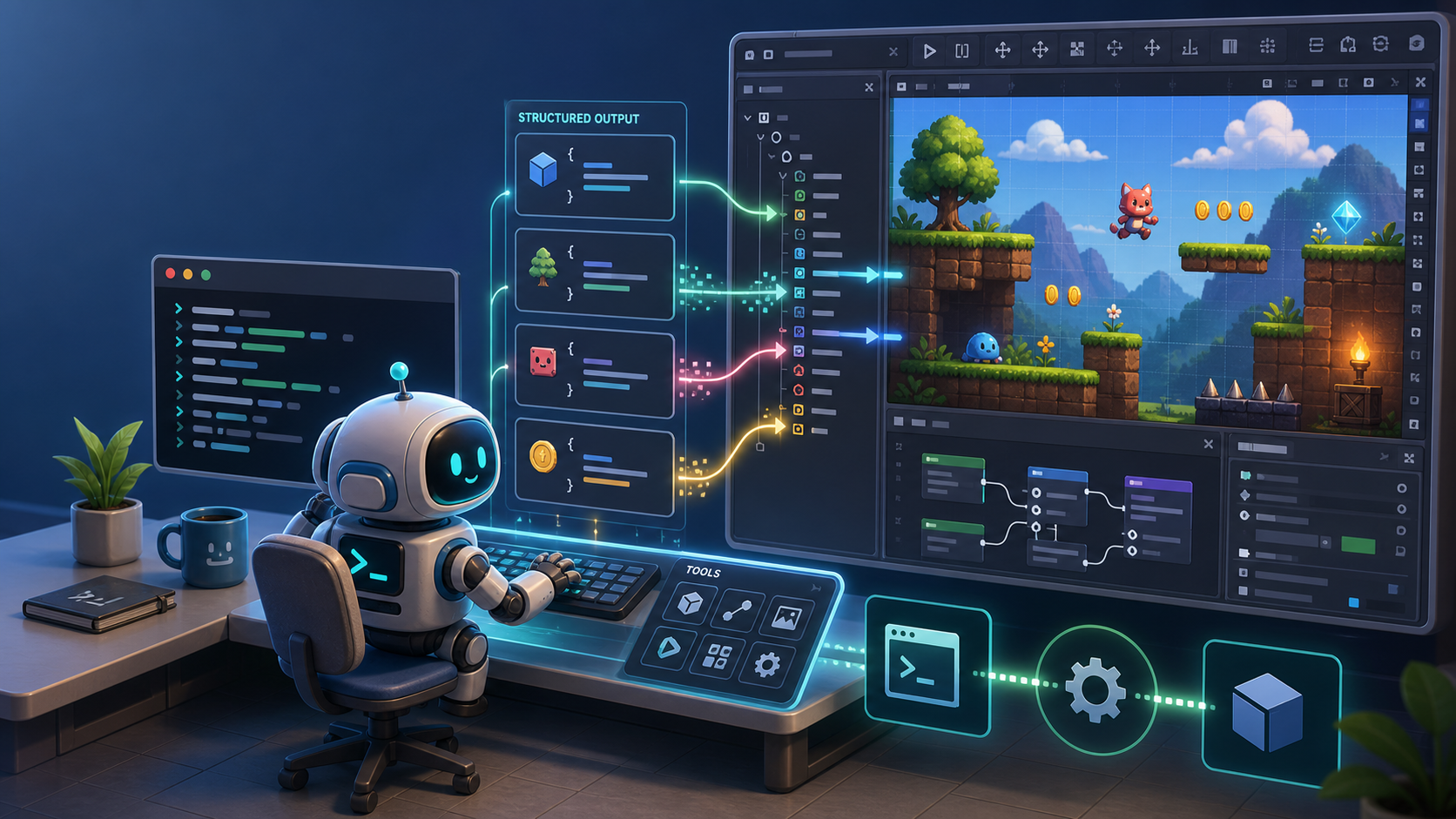
gda provides Godot automation with headless validation as well as live runtime
inspection and control through a CLI, a bundled Agent Skill, or an MCP server,
returning structured results agents can act on.
Two complementary modes cover this build-and-verify workflow:
- Headless — create and edit project content, compile scripts, validate and boot scenes, analyze project structure, and export builds without an editor plugin or daemon.
- Live — inspect and drive the running game through a per-project daemon: runtime tree and state, input simulation, frame capture, logs, errors, and performance.
Product overview · CLI, Agent Skill, or MCP? · Playable demos · PyPI
TL;DR
Just tell your AI agent:
Install the gda CLI with
uv tool install gda(orpipx install gda), and install its Agent Skill withnpx skills add aigengame/godot-agent --skill gda -g. Then read the skill, follow it to set up gda for my Godot project, and check the setup withgda info --json.
Contents
- Why
gda? - Capabilities at a glance
- Installation
- Quick start
- Choose your integration
- How it works
- Command reference
- Configuration
- Contributing
- License
Why gda?
- Verification across the game development lifecycle. Headless validation confirms project readiness; Live operations return runtime evidence about actual behavior.
- Structured results and discoverable schemas. With
--json, each command emits exactly one result object on stdout. Typed input and output models also power--schemaand the generated MCP tool surface. - Godot-native bounded context and ubiquitous language.
gdauses a single Godot-aligned operation model and vocabulary, giving agents consistent terms for project content and runtime state. - Operate reliably in restricted environments. Redirect user data and logs to writable locations, isolate concurrent runs, and return typed environment failures before Godot crashes. This makes it easier for agents to work in sandboxes.
- Three complementary access paths. Run the CLI directly from an agent, shell, or CI; install the bundled Agent Skill for reusable guidance; or expose the same operations as MCP tools. See CLI, Agent Skill, or MCP? for comparison and tradeoffs.
- Bounded automation with actionable failures. Timeouts, bounded output, typed failures, diagnostics, and mutation reports help agents decide what happened and how to recover.
These capabilities were refined while building a real game, with the work documented in a public dogfooding record.
Capabilities at a glance
Installation
Requirements: Python 3.13+ and a Godot binary — 4.4+ for Headless operations, 4.6+ for Live operations (see the platform support table).
Install gda, the Godot CLI for AI agents, from PyPI onto your PATH:
uv tool install gda      # or: pipx install gda
gda --help
Into an existing environment:
pip install gda
From source (for development or unreleased changes):
git clone https://github.com/aigengame/godot-agent.git
cd godot-agent
uv sync                  # create the environment + install dependencies
uv run gda --help
Quick start
Point gda at your Godot binary, then ask the engine its version — no project needed:
export GDA_GODOT="/path/to/Godot"   # or pass --godot to any command; Windows: use *_console.exe
gda info --json
# {"major":4,"minor":6,"patch":3,"status":"stable","string":"4.6.3-stable (official)",…}
With --json, stdout is clean JSON you can pipe; all engine and script diagnostics go to stderr:
gda info --json | jq .major # → 4
No project yet? gda still runs projectless on plain filesystem paths (relative to your
current directory); only res:// resolution needs a project. See Configuration.
To create one, use a destination that is new or empty (entries such as .git do not count).
gda writes one file, a project.godot that sets only the name:
gda project create ./my-game --name "My Game" --json
# {"path":"/home/me/my-game","name":"My Game","created_dirs":["/home/me/my-game"],"project_file":"/home/me/my-game/project.godot"}
Build a scene headlessly. Point gda at a Godot project (a directory with project.godot)
once; relative paths then resolve inside it, and nodes are addressed by their path relative to
the scene root:
export GDA_PROJECT="/path/to/your/godot-project"   # or pass --project to any command
gda scene create scenes/main.tscn --root-type Node2D --json
gda node add  scenes/main.tscn --type Sprite2D --name Hero --json
gda node set  scenes/main.tscn --node Hero --property position --value 10,20 --json
gda scene validate scenes/main.tscn --json
gda scene get scenes/main.tscn --json
# {"path":"scenes/main.tscn","root":{"name":"main","type":"Node2D","children":[{"name":"Hero",…}]}}
Inspect and drive the running game with Live operations. These operations run the
project's main scene, so point it at the one you just built via Godot's
application/run/main_scene project setting (the editor's Application → Run → Main Scene),
then start the daemon (Godot 4.6+):
gda project set application/run/main_scene --value res://scenes/main.tscn --json  # a Godot project setting key
gda daemon start             # start the daemon for $GDA_PROJECT (installs the in-game harness)
gda game tree --json         # the runtime scene tree, after _ready
gda perf monitors --json     # live engine counters: fps, memory, node count
gda daemon stop
(gda screen capture works live too, but needs a windowed session — start the daemon
with gda daemon start --windowed.)
Choose your integration
gda provides one operation surface through three complementary access paths. Use the CLI,
the Agent Skill, the MCP server, or a combination that fits your workflow. The underlying
operations and structured results stay the same.
Not sure which path fits your workflow? See Godot MCP vs CLI vs Agent Skill.
Use the Agent Skill
gda ships an Agent Skill that teaches an AI agent when and how to drive Godot from the
CLI. Use it when your coding agent supports Agent Skills and you want reusable guidance without
registering a server. Install it with the Skills CLI,
which asks which agents to install it for (name them with -a):
npx skills add aigengame/godot-agent --skill gda       # this project
npx skills add aigengame/godot-agent --skill gda -g    # all your projects
This copy tracks the repository's main branch. For guidance that matches your installed gda
version, use gda skill instead. It prints the same file from the package, or installs it:
gda skill                                              # print SKILL.md (redirect it anywhere)
gda skill --install --provider claude --scope user     # resolve a known agent's skills dir
gda skill --install --dir ~/.claude/skills/gda         # …or give the directory yourself
Either way you still install gda, since the Agent Skill drives it. The
Agent Skill recipes list each agent's skills directory.
Use the MCP server
gda-mcp is the bundled Godot MCP server for compatible clients. It implements the
Model Context Protocol over stdio and is available through
the [mcp] extra. Run it through uvx without a permanent install:
uvx --from "gda[mcp]" gda-mcp
The server resolves two pieces of context — which Godot project to drive and which Godot binary to run (MCP can't pass per-call flags):
- Project — set
GDA_PROJECT. Without it,gda-mcpuses the workspace roots the client sends (the folder you have open) — but the MCP 2026-07-28 revision deprecates roots, so pinningGDA_PROJECTis the setup that keeps working. See Configuration. - Engine — set
GDA_GODOTto your Godot binary, e.g."GDA_GODOT": "/path/to/Godot".
gda-mcp accepts both protocol eras — the pre-2026 MCP protocol and the 2026-07-28 revision —
but not with the same project resolution: a pre-2026 client still sends roots, a client on the new
revision does not, so it resolves from GDA_PROJECT or the server's cwd. Pin GDA_PROJECT before
your client moves. On the new revision gda-mcp also marks tools/list cacheable (1-hour TTL).
Register with Coding Agents
Project scope, .mcp.json at the repo root (auto-detects the project via roots):
{
  "mcpServers": {
    "gda-mcp": {
      "command": "uvx",
      "args": ["--from", "gda[mcp]", "gda-mcp"]
    }
  }
}
User scope (every project) — the CLI, which writes ~/.claude.json:
claude mcp add --scope user gda-mcp -- uvx --from "gda[mcp]" gda-mcp
Project scope, .codex/config.toml at the repo root (the project must be trusted):
[mcp_servers.gda-mcp]
command = "uvx"
args = ["--from", "gda[mcp]", "gda-mcp"]

[mcp_servers.gda-mcp.env]
GDA_PROJECT = "/absolute/path/to/your/godot/project"
User scope (available everywhere, but pinned to one project) — the same table in
~/.codex/config.toml, or add it with the CLI. Codex has no workspace variable, so
GDA_PROJECT is an absolute path; use project scope if you work across several projects:
codex mcp add gda-mcp --env GDA_PROJECT=/absolute/path/to/your/godot/project -- \
  uvx --from "gda[mcp]" gda-mcp
Project scope, .cursor/mcp.json at the repo root (${workspaceFolder}
tracks the open project):
{
  "mcpServers": {
    "gda-mcp": {
      "type": "stdio",
      "command": "/path/to/uvx",
      "args": ["--from", "gda[mcp]", "gda-mcp"],
      "env": {
        "GDA_PROJECT": "${workspaceFolder}"
      }
    }
  }
}
User scope (available everywhere, but pinned to one project) — the same config in
~/.cursor/mcp.json with GDA_PROJECT set to an absolute path (${workspaceFolder} only
works in project scope; use project scope for several projects). Cursor has no mcp add
command — register via the JSON above or the Settings → MCP UI.
Cursor is GUI-launched with a minimal
PATH, so a bareuvxmay not resolve — hence the absolutecommandabove; fill it with the output ofwhich uvx. Full recipes — PATH injection, Claude Desktop, user vs project scope, per-agent project pinning — are in the registration recipes.
How it works
gda is one Godot automation toolchain with three components and two complementary
operation modes:
- Headless operations run as one-shot processes — no daemon or editor plugin to install (create a scene, edit a script, validate or boot a scene, export, analyze).
- Live operations require a running game —
gda-daemonlaunches it, injects an inert in-game harness, and brokers requests over local IPC (runtime tree, input, frame capture, performance, diagnostics).
Headless validation confirms project readiness; Live operations return runtime evidence about actual behavior.
The in-game harness gda-daemon injects is dev-only: gda export run strips it from the
artifact entirely, and built any other way (editor GUI, raw godot --export) it still
self-disables in the exported game — so a shipped game never runs anything daemon-related
(and via gda export run, doesn't even carry it).
Platform & version support:
¹ Headless is cross-platform by design (one-shot processes, no platform-specific
dependency) — Windows keeps the full headless surface, and the nightly CI exercises
it on a Windows runner too.
² A windowed session, which screen capture and screen frames need, requires a
display: an on-console GUI session on macOS, $DISPLAY or $WAYLAND_DISPLAY
on Linux (Xvfb on a headless host), or an accessible interactive desktop on
Windows. Each command's --schema constraints state its supported platforms.
Command reference
gda commands are grouped by Godot domain object and use a small, consistent verb
vocabulary, so the same verb means the same thing in every group:
Every command supports --json and --schema. Commands that read or mutate a res:// path
resolve a project context. Run gda <group> <command> --help for full
flags — gda --help is the authoritative list of what is installed.
New here? A good first path: gda info → gda scene create → gda node add →
gda script validate → gda export run; then go live with gda daemon start → gda game tree.
Meta — about gda / the engine itself
Headless commands — Godot 4.4+, all platforms
scene — scene files (.tscn)
Run both — scene get reads a scene with its script missing as healthy, only validate
names the file, and only preflight catches a first-frame failure.
node — nodes within a scene file
script — GDScript files (.gd)
project — the project as a whole (settings, autoloads, static analysis)
resource — resource files (.tres) and the project's imported assets
export — export presets and artifacts
export smoke takes a macOS .app or a directly host-runnable file. End-to-end evidence covers macOS and Windows Desktop; Linux is not measured and not promised.
shader — shader files (.gdshader)
theme — theme resources (.tres)
Live commands — via gda-daemon; Godot 4.6+
daemon — the live runtime lifecycle
game — the running game's runtime scene graph
game call reads what game get cannot: state your project exposes as a method.
game set --property position follows the same Control rule as node set.
game get refuses a Control's position, size, global_position and global_rect;
game rect is the read for them.
diag — runtime diagnostics
logger — structured runtime log
perf — performance monitoring
input — input simulation
Read injected mouse coordinates from event.position — in a daemon session
get_mouse_position() / get_global_mouse_position() can stay stale.
In a windowed session, a loss of OS focus after input action releases the held
state: the engine releases every pressed input, an injected action state included,
when another application or a second windowed session takes the focus, and
regaining the focus does not restore it. Press again after such a loss.
screen — viewport capture
A capture's receipt carries two frame counters: engine_frame is the boundary the read
was taken at, render_frame the drawn frame the pixels are.
Each screen frames item includes a receipt; --summary keeps only the first and last receipts.
Global flags
Configuration
gda finds the Godot binary from the --godot <path> flag, otherwise the
GDA_GODOT environment variable — set one of these so gda can locate your engine.
Domain commands resolve a Godot project so that res:// paths resolve. A named
directory must be a project, or gda reports an error; when nothing resolves, gda runs
projectless — plain filesystem paths work, res:// does not.
Pointing gda at a project runs some of that project's own code — by design, since the
project is trusted (ADR-0009):
- Autoloads start on every
--projectoperation that boots the game-facing engine, read-only ones included (a cachedresource importboots nothing). - Scene scripts'
_initruns wherever a scene is instantiated: every mutatingnodecommand andnode get;scene get/scene list/node listread without instantiating. script runexecutes the named script in full;scene preflightboots the scene and runs its_ready.resource importon a cache miss and the native export ofexport runboot the editor instead: the engine's importers and the project's import plugins run, with every@toolautoload and the enabled editor plugins; plain autoloads do not.export runalso runs the export plugins those editor plugins register, after it reads the preset in an ordinary operation that starts the autoloads.game callruns the one method the node'sGDA_CALLABLEdeclaration names; nothing undeclared is ever called.
Headless Godot interleaves its banner, warnings, and print() output into stdout. gda
solves this with a sentinel contract
(ADR-0002):
-
The GDScript payload emits exactly one result, wrapped in unique sentinels on stdout:
<<<GDA:RESULT>>>{ …json… }<<<GDA:END>>> -
It routes all of its own diagnostics to stderr; stdout carries nothing but the contract.
-
gdaextracts and parses only the bytes between the sentinels, ignoring the surrounding engine noise, and surfaces stderr for inspection.
This is what makes gda's output safe to consume programmatically, and it generalizes to
the per-message protocol the daemon uses for live operations.
Exit codes (the CLI ABI). A failed gda run exits with a small, stable code so a shell
or agent can branch on the failure category without parsing the JSON error:
These values are the public ABI; their authoritative source is
src/gda/exit_codes.py. The {"error": {category, code, …}}
envelope carries a finer code within each category (e.g. path_not_found,
already_exists, node_not_found all sit under operation / exit 4). The full
registry lives in
ADR-0002's GdaError.code table.
uv sync                       # set up the environment

uv run pytest                 # run the full suite (includes e2e tests against a real Godot)
uv run pytest -m "not e2e"    # unit tests only (no Godot binary required)
uv run pytest -m e2e          # only the end-to-end tests (needs Godot 4.4+ on this machine)
uv run pytest -n 0            # any tier above serially (the default also goes serial under --pdb)
uv run pytest -n 2            # any tier above on two workers, e.g. beside another e2e run
uv run pytest -m e2e --splits 3 --group 2 --splitting-algorithm least_duration   # one third of the e2e tier, as one CI shard runs it

uv run ruff check .           # lint
uv run ruff format .          # auto-format (append --check to verify without writing)
uv run pyright                # type-check (src/ + tests/, basic mode)
The e2e tier runs by default with uv run pytest, and fails loudly — saying how to
fix it — when GDA_GODOT does not name a Godot binary, rather than skipping.
Deselect the whole tier with -m "not e2e" (CI's per-PR job uses exactly this).
Every tier runs on 4 xdist workers by default, capped at the CPU count, with
--dist loadgroup keeping the tests that open a window on one worker. That policy is
pyproject.toml's addopts and the default is in tests/conftest.py; CI runs the same
entry with no flags. PYTEST_XDIST_AUTO_NUM_WORKERS=<n> changes the default for one run
(CI maps the repository variable PYTEST_WORKERS to it), and an explicit -n wins over
both. Adjust the count to your machine's core count: too many workers contend for CPU
time. CI's e2e job shards the tier across runners with the same --splits/--group
flags; the e2e-shards dispatch input or the repository variable E2E_SHARDS sets
the count (default 4; 1 runs the tier as one job). The e2e-select dispatch input, a
pytest -k expression, narrows the main e2e step to the tests it selects, as one job per
operating system; the Linux rendered step on Xvfb still runs its whole set.
Linting and formatting are enforced by ruff — one tool in
place of flake8 + black + isort, configured under [tool.ruff] in pyproject.toml and
pinned via uv.lock so local and CI agree. CI's lint job runs ruff check . and
ruff format --check . on every PR; run uv run ruff format . before committing to stay
green.
Types are checked by pyright in basic mode, covering
src/ and tests/ and configured under [tool.pyright] in pyproject.toml (also pinned via
uv.lock). CI's type-check job runs uv run --frozen pyright on every PR.
src/gda/
  cli.py            # composition root (Typer): mounts every command group
  exit_codes.py     # the exit-status table (public ABI)
  commands/         # one module per command group: its models, renderers, commands
  surface/          # the command surface: the per-command descriptor (one
                    # HeadlessCommand per command), the shared options, the CLI dispatch
                    # tails + the runner seams the groups call, the `gda schema` manifest
  core/             # the library the daemon, the surface and the groups build on
    project/        # the project on disk: project.godot, file tree, import cache, paths
    engine/         # one Godot process: binary resolution (flag > $GDA_GODOT),
                    # the one-shot headless spawn seam, user data, the sentinel wire
    contract/       # the shared typed I/O core (Pydantic) backing --json and --schema,
                    # and the shared human-readable (non-JSON) render helpers
    failure/        # failure classification + the error-code registry
    steps/          # the shared steps: the engine import pass and the completed run
  ops/operations.gd # the headless GDScript payload, dispatched by operation name
  daemon/           # gda-daemon: server, session supervision, IPC protocol, discovery,
                    # and the live-operation client that talks to it
  harness/          # the inert in-game `gda` autoload injected into a live session
  mcp/              # gda-mcp: the schema → MCP-tool server
tests/              # unit + e2e tests against a real engine (shared fixtures in conftest.py)
docs/adr/           # architecture decision records
CONTEXT.md          # the project's shared domain language
gda has two external boundaries, each behind a seam fast tests inject through: spawning a
one-shot headless process (core/engine/launch.py) and talking to a running game via the
daemon (daemon/client.py). The e2e suite drives a real engine across both.
Contributing
Contributions are welcome. Read CONTEXT.md to align with the project's
shared language, and review the relevant ADRs for the area you're touching.
Issues and PRDs live as GitHub issues.
Commits follow the Conventional Commits specification.
Python code is linted and formatted with ruff and type-checked
with pyright, both enforced in CI — run
uv run ruff format . and uv run pyright before committing (see Development above).
Working with an AI coding agent? This project is built to be agent-navigable —
AGENTS.mdis the entry point for coding agents, wiring in the project's rules, domain docs, and skills.
License
Released under the MIT License. Copyright (c) 2026 aigengame.